 6.5K
6.5KBattery+
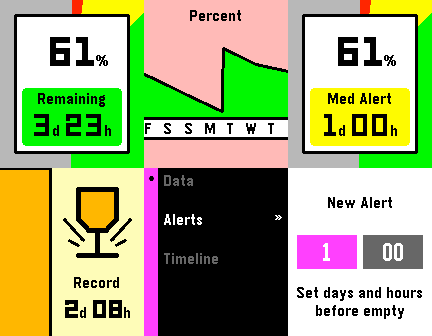
Battery+ is a smart battery tracking application. It learns your battery usage and then gives intelligent battery life predictions and awesome statistics!

Features Include
 - Intelligent battery life predictions
 - Customizable alert times (one day left)
 - Timeline integration
 - And much more!

Give it a heart if you like it, and visit the website link below for more details!
 6.3K
6.3KTimer+
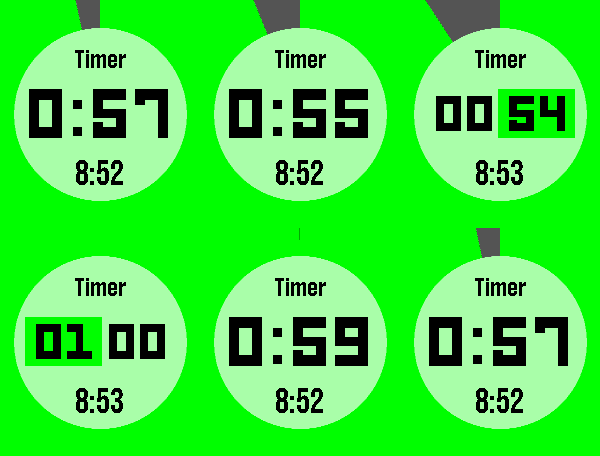
Timer+ is a beautifully animated, simple timer and stopwatch for your Pebble! It keeps track of your timer even after you close the app and will open the app when the timer has elapsed.

Some Features:
  -  Hold "Select" to reset.
  -  Start a 0:00 timer for a stopwatch.
  -  The end time is shown when paused.

Like this app? Give it a heart!
 6K
6KCompass
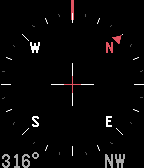
Compass app elegantly animates between two different modes: A compass rose when you look down at your Pebble and a heading indicator when hold the watch in front of the horizon. A spirit level is included with exact degrees for where you're heading and smooth animations make this the perfect companion for any outdoor activity.

And, even works under water!
 3.7K
3.7KDialer for Pebble
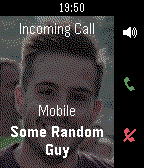
Answer, decline, mute, make calls from your Pebble.
 3.5K
3.5KTimer
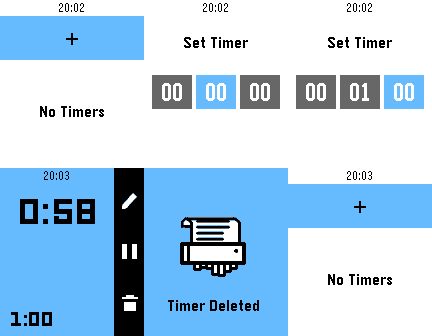
Pebble's first official timer! Set up to eight different timers and watch them run down.

Timers longer than fifteen minutes also push a pin to your timeline.
 3K
3KStopwatch
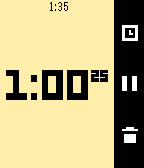
Time anything you wish with Pebble's beautifully simple stopwatch app! It runs in the background and can hold up to twenty laps.
 2.5K
2.5KSnowy
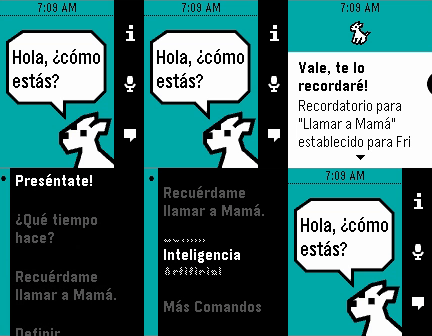
Snowy is the most popular personal assistant for Pebble Time. Set reminders, translate sentences, control your home through IFTTT - you name it, and chances are Snowy can help you out.

For just $2.99 through KiezelPay, you can have the app voted "Most Creative Project" at the 2015 Pebble Developer Retreat, and one of Eric Migicovsky's (Founder and CEO of Pebble) favorite apps! Download Snowy and follow the onscreen instructions for obtaining a license. No companion app, no hassle, all awesome.

The Pebble smartwatch just got a little smarter...

---

For more information, visit MyDogSnowy.com, and if you love Snowy, remember to give him a ❤️!

===

DANSK (Beta): mydogsnowy.com/da

DEUTSCH: mydogsnowy.com/de

ESPAÑOL: mydogsnowy.com/es

FRANÇAIS: mydogsnowy.com/fr

ITALIANO: mydogsnowy.com/it

PORTUGUÊS (Beta): mydogsnowy.com/pt

Tags: Siri, Cortana, Google Now, Personal Assistant, Voice, Dog, pmkey.xyz
 1.8K
1.8KChecklist
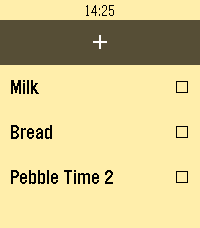
A checklist on your watch! Grocery shopping will never be the same.

You can use Checklist to keep track of anything you need without needing to hold your phone: things to-do, shopping, and more!

Features:
- Manage the list directly from your phone! Add, edit, and delete checklist items directly from the settings page, including export and importing list items!
- Add items directly from your watch via voice input!

Like the app? Please "heart" it!

"...only one app, a simple list-making app called Checklist, which uses the watch’s microphone to add tasks, really proved useful."
—MIT Technology Review

"I loved the convenience of adding items to the Checklist app just by speaking"
—Tom's Guide
 1.7K
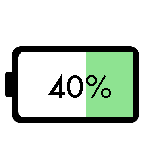
1.7KBattery lifetime (color)
Shows the battery level...with just one button press (use the quick launch).
 1.6K
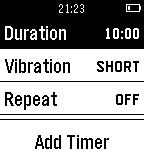
1.6KMulti Timer
Multi Timer is simply the best timer and stopwatch app for Pebble.

You can create as many independent timers and stopwatches as you need.

With the release of 3.0, timers will now launch the app when they finish, meaning you can quit Multi Timer while timers are running and still be notified.
 1.3K
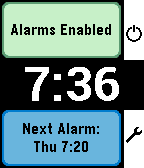
1.3KGentle Wake (Daily Smart Alarm Clock wit
- Alarms for each day of the week
- Smart Alarm attempts to wake you if it detects you stirring shortly before the alarm time, which is the Monitor Period (doesn't interfere with background activity apps)
- All settings are in-app (Down button on main screen)
- Alarm vibration starts gentle and gets longer and longer to gradually wake you and this can be adjusted with the Vibration Pattern setting
- Alarm will vibrate for just over a minute and will then auto-snooze to save battery
- Doesn't need to be manually started for the alarms to work (set and forget)
- While Alarm is vibrating, a single click on any button snoozes the alarm. 2 quick clicks are required by to turn off the alarm to reduce the chance of accidentally turning it off
- Change the 'Stop Alarm' setting to 'Konami Code' to show a random sequence of buttons to turn off the alarm to help really make sure you are awake
- Dynamic snooze halves the initial snooze time on each snooze until it reaches 3 minutes - for those of us with a habit of hitting snooze repeatedly ;)
- Can temporarily disable all alarms (Single Up button click on main screen)
- 'Easy Light' - hold your Pebble vertically to turn on the backlight while the alarm is vibrating/snoozing (no need to shake your wrist!). Can be turned off.
- Skip alarms by holding Up on the main screen and choose a date to skip until (alarms restart on that date.) Disabling & enabling alarms, or going into the settings resets skips
- DST Check sets the day of the week on which it checks if your location has switched to/from Daylight Savings Time
 1.2K
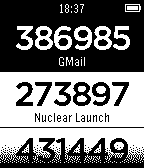
1.2KAuthenticator
Generate Google Authenticator two-factor authentication codes right from your Pebble! Perfect for use with the most popular two-factor authentication systems, including GMail, Dropbox, LastPass, Amazon Web Services, and many more.
 1.2K
1.2KNote To Self
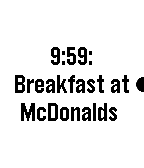
Add (future) reminders and (past) notes to your watch timeline using the microphone.

HOW TO USE:
Add reminders by saying:

"Remind me to go swimming at 4pm"
"Swimming lesson in 2 hours and 15 minutes"
"At 4 o'clock go swimming"
"Swimming at 4 tomorrow"

Add past and current notes by saying:

"Note that I left home at 8am"
"I took my pills 5 minutes ago"
"Just fed the parking meter"

The key to determine whether an event is in the past is if the sentence starts with "Note", or if the word "ago" proceeds the time like "1 minute ago", or if no time exists.

Undo the last event added by saying:

"Cancel that"
"Cancel last"
"Undo"

NATURAL LANGUAGE:
You can also use natural language like "remind me at 4:30 to buy tickets" or you can use concise language like "buy tickets at 4:30". Both will result in the text "buy tickets" in your timeline set at 4:30.

DESIGN:
This app is designed to be used with minimal interaction. After speaking your command, it will be added to the timeline immediately without requiring any confirmation buttons to be pressed. If the command was successful, the watch will give off a double vibration. If an error occurs, it will give off a long vibration.

RESPONSIVENESS:
Events on the timeline may take up to 15 minutes to show up.

MISC:
All events are pushed to your Pebble timeline and not saved elsewhere.

If you set the app as as a quick launch shortcut, it closes the app after the event is added.
 1.1K
1.1KAlarms++
This app is open source! If you like my apps heart them in the appstore and consider a donation (link is at the source link of this app).

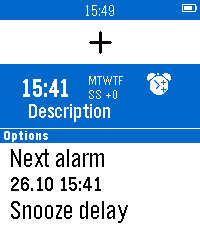
With Alarms++ you can flexibly schedule up to 24 alarms on specific weekdays.
- You could set alarms for your work days and another one for the weekend.
- You can add descriptions to the alarms which will be shown when the alarm goes off.
- Long-Press middle button to bring up a menu where you can disable and delete alarms
- Alarms without weekdays are so-called "one time" alarms. They will ring on the next possible weekday and then deactivate themselves.
- NEW: Konami-mode! Select "Dismiss alarm: hard" in the advanced settings. Now you have to press a sequence of keys during wakeup to actually dismiss the alarm (the sequence changes randomly). This should avoid dismissing the alarm accidentially.
- NEW: Your next alarm is pushed as a pin to Timeline!
 1.1K
1.1KVoice2Timeline
SUPPORTS: English - German - Spanish - French - Italian - Danish

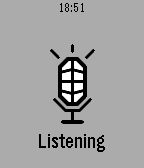
Lets you add pins to the timeline using speech-to-text.
Creating pins in the future can be done by adding a time indication. Only formats shown below are supported!

ENGLISH (12H): "at X:XX (AM/PM)", "at X o'clock", "in XX minutes", "in XX hours"

GERMAN (24H): "um XX:XX (Uhr)", "in XX Minuten", "in XX Stunden"

SPANISH (12H/24H): "a las XX:XX (a.m./p.m./horas)", "en XX minuto(s)", "en XX hora(s)"

FRENCH (24H): "à XXhXX", "dans XX minute(s)", "dans XX heure(s)"

ITALIAN (24H): "alle XX:XX", "in/fra/tra XX minuti", "in/fra/tra XX ore/ora"

DANISH (24H): "på XX:XX", "om XX minut(ter)", "om XX time(r)"