 24
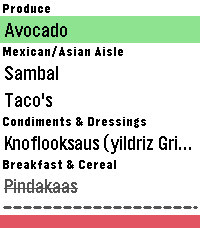
24The Every Shopping list app
Have your shopping list right on your wrist!
Just log in with your credentials on the settings page and you're good to go.

Features:
- Check off items
- Re-fetches latest data from your list on each toggle
- Uses the same categories/order you defined in your list
- Configure whether to show or hide checked off items
- Option to remove all checked off items from the list (Only available when they are visible)
- Support for multiple lists

If you have any suggestions, let me know!

Note: I am not a developer. This is a full AI project, you can check the source on GitHub. Use at your own risk.

Disclaimer: This app is an independent application and is not affiliated, associated, authorized, endorsed by, or in any way officially connected with AnyList or any of its subsidiaries or affiliates.
This app utilizes an unsupported and undocumented interface to access AnyList. Use of this feature carries a risk of data loss or corruption to your AnyList data.
 194
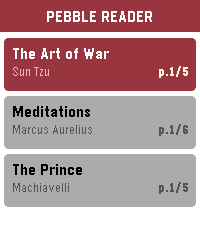
194Pebble Ebook Reader
Turn your Pebble into an e-reader, perfect for quick reads during commutes, waiting rooms, or anywhere you have a spare moment. Time to read on your wrist.

The app is being developed right now, specially tricky on the companion app side to manage the loaded books/remove/sync etc...

Even more difficult to test for now until the real hardware arrive, but I'm on a mission to make a nice ereader app in order to binge a bit of books from time to time.

But feel free to play with the current demo, let's go!
 10
10Durr2
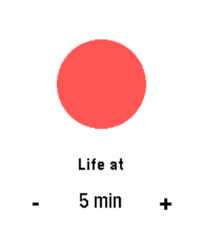
Vibrates every set interval. A direct clone of Durr watch from Skrekkøgle.
 138
138Flight Radar
Aware of a bug causing roads not to render. Working on a fix!

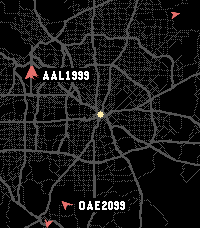
Live ADS-B air traffic on your wrist. See planes around you in real time, painted over OpenStreetMap roads centered on your current GPS location. Auto-refreshes every 30 seconds.

Controls:
- Select: Cycle Zoom (5, 10, 20, 40 mi visible)
- Up / Down: Pick next or last plane ordered by distance from you
- Back: Deselect plane if selected, exit app

When a plane is selected you'll see its callsign, type and tail number, altitude, and ground speed, plus its recent flight path drawn over the map. Missing fields show in orange, planes without a callsign fall back to their ICAO hex address.

Roads are cached on your phone for 7 days; planes are polled at most every 30 seconds. If Overpass rate-limits, the app honors Retry-After and falls back to the cached map.

Attributions:
- ADS-B info provided by adsb.lol.
- Road map data provided by OpenStreetMap contributors, fetched via the Overpass API.

Privacy:
- GPS Position is used on-device for plane and road queries. Nothing is sent anywhere except the above public APIs.
 160
160PebGoBrrrr
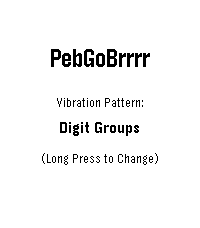
You know that moment when you're half asleep, trying to decide whether you can get away with a little more sleep, but checking the time would wake you up completely?

PebGoBrrrr is built for exactly that. Launch it with a button press and it vibrates the current time straight to your wrist. No bright screen, no squinting, no fully waking up just to find out it is 4:17.

Pick your preferred vibration pattern, tweak the buzz timing, and let your Pebble whisper the time at you through pure brrrr.

Source code now available on GitHub... please be kind 😬
 24
24Bit Spender
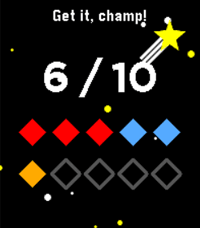
Companion app for my 'bit spender' productivity system. Each day you get 10 bits at 3 am and you have to spend them all before you can chillax in the evening. Each bit is spent for a specific category: work, exercise, or creative.

Each bit represents 30 minutes of intense focus time. You can either use the built-in timer for a specific category (short middle press) or use your own timer and log spent bits directly per specific category (longer middle 0.5s press).

There are also some stats tracking your past progress and an 'insights' screen (press down button repeatedly) that shows you your usual most productive times. As you progress, the app rewards you with little pep phrases and brief animations.

If required, you can reset all your data by going to the 'Insights' screen and holding the middle button down for 5 seconds, then confirming.

This is purely a personal project to help me finish my thesis. It is almost entirely vibe coded. Use at your own discretion. Your milage may wary.

As requested, the source code is now available on GitHub. Feel free to make your own forks of Bit Spender, just (i) make sure it's non-commercial, and (ii) credit this version in your app description. Happy spending!
 8
8FireFighterBuddy
A pebble app for firefighters to start a timer (and log specific time to help with reports) whenever a mobilization is accepted and fetch the intervention type, vehicle and address from the mobilization email to display them without having to manually check emails on the phone or check the station displays
 380
380Rain Radar
See rain heading your way, right from your wrist.

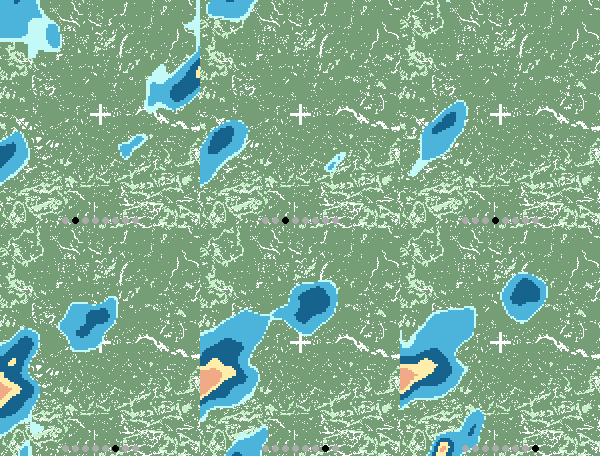
Rain Radar combines animated rain radar with a clear street map centred on your location, helping you judge where the rain is and whether it’s moving towards you.

• Animated rain radar — follow recent rainfall movement and intensity.
• Built-in compass — orient yourself with a live north arrow while the map stays north-up.
• Two map views — switch between Standard and Wide for local detail or a broader picture.
• Browse recent history — step through radar frames using the watch buttons.
• Automatic or fixed location — follow your phone’s location or choose somewhere to keep an eye on.
• Backlight lock — hold the screen to keep the map visible.

Designed for Pebble Time 2. Uses RainViewer radar and OpenStreetMap mapping. Requires a connected phone with internet access.
 2
2Pome
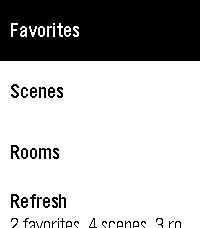
Pome puts Apple Home controls on Pebble Time and Time 2 through Itsyhome on your Mac.

Make your Home Screen yours: pin scenes, rooms, devices and sensors, then drag to reorder pins and sections in phone settings. Device pins open controls directly. Hide sections you do not use and assign favorite actions to button holds or Double Back.

Browse scenes, favorites, rooms and read-only sensors. Control lights individually or together by room, set brightness and colors, adjust supported fan speeds and blinds, and toggle switches and plugs. Device controls stay open while you make adjustments.

Personalize with ten built-in themes and saved custom themes. Preview colors and fonts, choose title and subtitle sizes, and show or hide icons. Time 2 offers five custom font families and five title sizes; original Time uses supported stock fonts. Long titles scroll when selected.

On dictation-capable watches, try "Set movie time" or "Turn living room lights green." Voice requires the phone companion’s transcription service. Touch menus on Time 2 use a tap to focus and a second tap to activate; physical buttons remain available.

Setup: install Itsyhome (https://itsyhome.app/macos), enable its Webhooks/CLI server, and enter a reachable URL in Pome’s phone settings. The Organik Apps Pebble Connector helps coordinate Mac setup. For private access away from home, use Tailscale on your Mac and iPhone with Tailscale Serve. Your Mac must remain reachable. Do not expose the server using Funnel or router port forwarding.

Setup instructions: https://github.com/GeezusChrotch/pome

Camera viewing is experimental and NOT included in public Pome 3.0. The public Connector does not include the HomeKit camera helper.

Pome has no analytics or hosted relay. Independent open-source community project; not affiliated with Apple, Itsyhome, Tailscale or Pebble.
 6
6Deadliner
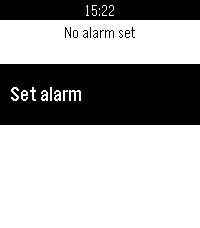
Zeno's paradox for alarms
 15
15Tick Every
Supports: Aplite, Basalt, Chalk, Diorite, Emery, Flint and Gabbro. English by default; French and optional local session history are available from Configure in the Pebble mobile app.

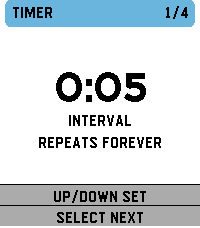
Tick Every is a simple haptic timer that keeps running until you stop it. Choose an interval, optionally add a start delay, then launch the timer. The watch gives two short pulses when timing begins. It then vibrates at every cycle. A long pulse represents five cycles and short pulses represent the remainder, with clear pauses between pulses. Includes pause/resume, optional haptic counting and opt-in local history: 32 recent sessions on the watch, plus every successfully synchronized session in the phone archive with no app-imposed count limit. The timer and watch history work offline.

Français

Tick Every est un timer haptique simple qui tourne jusqu’à ce que vous l’arrêtiez. Choisissez un intervalle et, si besoin, un délai de démarrage. La montre émet deux petites vibrations au démarrage, puis vibre à chaque cycle. Une vibration longue représente cinq cycles et les courtes le reste, avec des pauses nettes entre impulsions. Pause/reprise, comptage haptique désactivable et historique local optionnel : 32 sessions récentes sur la montre, plus toutes les sessions synchronisées dans l’archive du téléphone sans plafond imposé par l’app. Le timer et l'historique montre fonctionnent hors ligne.
 1
1IP Directory
Help log your IP addresses
 18
18YakuGo Translate
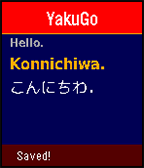
Use your voice to quickly translate phrases into Japanese (romaji & new hiragana)! Save your favorite phrases! Your last 8 translations can be viewed on your phone.
 7
7Viber
Viber is an app that vibrates your watch!

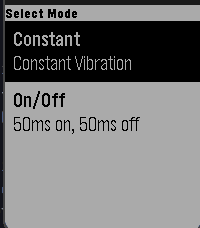
Currently there are 2 different modes:
1. Constant vibration
2. On/Off vibration that pulses in 50ms intervals

Once you choose a vibration, press any button to vibrate and then press any button to pause vibration

Note: This app can drain battery rather quickly
 11
11Beehave
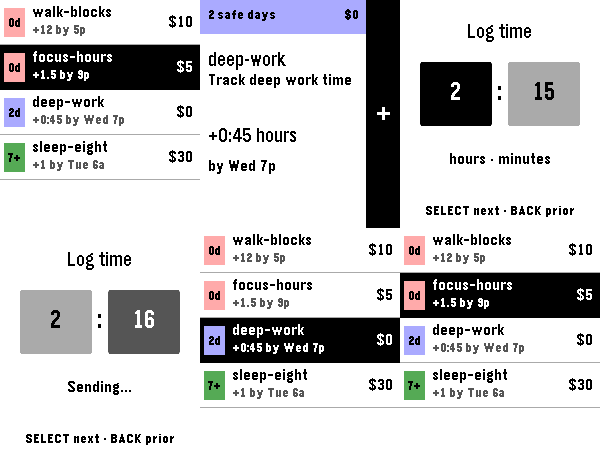
Beehave is an unofficial Beeminder client for Pebble Time 2. It lists goals in Beeminder urgency order. Open a goal to see its safety buffer, requirement, deadline, and pledge. For manual goals, log integer, decimal, or time values with the watch buttons.

Beehave creates reminder times from your Beeminder Lead Days, Start Alerts, deadlines, and Zeno settings. The watch schedules these reminders locally. Beehave does not use Pebble Timeline or a separate server.

Cached goals remain available when the phone is unavailable. Queued reminders can still open, and you can snooze them. A fresh sync and datapoint post require the phone and network.

Beeminder remains authoritative. A logged datapoint does not mark a goal as safe or complete. A refresh gets the current goal state from Beeminder.