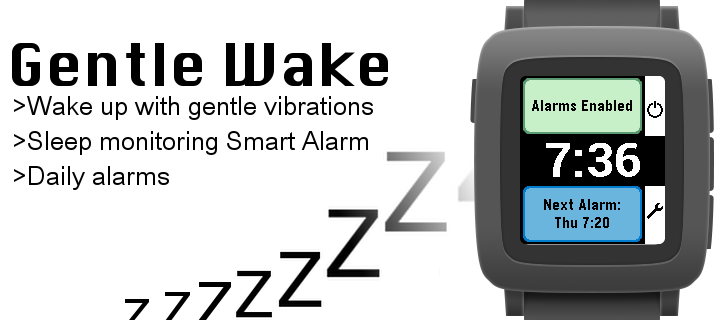
Gentle Wake (Daily Smart Alarm Clock with Sleep Monitoring)
SeaPea Software
Watchapp
Description
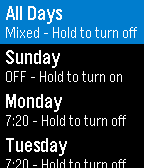
- Alarms for each day of the week
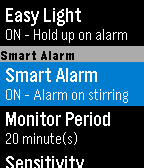
- Smart Alarm attempts to wake you if it detects you stirring shortly before the alarm time, which is the Monitor Period (doesn't interfere with background activity apps)
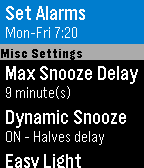
- All settings are in-app (Down button on main screen)
- Alarm vibration starts gentle and gets longer and longer to gradually wake you and this can be adjusted with the Vibration Pattern setting
- Alarm will vibrate for just over a minute and will then auto-snooze to save battery
- Doesn't need to be manually started for the alarms to work (set and forget)
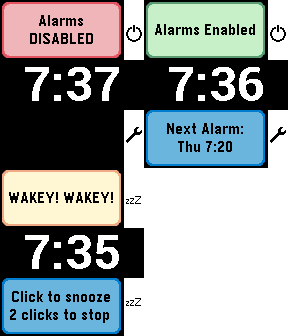
- While Alarm is vibrating, a single click on any button snoozes the alarm. 2 quick clicks are required by to turn off the alarm to reduce the chance of accidentally turning it off
- Change the 'Stop Alarm' setting to 'Konami Code' to show a random sequence of buttons to turn off the alarm to help really make sure you are awake
- Dynamic snooze halves the initial snooze time on each snooze until it reaches 3 minutes - for those of us with a habit of hitting snooze repeatedly ;)
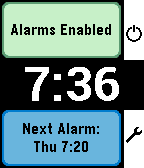
- Can temporarily disable all alarms (Single Up button click on main screen)
- 'Easy Light' - hold your Pebble vertically to turn on the backlight while the alarm is vibrating/snoozing (no need to shake your wrist!). Can be turned off.
- Skip alarms by holding Up on the main screen and choose a date to skip until (alarms restart on that date.) Disabling & enabling alarms, or going into the settings resets skips
- DST Check sets the day of the week on which it checks if your location has switched to/from Daylight Savings Time
- DeveloperSeaPea Software · Is this you? Claim your app ›
- CategoryTools & Utilities
- PlatformsOG Pebble, Steel, Time/Time Steel, Time Round, 2, 2 Duo, Time 2 (scaled), Round 2 (scaled)
- Updated2016-10-08
- Version3.2