 846
846QR Generator
This app is open source! If you like my apps heart them in the appstore and consider a donation (link is at the source link of this app).

Displays your business card or any string as QR code on your watch! Simply set the string on the configuration page on the phone. The QR code is generated on your phone and sent to the watch. No companion app needed! Works without internet connection.

- Long-press select to hide description
- Shake to activate background for 10 seconds
 814
814Rosewright Chronograph
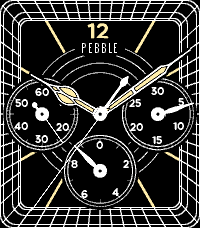
An analog "Chronograph" three-subdial watchface.  It's a fully functioning stopwatch with start/stop and lap buttons, and 0.1-second resolution.

Like all Rosewright faces, it is extensively configurable including multiple face options, second hand, hour alert, bluetooth, battery, and day/date/month etc. in the language of your choice.

Also see Rosewright C, which is a watchface with the same look as the Chronograph but lacking the actual chronograph functionality.  It's meant for installing as a daily watchface if you like the look of Chronograph.
 775
775Muninn - Battery Wisdom
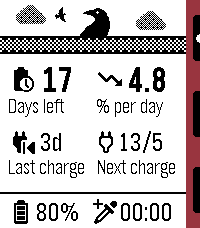
Muninn is an extremely lightweight battery tracking and prediction app. It uses the Wakeup API (every 6 hours) instead of the Background Worker to monitor trends and provide insight without negatively affecting battery life, using a moving average of readings over time to estimate days left, rate of discharge, next charge date, and more!

Note: the Settings page is used for web stats, available after a few days of samples have been collected.

Features:
- Negligible battery impact
- Days remaining and drain rate estimation
- Last observed charge and predicted next charge date
- Graph log of recent samples, up to 4 days
- Sync up to 120 days of data to the phone for long-term insights
- Upload and view all your data in web config page
- Set an AppGlance to show estimate in the launcher menu
- View general battery tips

Options:
- Custom low battery threshold notification (50%/20%/10%)
- Timeline pin at noon on the last day remaining
- High (above average) rate of drain notification
- One day left notification
- Auto-update of web config page stats (noon daily)

Important notes:
- If the watch is off at the next sample time, the app must be launched to allow wakeups to be resumed.
- The initial estimate may be an overestimate but will smooth out soon after.
 702
702skunk
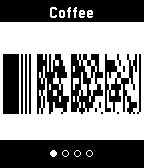
Skunk allows easy access to up to eight store cards and other barcodes.

Linear Barcodes: Codabar, Code 39, Code 128, EAN-8, EAN-13, Interleaved 2 of 5 (ITF), UPC-A
Matrix Barcodes: Aztec, Data Matrix, PDF417, QR
 643
643Solanum
Pomodoro made simple: Solanum.

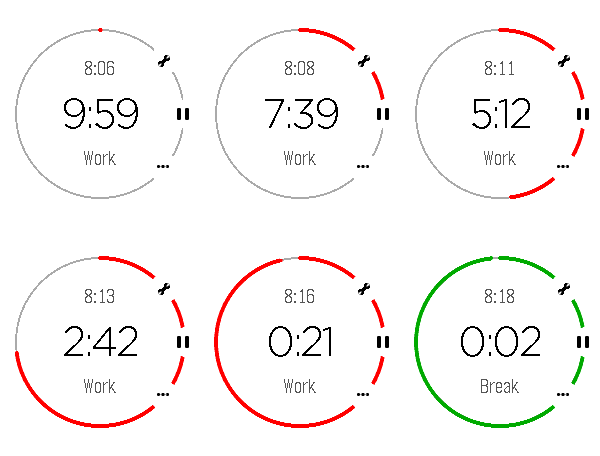
Solanum is a simple, but powerful pomodoro-like timer for Pebble. It lets you know when to start and stop working, and uses an uncluttered, simple design to show you what's important at a glance and helping you manage your time.

Tags: Time management, time-management, pomodoro, solanum, timer
 626
626Calculator
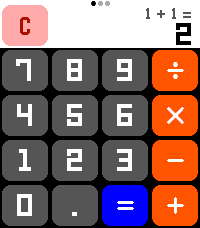
A calculator! On a watch! No one has ever thought of this before! Now that the Pebble Time 2's touchscreen is enabled, let's CALCULATE!

New for summer 2026: Scientific Functions! All the math functionality you could ever want! (Press the center button or swipe on the screen to change pages!)

Features:
- Add, subtract, multiply, divide! All your favorite basic operations are here!
- Behold the power of science! Includes all standard scientific calculator functionality, including trig functions, square roots, logarithms, and more!
- Touch targets optimized to be as large as possible for Time 2 screen, including full support for drag-away touch cancellation, ensuring that you are able to press the numbers you want!
- Automatically switches numeric display between a large font, a small font, and scientific notation to allow you to do math with unreasonably large numbers!
- Smaller secondary numeric display shows last performed calculation (in standard mode) and y-register (in RPN mode) so you can remember what you doing!
- Option to always enable the backlight for those grueling late-night calculation sessions

**** Featuring RPN mode! ****
Have you grown weary of the same old calculator layout? Well then, why not try enabling RPN mode from the settings! RPN, Reverse Polish Notation, is an alternative way of inputting calculations favored by financial professionals and other math enthusiasts for decades! Using RPN mode, you gain precise control over how and when calculations are performed! Never worry about operator precedence again!

Let the calculation begin!
 622
622Translate (Vox Populi)
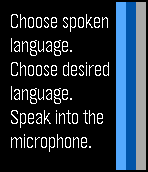
Translate short words and phrases into any language supported by Yandex!

If you love it, please give it a <3

If you REALLY love it, feel free to click the website link below and make a donation. Anything is much appreciated :)
 614
614Get Back - directions to a set location
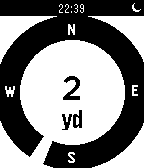
This app shows you distance and heading to a stored location. Find your way back from the wilderness - or simply find your parked car!

You can also measure distances between two locations. Distance shown in meters/km or yards/miles.
 573
573Voice Note
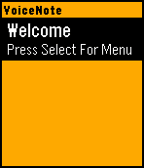
VoiceNote allows you to easily save notes to your watch with your voice. An easy to use menu makes it easy to navigate and select your desired option.

To Create a Note:
- Open the App
- Click Select to go to Menu
- Click Up to create a new note
- Speak the Title
- Speak the Subtitle

To Expand a Note:
- Highlight Note you want to Expand
- Click Select to go to Menu
- Click Expand Menu

To Delete a Note:
- Hold Select when the note you want to delete is highlighted.

Many more features will be coming in a future updates. Please message me if you find any bugs or want to suggest a feature.

If you like the app, please consider donating here http://bit.ly/VoiceNoteDonate
 570
570Brain Dump (index01 for your pebble)
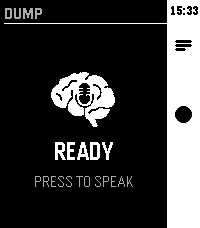
Voice-first brain dump app. Hit the middle button, speak your thought — it gets routed to AI, Notion, Google tasks, Todoist or saved as a local note.
 552
552Find My Phone
## Find My Phone

**No companion app required - works directly through the Pebble app!**

Never lose your phone again! Find My Phone helps you locate your misplaced phone instantly with a loud, attention-grabbing alarm - right from your wrist.

### Features:
- **No Companion App Required** - Works directly through the Pebble app, no extra downloads needed
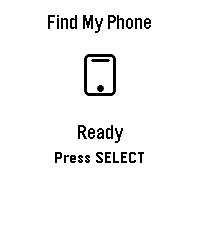
- **One-Button Operation** - Simply press SELECT to activate the alarm
- **Customizable Melodies** - Choose from 5 different alarm sounds to suit your preference
- **Loud Audio Alert** - Plays a distinctive melody on your phone that's easy to hear
- **Visual Feedback** - Animated display shows when the alarm is active
- **Haptic Feedback** - Your watch vibrates to confirm the alarm is running
- **Continuous Alarm** - Keeps playing until you press SELECT again to stop it

### How to Use:
1. Open the app on your Pebble
2. Press the SELECT button (middle button)
3. Your phone will start playing a loud alarm
4. Follow the sound to find your phone
5. Press SELECT again to stop the alarm

### Customize Your Sound:
Access settings through the Pebble app to choose from:
- Classic Find (Default) - Pleasant ascending melody
- Urgent Alert - Fast alternating tones
- Gentle Reminder - Soft repeating pattern
- Emergency Siren - Loud alternating siren
- Door Chime - Simple two-tone chime

### Perfect For:
- Finding your phone under couch cushions
- Locating your phone in another room
- Quick phone location when you're in a hurry
- Anyone who frequently misplaces their phone

**Simple. Effective. Essential.**

No more frantically searching for your phone. Just press a button and follow the sound!

***

**Technical Notes:**
- Requires Bluetooth connection between watch and phone
- Compatible with Android devices running the Pebble mobile app
- No additional apps or subscriptions needed
- Settings accessible through the Pebble app configuration

***

### A Note from the Dev (FAQ & Troubleshooting)

Hey there! I want this app to be as useful as possible, but because we are working with classic Pebble firmware, there are a few platform limitations I can't bypass. Here is what you need to know:

**Q: Does this work on iPhone / iOS?**
* **A:** Sadly, no. I would love to bring this to iOS, but Apple's strict background and browser limitations completely block the app from triggering the audio. It is currently strictly for Android.

**Q: My watch is buzzing, but the phone is completely silent. Help?**
* **A:** Double-check your phone's **media volume**! The app triggers audio through your phone's standard media channel. If your media slider is turned all the way down or muted, the sound won't come through.

**Q: Can you make the app automatically turn up my phone's volume or override silent mode?**
* **A:** Man, I really wish I could! This is the number one feature I want to add. I actually pushed for an official change to the SDK so app developers could control phone volume, but the system firmware just doesn't support that level of access control right now. If the platform team ever opens up that door, I'll be the first to implement it! Until then, we just have to wait and see.
 538
538Get Back To
Get back to a previous location, or go to one selected from your list of favorites - built on the original by samualmr but now shows GPS accuracy, bearing, speed and heading, supports a list of favorite locations and pinning locations to the time line, features a proximity warning (for public transport users who like to read) and a car mode (for when the compass won't work), monitors the Javascript more closely and allows tweaking of the way the GPS is called for improved performance.

A long press on the Up button enables car mode.

A long press on the Select button sets the target to the current location or one of the favorite locations set in the configuration menu.  The format for these locations is label: latitude longitude (e.g. "Home: -37.6543 144.5678"), or you can just enter a label (e.g. "Home:", to which it will append your most current location), or you can enter a street address, with or without a label, which will be passed to Google to resolve.

A long press on the Down button saves the current location to the time line.

See the instructions on the settings page for more details.

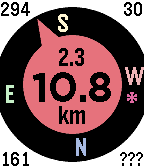
Displays are as follows:

Top left = direction of travel (when available);
Top right = accuracy in metres or yards;
Bottom left = bearing to target;
Bottom right = orientation of watch (or ??? if not available, or --- in car mode);
Top centre = speed in km/h, mph or knots (when available);
Centre = distance to target; and
Bottom centre = units.

See the web site link for more details.

If you like it, please give it a heart.
 510
510QuickAuth
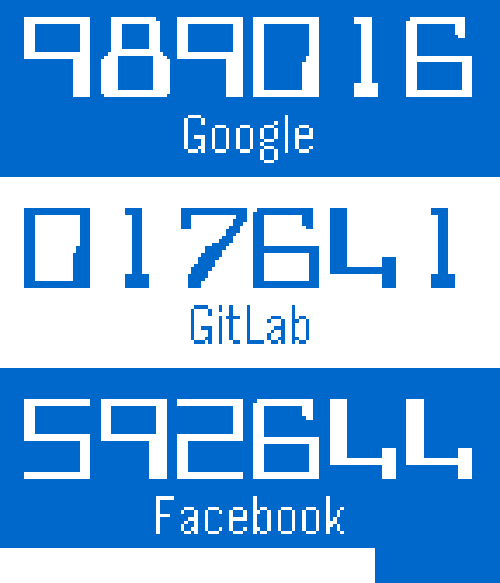
Get your one time codes from your Pebble!  Just add your keys using the configuration page and use two-step authentication without the Google Authenticator application on your smart phone.

Tested with Google, Facebook, Dropbox, Evernote, GitLab, and Amazon Web Services.

Previously called PebbleAuth.
 492
492Slate
Apple has Siri. Microsoft has Cortana. Now Pebble has Slate.

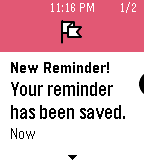
Instantly add reminders to your Pebble Timeline simply by telling Slate what you need. Say "Remind me to/about <task> at/on <date/time>" and like magic, you'll have a reminder pin in your Timeline!

Coming soon:
- create a timer with a few magic words
- add calendar events
- get quick answers like, "How many cups in gallon?"
 474
474Tilt Calc
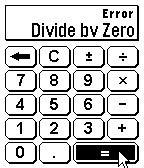
A traditional Calculator on a Smartwatch can be cumbersome due to the limited number of input options available. Tilt Calc solves this problem by allowing you to perform calculations with the tilt of your wrist. Simply tilt the watch in any direction to move the cursor. Make a selection with any button on the right side of the Pebble Smartwatch.