 2
2Debate Timer for Pebble
Tools & UtilitiesA dedicated timer for British Parliamentary debating. Track speeches, POI periods and speaker order directly from your wrist. Features: 7-minute BP speech timer POI period from 1:00 to 6:00 Vibration alerts for important time points Speaker progression through all 8 BP speeches Start, pause, reset and next-speaker controls Fully offline — no phone or internet connection required Designed for debaters, judges and tournament organizers.
 2
2SNAK3
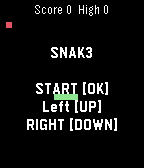
GamesNokia-inspired game :D Control: [OK] Start/Paus. Hold [OK] Restart. [UP] LEFT [DOWN] RIGHT
 2
2Big Blue Bus (unofficial beta)
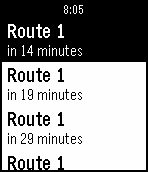
Tools & UtilitiesSimple app to find the nearest bus stops and upcoming arrivals for the Big Blue Bus (transit system in Santa Monica, California).
 2
2Telegram Voice
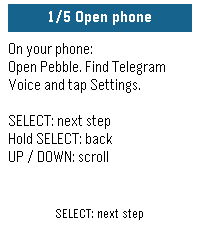
Tools & UtilitiesUse your Pebble watch to speak to your Telegram bot. Press SELECT, say what's on your mind, and read your bot's reply on your wrist. Connect your own compatible AI assistant or automation bot for quick questions, notes and requests without typing on your phone. MAKE IT ONE BUTTON Assign Telegram Voice to Hold SELECT in Pebble's Quick Launch settings. Hold the button from your watchface to open the app and start speaking. Press SELECT again for follow-up messages; UP and DOWN scroll the answer. SET UP WITH YOUR WATCH The watch walks you through numbered instructions while you complete setup on your phone. Each person configures their own watch bot token and destination bot. Try the offline demo before connecting anything. YOU WILL NEED A Pebble with a microphone, a connected phone with internet and working dictation, a dedicated Telegram watch bot, and a compatible destination bot. For private bot conversations, both bots must enable Bot-to-Bot Communication Mode, and the assistant must accept bot messages. Messages are delivered as text. Replies are checked while the app is open; the latest reply is saved on your phone. Very long replies are shortened. No voice playback. Your bot, your choice. No developer account or hosted bridge service is required. Independent community app; not affiliated with Telegram.
 2
2xDrip CGM
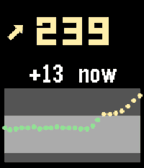
DailyA Pebble quick-launch app that shows your xDrip+ CGM data — number, trend, delta and a 2-hour graph. It is not a watchface, so you can run any watchface and still get a glucose glance on demand. Uses the local XDrip web service to enable - xDrip+ → Settings → Inter-app settings → enable xDrip Web Service.
 2
2Eco Stopwatch
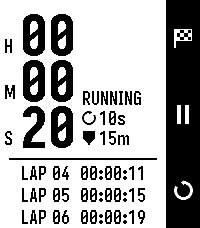
Tools & UtilitiesEco Stopwatch is a stopwatch designed to minimize battery usage. Instead of redrawing every second, it updates the screen once every N seconds (10 by default, adjustable from 1 to 60) and once immediately on every button press. There is no tick service, no backlight use and no background wakeups. Elapsed time comes from wall-clock timestamps rather than counted ticks, so it stays exact at any refresh interval and keeps counting while the app is closed. An optional safeguard will halt a running stopwatch once it hits a set limit (5 minutes up to 24 hours) so it doesn't keep running in the background if you forget to stop it.
 2
2400 Spanish/German flashcards
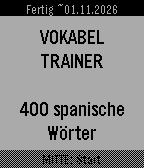
Tools & UtilitiesThis is my first ever developped Pebble App that I wrote with the help of Claude AI to revise the most important 400 words in Spanish. As it is bidirectional, a Spanish person can equally use it to learn 400 words in German. Features: - uses Spaced Repetition System from Leitner/Ebbinghaus - learn difficult words in a dedicated deck that you marked as * (highlight) - option to have a rerun of all the wrong flashcards of the current learning session - estimated date of completion how to use the buttons during flashcard session: - DOWN: 1st click to reveal answer, 2nd click to mark it as known - UP: Repeat the wrong word - SELECT: highlight it and put it in a subdeck of hard words At the end of your flashcard learning session, you can repeat all your wrong flashcards you had wrong in this learning session. Have fun. If there is a mistake in the translations, feel free to tell it to me :)
 2
2Lolnas
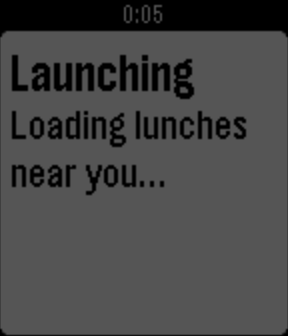
DailyLolnas shows nearest lunch places. Uses lolnas.fi.
 2
2Insulin Tracker
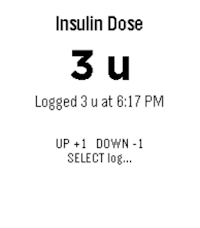
Health & FitnessThis is a very simple app for people with diabetes to keep track of their short-acting insulin use. Use the up/down buttons to adjust the dose in 1-unit steps, then press select to log it with the current time. Long-press select to review your last 3 recorded doses. Designed for quick, low-friction dose tracking without needing your phone.
 2
2Quick Timer
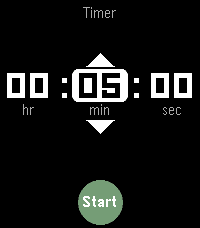
Tools & UtilitiesQuick Timer is a countdown timer with two modes of operation: a full picker for any duration, and a preset slider for starting common timers in a couple of seconds. When launched from the app menu, Quick Timer opens an "hours : minutes : seconds" picker, which behaves as you'd expect. When launched from a Quick Launch button, you get a vertical slider of preset times, inspired by the iOS <=26 Timer widget for Control Center. Hold Select to open the full picker. The default presets run from 1 minute to 2 hours, but if you don't like the defaults, you can set up to 12 of your own in Settings. If your watch has a touchscreen, you can use that, too.
 2
2Meal Tracker
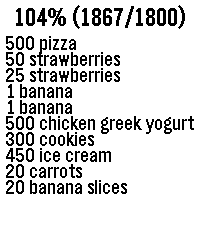
Health & FitnessTrack your mealies If started via quick launch, the dictation service automatically starts. You can say things like "banana", "small banana", "big banana", "500 grams of chicken, cucumber, and yogurt." After confirmed a food item, the app automatically closes after 3 seconds. It has a hardcoded number of target grams at 1800 per day.
 2
2ACKspace
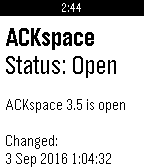
DailyThis app shows if ACKspace is open or closed. ACKspace is a hackerspace located in Heerlen, The Netherlands. A hackerspace is a place where people get together, socialize, share knowledge, tinker and build stuff. In order to make this possible we have a collection of tools, (useful) stuff, work area and a lounge where we can relax and discuss our favorite games.
 2
2Pour Decisions - Weekly Drink Tracker
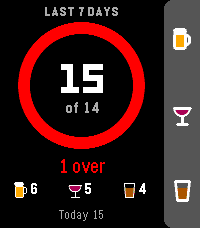
Tools & UtilitiesMake some Pour Decisions with this simple drink counter for your wrist. One button for each drink, one glance to see where your week stands. HOW IT WORKS Up: +1 beer Middle: +1 wine Down: +1 shot Hold any button to take back an accidental press A progress ring fills up as you get closer to your weekly limit. It starts green, turns yellow near the limit, orange when you hit it and red when you go over. The watch buzzes when you reach your limit, so you don't have to keep checking. FEATURES Weekly total shown against your limit, plus how many drinks you have left Separate counts for beer, wine and shots Today's count, and in rolling mode, how many drinks drop off at midnight Quick buzz to confirm each add, double buzz for each undo Your weekly total shows under the app name in the launcher Works offline and keeps everything on your watch SETTINGS (from the Pebble phone app) Weekly limit: defaults to 14, the NIAAA low-risk guideline for men (7 for women). Set it anywhere from 1 to 40. Week style: a rolling 7 days (default), or a calendar week that resets every Sunday. One drink = 12 oz of beer, 5 oz of wine, or a 1.5 oz shot. Built for Pebble Time 2. Also runs on Pebble Time, Pebble Time Steel and Pebble 2.
 2
2Bikewear
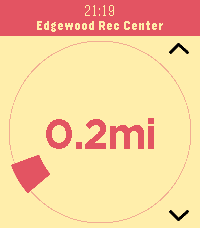
Tools & UtilitiesEasily find your way to the nearest open docks in Washington DC's Capital Bikeshare (CaBi) system.
 2
2Peb Tautulli
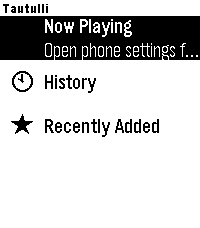
Tools & UtilitiesTautulli for Pebble Monitor your Plex media server from your wrist. Tautulli for Pebble connects to your Tautulli instance and gives you a live view of everything happening on your server — all without reaching for your phone. Now Playing See every active stream at a glance. Each card shows who's watching, what they're watching, playback progress, player name, bandwidth, video and audio codec with transcode decision, and the geographic location of the stream. Refreshes automatically every 30 seconds. History Browse your full watch history with user, stream location, percentage watched, and duration. Tap any item for a detail view showing player, start/stop times, and transcode decision. Scroll through as many entries as you need with seamless pagination. Recently Added Stay on top of new content as it lands in your library. Tap any title for rich metadata — summary, cast, studio, genres, content rating, and runtime. Full summary text is scrollable so nothing gets cut off. Features - Live stream monitoring with geolocation (City, State, Country) - Transcode vs direct play indicators for video and audio - Bandwidth usage per stream - Unlimited scroll pagination for History and Recently Added - Scrolling subtitles on long text - Configurable host, port, URL path prefix, and API key via in-app settings - Works with self-hosted Tautulli behind a reverse proxy (HTTPS supported) Setup Open the app settings from the Rebble phone app, enter your Tautulli server address and API key, and you're ready to go. Find your API key under Tautulli → Settings → Web Interface. Requires a running Tautulli instance. Compatible with Pebble Time 2.