 2
2Indoor Softball Scorer
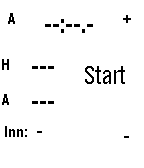
Tools & UtilitiesAn app to help score indoor softball (and time innings), can be paused and restarted
 2
2Scalemates
DailyScalemates profile viewer for having your Stash and Wishlist lists at hand when out and about ✈️on scalemodelling events 🛩️ or fairs. #ModelAircraft #ScaleModelling I know, pretty niche; you gotta be a double nerd for this... 😜 Just fill in your Scalemates user ID in the settings in the phone to find your Scalemates profile (see settings screen how to find that). Also select your feeds and cycle through activated feeds on the watch by long-pressing Select. Available feeds: 🛩️ Stash 🛩️ Wislist 🛩️ Started 🛩️ Completed 🛩️ For sale 🛩️ On order Detail page for each item showing the box art and some more info. Supports touch for scroll and select. Time 2 (Emery) only. Check out my other stuff here:
 2
2Saints Athletics
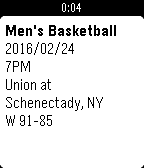
DailyKeep up with St. Lawrence University Saints Athletics schedule and results! - Press up/down to scroll back and forth the schedule - Press select to open the menu to choose the sports teams to follow (press back to go back to the schedule) Men's Baseball Men's Basketball Women's Basketball Women's Field Hockey Men's Football Men's Ice Hockey Women's Ice Hockey Men's Lacrosse Women's Lacrosse Men's Soccer Women's Soccer Men's Squash Women's Squash Men's Swimming Women's Swimming Women's Volleyball
 2
2SMX Buddy
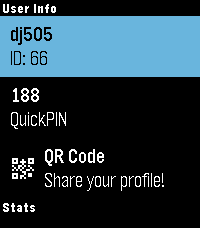
Tools & UtilitiesAll the StepManiaX stats you wanna see, right on your wrist! SMX Buddy pulls useful data, like your 3-digit QuickPIN, profile QR code, step statistics, and in-app follower/following count, and displays it all right on your watch. No need to take your phone out of your pocket if you're stopping by for a quick set and want to sign in. Or maybe you're a home player, but your phone is out of reach, and you just can't remember those 3 numbers to log in. The UI colours even sync to your selected profile colour, just like the game! (Defaults to black text on white highlight for black & white model watches.) Only square displays supported at the moment! This is also an early release; more functionality and such to come. If you find any issues, please contact me using the details found in the "Source URL" link. This app requires you to enter your account username and password for authentication; these details are only sent to the API for authentication. This app was developed independently by myself, without the use of generative AI or similar tools, and is NOT affiliated with Step Revolution or StepManiaX.
 2
2Step Goals Plus
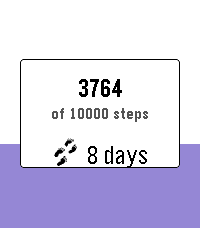
Health & FitnessTrack daily steps with a live progress fill, streak counting, bonus goals, and mid-goal encouragements — built for Pebble Time, Time Round, and Pebble Time 2 (Emery). Open the app to see today’s steps fill the screen from the bottom up. Press Select for settings: - Main daily goal (2k–20k) - Optional bonus goal on top of your main target - Streak count and best streak - Vibrate at 50% / 75% of your goal - Theme colors (purple, blue, green, red) On Pebble Time 2 you can optionally show your current streak on the progress screen. Works across restarts - you still get a celebration when you hit your goal. Credits: original Step Goals by Travis La Marr; Step Goals Plus UI by dauletle; maintenance and streak fixes by Yaron Sheffer.
 2
2Button Masher
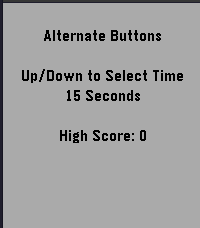
GamesButton Masher is a speed test to see how fast you can press your watch buttons. Can you beat your high score? Select 15s, 30s, 45s, or 60s and start pressing the up and down buttons to crank up your score!
 2
2ModernWatch
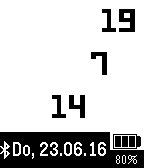
DailySimple modern watch showing hour, minute and second in three lines. The actual date (in german version) is shown on the bottom. The battery state with a symbol and a value is shown in the right bottom corner. The bluetooth connection state is displayed on left bottom corner.
 2
2Milk Tray Man Mission Timer
Tools & UtilitiesNeed a countdown for your next daring chocolate delivery mission? This little app, based on the Tea Timer Example, gives you 20 mission timers that start with the a 1 minute timer for the first mission and each successive mission is a minute longer, you simply select how long you need, by selecting the appropriate mission.
 2
2Menta-List
RemotesThis app is part of Menta-List Pro. Please purchase Menta-List Pro from the Apple App Store before installing as it will not function without it.
 2
2Pebble Imposter
GamesThe impostor word game now on pebble
- 2
xDrip+ Snooze
NotificationsxDrip Snooze shortcut
 2
2Brush
Tools & UtilitiesToothbrush timer with some configurability
 2
2Football (US) Timer
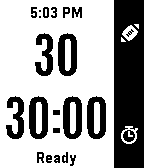
Tools & UtilitiesFootball timer designed for the NGFFL flag football league based on an original design by Sheldon Smith. Features include: -- 30 second play clock with vibrations at 15, 10, 5, and 0 seconds. (Pressing up button starts clock or stops it and resets it to 30 if it is already running.) -- 30 minute game clock with vibration at 2 and 0 minutes. -- Game clock status indicator - Changes color and message to show whether clock is stopped or running at a glance. -- Quick-Edit mode (long-press the down button) to quickly add or subtract time. -- Time of Day visible at top of screen. -- Persistent memory: App will be aware of the game and play clock state if the app is exited (although vibrations will not occur) and will pick up with the correct time remaining when the app is restarted. Features Planned but Not Yet Implemented: -- Menu to access the following features: -- -- Reset the game clock without having to wait for it to wind down or having to use the Quick-Edit mode. -- -- Set default starting values for the Play and Game Clocks other than 30 seconds/minutes respectively. -- -- Option to hide certain elements for a less cluttered screen. -- -- Option to disable the two-minute warning.
 2
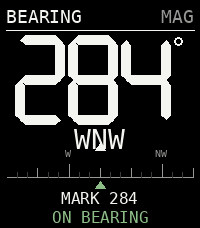
2BEARING
Tools & UtilitiesNot all those who wander are lost...
 2
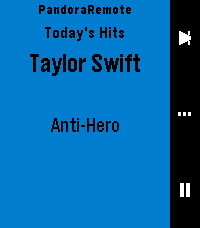
2Pandora Remote
RemotesControl Pandora from your wrist. PandoraRemote lets you manage playback, rate songs, and adjust volume directly from your Pebble watch. FEATURES - Skip tracks, play/pause with a single button press - Thumbs up or thumbs down the current song - Adjust phone volume from your watch - See the current song, artist, and station on your watch - Auto-launches when Pandora starts playing - Works on all Pebble hardware except the OG (Time, Time Steel, Time Round, Pebble 2, Time 2, Core 2 Duo, Core Time) HOW IT WORKS PandoraRemote has three screens you cycle through with the select button: Playback: Skip to the next track or play/pause. Rating: Thumbs up or thumbs down the current song. Volume: Turn the volume up or down on your phone. WARNING: This is a personal passion project, and frankly, if I don't see a need for a feature, I probably won't add it on my own. So if you have a feature request, please submit an issue on the github repo, and I'll evaluate if I think it would be nice to have. The best way it to develop it yourself: if you're not a developer, it might be time to try out Claude Code (or similar) and submit a PR with your proposed changes. I will review and merge if it looks good. This project is open source and licensed under CC BY-NC-SA 4.0. See https://creativecommons.org/licenses/by-nc-sa/4.0/ for details. SETUP 1. Install the PandoraRemote companion app on your Android phone. Until the app is available on the Google Play Store, download the APK from: https://github.com/gravity-rose/PandoraRemote/releases 2. After sideloading, you must grant the app restricted permissions and notification access. The app will walk you through this on first launch. 3. Start Pandora — the watch app launches automatically. DISCLAIMER Pandora is a registered trademark of Pandora Media, LLC. PandoraRemote is an independent project and is not affiliated with, endorsed by, or sponsored by Pandora Media, LLC.