 6
6gr8jab Tennis Score
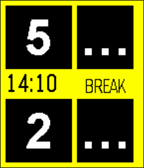
Health & FitnessTennis Score is a simple and easy to read tennis scoring app. It includes game and tie-break modes. Large numbers for easy reading. Use up and down buttons to add points. The center button has multiple functions: 1. Short press - undo last added point 2. Long press - reset all scores to zero 3. Long press - when scores are all zero, switch between normal and tie-break mode.
 6
6Names Day / Fêtes
DailyShow the current name day in England, Espagna, France, Italia and Deutschland. By pressing Up move forward in days, Down backwards, Select return to the current day. Long press change the country. Affiche la fête du jour pour la France, l’Angleterre, l’Espagne, l’Italie et l’Allemagne. Up, avance la date, Down, recule, Select affiche la fête actuelle. Un appui long change le pays.
 6
6Glance BigF
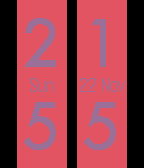
DailyGlance BigF with slide in data panel. Requires Premium. Does NOT include other watchfaces. Cannot accept custom faces
 6
6Tramlin
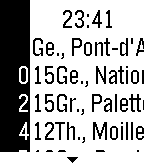
DailyTramlin is a rudimentary Pebble-port of Wemlin, the successful Swiss public transport app. For the closest 10 stops, it shows you the next 10 departures of the various lines at those stops. Shaking reloads, while the Select-Button shows the next-closest stop.
 6
6Thesaurus
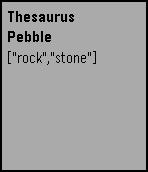
Tools & UtilitiesVery simple voice-dictated thesaurus using the Big Huge Thesaurus API.
 6
6SRRoller
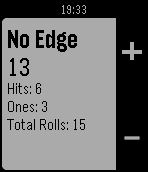
Tools & UtilitiesA dice roller for the Shadowrun RPG. Button usage: Press up/down to add/subtact one die from pool Long press up/down to add/substract five dice from pool Press select to roll dice Long press select to switch between modes (No Edge, Pre Edge, and Post edge)
 6
6SimpleCount
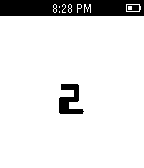
Tools & UtilitiesThis is a simple application that keeps tracks and displays a count. The count can be increased or decreased as well as cleared. Negative numbers are supported.
 6
6StatusChecker
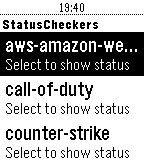
Tools & UtilitiesA pebble app designed for webops-y people that would like to check certain website statuses from their watch.
 6
6PinIt
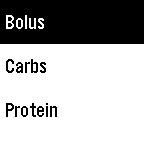
Tools & UtilitiesA Pebble watchapp to quickly record treatments locally and optionally update Nightscout. Up to 5 assignable treatments can be defined along with their initial value and increment value. Configure your Nightscout website/API secret and select IOB or COB for the treatment to be added to Nightscout. PinIt is designed to be assigned as a shortcut and will close once a reading is entered. The last 24 hours of treatments are saved locally. On the treatment input card, the following actions and displays are available :- - treatment history can be shown by a long press up or down, long press up shows all treatments, long press down shows treatments for the current type. A selected historic treatment can be deleted. - treatment time can be entered by a long press of select (normal press saves at current time) - treatments assigned as IOB will display the current IOB and last treatment.
 6
6donTiptoe
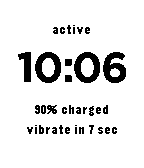
Tools & UtilitiesThis app will vibrate every minute when the wearer is active.
 6
6Pebble Pacer
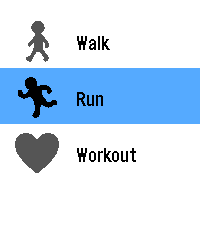
Health & Fitness# PebblePacer A fork of WayeM’s Allure A workout app for the **Pebble Time 2** (platform `emery`): walk, run or train with your heart rate shown live in five color-coded effort zones. While this app doesn’t use GPS, with customized stride lengths that match your phone’s health app stride lengths, you can get very close to your actual distance. I tested this out with customized stride lengths and compared it to my phone’s calculated distance which used GPS and the distance was within 1.85% :) ## Features - Three activities: walk, run, workout, with a 3-second countdown. - Live heart rate. The top half of the screen changes colour with your effort zone (five zones, as a percentage of your estimated maximum heart rate). - Duration, steps, distance, and pace. Press the down button to switch. - Session summary: average and maximum heart rate, estimated calories. - Settings on the phone: sex, age, height, weight, and running and walking stride length - The language follows the watch language: English, French, German, Spanish, Italian and Portuguese. ## How the numbers are computed - Maximum heart rate: Tanaka formula (208 - 0.7 x age) for men, Gulati formula (206 - 0.88 x age) for women. - Zones: Set your own zones or use a calculation that uses percentages of your max heart rate for your age (below 60 %, 60-70 %, 70-80 %, 80-90 % and 90 % or more of that maximum) - Calories: Keytel formula, from average heart rate, weight, age and sex. - Distance: Set your own stride length or use an automated calculation. Check your phone’s health app and select mobility to see your average walking stride and running stride. There is no GPS, so distance and pace are estimates. ## Settings Open the app in the Pebble mobile app and tap the gear icon. Values are stored on your phone and on your watch. Until you save them once, defaults are used. ## Status and limitations - Tested on a Pebble Time 2 and in the emulator. - Metric or Imperial units - The German, Spanish, Italian and Portuguese texts were written with assistance and have not been reviewed by native speakers: corrections are welcome. ## Licenses The source code is released under the MIT License. The fonts in `resources/fonts/` keep their own licenses (SIL Open Font License 1.1). Allure Author: WayeM This fork of Allure: AxisDrama aka TimTek ## RunZone changes - Running-focused display with elapsed time, live heart rate, heart-rate zone, and stride-based distance. - Running stride length is configurable in the phone settings (40–200 cm). **I’m now experimenting with the a version of the app that will try to get more accurate by checking the phone’s GPS and if it doesn’t detect the phone, it will use either the automated or manual stride length. To experiment with me, try Pebble Pacer GPS and provide feedback. Thanks!
 6
6Squeeze Lyrion LMS
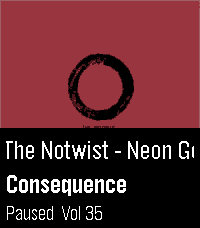
RemotesLeave your phone in your pocket! A native, touch-first remote for Squeezebox, squeezelite, and Lyrion Music Server — the server formerly known as Logitech Media Server (LMS) or SlimServer — tailored for the Pebble Time 2 and Pebble Round 2. Browse your server's entire menu tree, start playback anywhere in your library, and control your Squeeze players right from your wrist without ever needing to unlock or pick up your smartphone. Works with all Squeeze endpoints: original Squeezebox hardware (Classic, Boom, Duet, Radio, Touch), squeezelite, WiiM, piCorePlayer, Max2Play, and LMS software players. ✨ KEY FEATURES: • Now Playing with Cover Art: Album sleeve rendered at full screen width for local files, streaming plugins (Spotify, Deezer, Tidal, Qobuz) and internet radio. • Full Artwork Mode: Hold the SELECT button anytime to view the complete album cover without UI overlays. • Intuitive Player Touch Controls: Tap to Play/Pause, Swipe left/right to skip tracks, Swipe up/down for volume — keeping all 4 physical buttons free for menu navigation! • Complete Server Menu: Browse My Music, Radio, Favourites and Plugins. Paginated so folders with 2,000+ albums stay ultra-fast. • Smart Path Memory: Reopening the menu returns straight to the folder you were browsing instead of resetting to root. • Marquee Scrolling: Long track, artist and folder names scroll smoothly instead of being cut off. • Multi-Player Support: Switch between all your Squeeze players right from the start screen. 🎮 CONTROLS: • Tap screen: Play / Pause • Swipe Left / Right: Previous / Next Track • Swipe Up / Down: Volume ±5 • Up / Down buttons: Volume ±5 (repeating) • Select button: Open Server Menu / Select Item • Hold Select: Full Album Sleeve (or jump back to player from menu) • Back button: Step back / Close ⚙️ SETUP: 1. Open the Pebble app on your phone. 2. Go to the app settings (Clay configuration). 3. Enter your LMS server's Hostname or IP address (e.g. 192.168.1.100) and Port (default: 9000). 4. Tap "Save Settings" — your player list will automatically appear on your watch! ☕ Support on Ko-fi: https://ko-fi.com/pagnotta34838 Open source under the MIT License.
 6
6DancePlus
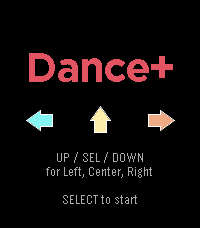
GamesAI is dumb, but it helped me make this homage to the dancing games of old. Plays music on the PT2!
 6
6CitiBike Compass
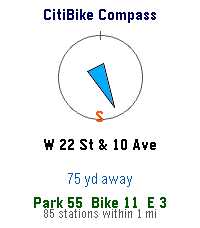
DailyFinds nearest CitiBike Locations
 6
6Omni Scorer 2
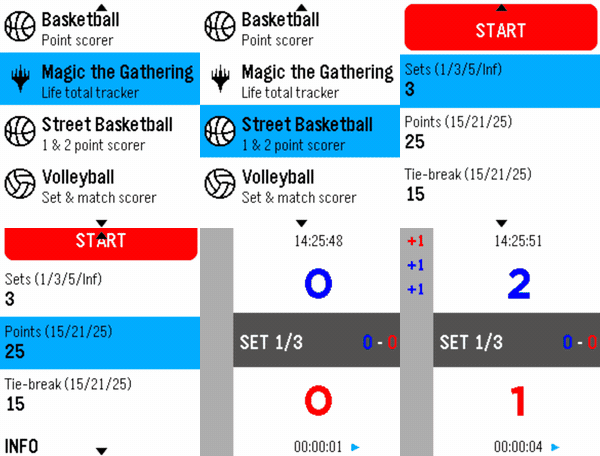
Tools & UtilitiesOmni Scorer 2 is a multi-sport scorekeeper built for Pebble smartwatches, designed to be fast and effortless to use during play — score a point with a single button press, without needing to stare at the screen. Currently supported activities: -Volleyball -Basketball -Street Basketball -Magic: The Gathering -Tennis -Padel Each scorer keeps a scrolling, color-coded history of the match so you can always check what just happened, and the app remembers exactly where you left off — it reopens on the same screen you last used. New sports and activities will keep being added over time. If there's a specific sport or scoring format you'd like to see supported, feel free to reach out — requests are welcome! Omni Scorer 2 is free to use. If you'd like to support its development: https://ko-fi.com/eh003