 6
6Swarm Leaderboard (Beta)
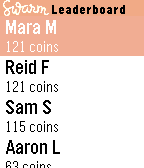
DailyLeaderboards are back on Swarm! Track your world domination over your friends on your pebble. Note: App is beta. Use the configuration page to login to your foursquare account and load the leaderboard. Any problems contact me on twitter @exiva
 6
6Furry Trivia
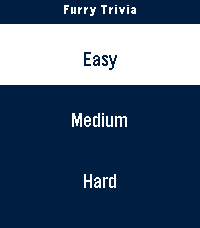
GamesA simple trivia game pertaining to the furry fandom! Play it alone or with friends and test your knowledge. I've tested the ability to play this on round screens and I believe I've done a good job based on the online emulator. Any issues or concerns feel free to reach out through the app store or on any IM under @furchee
 6
6PBL-7
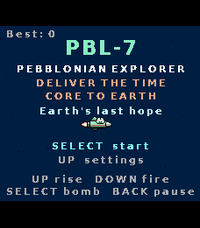
GamesA landscape shmup through the solar system. Hold your Pebble Time 2 sideways and fly PBL-7 to Earth. Rise, fire, dodge, and beat a boss on every planet. 11 planets, secrets, 5 languages. PBL-7 is a sideways-held arcade shoot-'em-up for the Pebble Time 2. Turn your watch a quarter turn — the three buttons line up along the bottom and the screen becomes a 228×200 landscape playfield. You are PBL-7, a Pebblonian explorer carrying the Time Core to Earth to save it. Every planet mistakes you for an invader and sends its champion to stop you. Hold UP to rise, release to fall, DOWN to fire (don't hold it too long or the gun overheats and jams), and SELECT for a screen-clearing smart bomb. Fight your way past a themed boss on each of Mercury, Venus, Mars, Jupiter, Saturn, Uranus and Neptune — each with its own gimmick, from acid clouds and gravity wells to splitting rings and lightning storms. After every boss you choose one of three Pebble-themed upgrades that carry through the run. Hidden on each planet is a lost Pebble device to collect — find all eight to unlock the true ending, and beat Neptune without taking a hit to open a secret portal. FEATURES • Landscape gameplay — held sideways, a real quarter-turn shmup. • 11 planets: Mercury → Neptune, a secret boss-rush, a hidden ally world, a Moon base and a three-phase Earth finale. • A themed boss with a unique gimmick on every planet. • Upgrade cards after each boss, 8 hidden collectible Pebbles, and two secret endings. • Weapon-heat system: burst-fire beats mashing — or switch the jam off in Settings for easy mode. • Settings: backlight, weapon jam (easy mode), rumble, sound, reset save. • Made for the Pebble Time 2 (Emery) colour screen; plays entirely offline. • Also plays on the round Pebble Round 2 (Gabbro). A round screen looks the same in any orientation, so there you hold the watch normally; no sound. • Available in English, Nederlands, Français, Deutsch and Español, following your watch's system language automatically. • Progress, records and collectibles saved on the watch.
 6
6Color Labratory
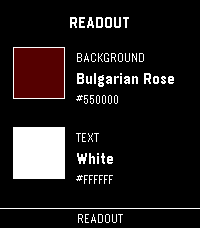
Tools & UtilitiesA quick way to test out colors on your physical watch. Quickly scroll through every color the e-paper screen has to offer. Then check it against secondary text colors to complete the palette. Hold up and down to jump color families. If you like the app, consider funding my coffee addiction (thank you!) BTC bc1q7esequqkl8sg96je7zu045zyat2sg2x3ey8plu XMR 844dKmmRGpR2KPJd9pSin3NqYu7vH7AtdLFBRRPip8mkcS4NH61JvnKRi3zTHV91TvRerJHMHy8ihPSaso8wpgrhJKqsHN5
 6
6run302010
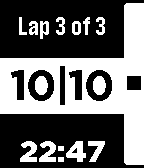
Health & FitnessRunners greatly benefit from controlled fartlek workout referred as 30-20-10. run302010 is an excellent tool for the 30-20-10 workout and a great companion for any run tracking application used on a smartphone. Start run302010 on Pebble during your run. It counts the seconds for you, signals end of each interval by a short vibration, and displays actual time, so Pebble still serves as a watch.
 6
6Calendar JP
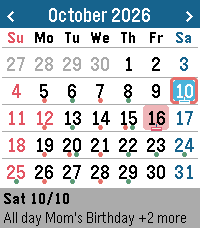
DailyCalendar JP shows a clear month view on your wrist, with Japanese national holidays built in and events from up to three iCal (ICS) calendars such as Google Calendar or iCloud. Not in Japan? Just turn off "Show Japanese holidays" in the settings and use it as a regular calendar anywhere in the world. The English interface, Monday-first weeks, 12/24-hour time (following your watch setting) and time-zone-aware events are all supported. - Japanese holidays calculated on the watch, including substitute holidays and citizens' holidays (can be turned off) - Up to 3 iCal calendars, each with its own color - Recurring events, exceptions, rescheduled occurrences and time zones are handled - Browse past and future months: events for that month are fetched from your phone - Agenda list and event details (time, location) - Upcoming events are stored on the watch, so you can still see them when Bluetooth is disconnected - See your next event in the launcher (App Glance) - Japanese / English interface, 6 color themes plus custom colors - Touch support on Pebble Time 2 and Pebble Round 2 Buttons: UP/DOWN to move the day (hold for the previous/next month), SELECT to open the agenda (hold to jump to today), BACK to return to today or exit. Privacy: your private iCal URL is stored only on your phone and is used only to download your calendar from its own server. It is never sent anywhere else. Note: to display Japanese text (event titles, Japanese UI), install a Japanese language pack on your watch. --- Calendar JP は、日本の祝日入りの見やすい月カレンダーを腕元に表示します。Google カレンダーや iCloud などの iCal (ICS) カレンダーを最大 3 つまで登録して、予定もあわせて確認できます。 - 日本の祝日をウォッチ内で計算(振替休日・国民の休日にも対応) - iCal カレンダーを最大 3 つ登録し、カレンダーごとに色分け - 繰り返し予定、除外日、時間変更された回、タイムゾーンに対応 - 過去や先の月に移動すると、その月の予定をスマホから取り寄せて表示 - 予定リストと詳細(時刻・場所) - 直近の予定をウォッチに保存するので、Bluetooth が切れても確認可能 - ランチャーで次の予定を表示(App Glance) - 日本語 / 英語表示、6 種類のカラーテーマとカスタム色 - Pebble Time 2 / Pebble Round 2 のタッチ操作に対応 操作: UP/DOWN で日付を移動(長押しで前後の月)、SELECT で予定リスト(長押しで今日へ)、BACK で今日に戻る/終了。 プライバシー: iCal の非公開 URL はスマホの中にだけ保存し、カレンダーのサーバーから予定を取得するためだけに使います。それ以外の場所には送信しません。 注意: 予定のタイトルや日本語の画面表示には、ウォッチに日本語の言語パックが必要です。
 6
6Decompress Dive Log
DailyA simple dive log on your watch. Syncs with PADI Logbook, requires an account with PADI previous to any use. Use voice dictation and intuitive menus to record easy to forget data just as you hop on the boat or arrive at the dive center, instead of fiddling with your phone! I've found over the years of diving I kept forgetting key details (dive site, bottle size, nitrogen mix, etc...) after coming out of the water and was not recording this data anywhere. Dictate what you saw, how the dive went and anything you might want to remember later in the notes for the dive. App shows the last 5 dives in your account, this is also useful as I never remember which weights were good for different oceans/seas, and which combination of bottle/weight was best. Click on a dive to see the details. Last menu item to add a new dive, will prompt for key details: - Dive Title - Dive Site - Type of Dive - Max Depth - Bottom time - Notes: dictate using microphone - Water Type - Weather - Air Temp/Surface temp/Bottom temp - Visibility - Weights used - Start/end pressure Then you can check all details later (and edit them) on the PADI Logbook app on your phone or on the PADI website.
 6
6SoundboardPOC
GamesSoundboard proof of concept to play audio on the Pebble watch. Just some random audio clips that I like
 6
6Toggl Timer
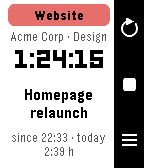
Tools & UtilitiesStart, stop and switch your Toggl Track timers from your wrist. Toggl Timer puts your Toggl Track time tracking on the Pebble. See the running entry with project, client, elapsed time and today's total, stop it with one press, or start the next one from your favourites, your recent entries or the project list. A timer stopped on the phone shows up on the watch within half a minute. Features • Status screen with project colour, description, running time and daily total • Favourite tiles: up to four entries you use every day, one tap to start • Recent entries and all projects, with the time booked today • Voice dictation of a new description, then pick the project (Pebble Time 2) • Touch: tap to open the picker, swipe left for the previous entry, swipe right to stop (Pebble Time 2) • Reminders: the watch wakes the app when a timer runs longer than you want or late in the evening, and optionally on weekday mornings when nothing is running • Optional rounding to 5, 15 or 30 minutes when stopping • Launcher glance with the running entry and its duration • Languages: English, German, French, Italian, Spanish (follows the watch) Buttons UP refresh · SELECT start/stop, hold to dictate · DOWN favourites or list Setup Open the settings in the Pebble app and paste your Toggl API token (found at the bottom of track.toggl.com/profile). Type "demo" as the token to try the app with sample data. Works with every Pebble; dictation and touch need the Pebble Time 2. Not affiliated with Toggl. Vibe coded from start to store. That is the only reason it exists alongside a full time job. The app is free and has no ads. If it makes your day a little easier, a coffee is much appreciated: https://buymeacoffee.com/SIDEffects
 6
6PrintWrist
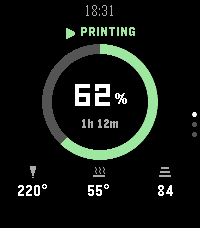
Tools & UtilitiesYour Bambu Lab printer, on your wrist, from anywhere. PrintWrist shows your print's progress, time left, temperatures, fans, speed and AMS filament on your Pebble Time 2, over Bambu Cloud, so it works away from home too. No server, no extra app, nothing to host. - Three status layouts: Arc, Big Number, or Dense - Up/Down for Details (temps, fans, speed, layers) and Filament (all 4 AMS slots plus the external spool) - Buzzes when a print finishes, fails, or needs attention, with quiet hours - Chamber light on/off and refresh from the watch Setup: open PrintWrist's settings in the Pebble app and sign in with your Bambu Lab account. Bambu emails you a 6-digit code, which you enter on your phone or on the watch. Your password goes only to Bambu and is never stored; PrintWrist keeps the sign-in token on your phone. Why no pause or stop? Bambu's firmware only accepts those commands from Bambu's own apps, so use Bambu Handy for them. Tested on the P2S. Other cloud-connected Bambu printers should work but are untested. PrintWrist is an independent project, not affiliated with or endorsed by Bambu Lab. It uses Bambu Cloud, which Bambu can change at any time.
 6
6Allure
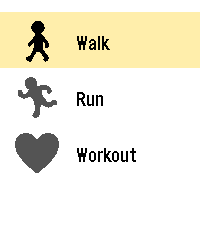
Health & FitnessBETA - Allure is an activity tracker for the Pebble Time 2 that turns your heart rate into color. Pick an activity, start, and glance at your wrist: the screen color shows your effort zone, and the current time stays visible. Inspiration Allure is directly inspired by the official Pebble Workout app. It reuses its idea of a simple, glanceable workout screen, and adds color-coded heart rate zones. It is an independent community project, not affiliated with or endorsed by Pebble. Features - Three activities: walk, run and workout. - Live heart rate with 5 effort zones, each with its own color, and the time always visible. - Large numbers, easy to read while moving. - Walk and run: switch between duration, steps, distance, pace and speed with one button. - Workout: a simple view with duration and heart rate only. - End of session: rate your effort, from relaxed to exhausting. - Session summary: effort, average and maximum heart rate, plus estimated calories. The summary color follows your effort. Settings (on your phone) - Metric or imperial units (km, mi, kg, lb). - Sex, age, height and weight: zones and calories adapt to you. - Optional custom step length for walking and for running, for a more accurate distance. Languages English, French, German, Spanish, Italian and Portuguese, following your watch language. Requirements A Pebble Time 2 with the heart rate sensor enabled. Beta notice This is an early version. There is no GPS: distance, pace and speed are estimated from your steps. Heart rate zones and calories are estimates too, and Allure is not a medical device. Feedback and bug reports are very welcome on GitHub. Open source (MIT): https://github.com/WayeMelse/allure Author: WayeM
 6
6GasCalc
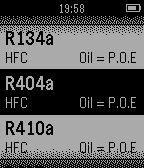
Tools & UtilitiesSimple to use app for Refrigeration & Air-Conditioning technicians to check PT Charts on several popular refrigerants. Phone connection not required.
 6
6public transportation timetable of hakod
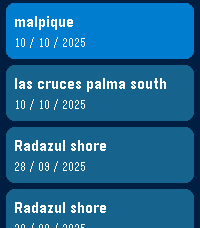
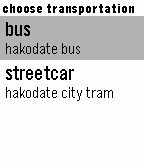
Dailytimetable for pubric transport of hakodate hokkaido japan. "bus" indicates 4 of nearest schedule departure time more than present. "streetcar" indicates the schedule departure time nearer than selected time. 函館の公共交通機関の時刻表を表示するアプリです。出発地と到着地を選ぶと、バスならば現在から最も近い時間のものを最大4つまで表示します。 電車は出発時刻を選択することで一番近いもの、加えて目的地の予定到着時刻も表示します。
 6
6PebbleForce Dashboard for Salesforce
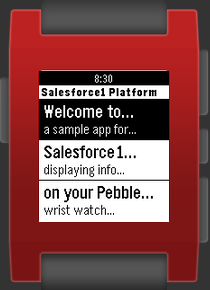
DailySalesforce1 Pebble Dashboard This is an application that can connect to any Salesforce Instance and securely display the totals from your reports on your Pebble using iOS. You simply need to set the ‘Report Unique Name’ of any of your Salesforce reports to ‘Pebble_Watch_Summary_0’ and provide a ‘Report Description’ {also use _1 and _2}. The full documentation in GitHub.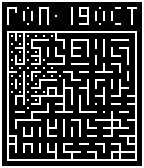 6
6RoboMaze
GamesA simple game and watch face dual use app. The BACK button is mode select. Use long press BACK to exit. Features (Watch): Clock, Date, Stopwatch (959:59:59 seconds loop. Think old style 1st/2nd place times for buttons. Will stop and reset after 1 year), press BACK to view watch modes. Some further features are being developed. Features (Game): [Planning Rules] ... Features (Calculation): [Planning IO] ...