4The Calorie Counter - Black Edition
Health & FitnessA simple calorie counter. - Press the up button to add calories. - Press the down button to correct your entry before you will save. - Press the middle button briefly to save your input. - Press the middle button long to clear your inputs. Ein einfacher Kalorienzähler. - Drßcke den oberen Knopf um Kalorien hinzuzufßgen. - Drßcke den unteren Knopf um deine Eingabe zu korrigieren bevor du sie speicherst. - Drßcke den mittleren Knopf kurz um deine Eingabe zu speichern. - Drßcke den mittleren Knopf lang um deine Eingaben zu lÜschen.
4Punti Arco
Health & FitnessArchery score Simple sum of score values UP or DOWN to choose point (1,2,3,...10) MIDDLE to add MIDDLE long press to delete last entry
4Shot & Recoil Counter
Tools & UtilitiesThis app uses the accelerometer to measure recoil (as spike in acceleration magnitude) in order to count the number of shots taken in sports shooting. Settings: - Color Theme (default: Dark Mono) - Acceleration threshold, set this to adjust for different calibers or other physical activities (default: 4g) - Maximum rate of fire, set this to suppresses events happening after an initial detection to avoid false positives. (default: 3 Rounds Per Second) - Show Mags, toggle to display how many magazines have been spent (default: on) Usage instructions: - Short press up or down to change the magazine capacity - Long press down to cycle through themes - Short press select to reset count - Long press select to increase sensitivity threshold by 2g (up to a maximum of 16) NOT A SAFETY DEVICE THE SOFTWARE IS PROVIDED FOR ENTERTAINMENT, TRAINING, AND/OR DATA RECORDING PURPOSES ONLY. IT DOES NOT DETECT OR CONFIRM ANY FIREARM SAFETY CONDITION AND DOES NOT PROVIDE ANY SAFETY GUARANTEE. THE SOFTWAREâS OUTPUT IS NOT A RELIABLE INDICATOR OF WHETHER A FIREARM IS LOADED, UNLOADED, OR SAFE TO HANDLE. THE SOFTWARE MAY BE INACCURATE OR MAY FAIL TO COUNT PROPERLY DUE TO SENSOR LIMITATIONS, CALIBRATION, USER HANDLING, WEAR OR ORIENTATION OF THE DEVICE, ENVIRONMENTAL CONDITIONS, OR OTHER FACTORS. USERS MUST NOT RELY ON THE SOFTWAREâS OUTPUT TO MAKE DECISIONS REGARDING LOADING, UNLOADING, FIRING, OR SAFE HANDLING PRACTICES. IN NO EVENT SHALL THE COPYRIGHT HOLDER OR CONTRIBUTORS BE LIABLE FOR ANY PERSONAL INJURY, BODILY INJURY, DEATH, OR PROPERTY DAMAGE ARISING OUT OF OR RELATING TO THE USE OF OR RELIANCE ON THE SOFTWARE OR ITS OUTPUT, EVEN IF ADVISED OF THE POSSIBILITY OF SUCH DAMAGES, AND EVEN IN CASES ALLEGING NEGLIGENCE, STRICT LIABILITY, OR OTHER TORT OR LEGAL THEORIES TO THE MAXIMUM EXTENT PERMITTED BY LAW.
4Squeeze Lyrion LMS
RemotesLeave your phone in your pocket! A native, touch-first remote for Squeezebox, squeezelite, and Lyrion Music Server â the server formerly known as Logitech Media Server (LMS) or SlimServer â tailored for the Pebble Time 2 and Pebble Round 2. Browse your server's entire menu tree, start playback anywhere in your library, and control your Squeeze players right from your wrist without ever needing to unlock or pick up your smartphone. Works with all Squeeze endpoints: original Squeezebox hardware (Classic, Boom, Duet, Radio, Touch), squeezelite, WiiM, piCorePlayer, Max2Play, and LMS software players. ⨠KEY FEATURES: ⢠Now Playing with Cover Art: Album sleeve rendered at full screen width for local files, streaming plugins (Spotify, Deezer, Tidal, Qobuz) and internet radio. ⢠Full Artwork Mode: Hold the SELECT button anytime to view the complete album cover without UI overlays. ⢠Intuitive Player Touch Controls: Tap to Play/Pause, Swipe left/right to skip tracks, Swipe up/down for volume â keeping all 4 physical buttons free for menu navigation! ⢠Complete Server Menu: Browse My Music, Radio, Favourites and Plugins. Paginated so folders with 2,000+ albums stay ultra-fast. ⢠Smart Path Memory: Reopening the menu returns straight to the folder you were browsing instead of resetting to root. ⢠Marquee Scrolling: Long track, artist and folder names scroll smoothly instead of being cut off. ⢠Multi-Player Support: Switch between all your Squeeze players right from the start screen. đŽ CONTROLS: ⢠Tap screen: Play / Pause ⢠Swipe Left / Right: Previous / Next Track ⢠Swipe Up / Down: Volume Âą5 ⢠Up / Down buttons: Volume Âą5 (repeating) ⢠Select button: Open Server Menu / Select Item ⢠Hold Select: Full Album Sleeve (or jump back to player from menu) ⢠Back button: Step back / Close âď¸ SETUP: 1. Open the Pebble app on your phone. 2. Go to the app settings (Clay configuration). 3. Enter your LMS server's Hostname or IP address (e.g. 192.168.1.100) and Port (default: 9000). 4. Tap "Save Settings" â your player list will automatically appear on your watch! â Support on Ko-fi: https://ko-fi.com/pagnotta34838 Open source under the MIT License.
4CitiBike Compass
DailyFinds nearest CitiBike Locations
4Next NASCAR Race
Tools & UtilitiesThis app shows you when and where the next NASCAR Cup Series race is in your local time. In addition, it also features a dd:hh:mm countdown until the next race. I made this app for myself because I wanted a super basic app that just shows the place, time, and date of the next NASCAR Cup Series race. Note: Race times and dates may change. Delays and schedule changes will not appear in the app.
4DVB
Tools & UtilitiesNavigate Dresden's public transport network from your wrist. This app shows you upcoming departures for stops around you. You can also view and follow a specific trip. On opening the app it shows you a list of stops around you, hold Select on a specific stop to mark it as a favorite and it will always be shown. Select a stop to view upcoming departures. Aside from the next departures, you can also see later ones for the same line and direction right below. If available, the app also shows occupancy data for all upcoming departures, so you can know if it might be worthwhile to wait for a later connection. If you select a departure, you can see the entire trip and the current position of the specific vehicle. This updates live, just keep it open to watch it along the route. The app supports three distinct styles of the departure, change it by long-pressing Select, then up/down and Select again to choose one.
4Berean Bible
DailyThe whole Bible on your wrist. Berean Bible reads the Berean Standard Bible - a clear, modern, public domain translation - with nothing between you and the text: open it and you're reading, exactly where you left off. Chapters arrive through your phone from the fetch.bible CDN and are cached as you go, so the books you actually read are there when you want them. The text keeps its shape: prose paragraphs open with a gentle indent, the Psalms keep their poetry line by line, and superscriptions and Psalm 119's Hebrew letters stand where they've always stood. Say where you want to go. Press Search and speak - "John 3", "Psalm 23", "First Corinthians 13" - and you're there, even if you've never opened that book before. Speak a phrase instead - "for God so loved the world" - and get tappable results with the verse reference, each one opening the chapter scrolled to that very verse. * The complete Berean Standard Bible, all 66 books, no account and no fees - the text is public domain and served free by fetch.bible * Voice navigation: speak a reference and land in it; speak a phrase and search the books you've read * Passage picker built for a watch: a grid of book abbreviations and chapter numbers, not a mile-long list * Bookmarks: hold Select while reading to save your spot; reopen it at the exact scroll position later * Paragraph and poetry formatting, three text sizes, and a dark theme for night reading * On Pebble Time 2: full touch - drag to scroll with momentum, tap to page, tap any grid cell to pick it. Every button still does what it always did * Your place is always kept: book, chapter, and scroll position survive every exit, and the launcher shows where you are - "John 3" - before you even open the app * Reading continues naturally: page past a chapter's end and the next one loads Open. Read. That's the whole idea.
4MTG Life Counter
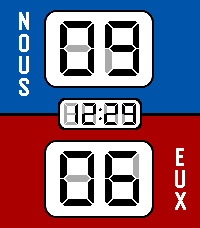
Tools & UtilitiesKeep track of your life in a Magic the Gathering game Simple counter that you can reset for 20 or 40 life depending on the format. - Press the top button to increase your life total. - Press the bottom button to decrease your life total. - Press the middle button to reset to your default life total. - Press and hold the middle button to set your new default life total.
4Bit Spender
Tools & UtilitiesCompanion app for my 'bit spender' productivity system. Each day you get 10 bits at 3 am and you have to spend them all before you can chillax in the evening. Each bit is spent for a specific category: work, exercise, or creative. Each bit represents 30 minutes of intense focus time. You can either use the built-in timer for a specific category (short middle press) or use your own timer and log spent bits directly per specific category (longer middle 0.5s press). There are also some stats tracking your past progress and an 'insights' screen (press down button repeatedly) that shows you your usual most productive times. As you progress, the app rewards you with little pep phrases and brief animations. If required, you can reset all your data by going to the 'Insights' screen and holding the middle button down for 5 seconds, then confirming. This is purely a personal project to help me finish my thesis. It is almost entirely vibe coded. Use at your own discretion. Your milage may wary.
4SykerĂś Track Work Time
Tools & UtilitiesControl SykerĂś Track Work Time from your wrist â start/stop tracking, switch tasks, and see time worked today and time remaining. Pair it with the SykerĂś TimeStyle watchface to see your live work-time status right on your watchface. Companion to the SykerĂś Track Work Time Android app (work hours, flextime & budgeted tasks).
4pebble2todoist
Tools & UtilitiesA Pebble watchapp that adds tasks to Todoist using your voice. Press SELECT, speak a command, and the task appears in your Todoist project â or in your Inbox with a "today" due date so it never gets lost. This is tailored pretty much to my own use case which is adding stuff to my shopping list or add quick todos to my inbox in todoist. There are other apps that are more flexibel like https://github.com/adrienthiery/pebble-watchface-agent-skill/tree/main/brain-dump or https://github.com/KonradIT/todoist-pebble.
4HABble
DailyPebble app for habitat high altitude balloon tracking. Displays data for current high altitude balloon flights on the spacenear.us map.
4Hourly Steps
Health & FitnessHourly Steps mimics Fitbit's "Reminder to Move" functionality but with way more user control. Through App settings you can adjust: - What hour to start getting reminders - How many minutes before the end of the hour to get reminded to move - How many hours you want to be reminded to move - The minimum steps you want to be reminded to do each hour - What your daily step goal is - What days of the week you want to receive reminders - All the colors used in the app's visual appearance Hourly Steps will even help you reach your daily step goals by splitting that goal by your active hours and showing it as a stretch goal after hitting the minimum. For example: if you want to do 10,000 steps a day and be active for 10 hours a day, it'll show a stretch goal of 1,000 steps each hour after finishing the minimum steps. That stretch goal will automatically adjust if you get closer to that goal or fall behind, creating a "deficit" or "surplus" value that shows how on track you are. You'll even get a Fireworks show upon completion of daily steps. Please allow an hour after installing for the app to establish steps at the start of the next hour. It may show an incorrect hourly steps value until then. Note: Due to Pebble limitations around tracking steps within a specific time frame, this app uses a background worker to get steps at the start of each hour and determine when to open the app for reminders. You can optionally turn this off if you need the background worker for something else. This will cause Hourly Steps to use wakeup timers instead, however that has some limitations. Since there can only be one Foreground app at a time, it'll close down any other app you have open even if it doesn't need to remind you of steps. This will happen once at the start of an hour and once during active hours at the reminder minute you set (but not outside of active hours). It may also fail to use the timers entirely if another app has scheduled a wakeup for the same minute This should not happen with background worker active. Because of this I highly recommend keeping the background worker active. Fireworks code adapted from: https://apps.repebble.com/fireworks-particle-effects-glancing_5592dc3e53d39fc50500006b
4PHuntFeed
DailyGet the latests 10 posts from ProductHunt.