Squeeze Lyrion LMS
pagnotta
Watchapp

Description
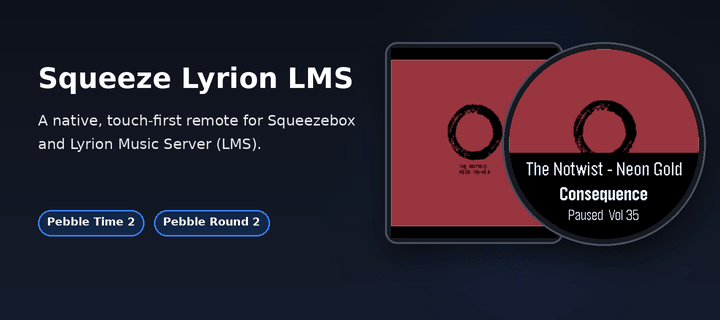
Leave your phone in your pocket! A native, touch-first remote for Squeezebox, squeezelite, and Lyrion Music Server — the server formerly known as Logitech Media Server (LMS) or SlimServer — tailored for the Pebble Time 2 and Pebble Round 2.

Browse your server's entire menu tree, start playback anywhere in your library, and control your Squeeze players right from your wrist without ever needing to unlock or pick up your smartphone.

Works with all Squeeze endpoints: original Squeezebox hardware (Classic, Boom, Duet, Radio, Touch), squeezelite, WiiM, piCorePlayer, Max2Play, and LMS software players.

✨ KEY FEATURES:
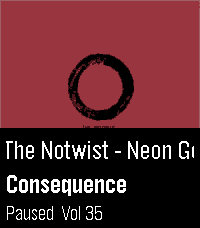
• Now Playing with Cover Art: Album sleeve rendered at full screen width for local files, streaming plugins (Spotify, Deezer, Tidal, Qobuz) and internet radio.
• Full Artwork Mode: Hold the SELECT button anytime to view the complete album cover without UI overlays.
• Intuitive Player Touch Controls: Tap to Play/Pause, Swipe left/right to skip tracks, Swipe up/down for volume — keeping all 4 physical buttons free for menu navigation!
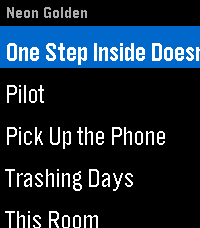
• Complete Server Menu: Browse My Music, Radio, Favourites and Plugins. Paginated so folders with 2,000+ albums stay ultra-fast.
• Smart Path Memory: Reopening the menu returns straight to the folder you were browsing instead of resetting to root.
• Marquee Scrolling: Long track, artist and folder names scroll smoothly instead of being cut off.
• Multi-Player Support: Switch between all your Squeeze players right from the start screen.

🎮 CONTROLS:
• Tap screen: Play / Pause
• Swipe Left / Right: Previous / Next Track
• Swipe Up / Down: Volume ±5
• Up / Down buttons: Volume ±5 (repeating)
• Select button: Open Server Menu / Select Item
• Hold Select: Full Album Sleeve (or jump back to player from menu)
• Back button: Step back / Close

⚙️ SETUP:
1. Open the Pebble app on your phone.
2. Go to the app settings (Clay configuration).
3. Enter your LMS server's Hostname or IP address (e.g. 192.168.1.100) and Port (default: 9000).
4. Tap "Save Settings" — your player list will automatically appear on your watch!

☕ Support on Ko-fi: https://ko-fi.com/pagnotta34838

Open source under the MIT License.
- Developerpagnotta
- CategoryRemotes
- PlatformsTime 2, Round 2
- Updated2026-08-03
- Version1.0.0