 17
17Disneyland Paris Wait Times
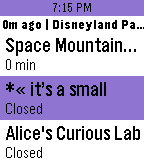
DailyQuick and easy access to the attraction wait times and hours for both parks at Disneyland Paris. Also, select up to 20 different attractions to be notified of status changes and lower wait times. Press and hold select button to trigger refresh manually. Code to access data is based on the https://github.com/cubehouse/wdwJS which accesses times from Disney themselves. Disclaimer: This app is not associated with Disney in any way.
 17
17Rock Paper Scissors
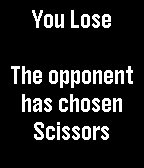
GamesRock-paper-scissors is a game when each player simultaneously forms one of three shapes with an outstretched hand. These shapes are "rock" (a simple fist), "paper" (a flat hand), and "scissors" (a fist with the index and middle fingers together forming a V). The game has only three possible outcomes other than a tie: a player who decides to play rock will beat another player who has chosen scissors ("rock crushes scissors") but will lose to one who has played paper ("paper covers rock"); a play of paper will lose to a play of scissors ("scissors cut paper"). If both players throw the same shape, the game is tied.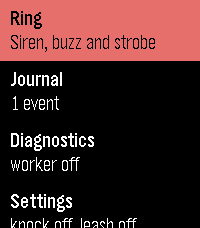 17
17Whistle
Tools & UtilitiesMake a lost Pebble ring, buzz and flash - and see when it was last in touch with your phone.
 17
17Pal Basics
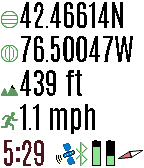
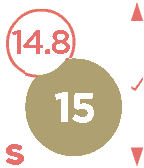
Tools & UtilitiesView the GPS satellites as seen by your Pal Strap. The top button switched between GPS location, a map of your area, a list of satellites, and the relative position of the satellites. A long press switches to the previous screen. When viewing a map, press the bottom button to zoom in. A long press zooms out. Press the select button for custom settings. If you have trouble locking in the GPS location using your Pal Strap, first make sure your Pal Strap is working by using the app supported by the Pal Strap creators. The Pal Strap is not designed for Pebble 2, but this app will work on the P2. If you do modify your Pal Strap for the P2, let me know!
 17
17Hive for PebbleTime
RemotesConnects and controls the Hive Heating system by British Gas. Select 'Version Information' to see what new features have been added. This is for the Pebble Time and Pebble Time Steel models
 17
17Pebboard
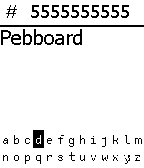
Daily**Must download companion app and open it at least once to actually send SMS** Using a custom made keyboard for Pebble, you can enter a phone number first and then a message. Long press select button to send the message to the number via the companion application. The companion application explains what each button does. When you first open up Pebboard you must first enter the 9 digit phone number and then you message. Entering characters in the phone number line will not get sent. The keyboard is open source so feel free to use it just please credit me. This started as just a modified keyboard based on Tertiary Text by vgmoose, but went ahead and turned it into a full SMS application.
 17
17rss-news
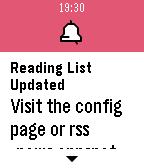
DailyHave a spare minute while waiting for something? How about reading the latest news from around the world, on your watch! You can simply scroll through a list of the latest news from various sources. Want to read the full article? We understand that the watch isn't the perfect place for that, but we have a solution -- simply select the headline and the app will store it to your personal online reading list*. The new category menu will automatically organise the categories you view most to the top of the list. NOTE: This is a beta release. Any feedback (negative and positive) are welcome. Over the coming weeks, both the Pebble watch app and the companion website (which is where you will find the reading list) will go through some iterations. *The personal reading list can be found online. Once a headline is selected an alert will pop up with the exact url, which will look something like https://rss-news.appspot.com/pebble/9.
 17
17Tesla Control
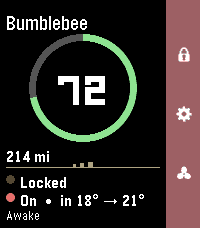
RemotesYour Tesla, on your wrist. Tesla Control turns your Pebble into a slim remote for your car. A clean status card shows your vehicle at a glance, and a right-side action bar maps the everyday controls to the buttons you already know. Status card - Your car's name and a bold battery ring with range - Doors (locked / unlocked) and climate (on, with inside → target temp) - Power state — Awake, Asleep, or Waiting for sleep — read live without waking the car - The accent color matches your car's paint (red, white, black, blue, silver, grey) on color watches Controls (action bar) - Up — Lock / Unlock (the padlock icon reflects the current state) - Down — Climate On / Off - Select — More Controls: Temperature ±1°, Open Frunk, Open Trunk, Charge Port, Refresh — plus a Wake option when the car's asleep Smart about sleep Tesla commands only work when the car is awake, so Tesla Control checks first and wakes the car for you ("Waking…") before sending a command — no failed taps. Temperature your way See and set cabin temperature in °C or °F. Works on Pebble color watches (Time / Time 2 / Time Round) and black-and-white models. Requirements - A Tessie account (with your vehicle linked and an active subscription) - Your Tessie API token and vehicle VIN, entered once in the Pebble phone app's Settings Privacy Your Tessie token and VIN are stored only in the Pebble phone app's local storage and sent directly to Tessie over HTTPS. The token is masked after you save it and is never shown again. Not affiliated with, endorsed by, or sponsored by Tesla, Inc. or Tessie. "Tesla" is a trademark of Tesla, Inc.; "Tessie" is a trademark of its respective owner. Requires a separate Tessie subscription.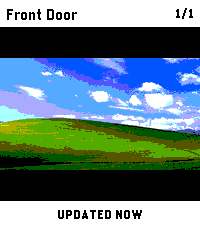 17
17PinHole
Tools & UtilitiesCheck security-camera snapshots from your Pebble Time 2. PinHole is built for fast wrist checks when you just want to know what is happening at the front door, garage, driveway, or any other configured camera. Use the hardware buttons to switch cameras, press SELECT to refresh, and keep the last good snapshot on screen while the next frame loads. Connect to go2rtc, Frigate, UniFi Protect, or direct HTTP(S) JPEG snapshot URLs. Snapshot requests are made by your paired phone directly to the endpoint you configure; PinHole does not operate a proxy or external service. The optional UniFi cloud connector is used only when you select and configure it. Features: - Quick camera checks without opening your phone - Button-first controls for easy one-handed use - Multiple configured cameras - Frigate account, HTTP Basic, Bearer-token, and X-API-Key authentication - Manual refresh with SELECT - Previous snapshot stays visible while refreshing - Clear setup, loading, retry, and error states Requires: - Pebble Time 2 - A supported camera service or direct JPEG snapshot URL reachable from your paired phone - go2rtc, Frigate, UniFi Protect, or a custom HTTP(S) endpoint - Any account, API key, or trusted HTTPS certificate required by that endpoint PinHole shows still snapshots only, not live video. Credentials are stored in PinHole's local app storage on the paired phone and are never sent to the watch or a PinHole server. HTTP does not encrypt credentials or images, so authenticated HTTP should be used only on a trusted network. Disclaimer: This app was developed with the assistance of AI.
 17
17Run Paces
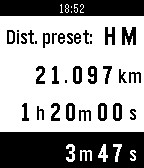
Health & FitnessCalculate your pace to finish any race in your best time. You can enter distance and time to get the pace; distance and pace to get the final time; or with the time and pace you will get the total distance.
 17
17GeoMe
Tools & UtilitiesGeoMe on Pebble will let you share your location with friends or relatives instantly from your watch. There is no need to get your phone out if someone asks where you are! If you are new to GeoMe we suggest starting with the iOS or Android version of the app. GeoMe provides confidential location swapping, meaning that only you and your friend/relative will know where you are at any given time.
 17
17Meine Öffis in Wien
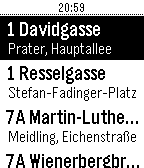
DailyWieder einmal den Bus/ die Straßenbahn verpasst? Mit dieser App weißt du, ob Laufen musst, oder dir Zeit lassen kannst. Konfiguriere einfach deine wichtigsten Stationen und du kannst jederzeit über deine Pebble abfragen, wann dein Öffi fährt. Du möchtest wissen, ob die Straßenbahn barrierefrei ist? Das erkennst du einfach am Kürzel BF. Konfiguration: 1. Linie auswählen 2. Station + Fahrtrichtung auswählen 3. Hinzufügen 4. 1-3 für alle gewünschten Stationen wiederholen 5. Die gewünschte Reihenfolge durch die Pfeile einstellen 4. Konfiguration Speichern Alle Daten wurden von den Wiener Linien (http://www.wienerlinien.at/) unter CCBY-Lizenz zur Verfügung gestellt. Datenquelle: Stadt Wien – https://data.wien.gv.at
 17
17Last Weather
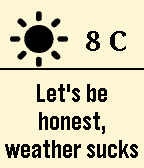
DailyA humorous weather app that will swear at the weather, maybe at you too.. This watchapp contains offensive language, install at your own risks. Up & down : Changes color Select : Starts/stops text cycling Select long click : Switch between C and F This concept comes from Marco van Hylckama Vlieg and Tobias van Schneider. Thanks to Pebble Rockstar Ayoub Briki for weather icons.
 17
17Joule You!
Health & FitnessMonitor your activity for the last 10 minutes, last hour, and the entire day! Try to be active enough in a given hour to earn Victory Laps! Digital watchface shows large clock while activity is monitored. Star indicates watch will vibrate on the hour if your activity in the preceding hour was not high. Click the set button to acknowledge activity reminder, or to turn off the reminder at night!
 17
17Destiny Glimmer Farmer
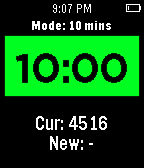
GamesHomebrewed Pebble app to monitor your Destiny glimmer farming and alert you when your glimmer boosters have become inactive. Track your best glimmer runs! (This app leverages some code from another Destiny app: Destiny Pebble Tracker by AK Studio. If you like Destiny Glimmer Farmer, please consider checking out their app as well!)