 17
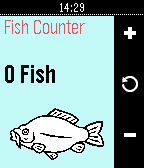
17Fish Counter
Tools & UtilitiesPebble watchapp for counting fish!
 17
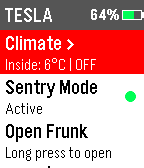
17Tesla Control
Tools & UtilitiesControl your Tesla from Pebble. Requires Tessie account. (https://www.tessie.com/)
 17
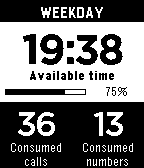
17Control Your Calls +
Tools & UtilitiesSee on your Pebble your tariff consume of time, sms and internet data. Configure in the android app your tariff limits to save a lot of money. Receive on your Pebble the consume warnings, and speak freely knowing always the remaining time you still have.
 17
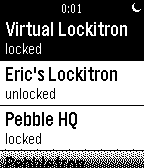
17Pebbletron
RemotesControl your Lockitron lock right from your Pebble! Built using Pebble.js and Cloudpebble.net. Thanks Huy and Katharine! No locks? remember to log in: My Pebble -> Pebbletron -> Settings Source: http://goo.gl/2iZdeG Known Bugs: - on-boot the mainMenu may hold the wrong state of each lock - mainMenu does not refresh after changing new favLocks - there's an extra window for some reason
 17
17Bridge to 10K
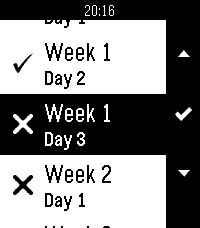
Health & FitnessBridge to 10K (B210K) training app. Supports a list of 18 days, all with individual progress indicators. Select a day to see the steps for that day, proceed to get a countdown click with instructions for each step. Open source, check description for github link.
 16
16WunderCast
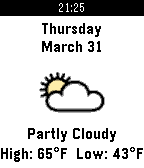
DailyWunderCast is a scrollable, 3-day weather app that pulls data from wunderground.com (free api key required). Features: -Shows 3-day forecast, one day at a time -Forecast includes high and low temps along with weather conditions -Scroll between days using up and down buttons -Can switch between F and C degrees Upon installation, please open up the configuration settings to fill in your API key and preferences! You can get a key by going to https://www.wunderground.com/api
 16
16Pebble Toss
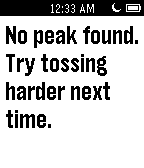
Tools & UtilitiesHow high can you throw your watch? Step 1: Toss skyward. Step 2: Catch watch. Step 3: Marvel at height thrown. Pebble toss calculates how high a watch is thrown vertically using accelerometer data.
 16
16Buzzer
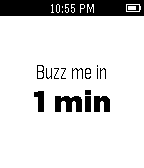
Tools & UtilitiesBuzzer is a simple watchapp that vibrates the watch on a user-set interval. Simply start the app, set how many minutes you want between buzzes and go. The Buzzer watchapp will then tell you the time remaining before the next buzz and how many buzzes have passed. You can also press the Select button while the timer is running to pause it.
 16
16EMT Madrid
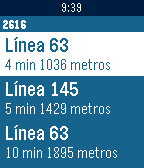
Daily¿Quieres poder consultar desde tú reloj cuanto van a tardar los autobuses de tus paradas favoritas sin sacar tu smartphone? Con EMT Madrid ya puedes. Ves a la configuración de la aplicación, guarda tus paradas habituales y podrás acceder a los tiempos desde tu Pebble directamente.
 16
16Velocimeter
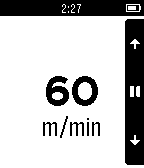
Health & FitnessIt's just like a metronome by vibrations to regular walks.
 16
16Devboard
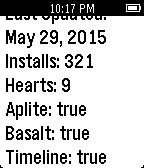
Tools & UtilitiesEnables the ability for pebble developers to view the status of their projects directly from their Pebble!
 16
16Daily Riddle
DailyEveryday get a new riddle to your timeline! Although riddles are provided my mydailyriddle.com, this app is in no way affiliated with mydailyriddle.com
 16
16Metronome
Tools & UtilitiesA simple Metronome
 16
16Street-Face
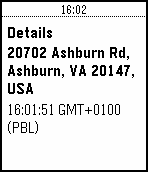
Tools & UtilitiesStreet-Face is a watch app for monitoring the closest street address to you. As your location changes, it will geocode your location using Google Maps services and provide you with an update. Use the menu to create check-ins, which you can review later. Checkins can be reviewed in the app's menu. Checkins will also appear on your timeline to allow reviews that go back further than 24 hours. NB. The Pebble timeline refreshes at a rate managed by your watch - checkpoints may not appear there for some time... Flick your wrist to update or use the menu.