 116
116Web-Slinger
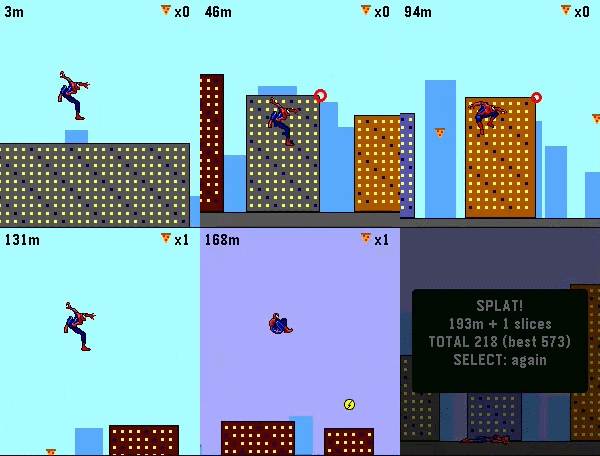
GamesSwing through the city like Spider-Man. Web-Slinger is a momentum-based arcade game made for those spare one-or-two minutes on your wrist. Made with Real Sprites from Spider-Man: the Movie on Gameboy advance! Hold any button or use the touchscreen and hold your finger anywhere on the screen to fire a web and swing. Gravity does the rest: dive to build speed, whip through the bottom of the arc, and release on the upswing to launch. Your swings ARE your speed, so clean timing sends you flying through the skyline while sloppy timing bleed your momentum away. Careful — the web snaps if you dangle too long. Collect slices of pizza on your way to boost your score! Grab a lighting boost for extra speed! Falling to the ground ends the run and records your high score! Features: Real pendulum swing physics — momentum you can feel Six suits: classic red & blue, black symbiote, Iron Spider, Miles, 2099, and Scarlett — your pick is saved. Day & Night Cycle based on how far you make it! Touchscreen and button controls, works great with either. Best score saved on the watch, auto-pause when notifications interrupt. Built for Pebble Time 2 and Pebble Round 2
 4
4TheEconFeed
DailyA section menu of all 17 Economist sections leads to scrollable headline-and-dek feeds you can flick through story by story. Everything is cached on the watch, so once a section has loaded it keeps working offline from that cache. Reads The Economist's public RSS feeds. Not affiliated with or endorsed by The Economist. Collects anonymous usage statistics, including approximate country.
 101
101VitalGauge
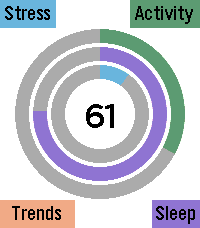
Health & FitnessVitalGauge is a fully autonomous, 100% offline biometric health suite engineered specifically for the Pebble Time 2. Designed for maximum privacy and battery efficiency, VitalGauge synthesizes your physiological data to provide real-time insights into your body's true energy levels. Comprehensive Health Tracking VitalGauge does more than just track steps; it maps your entire physiological state throughout the day: Energy Reserve: A singular, dynamic score synthesized from your sleep quality, daily exertion, and cardiac efficiency, telling you exactly how much "gas is left in the tank." Activity & Sleep Architecture: Automatically visualizes your daily movement and categorizes your sleep into Deep, Light, and Awake cycles. Historical Trends: Access a unified hub to visualize your progress across Energy, Sleep, Stress, and Activity trends over the last week. Smart Stress Management Never be caught off guard by a stress spike again: Intelligent Background Monitoring: Runs a high-efficiency background worker that monitors for heart rate anomalies while you are stationary. Hybrid Stress Algorithm: When a potential spike is detected, the app performs a high-resolution, 60-second background EKG scan to verify your stress score using a custom variance-based algorithm. Timeline Integration: Verified anomalies trigger a silent, persistent pin pushed directly to your Pebble Timeline history, allowing you to review events without intrusive alarms. Personalization & Interventions VitalGauge puts you in the driver’s seat of your own biometric data: Interactive Settings UI: Hold Select at any time to access a deep customization menu. Toggle between Light and Dark modes, adjust haptic intensity, set your preferred breathing style, and manage backlight behavior. Guided Breathing: Follow a 5-minute, audio-visual breathing routine—complete with dynamic pacing rings and hardware-optimized audio cues—designed to actively lower your heart rate. Offline Privacy: VitalGauge operates completely on-device. There are no accounts to create, no cloud servers to sync with, and your health data never leaves your watch. If you enjoy what I am making don't forget to heart the app. If you want to support continued development, consider a donation: https://ko-fi.com/ericmccormick
 234
234Wrist AI
Tools & UtilitiesWrist AI — Your Pebble, Now Smarter Your Pebble will be better with Wrist AI !! Wrist AI turns your Pebble into a flexible, deeply integrated AI assistant. Speak naturally, talk to your preferred Large Language Model, hear replies through supported watch speakers, understand your health trends, remember important personal context, and turn everyday language into Timeline events, reminders and ToDos. Use OpenRouter to access GPT, Claude, Gemini, Gemma, Llama, Qwen and many more models, or connect Wrist AI to your own compatible API endpoint. Your phone handles API requests over Bluetooth; Wrist AI requires no proprietary relay server. WHAT’S NEW IN 1.6 • Full Touchscreen Workflow — On Pebble Time 2, double-tap Wi to talk, swipe left for Menu, swipe right for ToDo & Notes, use edge swipes to go back, drag lists directly and tap a row to open it. Physical buttons remain fully supported. • Refined Wrist AI Interface — Home, Menu and ToDo & Notes now use a unified floating-card design with cleaner transitions, compact gesture hints and dedicated touch controls instead of stock Pebble menus. • Reply History by Gesture — Pull down from the top of a reply to view the previous answer. From the bottom of an older answer, push up to return to the next one. Each answer opens from the beginning. • Better Reply Controls — Double-tap a reply to continue speaking, use the lower-right TTS control to start or stop playback, and keep navigation outside the reading area. • Clearer Touch Feedback — Scrolling no longer flashes list selections. A tapped row highlights briefly before opening so every action is visible and intentional. • Faster, More Reliable Assistant Actions — Improved multi-event Timeline requests, mixed ToDo/Timeline commands, speech-to-text tolerance, all-day events and TTS startup. CORE FEATURES • Voice conversations with up to 20 chats and 20 messages per chat • Up to five configurable models with on-watch switching • OpenRouter and custom OpenAI-compatible API support • Long-term Memory.md stored locally on the phone • Multi-day Pebble Health and exact sleep context • Timeline events, relative reminders, all-day events and strong local reminders • ToDo & Notes with conversation links and Archive • Optional Todoist two-way synchronization • Full touchscreen support on Pebble Time 2; experimental Pebble 2 Duo compatibility • Optional location context and web search • Conversation export, font controls and fixed or random themes • Basalt, Chalk, Diorite, Emery and Flint support GETTING STARTED 1. Install Wrist AI and open Settings in the Pebble companion app. 2. Add an OpenRouter API key, or select Custom API and enter your endpoint. 3. Add up to five model IDs and choose the active model. 4. Enable only the optional integrations you want: Health, Timeline, Todoist, location, web search or TTS. 5. Open Wrist AI and press SELECT to talk. WATCH CONTROLS • SELECT: talk, send reviewed Dictation, close a reply, or stop TTS • Hold SELECT: start a new conversation • UP: open conversations/settings or scroll upward • DOWN: open ToDo & Notes, re-record Dictation, or scroll downward • Hold DOWN on a reply: read it aloud on a supported speaker watch • BACK: return to the previous screen The complete control guide appears in the watch UP menu and can be hidden from Config after onboarding. PRIVACY AND COMPATIBILITY Conversations, Memory.md, ToDo & Notes and integration mappings are stored locally by the Pebble companion environment. Requests are sent only to the APIs you configure. Health and location context are optional and are not written into normal conversation history. Timeline features require a compatible Core Devices companion app with local Timeline support. Notifications depend on watch vibration, notification and Do Not Disturb settings. Pebble 2 Duo TTS remains experimental because it has not been validated on physical Duo hardware. Source and support: github.com/deusaw/Pebble-Wrist-AI Support development: paypal.me/Asterwyn
 12
12Strength
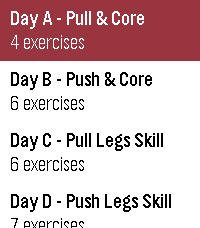
Health & FitnessProgram strength workouts on the web and run them from your Pebble - guided sets, timed holds, and rest countdowns, fully usable mid-set. Your sets sync back to pebblestrength.app for volume, estimated 1-rep-max, and bodyweight charts. Includes automatic rep counting for push-ups will add more exercises soon.
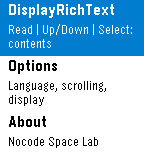 0
0RichTextPrompter
Tools & Utilitiesplaceholder
 5
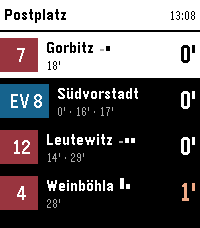
5DVB
Tools & UtilitiesNavigate Dresden's public transport network from your wrist. This app shows you upcoming departures for stops around you. You can also view and follow a specific trip. On opening the app it shows you a list of stops around you, hold Select on a specific stop to mark it as a favorite and it will always be shown. Select a stop to view upcoming departures. Aside from the next departures, you can also see later ones for the same line and direction right below. If available, the app also shows occupancy data for all upcoming departures, so you can know if it might be worthwhile to wait for a later connection. If you select a departure, you can see the entire trip and the current position of the specific vehicle. This updates live, just keep it open to watch it along the route. The app supports three distinct styles of the departure, change it by long-pressing Select, then up/down and Select again to choose one.
 253
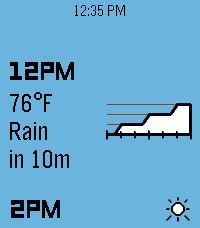
253Dribble
DailyA precipitation & hyperlocal weather app for Pebble. Location access is required for the app to work. When data is loaded, press the up or down buttons to scroll backwards or forwards through the forecast timeline. Hold either one to scroll quickly. There are three main information pages, which can be cycled by pressing the select button: Conditions: Displays the current weather conditions and temperature, along with a graph of next-hour precipitation intensity if applicable. Airflow: Displays wind speed & gust speed, wind direction, and atmospheric pressure. Experiential: Displays the perceived temperature, UV index, and visibility, along with an emoji accessorized with contextual indicators (sunglasses for high UV, umbrella for precipitation, hat & scarf for freezing weather, etc.)
 6
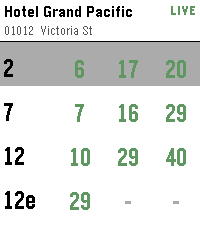
6SG Bus
DailySingapore bus arrival times on your wrist. Find bus stops near you using your phone's location, or open a favourite stop to see live arrival times. Tap a bus service for the next few buses, including crowding and vehicle type. Long-press any stop to add or remove it from your favourites.
 32
32SimonTime
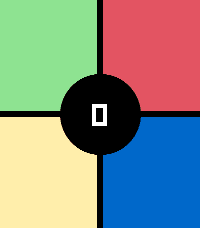
GamesClassic pattern memory game with touch and sound. High score. Up button to see/change speaker on/off state. Select button or center tap to start a new game. Designed for Pebble Time 2, looks even better on Pebble Round 2 but without sound.
 30
30Letterfall
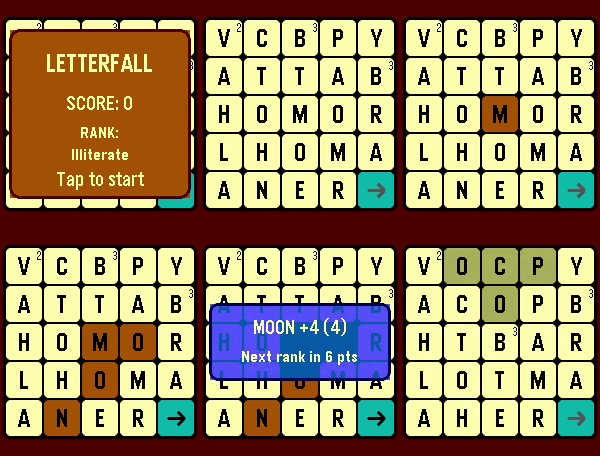
GamesTEST YOUR BOOKWORM SKILLS! 📝 "Letterfall" is a word-building game. The longer word you make the more scoring points you get. As you add points - you advance in ranks. ⛓️ To create a word - tap anywhere on the game field to select first letter and then build a chain of letters by tapping tiles next to previous one - above/below/left/right/diagonal. You can unselect tiles in reverse order. 🅰️ Watch out for red tiles! They appear if you make too many short words (3-4 letters). If red tile burns to bottom row - the game is over! 👑 Use gold tiles multiply the score. They appear if you make enough long words (5+ letters) If you're stuck - use game option "Flick wrist to reset board"
 8
8Quad-Type-Notes
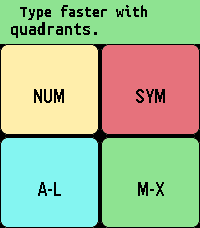
Tools & UtilitiesTake notes locally with a quadrant-based keyboard. Common actions like space, shift, backspace, and backspace word are activated quickly by double tapping the various quadrants. Tapping the top/middle/bottom third of the screen is the same as pressing the up/select/down physical button when navigating, and swiping horizontally through the middle third of the screen is the same as a long press of the select button where it makes sense. Sometimes there's a second function by swiping the reverse direction. For example, reorder a note by swiping right, but close the app by swiping left when in the main note-reading interface. While editing, swipe left/right through the top 2 quadrants to confirm your edit/select a different line. Do the same through the bottom 2 quadrants to turn "sticky" off/on (so the same quadrant stays active). Tap the editing area to cancel. You can tap and drag the active quadrant to a different quadrant to switch quadrants without having to cancel. Long press select to "grab" a note (or line when selecting lines) to move it around and change the order. Long press again to delete the note (or line). Long press select on "Note 0" (new note) to start dictation. Advanced: Create a custom layout by swiping down from the middle of the screen on "Note 0", then editing the configuration note by following the instructions. Error messages will catch common mistakes when you try to save this note. This app is appropriate for all ages and no personal data is shared with the developer. For Texas users: Rated for children under 13, due to having common english words for the interface and instructions. The font is Ubuntu Sans Mono Bold: https://assets.ubuntu.com/v1/81e5605d-ubuntu-font-licence-1.0.txt
 7
7TTC Subway & Bus
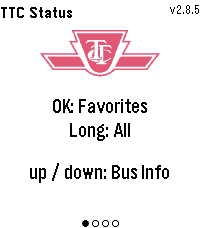
Tools & UtilitiesTTC Subway & Bus — Toronto transit at a glance, right on your wrist. Get real-time bus and streetcar arrivals for up to 5 saved locations (4 routes each), with countdowns that keep ticking between refreshes. Set a per-stop walk time and the watch buzzes the moment you need to leave to catch your bus. Check subway status for Lines 1, 2, 4, 5 and 6. Pick your favourite stations to filter alerts to just the ones that affect your commute, or long-press for all active outages. Features: Live arrival countdowns with "Arriving" and data-freshness indicators "Leave now" vibration based on your walk time to each stop Smart auto-refresh that speeds up as your bus gets closer Subway alerts filtered by your favourite stations Light and dark themes Easy setup from the phone settings page, just enter the route and stop numbers from any TTC bus stop sign
 628
628Calculator
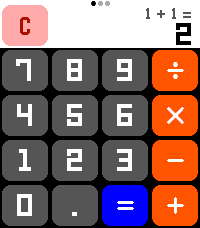
Tools & UtilitiesA calculator! On a watch! No one has ever thought of this before! Now that the Pebble Time 2's touchscreen is enabled, let's CALCULATE! New for summer 2026: Scientific Functions! All the math functionality you could ever want! (Press the center button or swipe on the screen to change pages!) Features: - Add, subtract, multiply, divide! All your favorite basic operations are here! - Behold the power of science! Includes all standard scientific calculator functionality, including trig functions, square roots, logarithms, and more! - Touch targets optimized to be as large as possible for Time 2 screen, including full support for drag-away touch cancellation, ensuring that you are able to press the numbers you want! - Automatically switches numeric display between a large font, a small font, and scientific notation to allow you to do math with unreasonably large numbers! - Smaller secondary numeric display shows last performed calculation (in standard mode) and y-register (in RPN mode) so you can remember what you doing! - Option to always enable the backlight for those grueling late-night calculation sessions **** Featuring RPN mode! **** Have you grown weary of the same old calculator layout? Well then, why not try enabling RPN mode from the settings! RPN, Reverse Polish Notation, is an alternative way of inputting calculations favored by financial professionals and other math enthusiasts for decades! Using RPN mode, you gain precise control over how and when calculations are performed! Never worry about operator precedence again! Let the calculation begin!
 46
46Soundboard
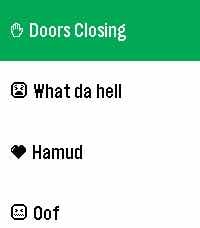
GamesPick sounds from your phone. Play them through your Pebble's speakers. All on-device. It's that simple, folks.