Quad-Type-Notes
Lost Cat
Watchapp

Description
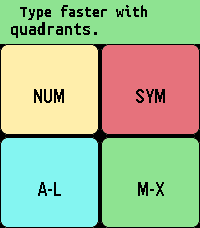
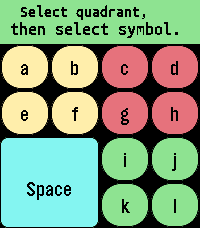
Take notes locally with a quadrant-based keyboard. Common actions like space, shift, backspace, and backspace word are activated quickly by double tapping the various quadrants.

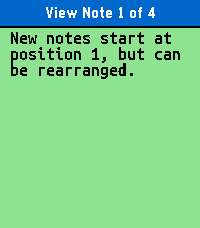
Tapping the top/middle/bottom third of the screen is the same as pressing the up/select/down physical button when navigating, and swiping horizontally through the middle third of the screen is the same as a long press of the select button where it makes sense. Sometimes there's a second function by swiping the reverse direction. For example, reorder a note by swiping right, but close the app by swiping left when in the main note-reading interface.

While editing, swipe left/right through the top 2 quadrants to confirm your edit/select a different line. Do the same through the bottom 2 quadrants to turn "sticky" off/on (so the same quadrant stays active). Tap the editing area to cancel. You can tap and drag the active quadrant to a different quadrant to switch quadrants without having to cancel.

Long press select to "grab" a note (or line when selecting lines) to move it around and change the order. Long press again to delete the note (or line). Long press select on "Note 0" (new note) to start dictation.

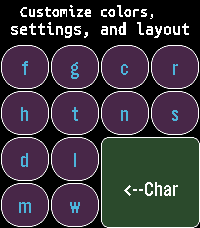
Advanced: Create a custom layout by swiping down from the middle of the screen on "Note 0", then editing the configuration note by following the instructions. Error messages will catch common mistakes when you try to save this note.


This app is appropriate for all ages and no personal data is shared with the developer.

For Texas users: Rated for children under 13, due to having common english words for the interface and instructions.

The font is Ubuntu Sans Mono Bold: https://assets.ubuntu.com/v1/81e5605d-ubuntu-font-licence-1.0.txt
- DeveloperLost Cat
- CategoryTools & Utilities
- PlatformsTime 2
- Updated2026-07-25
- Version1.0.2