 24
24AirCheck
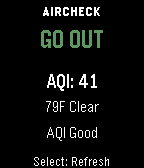
Health & FitnessAirCheck gives you a fast, simple answer to one question: should you go outside right now? Using real-time air quality (AQI) and weather data, AirCheck gives you a simple, instant recommendation: GO OUT CAUTION STAY IN Features - Real-time AQI and weather courtesy of Open-Meteo - Temperature-aware recommendations - Thunderstorm safety override - Clear reason text explaining each recommendation - Simple, easy-to-read interface - Manual refresh on launch and button press - Works across all Pebble watch types No clutter. No confusing settings. Just a clear answer when you need it.
 8
8Touch Grass
Health & FitnessHello BornHack 2026 This app allows you to touch grass - everywhere! Features: • Touch (the) Grass • Sun follows time of day-ish
 177
177Calendar for Pebble
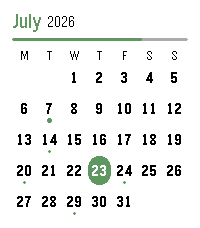
DailyA touch calendar watchapp for Pebble Time 2 and Pebble Round 2. Shows the month with a dot on every day that has events; tap a day for an agenda you can scroll through. Syncs from iCloud and Google Calendar. iCloud calendar link: 1. iPhone: Calendar app → Calendars → tap the ⓘ next to a calendar → enable Public Calendar → Share Link → Copy. 2. Paste the `webcal://…` link into a calendar row in Settings.(Public sharing is read-only and needs no password.) Google calendar link: On a computer at calendar.google.com: 1. Hover the calendar → ⋮ → Settings and sharing. 2. Easiest (public): under "Access permissions", tick "Make available to public", then copy the share link (the `…?cid=…` URL) — the app converts it automatically. 3. Private (keep it unlisted): scroll to "Integrate calendar" → copy "Secret address in iCal format (ends in `.ics`). 4. Paste the link into a calendar row in Settings. Credits App menu icon adapted from [pebble-dev/iconography (https://github.com/pebble-dev/iconography) Watch screenshots for banner created using (https://pebble-render.aru.dev/)
 1
1Pebble Impostor
GamesThe second version of Pebble Impostor
 1
1Liquicity 2026
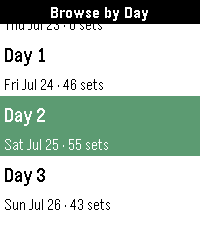
NotificationsUnofficial Timetable watchapp for Liquicity 2026. Browse shows, plan your festival, and get reminders when a show you don't want to miss is coming up. Browse shows by day or stage, click into a show to save it to your timeline. Press down when on a Show Details page to see all shows that overlap with the selected set or are beginning within an hour of it wrapping up. Credits go to Eric Lindholm whose Festival Schedule watchapp code I used for this one. That's why I linked his repo here. Thanks so much for the detailed documentation! Have fun at Liquicity everyone! 🧡
 7
7Hourly Steps
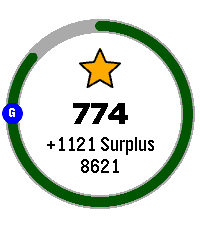
Health & FitnessHourly Steps mimics Fitbit's "Reminder to Move" functionality but with way more user control. Through App settings you can adjust: - What hour to start getting reminders - How many minutes before the end of the hour to get reminded to move - How many hours you want to be reminded to move - The minimum steps you want to be reminded to do each hour - What your daily step goal is - What days of the week you want to receive reminders - All the colors used in the app's visual appearance Hourly Steps will even help you reach your daily step goals by splitting that goal by your active hours and showing it as a stretch goal after hitting the minimum. For example: if you want to do 10,000 steps a day and be active for 10 hours a day, it'll show a stretch goal of 1,000 steps each hour after finishing the minimum steps. That stretch goal will automatically adjust if you get closer to that goal or fall behind, creating a "deficit" or "surplus" value that shows how on track you are. You'll even get a Fireworks show upon completion of daily steps. Please allow an hour after installing for the app to establish steps at the start of the next hour. It may show an incorrect hourly steps value until then. Note: Due to Pebble limitations around tracking steps within a specific time frame, this app uses a background worker to get steps at the start of each hour and determine when to open the app for reminders. You can optionally turn this off if you need the background worker for something else. This will cause Hourly Steps to use wakeup timers instead, however that has some limitations. Since there can only be one Foreground app at a time, it'll close down any other app you have open even if it doesn't need to remind you of steps. This will happen once at the start of an hour and once during active hours at the reminder minute you set (but not outside of active hours). It may also fail to use the timers entirely if another app has scheduled a wakeup for the same minute This should not happen with background worker active. Because of this I highly recommend keeping the background worker active. Fireworks code adapted from: https://apps.repebble.com/fireworks-particle-effects-glancing_5592dc3e53d39fc50500006b
 28
288 Ball Answers
GamesThe classic fortune-telling toy, reborn on your wrist. Concentrate on your question, give your Pebble a shake, and the answer rises through the murk. All 20 canonical answers, faithfully preserved Two bonus answer packs: IT Diagnostics and Movie/TV Build your own answer list from your phone How to consult the ball: Shake your wrist (or press Select) to reveal an answer Ask another question and shake again Long-press Select the up/down to switch answer packs Open settings on your phone to add your own answers
 10
105/10/15
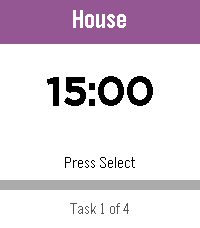
Daily5/10/15 is a highly configurable interval timer for Pebble. Starts with four ready-made lists — Work Loop, Long Loop, Quick Loop, and Morning Routine. Full add, delete, and edit support means build your own! The watch counts down and vibrates when it’s time to switch. Loop lists restart automatically; one-shot lists announce when you’re done. State persists across app exits, so you can check your watchface without losing your place. • Select — play/pause • Up/Down — skip tasks • Long Select — reset current task • Long Down — back to the List of Lists Named in tribute to the classic iPhone app 30/30.
 1
1Baby Watch Reborn XL
DailyAdds extra features to Baby Watch Reborn
 6
6TALLY
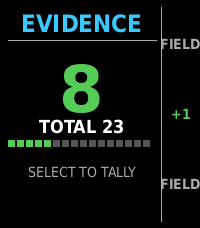
Tools & UtilitiesNever lose count, keep the score, export as needed.
 9
9Daily Poem
DailyEnjoy a daily poem from poetrydb.org! Query random poems, save poems and favorite poets, dictation-search for a poet, and find a random poem by your favorite poet!
 5
5ROLL
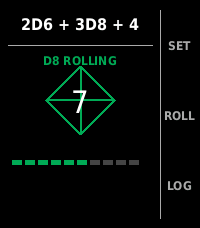
Tools & UtilitiesDice fiends beware...
 6
6PoketchCoinFlip+
Tools & UtilitiesA fork of GamerJrdn's recreation of the Poketch's coin flipping app for the Pebble with the goal of adding features centered around Pebble Time 2 . This is the first app that I've ever worked on for Pebble, and I'm not too experienced with C, so it may be a little buggy.
 2
2Pebble Imposter
GamesThe impostor word game now on pebble
 3
3OwnTone Remote
RemotesControl your OwnTone (owntone/owntone) music server from your Pebble watch. Browse results, play/pause, skip tracks, and adjust volume or outputs without touching your phone. Features - Search and browse results - Play, pause, next, previous - Adjust volume and switch outputs - Favorite items and quick access