 210
210Deathstar
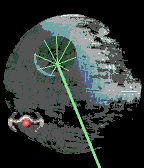
FacesAnalog watch face using Star Wars images. A Tie Fighter returning to the Deathstar marks the hour in normal analog positions. The laser position, when it reaches the edge of the screen, marks the minute. Screenshots: 5:53, 6:30, 8:27, 6:40 (with Quick View) Note. Deathstar and Tie Fighters are a trademark & copyright of Lucasfilm Ltd.
 9
990 Deg
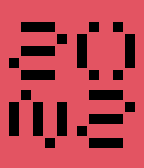
FacesWatchface with a 90 degree twist. Upper left and lower right is the hours. Lower left and upper right is the minutes, but twisted 90 degrees anti-clockwise. Displays in 24 or 12 hour mode, depending on watch settings and there is a configuration option to change the background colors. Screenshots: 09:43 10:18 22:20 (24 hour) 22:22 (24 hour) 08:48 (with Quick View) Design created by László Scheffer, from Hungary, and is published with his permission. Thanks to Paul Rode for help when I was struggling with the size of font needed.
 30
30PCB
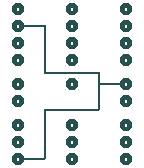
FacesWatchface based on a Printed Circuit Board (PCB). At the top are 12 contact points are the hours markers, the middle 5 are the 10-minute markers and the bottom 9 are the single minute markers. The lines join these up, giving the circuit board appearance. Configuration options to change the connector and line colour and to set the background to white. Notes. - On the hour, just the line from the hour is shown - At midnight and midday, no lines show Screenshots: 3:44, 6:21, 8:33, 4:37 and an explanatory image Design created by László Scheffer, from Hungary, and is published with the designer’s permission. The original design appeared on the Tokyoflash Design Studio in 2012 and can be found here: http://blog.tokyoflash.com/2012/12/18/pcb-watch-wrist-circuitry/
 65
65Duo
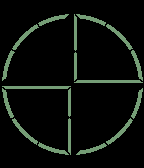
FacesDuo can be configured to display in digital or analog mode. Digital mode is quite easy to read and displays in 24 or 12 hour mode, depending on watch settings. In 12 hour mode, a PM symbol appears near the center in the bottom right quadrant (this also appears in analog mode). Analog mode, is harder to read. The hour “hand” is set closer to the center of the watch face and the 00-55 Minute “hand” is furthest away. Both hands are slightly curved, with the exception of the 12, 3, 6,& 9 hours which are displayed as straight lines. Single minutes are located in the middle as 4 small straight vertical bars. A shake of the wrist brings up the date mode for a few seconds. This can be shown in DD/MM or MM/DD format by configuration. A date symbol appears near the center in the top left quadrant. Configuration option gives a choice of colors for foreground and background on the settings screen. If same color is chosen for both, watchface converts foreground to black or white to ensure it still shows. Screenshots show: (1) 6:59AM (digital) (2) 3:19AM (analog) (3) 10:11PM (analog) (4) September 22 (date mode, DDMM) (5) 10:01PM (digital) This watchface design was created by Justin Schofield, from the UK, and is published with the designer's permission.
 54
54Hex
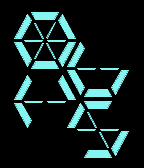
FacesAn easy-to-read digital watch face, with numbers based on hexagons, designed by Lewis Kent, from the UK, and published with his permission. Displays in 12 or 24 hour mode, depending on watch settings. Includes configuration options to change both foreground and background colors. Version 1.1 supports configuration when phone not connected to internet. If phone is connected to internet, then configuration changes show on watch interactively, but make sure you still save it or the config screen will forget it. Check out the examples to make sure you know how to read all the digits. Screenshots show: (1) 06:45 (2) 09:08 (3) 12:37 (4) 23:59 (24 hour mode) (5) 08:08 (with Quick View)
 33
33Passenger
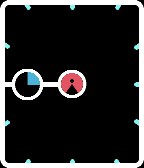
FacesAn analog watch face with a difference. The minutes are shown in the normal way, but the hour appear as a blue wedge in a circle riding on the minute hand: the passenger. Note midnight and midday are empty (the zero hours). AM/PM is indicated in the centre circle. Screenshots: 3:45AM, 9:56PM, 5:11AM, 8:40PM, 4:36AM
 25
25Web
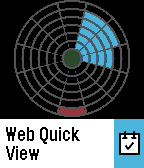
FacesA relatively simple watchface. The hour appears in the traditional analog position. Minutes stack up, building to the next 5-minute in traditional analog positions. PM indicator appears in the center. Hours, minutes and PM indicator colors are configurable. Screenshots show: 2:57PM, 3:27AM, 2:57PM, 2:24PM, 6:14PM
 36
36Doodle
FacesAn easy to read digital watch face with the numbers joined up to make it look a bit more cryptic. Doodling got me through a number of lessons at school. My schoolbooks had shapes like this on most pages. 12 or 24 hour mode, depending on watch settings. Screenshots show: 9:39, 7:09, 23:58, 9:38, 3:17.
 23
23R2-D2
FacesAnalog watch face using a top view of this well known Star Wars droid. 5-minutes on the outside in normal analog positions, hour rotating inside this, also in normal analog positions, and the additional 4 minutes appearing in the center. Version 2 brings the watchface to Pebble Classic, Pebble Steel, Pebble Time and Pebble Time Steel (version 1 was just for Pebble Time Round). Screenshots: 4:09, 7:11 Notes 1. R2-D2 is a trademark & copyright of Lucasfilm Ltd. 2. People who downloaded v1 will find hours and 5-minutes have been swapped over in v2 to use more normal positioning 3. Thanks to Sam Jerichow for help with the images
 257
257Sunny
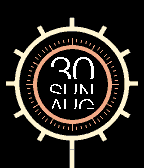
FacesA stylish analog watchface that brightens your day! The hour is shown with bars extending from the outer ring in the usual analog positions. The minute is the last orange line radiating out from the inner ring, also in usual analog positions. The partial font for day of month, day of week and month adds a cryptic feel to the watch. Screenshots show: (1) 08:23 Tuesday September 8th (2) 06:00 Sunday August 30th (3) 05:55 Wednesday September 9th (4) 06:30 Thursday May 21st (5) 05:19 Wednesday August 26th Note. The 15, 30 & 45 minutes can still be identified when the matching hour is set, by the extended orange line within the hour ring. This watchface design was created by José Manuel Otero, from Spain, and is published with his permission. You can follow him on: https://www.facebook.com/TTM-Technotimemachine-578290348850436/timeline/ To see other more cryptic watchfaces, including ones from the Tokyoflash Design Studio sanctioned by Tokyoflash, click on "More from this Developer".
 82
82Flux
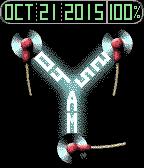
FacesHomage to Back to the Future. Flux capacitor tells the time - hours top left, minute top right and AM/PM at the bottom. Date as per display in the car, with the Pebble battery level added. The battery level is color-coded and the date color changes to match. > 50% - green 30 - 50% - amber < 30% - red Screenshots show: (1) 04:25AM - October 21 2015 - battery 100% (2) 07:31AM - August 31 2015 - battery 40% (3) 12:49PM - September 05 2015 - battery 20% (4) 09:18PM (With Quick View) Thanks to: - Sam Jerichow for help with this design & particularly the background image - Gehden Agena who prompted me to do this watchface - hope you like it!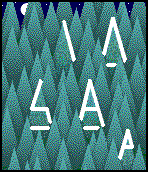 40
40Forest
FacesDigital watchface inspired by light shimmering on the edges of some pine forest trees. Easy to read, with hours at top and minutes at bottom. 12 or 24 hour format depending on watch setting. 12 hour format has A or P bottom right to indicate AM or PM respectively. The image changes at sunrise and sunset. The example screenshots show: (1) 9:23AM (2) 10:58PM (3) 15:47 (24-hour format) (4) 23.56 (24-hour format) This is a new design, just for the Pebble, but I also have a number of designs from the Tokyoflash Design Studio ported on the Pebble, so check these out too - click on "More from this Developer" Notes. On start-up, it takes a little while to get the sunrise/sunset information. During this time, the daytime view is always shown. Please be patient if it's night-time. If you change location and the sunrise/sunset times change significantly, you would have to either wait until the next day for them to be picked up correctly or press the middle button and back with the left button Finally, some thanks: - to Sam Jerichow for help with the background images - to Vladimir Agafonkin whose SunCalc JavaScript library enables calculation of sun position, sunlight phases, moon position and lunar phase for the given location and time - to Andy Barry who used SunCalc in his version of Simplday watchface - I borrowed some of his code in my Javascript
 160
160Quadrant Hybrid
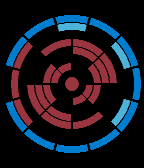
FacesA futuristic hybrid watchface - part-analog, part-digital. The 5-minutes appear in typical analog positions. The additional 4 single minutes just inside that on the right. The one of a 10-hour, appears on the left, just inside the 5-minute ring and the single hours are built from segments of rings forming sci-fi glyphs that are recognisable as digits, as with the 'Quadrant' watchface. A central circle appears as the PM indicator. There is a choice of colors for the hour digits, minute segments and the 5-minute ring on the settings screen. There is also the choice of 2 pre-sets that use 3 colors for the rings, ignoring the number to be displayed, which makes it more cryptic. Final choice is whether or not to display the PM indicator. Screenshots show: (1) 12:48PM - blue 5-min, cyan min, red hour (2) 09:57AM - blue 5-min, cyan min, red hour (3) 12:19AM - RAF Rondel (blue-white-red) (4) 12:34AM - Bull's Eye (cyan-red-yellow) (5) 06:51AM - cyan 5-min, green min, red hour (Quick View) This watchface design was created by Peter Fletcher, from the UK, and is published with the designer's permission.
 20
20Quadrant
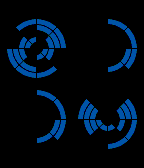
FacesQuadrant A futuristic digital watchface. Numbers are built from segments of rings forming sci-fi glyphs that are recognisable as digits - hours above minutes. 12 or 24 hour format, based on the watch settings. There is a choice of colors for the digits on the settings screen. Screenshots show: (1) 09:26 - dark red (2) 21:14 - mid-blue, 24-hour format (3) 09:12 - violet (4) 01:03 - cyan (5) 06:59 - dark pink This watchface design was created by Peter Fletcher, from the UK, and is published with the designer's permission. To see other watchfaces designed by Peter, including ones for Tokyoflash, along with others from the Tokyoflash Design Studio sanctioned by Tokyoflash, click on "More from this Developer". Uses Pebble Slate framework for configuration page with modified color palette.
 18
18Union
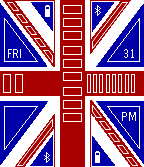
FacesUnion Set on the Union Jack, blocks appear to tell the time on the main red cross. Hours from top to bottom, 10-minutes on the left and the 9 single minutes on the right. Count the blocks. Additional features: - battery level from top left to bottom right - bluetooth connected if blocks appear, bottom left to top right - AM or PM - Day of week and day of month Screenshots show: (1) 7:16AM, Sat 1, battery 60% (2) 12:59AM, Wed 29, 40% (3) 9:28PM, Fri 31, 100% (4) 7:55AM, Sat 1, 80%, no bluetooth This watchface design was created by Peter Fletcher, from the UK, and is published with the designer's permission. To see watchfaces based on designs from the Tokyoflash Design Studio sanctioned by Tokyoflash, including those from Peter, click on "More from this Developer".
 62
62Excelsior V2
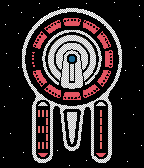
FacesExcelsior V2 Version of the watchface for Pebbles with color screens. The hour is the colored section in the saucer found in the traditional analog watch positions. The 10-minutes are the digital number on the left nacell (bottom left) and the additional minutes on the right nacell (bottom right). AM/PM shown in the hour color above (AM) and below (PM) the minute digits. There are 4 color combinations selectable in the Settings. Version 2.1 requires Pebble firmware 3.8 or later and introduces suypport for the Pebble Time Round. The screenshot examples show: (1) 06:32AM orange hours/ blue minutes (2) 09:56PM blue hours / orange minutes (3) 09:58PM green hours / yellow minutes (4) 09:31PM red hours / orange minutes This design was created by Peter Fletcher, from the UK, and originally appeared on the Tokyoflash Design Studio. It is published with the designer's permission, and sanctioned by Tokyoflash. The original design found here: http://blog.tokyoflash.com/2014/05/23/wrist-wear-to-boldly-go/ A version for black and white Pebbles is also available, just called 'Excelsior'.
 61
61Cyclops
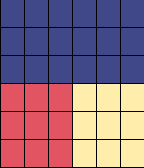
FacesCyclops uses colors to show the time. 3 watchfaces in one: “Cyclops” mode - looking like a eye, with three areas color-coded to represent numbers. Outer ring for hours, next ring in for 10-minutes, middle for single minutes. The code is mostly derived from rainbow colors “Red, Orange, Yellow, Green, Blue, Indigo, Violet” (red starting at 1). 0 is light green, 8 light gray, 9 light blue and, for 10-hours, the 1 is dark blue. “Up-down” mode - "up" for hours, "down" for minutes - left for 10-minutes, right for single minutes. Same color code used. "Count" mode - count dark gray blocks in the 4 quadrants. A cheat option is activated by shaking the watch: shows digits in text - helpful when learning. Shake again to make it disappear. Can be disabled in settings. An animation every 15 minutes can also be disabled. First screenshot animation shows the transition from 03:14 to 03:15 in "Cyclops" mode. Other screenshots: (2) 7:13 "Cyclops" mode (cheat display) (3) 7:13 "Up-Down" mode (4) 7:14 "Count" mode (5) 12:47 "Cyclops" mode Design created by Dietrich Faust and originally appeared on the Tokyoflash Design Studio. It is produced with the designers' permission and sanctioned by Tokyoflash. The original design can be found here: http://blog.tokyoflash.com/2012/06/11/cyclops-colour-coded-watch-design/
 192
192Identity Crisis
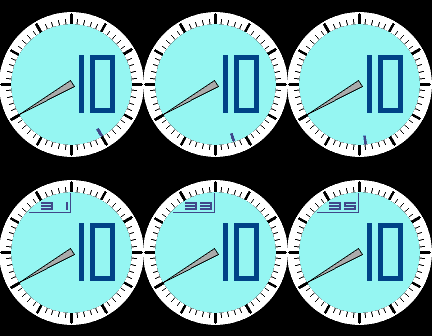
FacesIdentity Crisis! This poor watch has a problem: it doesn't know if it’s analog or digital. It wants to be both, but it can’t be 100% one or the other. It has a split personality, and jumps over massive hurdles to get by with its personality problem. It ends up being exactly half analog and digital – and needs major psychotherapy to rectify the tension created by its dual personality. Fortunately for the user, telling the time is easy! There is logic to how the hours and seconds (and optional date) get displayed, but it seems crazy! Hours: Large Digits Minutes: Physical Hand Seconds: Small Digits or Partial Analog Hand Configuration options: Date - no date (default), MM/DD or DD/MM. Seconds - show (default) or hide. Version 3 adds support for Pebble Time Round. The first two screenshots are animations (the first with date) showing: (1) 9:59:55 to 10:00:05 (2) 10:40:25 to 10:40:35 The other screenshots show: (3) 7:58:34 (4) 8:02:32 (5) 10:17:15 Design from the Tokyoflash Design Studio, created by Dietrich Faust. The watchface has been produced with the designers' permission, and sanctioned by Tokyoflash. The original design can be found here: http://blog.tokyoflash.com/2012/07/24/identity-crisis-watch-for-those-with-split-personality/ If you like this, give it a heart and checkout other sanctioned Tokyoflash watchfaces I've published - click on "More from this Developer".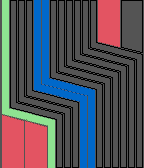 24
24Henso
FacesHenso Count the bars and blocks to read the time. Six bars are for the hours - the blue five are 2 hours each and the outer green bar a single hour. Five yellow bars are for 10 minute groups and the outer orange bar for a 5 minute group. Four red blocks, bottom left and top right, are for single minutes 1-4. Note. The 12th hour (from midnight or midday) will have no hours displayed. The example screenshots show: (1) 7:36 (2) 11:59 (3) 4:48 (4) 5:03 Design from the Tokyoflash Design Studio, created by László Scheffer. The watchface has been produced with the designers' permission, and sanctioned by Tokyoflash. The original design can be found here: http://blog.tokyoflash.com/2011/01/06/henso-a-designers-watch-concept/ If you like this, checkout other sanctioned Tokyoflash watchfaces I have published. Click on "More from this Developer" for the 20 most recent. To see more, search for my last name: Rawlins
 8
8Tenji
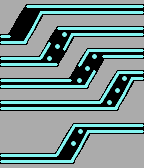
FacesTenji (点時) is Japanese and can be translated to “dotted time”. The basic idea is using classic digits and replacing each horizontal line segment by a dot. The digits are aligned in a dynamic angle, so you may tilt your head slightly to the right to read the four digits along the diagonal of the case. At the bottom, A (am) or P (pm) is displayed. The example screenshots show: (1) 12:58AM (2) 9:36PM (3) 5:47AM (4) 6:25PM Design from the Tokyoflash Design Studio, created by Heather Sable and Sam Jerichow. The watchface has been produced with the designers' permission, and sanctioned by Tokyoflash. The original design can be found here: http://blog.tokyoflash.com/2011/11/30/tenji-lcd-digital-watch-design-cleverly-hints-at-numbers/ If you like this, checkout sanctioned Tokyoflash watchfaces I have published. Click on "More from this Developer" for the 20 most recent. To see more, search for my last name: Rawlins Also check out the ones Sam has published - search for his last name: Jerichow