Duo
Nev Rawlins
Watchface


Description
Duo can be configured to display in digital or analog mode.

Digital mode is quite easy to read and displays in 24 or 12 hour mode, depending on watch settings.  In 12 hour mode, a PM symbol appears near the center in the bottom right quadrant (this also appears in analog mode).

Analog mode, is harder to read.  The hour “hand” is set closer to the center of the watch face and the 00-55 Minute “hand” is furthest away. Both hands are slightly curved, with the exception of the 12, 3, 6,& 9 hours which are displayed as straight lines. Single minutes are located in the middle as 4 small straight vertical bars.

A shake of the wrist brings up the date mode for a few seconds.   This can be shown in DD/MM or MM/DD format by configuration.  A date symbol appears near the center in the top left quadrant.

Configuration option gives a choice of colors for foreground and background on the settings screen.   If same color is chosen for both, watchface converts foreground to black or white to ensure it still shows.


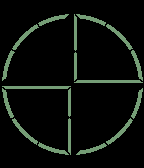
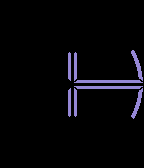
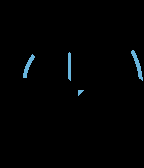
Screenshots show:
(1)   6:59AM (digital)
(2)   3:19AM (analog)
(3) 10:11PM (analog)
(4) September 22 (date mode, DDMM)
(5) 10:01PM (digital)

This watchface design was created by Justin Schofield, from the UK, and is published with the designer's permission.
- DeveloperNev Rawlins · Is this you? Claim your app ›
- CategoryFaces
- PlatformsOG Pebble, Steel, Time/Time Steel, Time Round, 2, 2 Duo, Time 2 (scaled), Round 2 (scaled)
- Updated2016-11-17
- Version2.3