 44
44circLED
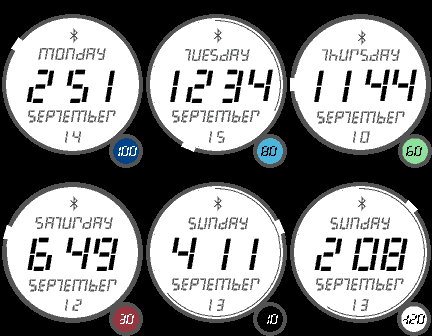
FacesA simple, but familiar design. Around the circle edge the minutes are indicated by a gap in the circle, while seconds can be displayed (for 30sec) via a shake of the watch. Seconds are not shown as numbers but as a thin circular arc just inside the edge of the white circle, updating each second. The seconds also show for 30sec on launch. While not showing seconds, the watchface is in 'minute' mode to save a bit of battery. Current battery charge is displayed in the smaller circle, lower right corner. On a pebble time the circle fill is colour, else it's just white. The bluetooth symbol disappears when bluetooth is not connected. sept 20: enabled 24h zero
 82
82Fullscreen2
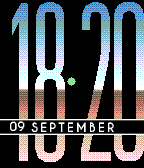
FacesAnother large number watchface. It doesn't get much easier to read. Here time on a classic pebble/steel is displayed with a different font versus on the PT/PTS. On the classic it uses a square font to match the perfectly square screen, while on a PT/PTS it uses a rounded font to match the rounded corners of the display. You can also choose from a few styles in the settings. The time separator has a few purposes - as battery indicator, charge indicator, and for bluetooth loss. 20 sept: updated bt icon
 49
49Angled Right
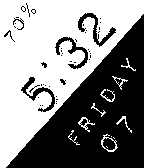
Facesa right handed version of this simple watchface.
 104
104Day & Night Timezones
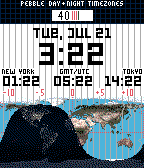
FacesHere the code was entirely written by David Gianforte, then modified and shared by 'Ben'. I've just modified the design and layout. The idea is to demonstrate the benefit and advantage of an open-source environment. At the moment the times displayed for new york, tokyo, gmt/utc are hardcoded based on the timezone for melb/aust. If you know how, you can modify the source to your needs. Feel free to grab/modify/edit the Github repository. The map is always right as it uses your current time to calculate day/night.
 569
569Perlin
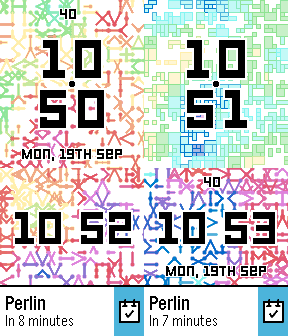
Faces19 Sept: update for sdk 4 quick view. Also replaced all images, and a new (clay) settings page. ----- This is a watchface developed to showcase the stunning digital artwork of Laurens Lapre - see the website link for full-size images. The watchface, though simple in design, will display 20 different background images, randomly changing each hour or minute. There are also options to show/hide the date and battery level, and for bluetooth vibe and hourly vibe. It supports 12 and 24 hour time. The small black dot in the very middle is the bluetooth indicator. It will disappear when bluetooth is lost. Perlin noise is a random sequence generator producing a more natural, harmonic succession of numbers than that of the standard random()function. It was invented by Ken Perlin in the 1980s and has been used in graphical applications to generate procedural textures, shapes, terrains, and other seemingly organic forms.
 143
14363plus1
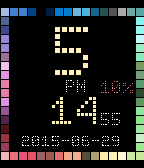
FacesAround the outer edges are 63 colours of the pebble palette. White, not there, can be added as one of the text colours. You can select from 8 text colours - let me know if you have a suggestion and i'll include it. There's also a random mode where it randomly switches between these 8 colours. You'll need to wait a minute or two for it to start (given it changes each minute). Select your preferred date format, or just have the watch say 'pebble'. Show or hide seconds. The battery number, always red, will only show from 30%.
 60
60My Minion Dave
Facessorry, now that it's a separate category - i just couldn't help myself...
 259
2590degreesV2
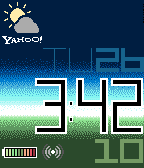
FacesI initially created this version based on a user request, but then i decided to make a colour version as well. - supports 12/24hr - the seconds can be changed with month [3 letter], if you wish to extend your battery life - weather via yahoo, updated half hourly - light (horizon style) or dark theme - other elements can be hidden as well
 225
225Geometric Weather
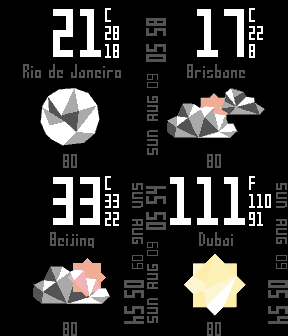
FacesAnother variation of a common theme.. most of my time here was spent creating each of the icons. I hope you like them. It displays weather for the day (large font), with the current max (upper) and min (lower) temperatures. Data from Yahoo, updated half-hourly. Turn the seconds on/off via settings. The numbers centre/bottom show your current battery level. Also available, for PTR users only, is "Big Geometric weather". I haven't done this for the other Pebble watches as the design does not translate very well.
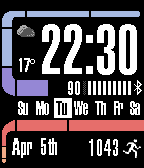 2.6K
2.6KTrekV3
Faces3 May: i've updated the settings page style. if your weather becomes hidden, simply check the setting. Welcome to the next frontier.. TrekV3. Classic Star Trek LCARS style. For pebble time, choose from a few background colour schemes, have time text orange/white, show daily steps, and more. Languages supported include, - English - Dutch - German - French - Croatian - Italian - Spanish - Norwegian - Finnish - Danish - Turkish - Catalan - Swedish Trek V2 will continue to be available in the appstore.
 533
533Timeline Blocks
FacesA simple and clear watchface built for the pebble time, but works on all. It animates on loading/startup, and has all basic info such as day/date/BT/Batt. The battery box middle left will change colour on pebble time as per the battery level - going from green to dark red then black. Supports 12/24hr. Will show weather or seconds. Also has the week number next to the date, which can be swapped with day num (of year). The background can be black or white. A few new color themes have been added (March '16).
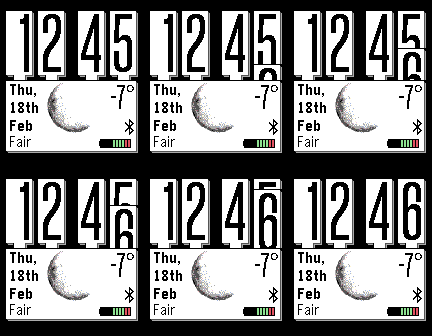 88
88WidgetFace
FacesThe idea here originally came from the clock widgets on many phones. Here I've used the 'SliderLayer' library by Yuriy Galanter (http://codecorner.galanter.net/2015/03/27/sliderlayer-for-pebble/) to animate the time digit each minute.
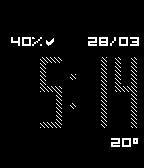 251
251MyStyle
Faces26 mar: ability to turn off weather desc. Many thanks to those who helped with testing! ---------------------- Set your own style. A very simple watchface design with bigger numbers, a configurable background, a custom text description for weather, optional time pattern, and more. All configurable via the settings page. please contact me if you find any bugs or notice something strange.
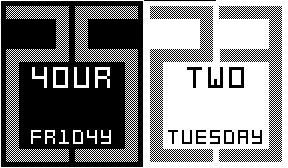 187
187Mixup
Faces[now includes ability to display normal or mixed text. also has invert, bluetooth vibe on/off, hourly vibe on/off - via settings page] Has text hours (with he hour number incorporated in mixed mode), and big minutes as a grey number behind - with day also. Battery level is shown by the thin border around the edge - at 100% (or while plugged in) there's a full border.
 31
31Flight Time
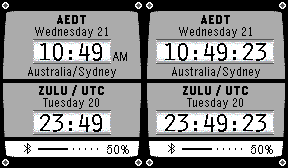
FacesAn improvement on my first effort, which never quite worked properly. This is heavily based on the example by Pebble Technology and includes timezone abbv. and name. It will show seconds with a shake of the watch - it stays for 20sec, before switching back. And you can switch local time to display for 12/24hr modes.
 471
471Taller2
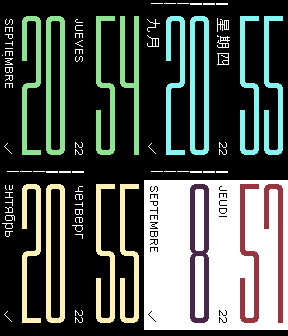
Faces22 sep: new clay settings, includes access to full pebble color palette big time, with day/date at 90 degrees. uncomplicated. change hour/minute colour. optional battery bar at the top. languages inc. - english - french - german - chinese - russian - italian - spanish On BT disconnect the 'tick' (lower left), will change to an X, and once the screen is refreshed the digits will remain white - colour returns once BT is connected.
 55
55Digital90 Flip
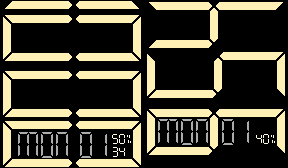
FacesSimple digital layout, with the ability to flip direction if you wear your watch on the other wrist. You can also have seconds on or off. Designed primarily for 12hr time. If your watch is in 24hr mode a basic (non-flip) layout will show. To switch to time modes go to, [menu>settings>date&time]. BT icon only shows when disconnected.
 175
175Big Digital 3
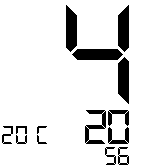
FacesThis is an enhanced version of a much earlier generated watchface. Have everything on, or have it all off (for a very minimal display) You can do the following via settings - turn on/off the following, - screen invert - weather - seconds - day/date - battery bar - bluetooth vibe - hourly vibe supports 12/24 hr modes will only display a small bluetooth icon when disconnected
 208
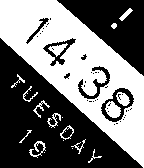
208Angled Left
FacesBorrows from a similar watchface, 'diagonal', by dotar, and similar to the 'slanted' concept by firelighter. ps. the un-eveness of text is intentional. settings: invert, bluetooth vibe (with disconnect icon only), hourly vibe, blink, 12/24hr "Angled Right" is also in the appstore.
 63
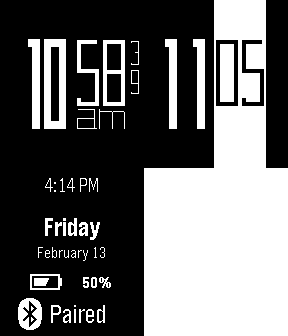
63Contrast
Facessimple digital time. customise your style. select from: - all black (with white text) or white vertical stripe (and black text) behind mins - timeformat on/off - bluetooth vibe on/off - hourly vibe on/off - show seconds on/off - accepts 12/24hr modes tap/shake for day / date / battery info