 48
48Emoji
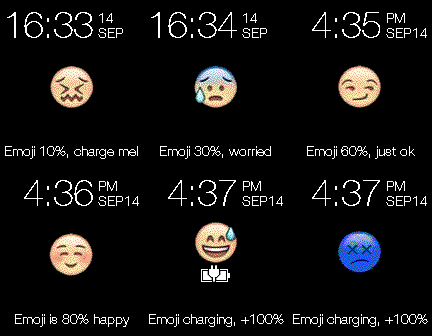
FacesThis is a very simple watchface - the idea for this came from a picture I saw (unknown author) - and I thought I could easily turn it into a simple watchface. A new emoji face shows each time the battery charge drops 10%, and a sad blue face shows when BT is lost. Currently supports all pebble platforms, inc. quick view, and pebble app languages.
 99
99Ticker 2
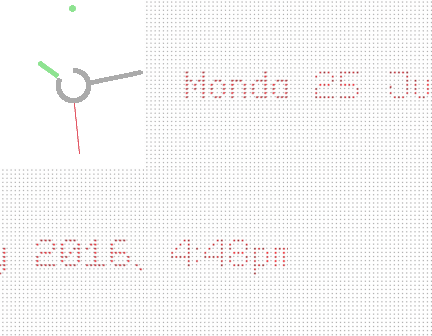
Faces27 july option to disable pattern on analog screen removed inner black circle batt charging text same colour as scroll text This came about while working on an update for my original "Ticker Time" watchface. In the end I'd changed so much I've published it as a separate watchface. If you give the watch a shake the analog face disappears and the time/date (as text) scrolls across the screen - then it switches back to analog mode. The battery charge level is indicated by the central ring - it depletes as the charge level decreases. When the watch is charging, the battery percent level shows in the middle, then disappears when not charging. The battery ring changes to Red below 40%. The settings page includes, - change background colour (analog & text) - change scrolling text colour - change hour hand colour (and the small 12 dot) - change second hand colour - turn the animation on/off - bluetooth vibe on/off - seconds hand on/off The watchface also supports the Pebble app built-in languages (ie. for the scrolling text).
 32
32Ghostbus..
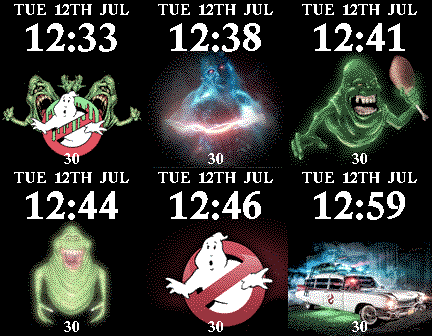
FacesBy request. I quickly put this together - there are 12 images that randomly change every minute. Battery impact should be minimal since the watch has to redraw the screen every minute to update the time. Will vibe if BT is lost. Number at the bottom is battery. Enjoy!
 473
473Flipside
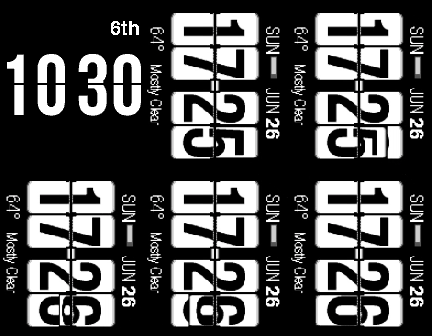
Facesjul 6: added white digit option With this one, it can be normal aspect, rotated left, or rotated right. Health stats available (for pebble time series) include your sleep, calories (restful), distance and steps. Else displays weather description text, or nothing. Put it in minimal mode to just display time and date. Original design by Chimi Kyo. Used the following libraries (combined and also used by Yuriy Galanter), - Flip Layer (Gregoire Sage) - Effect Layer (for the rotate 90 part - Ron64). Supports all native pebble app languages. Weather updates (via yahoo) hourly. Available for all pebble watches.
 30
30Green Neon
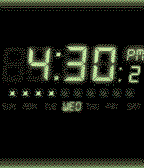
FacesWhat you see is what you get. No extra settings. Seconds only update every 10 sec (only displays 'tenths' of a sec), and the blink (colon) is every 5 sec. Battery state shown below the days. When BT is lost the top/bottom borders disappears.
 170
170Modular Health
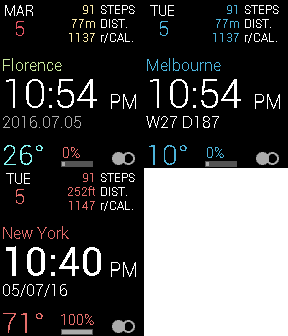
Faces8 aug, blank format option location name on/off option changed, m to km and ft to mi Another modular style face this time with some heath info. You can also modify, - heavy or light Time text - multiple date formats (below the time) - 22 languages for the day name text (top left cnr) and 'week' text - 9 different colour themes - invert b/w BT on is left white dot, off is right white dot Dist. units are determined by you phone app setting (metric/imperial) and calculated accordingly. Calories displayed are 'Restful Calories' (r/CAL.) Design by Chimi Kyo.
 231
231SkyLine
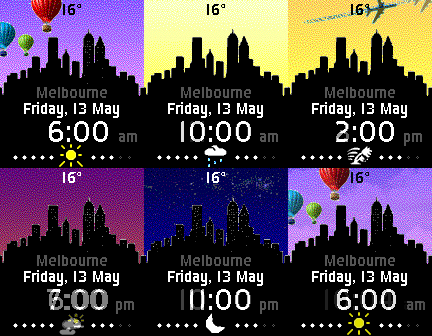
Faces5 jul: added pebble language support updated small menu icons Another of my city building watchfaces. This is just a generic building image, however each hour during the day (6am to midnight) the sky changes. Early on some hot air balloons float by, during the day a plane flies over, and at night stars come out and the building lights turn on. The watchface is NOT animated - it's just that with images changing each hour it may give that impression. The sky state is simply based on your local time - no complex maths involved to calculate sun position etc. As such it is fixed re what you see and does not change per daylight savings and so on. Weather info by Yahoo! and updates half hourly - if you select "use GPS" the temp/city name will reflect your current location. When your watch is not connected clouds will show in the sky over the buildings. Available for all pebble watches.
 47
47Big Geometric Weather
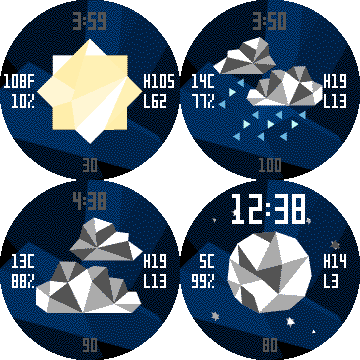
Faces6 June - now with the option for bigger time text I created this watchface a few months ago, but never did anything with it - and there were yahoo api issues at the time too - which seem to have settled for now. It's very similar to my 'geometric weather' watchface, but with a bigger weather icon, and only for the PTR. it has, time (top) - two sizes battery level (bottom) temp c/f (left) humidity (left) max temp (right) min temp (right)
 314
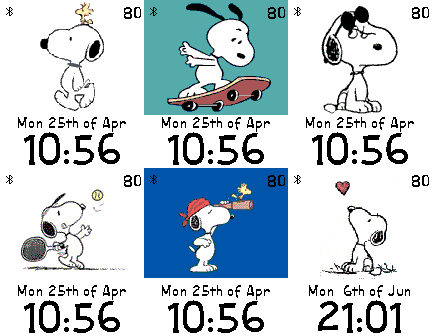
314Snoopy pics
FacesBy Request. A simple watchface. A new snoopy pic each hour. There are 25 pics at the moment. The Battery level is shown in the top right corner, and a bluetooth indicator is at the top left. NOTE: I still need to sort out an issue with the random swap, so at the moment the pic will NOT change for the first hour, but will be fine after that.
 86
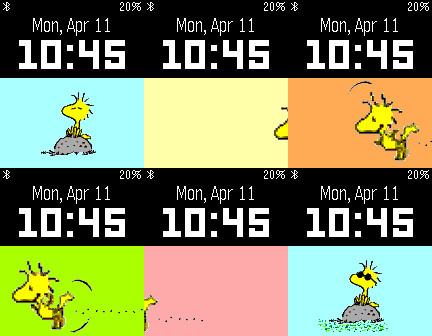
86Woodstock
FacesA very simple watchface - so no settings/flicks/vibes etc, created for a user request. Every minute woodstock gets up and goes for a fly across the screen (with some trippy colours), then sits and chills with some sunglasses on.
 44
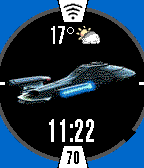
44Trek Pics
FacesAnother watchface for the Trek fans. This is a bit simpler, though has a variety of images to display. View the time in large numbers, or set it to random (with one of the smaller date/time formats), to move through 13 images (currently) - they swap every minute - if when selecting the option it doesn't switch immediately, wait for the next minute change. An image can also be selected permanently - to view time, select one of the date formats that include time. If you have a fave, and its not there, just email me and i'll put it in the mix. The outer ring changes colour according to the battery charge level. Battery number is shown in small text at the six position. Bluetooth state is at the 12 position - it'll turn grey if BT is lost. Flick to display a seconds ring (it'll remain there for 40 seconds). Minutes are also shown by the black gap in the dark grey ring.
 33
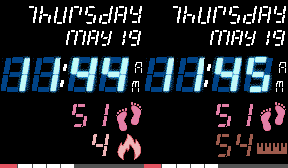
33GymFace
FacesJust a quick n simple watchface i put together for going to the gym that could be easily read at a glance. If BT is lost the day name disappears.
 181
181Fullscreen3
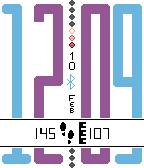
FacesAnother simple big number watchface. I've also added basic health info (steps/dist.) - which can be turned off/hidden. Colours for each digit can be configured separately. Battery status is mirrored top/bottom, it goes 100 , 90, 80, 70, 60, 40, 20 (same top and bottom. Show either the date or a colon in the middle. Bluetooth icon disappears if no BT.
 303
303Themes
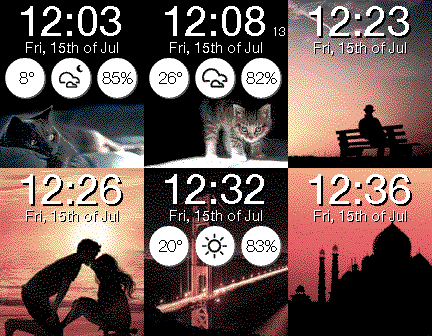
Facesjul 15: refreshed most images/themes battery only shows if below 40% slightly modified layout to see more of each image option to hide weather info ----- The layout here is very simple - just a number of images randomly updating each minute in the background. The simple design is taken from my Sentri clock - another successful kickstarter project. The watchface displays, battery time - 12/24 hr modes seconds (optional - displays to the right of the time) temperature, c/f (far left) - updates hourly weather icon (middle) humidity percentage (far right) day/date/month All images have been individually optimised for each watch. They all just started out as free HD wallpaper downloads. When you lose BT connectivity there is an option to vibrate. There are 4 picture themes to choose from - landmarks, Space/Star Wars, Cats 'n dogs, people. To see or force change to a new image it's easiest to just re-apply the settings. If no weather is received/available, it defaults to the space theme. If this is the case, hide the 3 circles! NOTES: I am not skilled enough to do personal image uploading (as other watchfaces have done in the past), and I do not intend going there. If you know how and desperately want to add it, feel free to contact me. Also, you may notice it takes longer to load this watchface - that's because I've pretty much exhausted the resource limit. Please make sure your BT connection and /or WiFi remain stable during loading, otherwise it may fail. If it does, just try again, it'll work!
 142
142Natural Earth
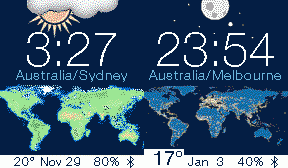
FacesThe original idea for this simple watchface came from another project i'm working on - creating a world map (in three parts, each about 2m high x 1.5m wide). So this is obviously a much much smaller and less detailed version. The larger map uses free data from http://www.naturalearthdata.com/ and will be ideal as a wall map/mural. More info is at, http://www.themapman.com/mapportfolio.html The main feature of this watchface is that the map style changes at 6am/6pm from a day map to a night map, with your current timezone displayed above. Weather is via Yahoo (and has generally been working ok for me during testing). When BT is disconnected the weather graphics disappear and there is a small x. Option for a big or small temp number. The watchface has been developed to run on all pebble watches. As the watch displays timezone info, default text is displayed on classic pebbles, which do not know about timezones. Ps: At this stage i don't plan adding day/night shadows (or similar) as there are a few other watchfaces that do this, and here i'd like to keep the whole map unobscured.
 44
44LCARS Round
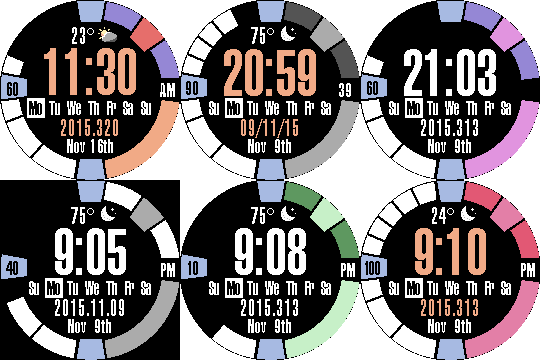
FacesAn LCARS watchface with a circular layout. Choose from many background colour schemes, or have time text orange/white. Bluetooth is indicated by the bottom middle rectangle disappearing if BT is lost. The battery level is graphically shown down the left side, with a text number middle left. Weather by yahoo, 30min updates. Many more options. Languages supported include, - English - Dutch - German - French - Croatian - Italian - Spanish - Norwegian - Finnish - Danish - Turkish - Swedish - Catalan
 174
174Simpler Analog
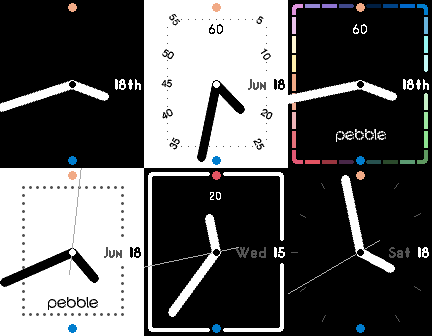
Faces18 jun: New startup animation Smoother hands - new style show hide pebble/batt num The blue dot in the '6' position is present when BT is connected, while the dot in the '12' position represents battery state - green 60-100, orange 30-60, red 0-30, white when charging. Other options include invert and seconds hand on/off.
 51
51Simpler Digital
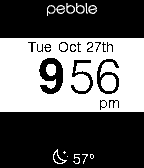
Facesnot much to say really. just the time n date [7 date formats]. plus, a few text colour choices, and the weather. you can also hide the weather and brand name for a very minimalist look. a bluetooth icon only shows when there is no connection, and a battery icon only shows from 40%.
 287
287Cars
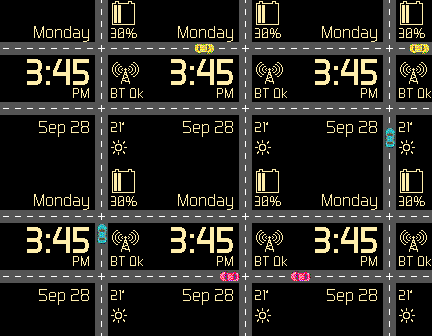
FacesCars animate (travel across each road) every minute, and at start-up.
 50
50MyInfo
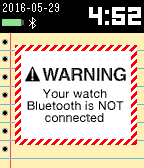
Facesupdated 29/05/2015. rebuilt code, cleaned up design. Via the settings page enter your info eg. medical info/things to do or remember/shopping/meetings/events etc