Digital90 Flip
chops
Watchface
Description
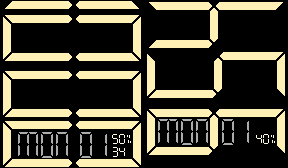
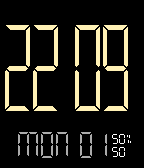
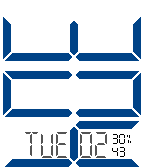
Simple digital layout, with the ability to flip direction if you wear your watch on the other wrist.  You can also have seconds on or off.

Designed primarily for 12hr time.  If your watch is in 24hr mode a basic (non-flip) layout will show.  To switch to time modes go to,
[menu>settings>date&time].

BT icon only shows when disconnected.
- Developerchops · Is this you? Claim your app ›
- CategoryFaces
- PlatformsOG Pebble, Steel, Time/Time Steel, 2, 2 Duo, Time 2 (scaled)
- Updated2015-06-02
- Version2.3