Pome
Organik Apps
Watchapp
Description
Pome puts Apple Home controls on Pebble Time and Time 2 through Itsyhome on your Mac.

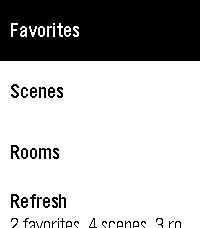
Make your Home Screen yours: pin scenes, rooms, devices and sensors, then drag to reorder pins and sections in phone settings. Device pins open controls directly. Hide sections you do not use and assign favorite actions to button holds or Double Back.

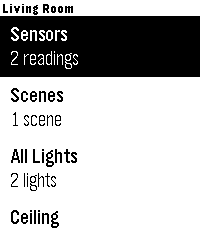
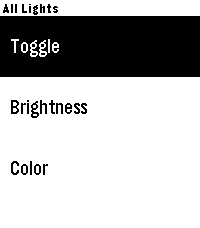
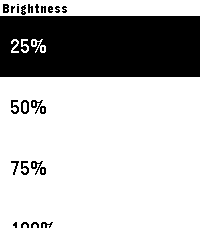
Browse scenes, favorites, rooms and read-only sensors. Control lights individually or together by room, set brightness and colors, adjust supported fan speeds and blinds, and toggle switches and plugs. Device controls stay open while you make adjustments.

Personalize with ten built-in themes and saved custom themes. Preview colors and fonts, choose title and subtitle sizes, and show or hide icons. Time 2 offers five custom font families and five title sizes; original Time uses supported stock fonts. Long titles scroll when selected.

On dictation-capable watches, try "Set movie time" or "Turn living room lights green." Voice requires the phone companion’s transcription service. Touch menus on Time 2 use a tap to focus and a second tap to activate; physical buttons remain available.

Setup: install Itsyhome (https://itsyhome.app/macos), enable its Webhooks/CLI server, and enter a reachable URL in Pome’s phone settings. The Organik Apps Pebble Connector helps coordinate Mac setup. For private access away from home, use Tailscale on your Mac and iPhone with Tailscale Serve. Your Mac must remain reachable. Do not expose the server using Funnel or router port forwarding.

Setup instructions: https://github.com/GeezusChrotch/pome

Camera viewing is experimental and NOT included in public Pome 3.0. The public Connector does not include the HomeKit camera helper.

Pome has no analytics or hosted relay. Independent open-source community project; not affiliated with Apple, Itsyhome, Tailscale or Pebble.
- DeveloperOrganik Apps
- CategoryTools & Utilities
- PlatformsTime/Time Steel, Time 2
- Updated2026-09-08
- Version3.0.0