Get Back To
Peter Summers
Watchapp
Description
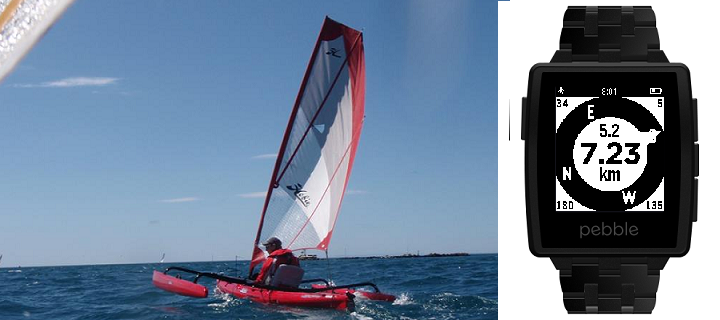
Get back to a previous location, or go to one selected from your list of favorites - built on the original by samualmr but now shows GPS accuracy, bearing, speed and heading, supports a list of favorite locations and pinning locations to the time line, features a proximity warning (for public transport users who like to read) and a car mode (for when the compass won't work), monitors the Javascript more closely and allows tweaking of the way the GPS is called for improved performance.

A long press on the Up button enables car mode.

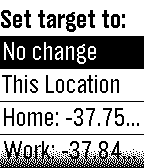
A long press on the Select button sets the target to the current location or one of the favorite locations set in the configuration menu.  The format for these locations is label: latitude longitude (e.g. "Home: -37.6543 144.5678"), or you can just enter a label (e.g. "Home:", to which it will append your most current location), or you can enter a street address, with or without a label, which will be passed to Google to resolve.

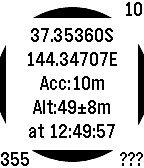
A long press on the Down button saves the current location to the time line.

See the instructions on the settings page for more details.

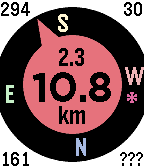
Displays are as follows:

Top left = direction of travel (when available);
Top right = accuracy in metres or yards;
Bottom left = bearing to target;
Bottom right = orientation of watch (or ??? if not available, or --- in car mode);
Top centre = speed in km/h, mph or knots (when available);
Centre = distance to target; and
Bottom centre = units.

See the web site link for more details.

If you like it, please give it a heart.
- DeveloperPeter Summers · Is this you? Claim your app ›
- CategoryTools & Utilities
- PlatformsOG Pebble, Steel, Time/Time Steel, Time Round, 2, 2 Duo, Time 2, Round 2 (scaled)
- Updated2016-11-20
- Version5.18