Find My Phone
jLynx

Watchapp

Description
## Find My Phone

**No companion app required - works directly through the Pebble app!**

Never lose your phone again! Find My Phone helps you locate your misplaced phone instantly with a loud, attention-grabbing alarm - right from your wrist.

### Features:
- **No Companion App Required** - Works directly through the Pebble app, no extra downloads needed
- **One-Button Operation** - Simply press SELECT to activate the alarm
- **Customizable Melodies** - Choose from 5 different alarm sounds to suit your preference
- **Loud Audio Alert** - Plays a distinctive melody on your phone that's easy to hear
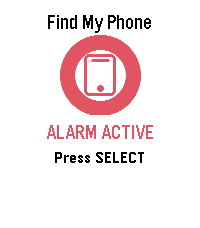
- **Visual Feedback** - Animated display shows when the alarm is active
- **Haptic Feedback** - Your watch vibrates to confirm the alarm is running
- **Continuous Alarm** - Keeps playing until you press SELECT again to stop it

### How to Use:
1. Open the app on your Pebble
2. Press the SELECT button (middle button)
3. Your phone will start playing a loud alarm
4. Follow the sound to find your phone
5. Press SELECT again to stop the alarm

### Customize Your Sound:
Access settings through the Pebble app to choose from:
- Classic Find (Default) - Pleasant ascending melody
- Urgent Alert - Fast alternating tones
- Gentle Reminder - Soft repeating pattern
- Emergency Siren - Loud alternating siren
- Door Chime - Simple two-tone chime

### Perfect For:
- Finding your phone under couch cushions
- Locating your phone in another room
- Quick phone location when you're in a hurry
- Anyone who frequently misplaces their phone

**Simple. Effective. Essential.**

No more frantically searching for your phone. Just press a button and follow the sound!

***

**Technical Notes:**
- Requires Bluetooth connection between watch and phone
- Compatible with Android devices running the Pebble mobile app
- No additional apps or subscriptions needed
- Settings accessible through the Pebble app configuration

***

### A Note from the Dev (FAQ & Troubleshooting)

Hey there! I want this app to be as useful as possible, but because we are working with classic Pebble firmware, there are a few platform limitations I can't bypass. Here is what you need to know:

**Q: Does this work on iPhone / iOS?**
* **A:** Sadly, no. I would love to bring this to iOS, but Apple's strict background and browser limitations completely block the app from triggering the audio. It is currently strictly for Android.

**Q: My watch is buzzing, but the phone is completely silent. Help?**
* **A:** Double-check your phone's **media volume**! The app triggers audio through your phone's standard media channel. If your media slider is turned all the way down or muted, the sound won't come through.

**Q: Can you make the app automatically turn up my phone's volume or override silent mode?**
* **A:** Man, I really wish I could! This is the number one feature I want to add. I actually pushed for an official change to the SDK so app developers could control phone volume, but the system firmware just doesn't support that level of access control right now. If the platform team ever opens up that door, I'll be the first to implement it! Until then, we just have to wait and see.
- DeveloperjLynx
- CategoryTools & Utilities
- PlatformsOG Pebble, Steel, Time/Time Steel, Time Round, 2, 2 Duo, Time 2, Round 2 (scaled)
- Updated2026-01-07
- Version1.0