 25
25Workout Rounds
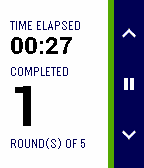
Health & FitnessUpdate June 2015: Color for Pebble Time | New workout countdown timer option | Updated timer screen layout Use your Pebble watch to keep a simple track of your timed workout / WOD rounds or sets. During the workout, use the app to take away the need to remember rounds, allowing you to focus on performing and counting the exercise repetitions. Select the type of workout from a time or round limited workout, set the limit and begin!
 25
25BAC2Sober
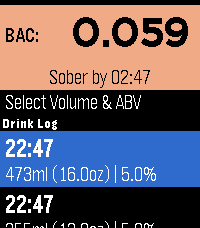
Tools & UtilitiesBAC2Sober is a premium, real-time blood alcohol tracking companion for your Pebble smartwatch. Built with a focus on speed, privacy, and native Pebble aesthetics, it utilizes the trusted Widmark formula to dynamically calculate your current BAC and estimate the exact time you will be completely sober. Whether you are sipping a craft taster or splitting a full bottle of wine, BAC2Sober makes logging your drinks effortless. Features: - Real-Time Tracking: A live dashboard tracks your current BAC and continuously updates your "Sober By" countdown every minute using the system tick timer. - Built-In Watchface: Check your current BAC and countdown to sobriety directly from your wrist without needing to launch the app. - Dynamic Geometric Graphics: Watch your drinks fill up on the screen! Native 2D vector graphics beautifully replicate standard cans, tallboys, bottles, growlers, wine glasses, and shots—keeping the app incredibly fast and lightweight. - Precision Logging: Dial in exact volumes (Metric or Imperial) and ABV percentages down to 0.1% for maximum accuracy. - Timeline Integration: Optionally push a notification pin to your Pebble Timeline when you mathematically hit a specific Target BAC (e.g., 0.05% or 0.00%). - Theme Engine: Fully supports Dark, Light, and Auto modes to match your watch's hardware, highlighted with vibrant UI colors on modern displays and clear high-contrast layouts on monochrome screens. - Accessibility: Fully respects system-wide Pebble OS text size preferences (Large/Small) so text dynamically scales to match your readability settings. Fully touch-enabled interface including a 'back' gesture (for PT2 and PR2). - Privacy First: 100% of your data remains locally on your wrist. No accounts, no cloud sync, no tracking. Liability Disclaimer: The developers of BAC2Sober assume no responsibility for the misuse of this application or the accuracy of its blood alcohol estimates. This application is for entertainment and informational purposes only. It is not a medical device, nor a legal breathalyzer. Its calculations must never be relied upon to determine your ability or fitness to operate a motor vehicle, heavy machinery, or make safety-critical decisions. Always exercise personal responsibility and never drink and drive. AI Disclosure: The source code, geometric vector generation, and user interface for this application were developed in collaboration with an AI language model. The underlying mathematical implementations and firmware integrations were validated against the official PebbleOS open-source SDK.
 25
25Flashback F1 Results
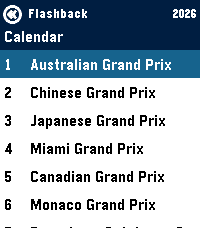
Tools & UtilitiesGet info on the current F1 Formula 1 Season - Current calendar + weekend schedule in your local timezone - Timeline pins for each event per weekend - Drivers Standings - Team Standings
 25
25Periodic Table
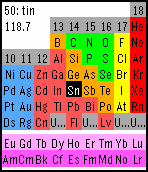
Tools & UtilitiesA colorful periodic table of the elements. You can select an element by four buttons. (long press back button to quit.) Atomic number, name and standard weight will be displayed depending on your selection. Sometimes you can test your knowledge in "exploring mode". Standard weight is based on IUPAC 2011 Standard atomic weights abridged to four significant digits.
 25
25Dragon Fist
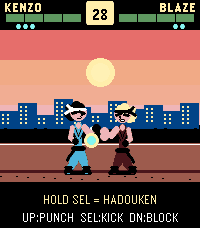
GamesArcade fighter for Pebble Time 2. KENZO vs BLAZE in endless mode — punch, kick, block, and unleash 3 Dragon Blaze chi blasts per round. Survive as many rounds as you can. Share with #pebbledragonfist
 25
25Info Timer
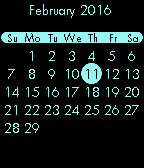
Tools & UtilitiesInfo Timer is a voice controlled countdown timer, chronograph with a tachymeter/telemeter and a calendar. Control the chronograph with the UP button. One click to start. One click to stop. Hold to reset. Press the DOWN button to start dictation. Say "five minute timer", "one hour timer" or "two hour, 37 minute, 52 second timer" to start a countdown timer. If you open Info Timer by using a Quick Launch and no other timers are running, you will go directly to the voice input. To leave the voice input, shake the watch. You can exit the app and your timer will still wake the app up just before the timer runs out and vibrates. Press SELECT to view a calendar. The current month and day are shown. Press UP or DOWN to go back or forward, month by month. Press SELECT or BACK to exit the calendar.
 25
25Aio Remote
RemotesAre you ready to control the world :) AIO Remote stands for All In One Remote, You can control any application ever on your computer through WIFI , Bluetooth by creating your own fully customized custom remotes. Windows, Linux and Mac are supported. Now you can control another Android phone/tablet(Beta) !!
 25
25HA Launcher
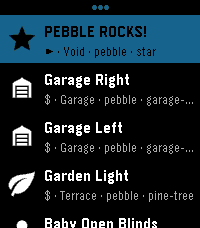
RemotesStored shortcuts launch instantly — no browsing, no waiting. Setup is easy: the app fetches every available SCRIPT and SCENE from your HA automatically. Per-shortcut a confirmation checkpoint can be activated preventing accidental triggers for important ones. Touch navigation is ready, and auto-close keeps it a true quick-launch app. This brings whatever action you can imagine to your wrist! Inspired by home-assistant-shortcuts (https://github.com/Carles-Figuerola/home-assistant-shortcuts), modernized for the newest SDKs. Built with AI, maintained with love.
 24
24Jenkins Build Status
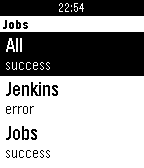
Tools & UtilitiesSimple app to get an overview of your Jenkins jobs.
 24
24FFXIV Time
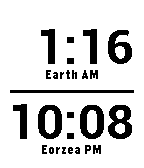
Tools & UtilitiesFFXIV Time keeps track of Eorzea time, found in Square Enix's Final Fantasy XIV: A Realm Reborn. With the choice of displaying game time alone or a split view of local and Eorzea time you'll never miss a mining, botany, fishing or sight-seeing event again.
 24
24SkiReport
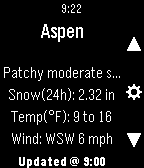
DailySki Report gives you access to current conditions at up to 10 nearby resorts. A simple interface allows you get the info you want quickly, and the settings menu gets it to you in the units of your choice. **Version 0.60 is coming soon, STAY TUNED**
 24
24Shabbos Info
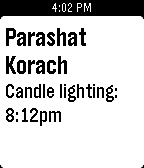
Tools & UtilitiesShabbos Info is a simple app that displays the Parasha as well as the candle lighting time. It uses your phones location to automatically update for the local candle lighting times.
 24
24Star Watch
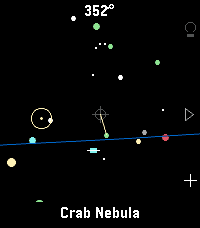
Tools & UtilitiesA tool for finding and identifying objects in the night sky. Just hold your wrist up to the sky and discover what's up there! Features include: - Manual targeting (point the crosshair at sky objects for names) - Object targeting (pick from several lists of objects to be pointed to where they are currently in the sky) - Backlight on/off (all) as well as a red backlight mode (currently Emery only) for easy nighttime viewing. - Zodiac view mode - All stick figures (constellations) mode - Heading, horizon, ecliptic options - Touch screen mode available Tilting up and down is smooth thanks to a dedicated tilt sensor in the watch; unfortunately, the watch's compass azimuth updates (left & right movements) can be poor at times. I've added software filters to help smooth it out for now. Once gyro access is added to the Time 2 and Round 2 firmware, I'll update this app for a smoother, more responsive sky-scanning experience. Built for Pebble Time 2. Your mileage may vary on Pebble Round 2 and Pebble 2 Duo. If you find a bug or have a suggestion, let me know!
 24
24The Every Shopping list app
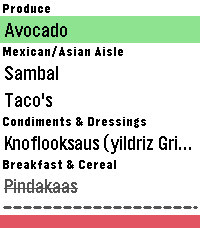
Tools & UtilitiesHave your shopping list right on your wrist! Just log in with your credentials on the settings page and you're good to go. Features: - Check off items - Re-fetches latest data from your list on each toggle - Uses the same categories/order you defined in your list - Configure whether to show or hide checked off items - Option to remove all checked off items from the list (Only available when they are visible) - Support for multiple lists If you have any suggestions, let me know! Note: I am not a developer. This is a full AI project, you can check the source on GitHub. Use at your own risk. Disclaimer: This app is an independent application and is not affiliated, associated, authorized, endorsed by, or in any way officially connected with AnyList or any of its subsidiaries or affiliates. This app utilizes an unsupported and undocumented interface to access AnyList. Use of this feature carries a risk of data loss or corruption to your AnyList data.
 24
24pendler2
DailyÜber diese Anwendung kannst du deine nächste Zugverbindung per Knopfdruck abrufen. Die App greift dabei auf offizielle und freie APIs der Deutschen Bahn zu. Die Anwendung „pendler“ (2017) ist angelehnt an „myBahn“ von Frank Küpper (2016). „pendler2“ ist eine Neuentwicklung von „pendler“. Bei der Entwicklung habe ich diesmal auf die Unterstützung von „Claude Code“ und "gemini" zurückgegriffen. # Bahnhöfe Wähle zuerst den Startbahnhof aus. Klicke auf „Bahnhöfe“ > „hinzufügen“. Du kannst nun wählen, ob du den Bahnhof über den Service der Deutschen Bahn (Standard) oder über den Service des „VBB“ suchst. Für die meisten Bahnhöfe ist die Standard-Suche passend. Sprich jetzt in das Mikrofon deiner Pebble den gesuchten Bahnhof. (Beispiel: Mainz, Frankfurt, Münster). Wenn die Suche zu nur einem Ergebnis führt, wird der Bahnhof direkt übernommen und gespeichert. Wenn es mehrere Suchergebnisse gibt, musst du den passenden Bahnhof noch auswählen. Du kannst die so gewählten Bahnhöfe sowohl als Start- als auch als Zielbahnhof nutzen. # Verbindungen Klicke auf deiner Pebble auf den Menüpunkt „Verbindung“. Wähle zuerst einen Startbahnhof aus, den du im vorherigen Schritt bereits hinzugefügt hast. Nach der Auswahl des Startbahnhofs musst du den Zielbahnhof bestimmen. Hier kannst du entweder direkt einen Namen diktieren oder einen anderen Bahnhof auswählen, den du ebenfalls bereits hinzugefügt hast. Manchmal ist die Diktierfunktion hier unerlässlich, weil du bei der Verwaltung der Bahnhöfe immer einen konkreten Bahnhof auswählst. Der Frankfurter Hauptbahnhof z. B. hat aber mehrere EVA-Nummern (also mehrere „Unter-Bahnhöfe“). Wenn du hier einfach „Frankfurt“ diktierst, findet die Anwendung alle Verbindungen nach Frankfurt, unabhängig vom jeweiligen Unter-Bahnhof. Diese Option ist daher flexibler. # Weiterfahren nach... Wenn du eine konkrete Verbindung ausgewählt hast, kannst du durch einen Knopfdruck einen weiteren Bahnhof auswählen (Option „Weiterfahren nach...“). Dann wird der vorherige Zielbahnhof zum neuen Startbahnhof und du kannst einen neuen Zielbahnhof festlegen.