 24
24HOIHO
Tools & Utilities## Minimalist Hand-Drawn Memo App A lightweight and responsive sketchpad for your wrist. Jot down quick notes and ideas instantly using the intuitive touch sensor. ## Key Features: - Auto-Save: Your canvas is safely saved to the flash memory **automatically**. - Undo: Press the **Down** button to cleanly erase your last stroke. - Clear: **Long-press** the **Down** button to wipe the canvas and start fresh. - Dark / Light Mode: Easily toggle the background color with a single click of the **Select** button. - Line Thickness: **Long-press** the **Select** button to open the configuration screen, allowing you to finely adjust the pen size from 1 to 32 pixels. - Lock / Unlock: Press the **Up** button to toggle drawing capability. Locking the screen completely deactivates the touch sensor to prevent accidental input and maximize battery life.
 24
24AirCheck
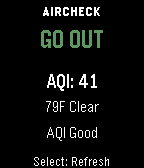
Health & FitnessAirCheck gives you a fast, simple answer to one question: should you go outside right now? Using real-time air quality (AQI) and weather data, AirCheck gives you a simple, instant recommendation: GO OUT CAUTION STAY IN Features - Real-time AQI and weather courtesy of Open-Meteo - Temperature-aware recommendations - Thunderstorm safety override - Clear reason text explaining each recommendation - Simple, easy-to-read interface - Manual refresh on launch and button press - Works across all Pebble watch types No clutter. No confusing settings. Just a clear answer when you need it.
 24
24Dice
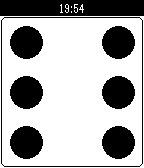
Tools & UtilitiesRoll up to 9 dice. Shake watch or press select to roll dice. Press up or down to change number of dice.
 24
24Bang Bang
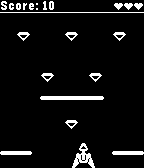
GamesCollect diamonds, avoid walls, destroy the enemy ships. Tilt watch left / right to move your ship.
 24
24Driving Range
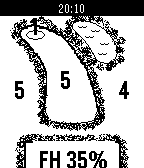
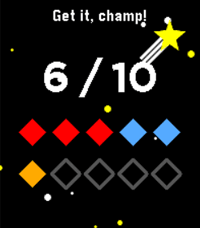
Health & FitnessHow do you know you had a good day on the Golf Range if you don't record your stats? Use this App to record your Fairway Hits to know you're Golf is improving. Buttons UP = Miss left SELECT = Fairway Hit DOWN = Miss right Long press UP/DOWN/SELECT= "undo" shot Vibrates once you have reached 14 shots as that's considered the number of drives on a normal course.
 24
24Bit Spender
Tools & UtilitiesCompanion app for my 'bit spender' productivity system. Each day you get 10 bits at 3 am and you have to spend them all before you can chillax in the evening. Each bit is spent for a specific category: work, exercise, or creative. Each bit represents 30 minutes of intense focus time. You can either use the built-in timer for a specific category (short middle press) or use your own timer and log spent bits directly per specific category (longer middle 0.5s press). There are also some stats tracking your past progress and an 'insights' screen (press down button repeatedly) that shows you your usual most productive times. As you progress, the app rewards you with little pep phrases and brief animations. If required, you can reset all your data by going to the 'Insights' screen and holding the middle button down for 5 seconds, then confirming. This is purely a personal project to help me finish my thesis. It is almost entirely vibe coded. Use at your own discretion. Your milage may wary. As requested, the source code is now available on GitHub. Feel free to make your own forks of Bit Spender, just (i) make sure it's non-commercial, and (ii) credit this version in your app description. Happy spending!
 24
24Liftoff 2
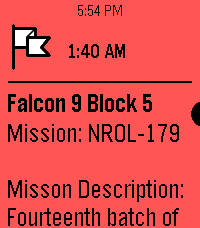
NotificationsInspired by the watch timeline app liftoff, this app shows timeline pins about upcoming launches with a small description provided thespacedevs.com. Unfortunately, due to the current pebble app being unable to retrieve info for timeline pins from servers, this app needs to trigger a wakeup call to fetch the api. Contact me at [email protected], @awesomemeeps (on the rebble discord server), or the Liftoff 2 project discussion in the rebble discord server if you have any issues or would like something to be added! Future updates: -Using a server (once server side timeline pins is added to the pebble app) -Improving UI -Using icons for timeline pins (Not possible right now, but should be once server side timeline pins are available)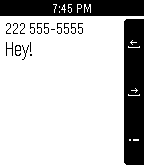 24
24Morse for Pebble
Tools & UtilitiesWhat's new 1.2 •support for international numbers •In app settings menu •improved stability Be sure to update the Android app to the newest version! Introducing an SMS application for Android, using morse code! Features • Access your phone contacts • Enter a custom phone number from your watch • Built in morse code reference and more! Usage guides can be found in the android app!
 24
24Word of the Day
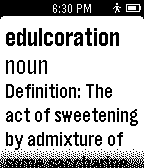
DailyGet your Word of the Day from Wordnik! Powered by the Wordnik API, this app will display a new word each day with part of speech, definition, and an etymological note.
 24
24Poke!
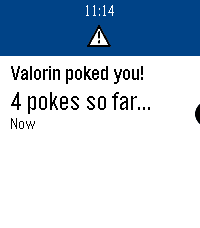
GamesPoke! challenges two players to keep a timeline pin in the future by poking it to each other. Each time you find and poke the pin from your timeline, the time is increased, and the other player has a turn. When they find it, the poke it back and the game continues until someone misses a pin! Sound easy? Don't be so sure...
 24
24Liverpool NY Weather
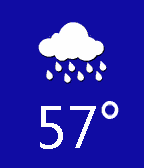
DailyLiverpool NY's weather updated every 15 minutes at openweathermaps.org, the great icons were provided by Dakirby309. Temperature in F°. Background colors change in accordance with the temperature.
 24
24Golf with Pebble
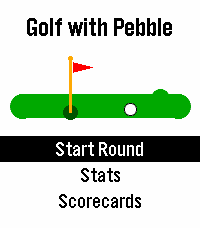
Health & FitnessGolf with Pebble is a golf scorekeeping app for Pebble watches. Track strokes and putts on every hole, with par and tee-box yardage shown when available. Nearby courses are found using GPS, and you can switch to ZIP code or city/state search at any time. The app supports limited offline use, so you can keep scoring even when your phone is disconnected. Your scorecards sync automatically when your phone reconnects. Course data comes from GolfCourseAPI and OpenStreetMap. GolfCourseAPI is prioritized for richer tee-box details, including men’s and women’s tees. If course data is missing, Golf with Pebble attempts to reconstruct hole information from OpenStreetMap, including par and yardage when available. Built for golfers everywhere, worldwide, prestige style!
 24
24Voice Notes (with calendar)
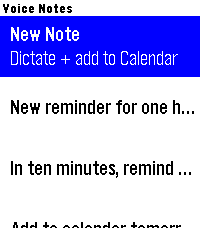
Tools & UtilitiesSpeak a note, save a note, optionally get a calendar event. Dictate a quick note on your wrist and it lands in your Google Calendar — with the date and time parsed from what you said ("call the dentist tomorrow at 3pm"). Notes are saved on the watch too. It runs through a small script in your own Google account, so there's no third-party server and nothing stored by anyone but you. Speech-to-text notes via Pebble Dictation Auto-creates a calendar event (timed, or all-day if no time is spoken) On-watch note list with a green/red confirmation Connect your own Google Calendar in Settings — private and free One-time Google Apps Script setup, with step-by-step instructions built into the app's settings screen. Rohan from DHRME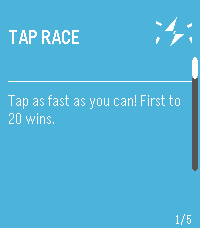 24
24PebbleParty
GamesPebbleParty is a multi-game party app for Pebble smartwatches. Two players share one watch. Player 2 uses the UP button, Player 1 uses DOWN button and compete head-to-head in mini-games. Games: - Tap Race: Tap your button as fast as you can. First to 20 wins. - Reaction Time: Wait for a signal, then tap. Fastest reaction wins. Best of 3. - Memory Match: Watch a pattern, then repeat it back from memory. - Zero Hunt: Countdown starts and dissappears. Count in your head and tap as close to zero as possible. Best of 3. - Tug of War: Tap rapidly to pull a marker to your side. How it works: A card selector menu lets you scroll through games. Select a game, press SELECT to start (some games have a 3-2-1-GO countdown), then play. A results screen shows the winner with an option to replay or return to the menu. Display: In two-player games, the screen splits top/bottom. Player 2's text is rotated 180° so each player can read their half from opposite sides of the watch.