 27
27BitCloud (C)
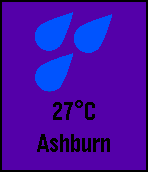
DailyBitCloud is a simple, yet powerful forecast and weather app for your Pebble Time. It uses information collected from your phone to determine your approximate location, then gather weather information for that location. It does all of this in just a split second, and displays your current conditions in 'timely' colours!
 27
27Serrano Middle School
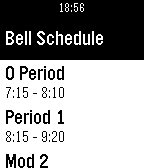
DailySupports English As a middle school student, I sometimes find it hard to find my way around. So, I made this app for Serrano Middle School. It tells you the bell schedules for normal days, PLC days, Early out, and rainy days. It also shows all the non-school days and the lunches for the entire lunch. If you like it, don't forget to leave a 'heart'. If you need support, use the email below to contact me. Version 1.1 - Now with the rotating periods. Version 1.2 - Nicer Homescreen w/ seahawks emblem. Also, the emblem is now on the main menu of your watch. Version 1.3 - Now the items in the lunch section expand into an entire card, so you can see all of it. Version 1.4 - Thanks to johannesn, there is now date and time on the home screen. Version 1.5 - Thanks to johannesn again, for making an end of school countdown!
 27
27MovieTimeTH
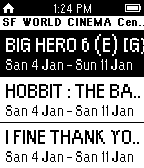
DailyMovieTimeTH is application for check showtime for cinema in Thailand. You can add/remove your favorite cinema list from setting. **You must install Thai language in your pebble.**
 27
27CGM Careportal
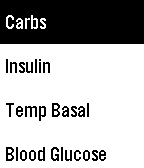
RemotesWatchapp allows you to enter information into your Nightscout careportal remotely from your watch.
 27
27Yr.no
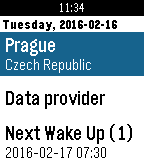
DailyFirst Weather application which wake up with you. Simple and easy weather application using weather data from Norwegian Meteorological Institute and Norwegian Broadcasting Corporation - Yr.no. Support Celsius / Fahrenheit. Not using GPS to conserve phone battery power, only predefined places up to 3.
 27
27Dare!
Tools & UtilitiesWant to spice your private life? Your watch is probably the last your will wear at night! So use what is probably the first adult pebble app to challenge your partner :-) * progressive challenges * press any button for next partner/challenge * random timer duration * automatic partner turn (him/her) Enjoy and heart it if you like it !
 27
27Musica (DEPRECATED)
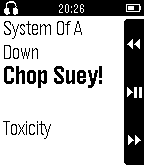
Remotes** THIS APP IS NOW DEPRECATED AND NO LONGER MAINTAINED. Please see https://elbbep.cpfx.ca/ for the recommended solution for RTL on Pebble. ** Musica allows you to control your favorite Android music players, including moving between tracks, pausing/resuming playback and controlling playback volume with the specific intent to provide better support for displaying tracks with tags/metadata written in Right-To-Left languages, Such as Hebrew.
 27
27Tasks
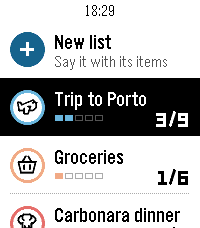
DailyYour lists on your wrist. Tasks is the Pebble companion of the Tasks for Pebble iPhone app (Android coming soon): the same lists on both, in sync within seconds. The watch app requires the mobile app to work. This watch app includes automatic list generation and item addition from your watch which means server costs are there and will require a PRO subscription. If you want to enjoy the app and can't pay for the fees, write an email at [email protected] and I will send you a yearly code. • Say a list: choose "+ New list" and say something like "packing list for a weekend in Lisbon". Tasks writes the list with its items. • Add to any list by voice from "+ Add items". • Check items off with SELECT; the iPhone sees it right away. • Each list shows its icon, colour and a progress row, with animations in the watch's own style. • Hold SELECT on a list to change its icon or colour, clear checked items or delete it. Hold SELECT on your lists to re-sync. • Works offline: your lists stay on the watch, and checks you make offline sync when the phone is back. How to start: install Tasks for Pebble on your iPhone, open Tasks on the watch, press SELECT for a 6-character code and type it in the iPhone app under Settings › Pebble. The watch app needs Tasks Pro, a subscription in the iPhone app with a free trial. Lists on the iPhone are free. Works on Pebble Time 2, Pebble 2 Duo and Pebble Round 2. 27
27Fluid Sim
GamesFluid Sim runs a real-time Navier–Stokes fluid solver on your Pebble. Dye is advected through a velocity field with diffusion and incompressible projection, producing continuous swirling, splashing, and mixing that responds to your input. CONTROLS • Hold UP or DOWN to fire two angled jets that collide and mix near the center. • Hold SELECT to add a rotational stir to the whole field. • Tap or drag the screen (Pebble Time 2) to inject a swirling blob of dye at the touch point. • Tilt the watch to apply a gravity force; the fluid flows in that direction with added turbulence. COLOR PALETTES Choose a palette from the settings page: • Water — blue to cyan to white • Fire — red to orange to yellow to white • Acid — deep green to chartreuse to white • Rainbow — full spectrum, mapped to fluid density Color watches use ordered (Bayer) dithering for smooth gradients; black-and-white models render in four-level grayscale. The simulation runs on all Pebble platforms, with touch input on models that have a touchscreen.
 27
27MyBuddy Pet Sugar Glider (AKA MySuggie)
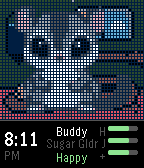
GamesHave your own cute little Suggie living on your wrist! Enjoy her every day. Keep her fed and happy. - Simple setup, no settings screen - Pick your suggie's name when you first start - Day/night is based on the actual time
 27
27Patris
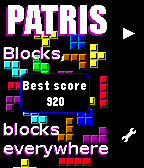
GamesPatris is a game inspired by the famous classic falling blocks. The game is automatically saved when you exit the app and you can change level in the menu. This app was developed using formal proof with SPARK2014, see more at http://blog.adacore.com/make-with-ada-formal-proof-on-my-wrist The sources are available on GitHub. Controls: - Up to go left - Down to go right - Select (short press) to rotate - Select (long press) to make the piece go faster
 27
27Touch Timer
Tools & UtilitiesA nice clean, touch friendly, stopwatch and timer app made for the time 2 and themed to feel like a native app. Gives you a stopwatch and 4 timers. Simple to use, scroll up and down through the timers, menu button to start and stop, hold to reset. To adjust a timer, just touch a number and drag up or down. Stopwatch and timers continue when the app is closed. When a timer reaches zero it will vibrate and open the timer up. Even if the app was closed Nice little pebble like animations in scroll make this feel like a native app Made for the latest Pebble Time 2 This is my first app, please heart if you like it, and let me know if you have issues.
 27
27BrewBuddy
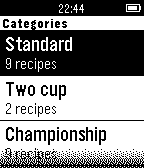
Tools & UtilitiesBrewBuddy is an AeroPress timer for your wrist. Pick the recipe and let it handle the rest. It comes with 20 recipes built-in, organized in three distinct categories: - Standard (9 recipes) - Two-cup (2 recipes) - Championship (9 recipes) Information about the in-app recipe description format -------------------------------------------------------------- "120s, T, 4.5w, 1.5c, M-C" describes a recipe with - 120 seconds of total time - Brewed in traditional method (not inverted!) - Will need 4.5 shots of water (a shot is measured by the blue number markings on your AeroPress) - Will need 1.5 scoops of coffee - Grinded in medium coarse setting -- The recipes in BrewBuddy and the whole idea is taken from the app AeroPress Timer for iOS (<3), make sure to check that out: http://aeropresstimer.com/ AeroPress is a registered trademark of Aerobie, Inc., Palo Alto, California, USA.
 27
27Pi Challenge
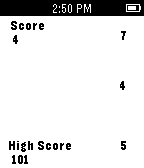
GamesHow many digits of Pi do you know? This app is a great way to check and practice your Pi knowledge on the bus, train, in line, or anywhere! Plus it tracks your high score so you can track your improvement! Planned features for future include a chunking practice option to help you memorize! Currently maxes out at 150 digits, I can expand that if there is a demand!
 27
27Talk2Web
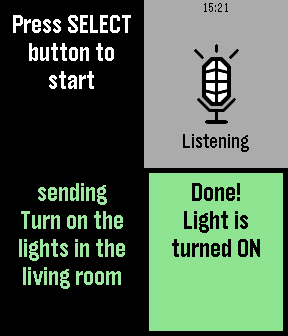
Tools & UtilitiesSends dictation results to your server. Very simple App uses Pebble Dictation API to recognize voice and sends results to your server with HTTP-request.