 27
27Tennis Score
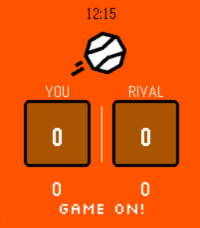
Tools & UtilitiesNever lose track of the score again. Tennis turns your Pebble into a sleek courtside scoreboard that keeps up with every rally. How to play: - Press UP to select your score, press DOWN to select your rival's - Tap SELECT to add a point - Long-press SELECT to undo a point - Confirm each game with a tap -- sets are tracked automatically Full scoring built in: Standard tennis scoring (0, 15, 30, 40, AD), tiebreaks at 6-6, and set history across the match. Stay pumped with pixel-art messages: Your watch cheers you on! See "GAME ON!" at the start, "ONE MORE POINT!" when you're close, "DEUCE! DIG IN!" when it's tight, and "FINISH THEM!" at match point. Your rival leading? "STAY ALIVE!" — you got this. Make it yours: Open Settings on your phone to pick your court color — classic Orange clay, lush Green grass, bold Blue hard court, or cool Teal for the stylish player. Works on every Pebble, designed for all platforms! Game on!
 27
27PebHub: Unofficial GitHub Client for Peb
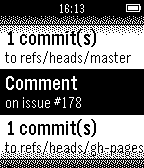
NotificationsView your most recent GitHub notifications on your Pebble
 27
27Scalerometer
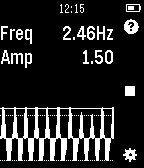
Tools & UtilitiesScalerometer is a novel app which lets you weigh things using only the accelerometer in Pebble. A scale on your wrist! How it works: The app works by detecting how fast you can oscillate a certain object. The heavier an object is, the slower you will be able to swing it up and down which can be detected using the accelerometer. The accuracy greatly depends on your ability to use a constant effort when calibrating and weighing objects. Make sure you use the same force for all weights instead of trying to oscillate even heavy weights as fast as possible. To extend the range that can be weighed, it is usually best to start with your empty hand and swing as fast as you can, then keep the same force for higher weights. You need to calibrate with at least 3 different known weights!
 27
27Pal Fit
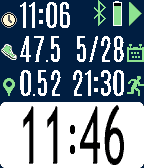
Health & FitnessFitness app specifically designed for the Pal Strap. Bottom button to start/stop. Top button to switch screens, or a long top button press to reset the time and distance. Press the middle button for the settings menu. If you are using the Pal Strap for GPS, the distance icon will either be red or green depending on whether the GPS signal is locked. You should first get the Pal Strap working with the Hey Pal app before using this app. Calculating distance is based on the haversine formula, and it is admittedly an approximation based on a homegrown algorithm. Your mileage will (literally) vary! Although the Pal Strap is designed for the Pebble Time, I am releasing this app for the Pebble Round and Pebble 2 also since it works with phone-based GPS. If you hack the Pal Strap to work with one of these devices, let me know!
 27
27Counter
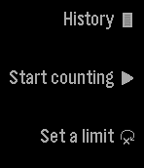
Tools & UtilitiesCount using the up and down buttons. You can set a limit to how far you want to count. You can also save your counts by long pressing select on the counting screen. (It is not currently possible to restore them.) Reset it by long pressing on the down button. You can delete an element from your history by long pressing on the select button.
 27
27Mr. Baseball Guy
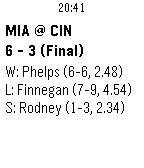
DailyMeet Mr. Baseball Guy, the baseball score viewer for your Pebble. Features include: * (New feature) You can now add your favorite teams to your Timeline! If you choose to do this, you will also receive an alert when the game starts and a notification when it ends. Powered by Raspberry Pi. * View all the current game's plays by holding the up button. Batteries not included. * Automatic and manual refresh (hold select), so you can vigorously watch your game's score as you vigorously ignore class and work. * A date selector, so you can go back to a time when your team was actually relevant. * A color display (Time devices only). * Up to 3 favorite teams, so you can watch your team win. Or, if you're a fan of my team, see a daily reminder of how much the other team can score. * Matchup and game details, as well as the last play -- more plays coming*. * The option to vibrate on score change. * A clock (patent pending). *More features are coming soon, like Timeline support, more plays, and possibly in-game box scores. This is the initial release, so there are still probably some bugs. Just let me know when you find one! See what our best users (read: me) have to say: "Genuinely good." -- Ethan B. "A real heartwarming love story." -- E. Bogart "Don't knock it 'till you try it. Ok, I guess I didn't really like it that much." -- E. B. Fakelastname "Someone always puts my name on these things. I didn't say that. I never said that." -- Robert
 27
27PebbLIFX
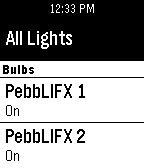
RemotesControl your LIFX bulbs from your Pebble Watch. Currently supports bulb name discovery as well as on/off commands. This app will not work without the companion app on Android. This app is powered by the recently released LIFX Android SDK.
 27
27Finamp Remote (Jellyfin)
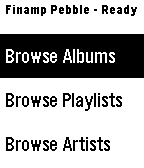
RemotesPebble companion for Finamp, the Jellyfin music player. You can browse your music by album, playlist, artist, and genre. You can initiate playback of any of those items or add a single song to the queue under any of them. This required some changes that I've made to the finamp app for android. I'll be making a pull request to try to get them accepted into the official finamp app, but for now you can compile the app yourself from this repo: https://github.com/tannermeade/finamp/tree/redesign-pebble-support I compiled a debug apk if you want to use it before finamp merges the PR: https://github.com/tannermeade/finamp/releases/tag/debug-pebble-1 The PR for the changes: https://github.com/UnicornsOnLSD/finamp/pull/1597
 27
27Remote Presentations
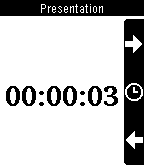
RemotesControls HTML5 presentations from your wrist. You will need a computer running the server side, follow instructions from: https://github.com/sergioaraki/RemotePresentations
 27
27Star treveller II
Gamescompletely rewritten version of "Star traveler". it now has clusters of stars as well and supports pebble time round, pebble time and pebble classic.
 27
27Periodic List of Elements
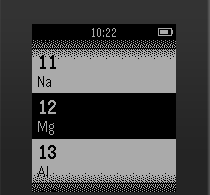
Tools & UtilitiesA list of all elements on the periodic table. When an element is selected, a detail card will show up.
 27
27Forget Me Not
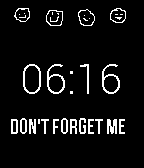
Tools & UtilitiesHave you ever forgetten someone's name just moments after they shook your hand and told you? Fear no more, the help is here! Download this watchapp and the companion app "Forget Me Not" from the Play Store, and use your Pebble Time or Pebble Time Round to remember everyone's name! With the watchapp open, your Pebble will automatically start listening for names when a handshake is initiated. It will then record the sound, translate it to text, and get the name of the person you just greeted. This will be saved on a list on your phone, together with the time and location of the meeting. After you've met the person, and probably forgotten the name already, you can open the Forget Me Not app on your phone, and see their name once again!
 27
27ADS-B Radar
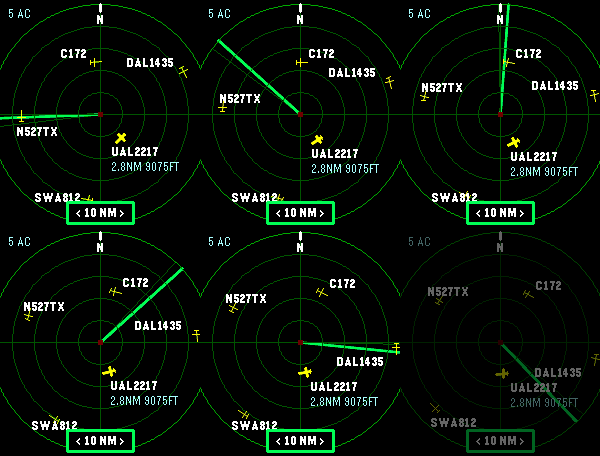
Tools & UtilitiesLive nearby aircraft from ADS-B.fi Phone-based GPS location Adjustable 5, 10, 20, or 40 nautical mile radar range 10 NM default range Watch-button range controls
 27
27HR Stopwatch
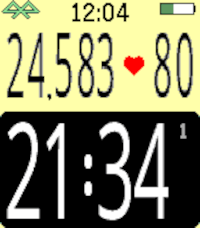
Health & FitnessHere it is - a stopwatch that you can read while exercising! No more squinting or stooping to see the little numbers. HR Stopwatch displays the elapsed time, number of steps, and (if available) your heartrate. Use the bottom button to start or stop the stopwatch, the top button for resets, and the middle button to see the menu of custom setting. These custom settings include interval alerts, screen format, vibration alerts, battery display, and more. Want to keep the stopwatch going in the background? No problem. You can switch to another watchface or app and the elapsed time will continue to accumulate.
 27
27Circle Attack
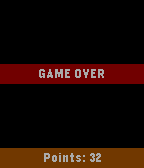
GamesA simple shooter game developed during the Ottawa Pebble hackathon.