 33
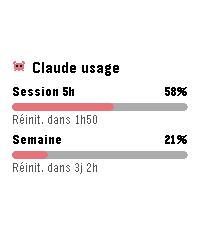
33AI Usage
Tools & UtilitiesSee your Claude.ai usage gauges at a glance: 5-hour session and weekly limit, each with its percentage and time until reset. Configure once with a Claude Code OAuth token (claude setup-token); the token stays on your phone. Refresh interval is configurable, the interface is available in English and French, and Clawd the crab keeps an eye on your quota.
 33
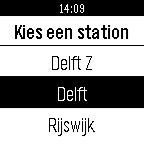
33NS Treintijden
Tools & UtilitiesThis apps lists traintimes of nearby departing trains. It uses your location to check for the nearest stations, after which it is able to show you the ten first trains that are going to leave that station. It include platform number, and a possible delay. Note: All NS logos found in the app and this listing are registered trademarks of NV Nederlandse Spoorwegen and associates.
 33
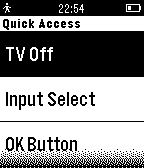
33Sony Bravia Remote
RemotesControl your Sony Bravia TV from your Pebble Watch! Newer Sony Bravia TVs require a special authentication for network remotes which I found causes other applications to not work. So I wrote this. Admittedly, the setup process is quite painful. However, I plan to improve this when I can as to increase the usability and audience for this watch application. Be sure to check the configuration page before launching the watch app. Also, be sure to check out my blog post: http://www.jacobx1.com/2015/05/16/sony-bravia-remote-for-pebble/ This app is not affiliated with the Sony Corporation - it is designed by an owner and fan of their TVs.
 33
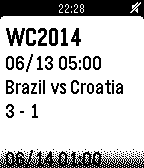
33WorldCup2014 Live
NotificationsThis app notifies match scores of '2014 FIFA World Cup Brazil' in Real Time. This app is developed by using 'simply.js'.
 33
33Amicudar
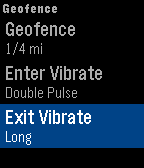
Tools & UtilitiesTrack your friends and family using Amicudar, a radar display on your wrist! Personalize with one of the included avatars and create a geofence to be notified when others are nearby. SETUP 1) Install Amicudar. 2) Open Settings on your phone and enter a user and group name. 3) Send your friends and family your group name. Then use Amicudar's menu system to choose an avatar, select metric/imperial, define a geofence, select an update interval, and show/hide the time. USAGE • The up/down buttons zoom in/out • Shake to activate the display for 1 minute. The compass will show your actual heading and the progress bar will countdown to the next update. • Joining and leaving the group is as simple as opening and closing Amicudar. You'll automatically be removed from the group after a little while once you switch to a watchface or another app. • The status bar turns red if an update fails. We're currently in beta and we would appreciate your feedback!
 33
33Track Stopwatch
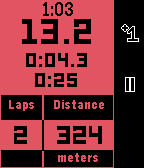
Health & FitnessThis stopwatch is intended for use when running, cycling, or swimming laps of a fixed distance. Useful information is displayed on the main screen such as: - Clock - Total elapsed time - Current lap time - Previous lap time - Distance Completing the run with a long press of the middle button shows a summary page with useful stats about the workout, including: - Total time - Total distance - Average pace - Best, average, and worst lap times The app supports background timing, so it does not have to be left in the foreground to continue timing a workout. Unit choice and lap distance can be configured on the phone.
 33
33Random Place of Interest
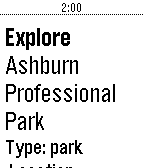
DailyWant to discover a random to visit nearby. RandomPOI will help you discover new places to explore. Click select button to get new recommendations.
 33
33Linux commands
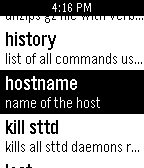
Tools & UtilitiesThis app is a list of the most essential and useful commends for aline operating system with definations for commends. Over 50 essential commends. A must for any linux owner or computer genius.
 33
33WYB: Wear Your Barcode
Tools & UtilitiesKeep your barcodes on your Android device and display them on your Pebble. Save loyalty cards, coupons, discounts, and ID codes all in one place. Use this in conjunction with the Android app Wear Your Barcode. You need at least version 2.0 of the Android app for this to work correctly. You can find this Android app on Google Play: http://play.google.com/store/apps/details?id=com.kabestin.android.wristbarcode.view2 If you used version 1.0, you will have to uninstall it before you install the 2.0 version.
 33
33TipCalc
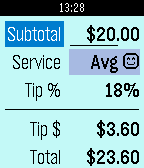
Tools & UtilitiesQuickly calculate the tip on your bill based on the quality of service you feel you received! Between great, average, and poor service, the values you define are saved for when you come back so it's easy to tip fairly. Now supports dollars, euros and pounds! Hold down select to change.
 33
33Tower
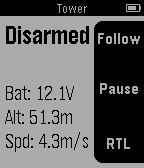
RemotesTower is a Ground Control Station (GCS) app built atop 3DR Services, for UAVs running Ardupilot software.
 33
33BlooboTask (beta)
Tools & UtilitiesBlooboTask on Pebble enables you to manage your Bloobo virtual assistant service from your smartwatch. Available on Pebble Original, Pebble Steel, Pebble Time and Pebble Round. More tasks and advanced options coming soon...
 33
33Redloj - Bip!QR e Itinerario
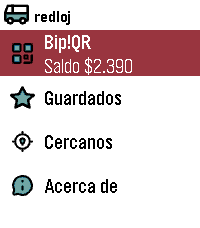
DailyEnglish: (This application was called "Transanpbl" and then "Redpbl". It maintains that functionality, adding Bip!QR payments) Santiago de Chile's Public Bus System (Also known as Red Movilidad) wallet app and schedule checker. Add your Bip!QR wallet and favorite bus stops using the app's config webpage, then check when the bus you need will stop using your Pebble. Español: (Previamente, esta aplicación se llamó Transanpbl y RedPbl. Hoy mantiene esa funcionalidad, agregando Bip!QR) Billetera de pago e itinerario de Buses del Sistema de Transporte Público de Santiago de Chile (También conocido como Red Movilidad) . Agrega tu Bip!QR y tus paraderos favoritos mediante la configuración de la aplicación y luego revisa cuánto falta para que pase el bus desde tu Pebble.
 33
33DinkyDrop
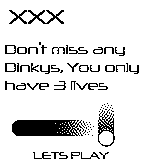
GamesTry to keep as many dinkys in the air as you can. Be careful though; you can only miss 3 times, then game over. Don't forget to check out my other game DinkyPop and the watchface, In and Out. Please leave <3's
 32
32PebbMorse
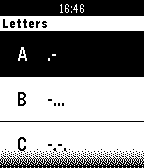
Tools & UtilitiesIntroducing PebbMorse, an app to learn and use Morse Code. Ever wanted to learn Morse Code? This app will give you a new learning experience that won't be only visual, you will actually feel the morse code right on your wrist. Features: - VibeOver, a new and innovative accessibility feature that will use Morse Code to read contents on screen. - Time - Weather - Learning - More coming soon