 32
32LoL Info
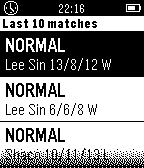
DailyThe hub of League of Legends is finally on Pebble! Features: - Free Champion Rotation with Detailed Statistics - Summoner Look-Up - Match History - Current Game Look-Up Setup: Just enter your summoner name and region! Feedback is very welcome!!! My email: [email protected]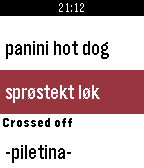 32
32Groceries
Tools & UtilitiesAccess your OurGroceries shopping lists from the watch (needs an OurGroceries account). Long press select for refresh and other options. Support for categories will be added in the next releases. The watchapp is not affiliated with HeadCode and OurGroceries phone app.
 32
32AccelTool
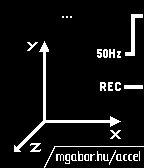
Tools & UtilitiesRecord and analyze data captured by Pebble's built in accelerometer on your PC! Data is transferred to the web app and displayed beautifully with graphs and analytic features. View your graphs at http://mgabor.hu/accel/ More polish and easier usage are coming to both the pebble client and the companion app, so keep an eye out for updates on Twitter @mgabor_hu
 32
32Toothy
DailyA toothbrush timer. We can't all waste $150 on an electric toothbrush, but we can get one of the primary benefits of an electric toothbrush with a tiny little Pebble app. Time your toothbrushing with too easy modes to get on your way towards cleaner, whiter teeth.
 32
32Formula 1 2014
Tools & UtilitiesFormula One 2014: Simple app to know all about this season Grand Prix. Coming soon: -Info about drivers. -Info about teams. -Live race results. -Much more.
 32
32See My Keys
Tools & UtilitiesCan’t see your keys at night? Use your pebbles backlight to illuminate your key hole and help you see. HOW TO: By pressing the up button the backlight will turn on and stay on permeant while the app is open (WARNING: the will drain the battery faster if left on) Pressing down will turn the backlight off (after 3 seconds) and return it to normal watch settings. Pressing the middle button activates the timer for 10 seconds then switches off the backlight. The photo of the lock was taken with my phone no flash and only illuminated by my pebbles backlight
 32
32Persistent Reminders
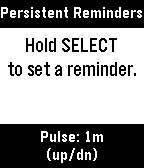
Tools & UtilitiesA reminders app for people who need reminders for their reminders. Dictate the thing you need to be reminded of and when (i.e. "Do the dishes in 1 hour 30 minutes"), and Persistent Reminders will remind you to do the thing, then keep reminding you to do the thing at an interval you set, from every 30 seconds to every 30 minutes. Opening Persistent Reminders from Quick Launch skips the main menu and goes straight into creating a new reminder; handy when you're in a rush.
 32
32Tide
Tools & UtilitiesAn offline surf spot information app for Pebble smartwatch. Browse 194 surf spots across 5 regions and 52 countries to view spot details including best tide conditions, swell direction, wave type, bottom type, skill level, and a 24-hour tide ring visualization with sunrise/sunset times — all calculated offline directly on the watch. The design of the tide screen is based on the Watchface "Halcyon". The overall thinking of having an app like this is to replace my old Nixon watch which had this information.
 32
32Run - Couch to 5K
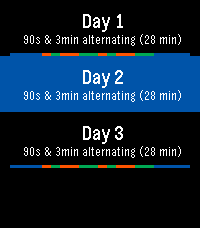
Health & FitnessHeart Rate Monitor for Pebble2, step Counter for Pebble Round and Pebble Round 2. No settings or data, just run 3x a week for 30min. Follow the program or jump around. run a 30min 5K by end of 9 weeks. App vibrates and displays when to warm-up, walk, run, half way, and cool down. Tracks progress, but you can repeat weeks.
 32
32Searching Emery
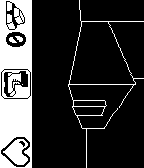
GamesA small 3D game about almost-alive watches. Made (almost) during Rebble Hackathon-001
 32
32Knibble
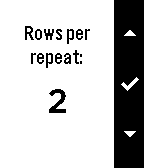
Tools & UtilitiesNiftyKnit is reborn as Knibble! Keep track of your knitting row and repeat counts from the convenience of your wrist. Knibble even remembers where you left off--the counters are always saved to your Pebble! Coming soon: - Custom project names - Spanish translation I would love to hear suggestions for additional features. Just shoot me an email!
 32
32Pebble Pinball
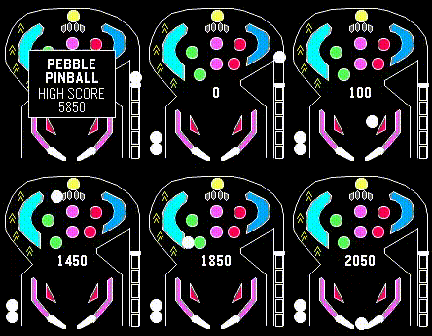
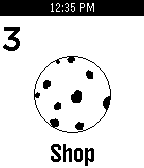
GamesA classic Pinball blast for your wrist. One-button flipper flicking fun.
 32
32Cookie Clicker
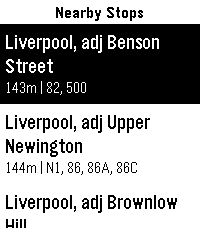
GamesThanks for 100 installs!!! The addictive cookie game now on your wrist! Controls Select: Click a cookie! Down: Purchase Upgrades Up: Hold for 5 seconds to eat all the cookies! (It clears cookie data) Please Heart it!!!
 32
32PebbleBus
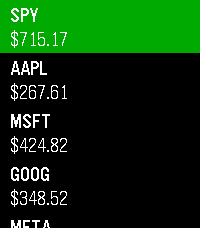
DailyInspired by the great PebbleRail, PebbleBus is an equivalent app for UK and Ireland buses: - Find nearby stops - Check a list of services from a stop, including expected and actual (live) arrival times - Check stops along the route for a given service to see when you should arrive at your destination - Save your favourite stops so you can check times for them even when you're not nearby (long press a stop to add/remove it as a favourite) Data provided by the excellent bustimes.org, thank you!
 32
32Stocks
DailyKeep track of the markets on your wrist! Add up to 10 tickers and view prices, daily change, market status, and history at a glance. Data is delayed by a minimum of 2 minutes. Not financial advice. Informational use only. Your Pebble is not a Bloomberg Terminal (yet).