 35
35SpeakNiWoTa Daily Words
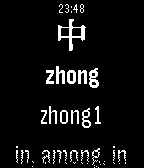
Daily****NOW SUPPORTING HANZI CHARACTERS**** Speak Ni-Wo-Ta brings you the Daily Word Pebble app. Every time you open the app you will be presented with a new Chinese word. We are pulling from 2000 of the most common Chinese words. So start your Mandarin Chinese today. **Future updates will include Tones in Pinyin
 35
35Intrinsic Gravelty
GamesBedrock Bros. --- Intrinsic Gravelty a demo for a Pebble smartwatch and two Game Boys 1st place at Evoke 2017 in Alternative Platforms http://www.pouet.net/prod.php?which=71545 Credits: @hbehrens -> code, tools lastfuture -> music, gfx Comments: Demake of Still's "Intrinsic Gravity" for the Original Pebble Smartwatch (24KB RAM, 2 color e-paper) and two original Game Boys using nanoloop cartridges. Original: Still - Intrinsic Gravity for Under Construction 2014 http://www.pouet.net/prod.php?which=64756 pixtur -> gfx, code, tools hoffman -> music
 35
35Metronome
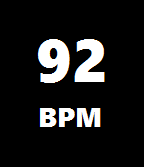
Tools & UtilitiesFind the correct tempo with this great metronome app for Pebble! Metronome displays the current beats per minute (BPM) and flashes the screen accordingly. Pushing the up or down buttons increases or decreases the tempo. Pushing the select button turns the vibrate-click on or off.
 35
35Deck of Cards
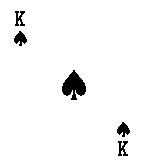
Tools & UtilitiesA full deck of cards on your wrist.
 35
35Attitude Indicator
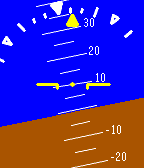
Tools & UtilitiesThis app uses the Pebble's accelerometer to simulate an attitude indicator. The main indicator shows an artificial horizon and degrees of pitch up or down. The bank indicator at the top displays left or right tilt, with markers at 10, 20, 30, 45, and 60 degrees. By default the backlight is kept on, although it can be turned off by pressing the top right button and waiting a few seconds. Because an accelerometer is used and not a gyroscope, this app is only accurate while stopped or at a constant velocity, not while turning. I would not recommend using this for navigation anyway. ;)
 35
35Clock
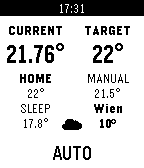
Tools & UtilitiesThis application is just a clock...that has cheating capabilities built in.
 35
35tabblo - A tado Control
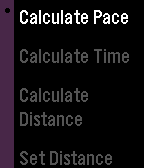
Remotestabblo brings tado°® on your wrist. It allows to control and monitor the temperature of your tado°® home. The Up/Down buttons change the current mode temperature. The Select button switches between Manual and Automatic mode. A long press on the Select button forces a refresh.
 35
35Pace Calculator
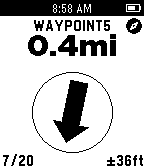
Health & FitnessCalculate your target pace before a run or jog either in kilometers or miles. You can also calculate your: - Distance based on the running time and pace - Running time based on the distance and pace - Expected start or end time for your run
 35
35Skink GPS
Tools & UtilitiesSkink GPS turns your Pebble into a simple but useful GPSr. Featuring a GPS satellite display, tracking screen, waypoint navigation and a trip computer. A full-featured companion app allows you to export recorded tracks as KML or GPX files, import waypoints and geocaches in GPX or LOC formats and export waypoints in GPX format. It also works with geocaching apps which support the “radar” intent.
 35
35GoSy Run
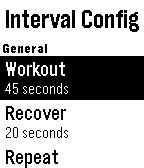
Health & FitnessHelps you exercise running. - Interval timer with extended rest, warm up and cool down - Ladder timer - Stretch timer with 8 exercises
 34
34Bar Finder
Tools & UtilitiesThirsty? Now with Bar Finder the closest drinking establishments are delivered to your wrist at the press of a button. Bar Finder will tell you how far it is, the street name and even point you in the right direction. Note: This has been fully tested on iOS but should also work on Android - please give feedback on your experiences!
 34
34Australian Radar
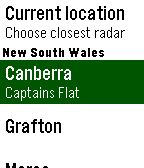
DailyCheck for rain from your wrist! This Watchapp displays the latest radar image from one of the more than fifty sites operated by the Australian Bureau of Meteorology. Only useful in Australia. Requires an Internet connection. This app downloads several kilobytes with each refresh, so consider your data limits if you leave this app open for long periods. Copyright of the radar maps and images is owned by the Australian Bureau of Meteorology.
 34
34IParkedWhere
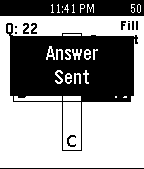
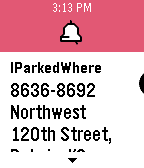
Tools & UtilitiesA simple but useful utility for tracking where you parked and if you locked your car. You can set the stall (letter/number) with the up down keys, get your GPS translated to an address, address by IP address and now supporting notifications so your time and parking is stored in your latest pebble notifications.
 34
34ResMed CPAP Stats
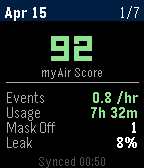
Health & FitnessCPAP sleep stats from ResMed myAir
![Twitter [Pebble Rocker]](https://assets.repebble.com/screenshots/52e1b36e318d6ebb15000111-1.png) 34
34Twitter [Pebble Rocker]
Daily- Browse your home timeline on your Pebble watch. - See user name, time, text, and picture for each tweet. - View tweet picture (any picture that Twitter can display inline on their web page). IMPORTANT: This watch app requires the Pebble Rocker companion app available via the Google Play store.