 35
35Dunkin Gift Card Keeper
DailyStores up to 4 different cards. No phone or internet connection required. Obviously, use at your own risk... Hold the select button to set QR code values for quick payment at Dunkin Donuts. Maybe if Dunkin opens up their APIs it could even show the balance... We can dream.
 35
35Dribble
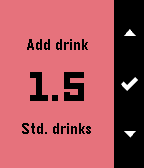
Tools & UtilitiesDribble is a BAC estimator for your wrist, compatible with the Pebble, Pebble Time and Pebble Time Round. DISCLAIMER: This only estimates your BAC - Your actual BAC may vary from what is estimated. Features include: - Track time since first drink - Estimate time to zero BAC - Estimate current BAC - Adjust time offset since first drink Instructions for use: 1. Enter your gender and weight 2. Use the first and second menu items to add drinks - First menu item allows you to add custom drinks - Second menu item contains preset drinks 3. Use the third and fourth menu items to adjust time offset (If needed)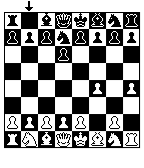 35
35Chess for Pebble
GamesWelcome to Chess for Pebble! Play against a chess AI with varying levels of difficulty. This game used to be a part of Games for Pebble, but was removed on Aplite due to memory restrictions.
 35
35Thinking Cleaner
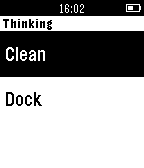
RemotesA simple remote for your iRobot Roomba. Note: This requires the Thinking Cleaner module (www.thinkingcleaner.com)
 35
35Get Bus - HSL stops
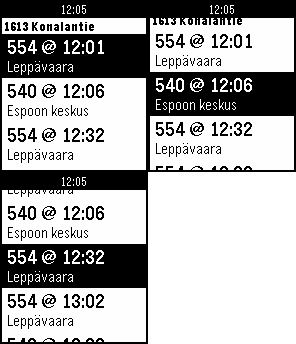
DailyNäe silmäyksellä lähimmät pysäkit ja seuraavat lähdöt. Lisää pysäkkejä suosikkeihin. Tarkastele pysäkkiaikatauluja. Katso kävelyohjeet pysäkille. English summary Find nearest bus stops and departures in the Helsinki area. The app will find the 10 nearest stops (using your phone's GPS) and the next departures from those stops. You can easily see how much time you have to get to your bus.
 35
35Reps
Health & FitnessSimple rep counter to automatically track your sets and reps. Just start the app and start working out! Will vibrate after you've completed a set and present you with a cooldown timer. Up/down buttons adjust number of reps per set and the timer duration. Reset using the select button.
 35
35Respire
Health & FitnessRespire will guide you through a series of deep breaths, and will remind you to take some time to breathe during the day. [Respire is currently in BETA. Please report any bug or feature request.] 😌 Start a session 😌 1) Open the app. 2) Press up or down to select the duration of the session. 3) When you're ready to start, press the select button. 4) Follow the on screen instructions. Inhale when the circle grows, and exhale when it shrinks. The watch will also vibrate to guide the session without looking at it. 5) Keep breathing until the session ends. 6) You can repeat the session or exit the app. 😌 Reminders 😌 Respire will remind you to take some time to breathe during the day. By default you'll receive reminders every 4 hours. The reminder frequency can be changed in the configuration page of the app. NOTE: The purpose of this app is to guide you through breathing sessions. If you feel anxious or unwell you should contact a specialist for advice.
 35
35Horizon Scout
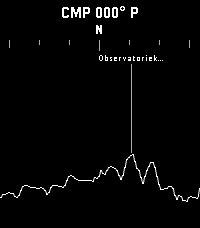
Tools & UtilitiesExplore the world around you with Horizon Scout, an app that identifies mountains and peaks in your view based on your location and direction. Perfect for hikers, outdoor enthusiasts, and anyone curious about their surroundings. Features: - Real-time peak identification as you look around you - Compass-based navigation for detailed exploration of the horizon, or use Up/Down buttons on watches without a compass - Single-click (Select button) to refresh and update the peak information - Long-click (Select button) to switch back to compass mode - Configurable settings to customize what information you see Attribution: This app uses peak data from the PeakFinder service. Horizon Scout is an independent Pebble implementation inspired by the excellent PeakFinder mobile app. If you enjoy this app, I recommend supporting the original PeakFinder app and service. Links: [PeakFinder Web: https://www.peakfinder.com/] [PeakFinder Mobile App: https://www.peakfinder.com/mobile/]
 35
35Pebble Runner
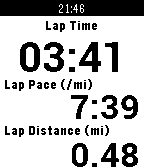
Health & FitnessPebble Runner brings the features of a running GPS watch to your Pebble. It utilizes your Android phone's GPS to provide multiple customizable screens of running data as well as the ability to start, stop, create laps, and reset the run from your wrist. In addition to displaying run data, the companion Android app stores your recent runs, allows you to view them on a map, and also export them.
 35
35PeReader
Tools & UtilitiesWelcome to PeReader! A super simple .TXT reader for all your reading on the go! Is the ol' 9-5 sucking your life away? Throw your favorite novel in here and disappear for awhile! Have several E-Readers back home and want to sync your reading? - Use the percentage skip option! Sneakily reading some smut in the dark? - Enable the backlight for your goblin needs! That's pretty much it... Just upload your TXT file into the app settings page and upload. You may need to adjust the page character count in the settings if on a larger device like the Time 2. Up button - previous page Down button - next page Select button - options menu - Lightbulb toggles between backlight on and auto - Skip button opens skip menu to jump forward or back Hope you enjoy! Side note: If a txt fails to upload, you may need to split it into chunks or it could be an issue with funky characters or formatting in the document. Still gotta iron that out.
 35
35AquaCave - Drink Water!
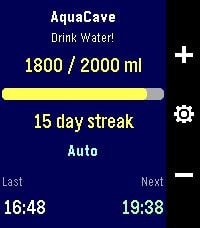
Health & FitnessAquaCave — Drink Water! A smart, focused water tracker for your Pebble. AquaCave helps you stay hydrated by tracking your daily water intake right from your wrist and reminding you to drink throughout the day. No phone required to use it — everything runs on the watch. Log a drink with a single button press, watch your progress bar fill toward your daily goal, and keep your hydration streak alive day after day. Features - Quick logging — add or remove water with the up/down buttons, in amounts you choose - Custom daily goal (500–4000 ml), or let AquaCave calculate it automatically based on your body weight, activity level, heart rate, and local outdoor temperature - Two reminder modes: a fixed interval, or an automatic mode that paces reminders evenly across your day - Active hours — only get reminded between your chosen start and end time, never overnight - Sleep-aware reminders — when enabled, reminders automatically pause while you're asleep and resume when you wake up, using Pebble Health sleep detection - Early-drink pacing — if you log a drink before your active window starts, reminders adjust so they spread out naturally from your start time instead of clustering - Streak counter plus statistics: 7-day average, best streak, and goals reached this month - Drink history with timestamps and an overview of your upcoming reminders - Optional vibration, left- or right-hand button layout - Settings menu with 5 organized sections — configure everything directly on the watch - Phone companion app with two-way sync: all settings are backed up to your phone and automatically restored when you pair a new watch or reinstall the app - Available in 8 languages: English, German, French, Spanish, Italian, Portuguese, and Simplified & Traditional Chinese — automatically detected from your watch language Compatible watches: Pebble Time, Pebble Time Steel, Pebble 2, and Pebble Time 2 (color and black-and-white displays supported). Support development AquaCave is free. If you find it useful and would like to support its development, you can buy me a coffee here: https://ko-fi.com/gessm — thank you!
 35
35wifi status
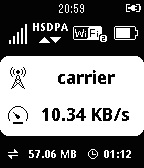
Tools & Utilitiesdisplay mobile rooter status for huawei e585 (myfi) and hw-01c, gl10p it can display: ・signal level ・network type ・connecting device number ・battery level ・carrier name ・current transfer speed ・total transfer volume ・connecting time ・microSD status
 35
35PebbleFlix
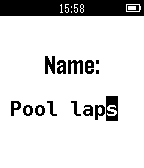
RemotesPebbleFlix allows you to control Netflix on your Mac. Just install and run the server app on your Mac, open PebbleFlix on your watch, then you can pause, play, and adjust the volume. To download the Mac application, click "WEBSITE LINK" below and send the link to yourself, or visit the following URL on your Mac: http://octalmage.github.io/PebbleFlix (Capitalization is important) Also works with Hulu, YouTube, Vimeo, VHX and many other services. Mac OS X only, Windows version coming soon. Star the GitHub project to get updates.
 35
35MultiCount
Tools & UtilitiesNow supports: Français, Deutsch, Espanõl Do you, sometimes, want or need to count things, but just can't keep track of everything in your head? MultiCount is what you need! It allows you to manage a list of counters, each with a custom name, to count anything you want, from the number of coffee you drink a week to the number of times you say "Hello" a day. Please send me any feedback on Twitter: @GilDev Français Avez-vous, parfois, l'envie ou le besoin de compter des choses, mais vous n'arrivez jamais à vous rappeler où vous en êtes ? MultiCount est ce qu'il vous faut ! Il vous permet de gérer une liste de compteurs, chacun avec un nom personnalisé, permettant de compter ce que vous voulez, du nombre de cafés que vous buvez par semaine au nombre de fois que vous dites "Bonjour" par jour. Envoyez-moi vos retours sur Twitter : @GilDev
 35
35CatchOneBus
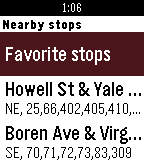
DailyCheck bus or transit time everyday? You'll love this app! CatchOneBus will show nearby transit stops and live arrival times. You can save any stop as favorite and CatchOneBus will show your favorite stop's live arrival time immediately when you are near that stop and open the app. You can shake your Pebble to update the information in real time. Currently works in the following list of cities and areas and supported by the public transit API provided by various organizations and agencies. • Seattle, Tacoma, Bellevue, Everett, WA (OneBusAway) • Portland, Beaverton, Gresham, Hillsboro, OR (TriMet) • Boston, Cambridge, Medford, MA (MBTA) • New York metropolitan area, NY (MTA) • Tampa Area, FL (HART) • Vancouver, BC (Translink) Using Tips: • Make sure to turn on location services on your Pebble Time app on the phone. • Save a bus stop as favorite for easy access, especially for your daily used stops for commute. • Set quick launch on your pebble watch for CatchOneBus to achieve checking commuter bus real time with one click. App developed by Yaoyu Yang and Dian Zhang. Give us a like or feedback!