 37
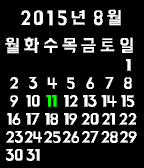
37HannaCalendar
DailySimple Watch-app using Hanna font for Pebble Time - Up and Down button for change Calendar - Select button for this month
 37
37Twitch Subscriptions
DailyTwitch Subscriptions lets you view which streamers that you follow are currently live. *Twitch Subscriptions is not sponsored or endorsed by Twitch Interactive, Inc.
 36
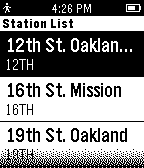
36BART on Time
DailyBART on Time uses your geolocation to effortlessly find the nearest BART station and display the latest departure times in real-time. Looking for a specific BART station? Just select the current station to bring up a stations menu for your selection. NOTE: BART on Time requires your Pebble to be connected to your phone
 36
36XKCD Alt Text Reader
NotificationsA simple app to give you the alt text for the most recent XKCD comic.
 36
36Stopwatcher
Tools & UtilitiesSimple background stopwatch.
 36
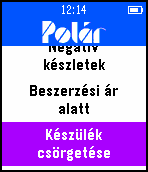
36Polar
Remotes--- English description below --- HUN: A Polár óra app egy kiegészítő és távirányító a Polár Android alkalmazáshoz. Segítségével frissíthetjük az adatokat és aktuális információkat jeleníthetünk meg az órán. ENG: Polár is a remote control watchapp for the Polár Android application. The language of the watchapp is Hungarian.
 36
36Five
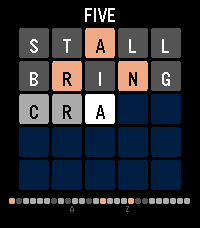
GamesA daily word puzzle for your wrist, a wordle clone ;). Guess the five-letter word in 5 tries. Letters turn green (correct), yellow (wrong spot), or gray (not in word). One new puzzle every day -- play it on the go in seconds. Tracks your stats, win percentage, and streak. Supports Pebble Time 2 and Pebble Time Round.
 36
36Big Timer
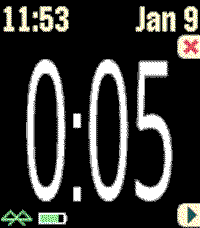
Health & FitnessThis timer features BIG numbers, settable start times, vibration alerts, and other custom settings. This app was originally developed for Chris Conley, a grade school teacher, who uses this countdown timer for reading studies and student contests.
 36
36Pebble-Dex
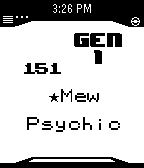
Tools & UtilitiesNOTE: No Update Soon Pebble-Dex is a update of Pokedex Kanto developed by Shutdown27! Base Code From Shutdown27! Controls: Up button to move up by 1 Down button to move down by 1 Press Middle button to toggle Type/Hight, and Weight Hold up to move up by 15 Hold down to move down by 15 Hold Middle button for random Pokemon! Credit to Shutdown27, The original Coder!
 36
36Flip a coin
Tools & UtilitiesBy shaking your pebble, you can simulate flipping a coin.
 36
36After Credits
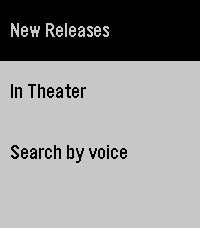
DailyAfter Credits helps you decide whether to stay after a movie ends. Search by title and instantly see if there are post-credit scenes, how many there are, and whether they appear during or after the credits. Get spoiler-light guidance so you can choose to wait (or leave) without ruining surprises. Fast, simple, and made for movie nights. It saves locally the last search if you lose internet/phone connection. Note: I don't own the movie database, it comes from https://aftercreditsapp.com
 36
36Chord Magic
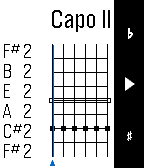
Tools & UtilitiesIf you want to master guitar chords, Chord Magic is for you. To input a chord, use the Up and Down buttons to change what's played on a string: open, muted, or a particular fret. Tap Select to move to the next string. For every position, Chord Magic tells you the chord name, the notes played, and the chord spelling, which helps you understand how the chord is constructed and how to change it. Chord Magic examines the actual notes to determine the chord, so it's not limited to the chords you find in books. In fact, it was designed to help play in alternative tunings. To change the tuning, press and hold the Select button to switch to tuning mode. There, you can adjust each string's pitch by using Up and Down, and use Select to move strings. You can set any tuning you want, and Chord Magic will confirm when it recognizes certain common tunings. The tuning feature can set a Capo as well by moving all strings up a fixed number of frets. Once your tuning is set, press and hold Select again to return to Chord Mode.
 36
36Tempo: Vibrating Metronome
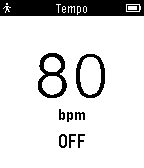
Tools & UtilitiesYour Pebble already helps you stay on time, now it helps you stay in time. Tempo is a simple metronome app that lets you set a BPM and vibrates to indicate the beat.
 36
36PowerPoint Presenter
RemotesONLY ANDROID This watchapp lets you do the PC's PowerPoint/LibreOffice/OpenOffice -presentations NEXT and BACK functions. Additionally the time is displayed to have everything under control. What is needed? -your pebble -a device where the presentation is on (PC) -a USB cable -your phone This app works with all presentation softwares, which support left/right arrow for switching the pages: PowerPoint, OpenOffice or LibreOffice. Download the companion app here: https://github.com/WuerfelDev/PPP/blob/master/android-debug.apk?raw=true How it works: Pebble to Phone (Bluetooth): NEXT Phone to PC (USB): I am a Keyboard Phone to PC (USB): press right-arrow key IMPORTANT: You need a rooted phone (with OS and kernel) that supports 'hid-gadget-test'. Have a look here: https://github.com/pelya/android-keyboard-gadget#installation The app does the installation so you just need to make sure your phone got this kernel. If you have Nethunter installed, you can directly run the app.
 36
36UV Alert
DailyTimeline alerts for UV radiation levels in Australia, USA and Japan