Chord Magic
Byte Blacksmith

Watchapp
Description
If you want to master guitar chords, Chord Magic is for you.

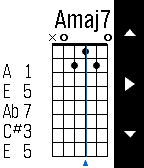
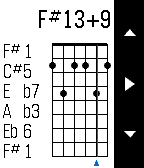
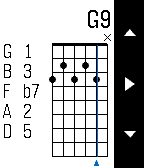
To input a chord, use the Up and Down buttons to change what's played on a string: open, muted, or a particular fret. Tap Select to move to the next string. For every position, Chord Magic tells you the chord name, the notes played, and the chord spelling, which helps you understand how the chord is constructed and how to change it.

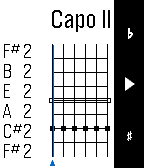
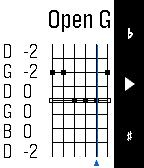
Chord Magic examines the actual notes to determine the chord, so it's not limited to the chords you find in books. In fact, it was designed to help play in alternative tunings. To change the tuning, press and hold the Select button to switch to tuning mode. There, you can adjust each string's pitch by using Up and Down, and use Select to move strings. You can set any tuning you want, and Chord Magic will confirm when it recognizes certain common tunings. The tuning feature can set a Capo as well by moving all strings up a fixed number of frets. Once your tuning is set, press and hold Select again to return to Chord Mode.
- DeveloperByte Blacksmith · Is this you? Claim your app ›
- CategoryTools & Utilities
- PlatformsOG Pebble, Steel, Time/Time Steel, Time Round, 2, 2 Duo, Time 2 (scaled), Round 2 (scaled)
- Updated2015-10-25
- Version1.0