 40
40Aevitaz - Pregnancy Tracker
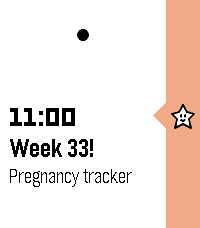
DailyThe Aevitaz Pregnancy Tracker provides weekly or daily pins in your timeline reminding you how far along in your pregnancy you are, plus a useful piece of trivia. Set up is easy, just specify either your estimated due date, the date of conception, or your last menstrual period, plus the frequency and time of the notifications and the pregnancy tracker will do the rest! It also supports toggling between who is pregnant (i.e. you or your partner). This initial version only provides pregnancy tracking, but the plan is to expand it to include post-birth feeding and sleep tracking, plus other useful things to do with babies and pregnancy. Pre-birth pregnancy planning is also on the list. If you have any ideas for features that would be useful, please reach out and let me know! I am making this for my wife who is currently pregnant, and I hope you find it as useful as we do! :-)
 40
40Pal Boost
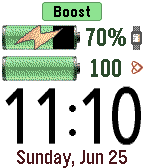
Tools & UtilitiesPal Boost enables the power boosting features for Pal Strap devices. The top button activates boost, and the bottom button disables boost. The middle button activates the custom settings menu, where boost and other custom choices can be set. Note that disabling the boost is not reflected in the Pebble until the Pal Boost app is closed, which is why the "charging" icon is sometimes displayed for the Pebble battery even though boost is disabled. This behavior is either a flaw or feature in the Pal Boost firmware (not sure which!). The Pal Strap is designed for Pebble Time, not Pebble 2. If you jury-rig the Pal Strap to use the Pebble 2, please let me know how!
 40
40Rellotge Català
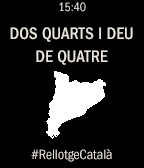
Tools & UtilitiesSi els catalans tenim la nostra manera de dir quina hora és també cal que hi hagi "El Rellotge Català". Aquest rellotge és molt didàctic i més d'un aprendrà a dir l'hora correctament. Utilitza els 3 botons de la dreta per canviar l'aspecte i veure els crèdits.
 39
39Yodish
GamesLearn how to talk like Yoda - just dictate to your watch and let the magic happens. Try it with jokes, song lyrics, short messages, whatever! Tips: - Please don't just try "Hello." Nothing will change. Yoda won't answer back, he'll just repeat. It's not the same thing as a conversation. - In the Star Wars movies, Yoda speaks short sentences. So keep that in mind when learning the Yodish language! This app is powered by yoda speak webservice. (http://www.yodaspeak.co.uk/ ) I'd like to thank Roger Leblanc for his collaboration, you can check his app "Last weather". If you experience any issues with the app drop me a line : [email protected] 39
39Toggle
Tools & UtilitiesYou also love to use Toggl for your time keeping and would love to integrate that to your Pebble for easy billing and keeping track of everything? That's what this app was created for. Simple install the app and open the settings page. Connect to your Toggle account and fire up the app on your wrist to start timing!
 39
39Thataway!
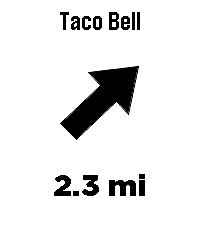
Tools & UtilitiesThataway! points an arrow at the closest anything. Type any business or place name - Taco Bell, Starbucks, a grocery store - and the arrow on your wrist always points at the nearest one, with live distance. Turn, and the arrow turns with you. Always points to the closest match. No routes, no maps, just a direction and a distance, as the crow flies. To enter a location or change settings go to Thataway! in the pebble app on your phone and click on the Settings button. Mark where you're standing: hold the middle button to save your current spot - your campsite, the trailhead, where you parked. The app grabs a precise GPS fix, tells you how accurate it is, and the arrow leads you back. No cell coverage needed. Save up to three favorite places with GPS coordinates in settings - these work without cell coverage too. UP and DOWN cycle between your search, your marked spot, and your saved places right from the watch. Fuzzy search - sloppy spelling still works Vibrates on arrival (optional) Imperial or metric units Optional live GPS accuracy readout The watch needs its Bluetooth connection to the Pebble app at all times - the phone provides the GPS. Internet is only needed for searching; marked and saved destinations work with no data signal at all, perfect for the backcountry. Distances are straight-line, not driving directions. If the watch asks, wave it in a figure-8 to calibrate the compass. Note: Support for the OG pebble time is not confirmed yet, if you try it and it works please let me know, I have only done emulator testing of it. Search data (c) OpenStreetMap contributors, via Photon and Overpass.
 39
39Tic Tac Toe
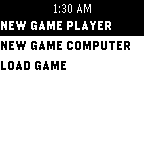
GamesThe classic three in a row game - without the need for paper or pencil. Play against a friend or the computer. Please note you may have to remove the app from your locker and reinstall it to get the update
 39
39AgroWeather (now with radar!)
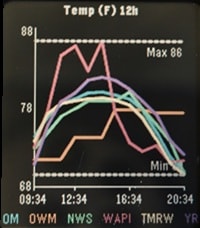
Tools & UtilitiesAgroWeather - Aggregate Weather I was tired of inaccurate weather and wasn't sure what service to believe. One moment a weather service could be spot on and the next be way off. To solve for this I made AgroWeather, a multi API weather app. It displays weather info from multiple sources on the same graph so you can estimate for yourself what is likely to happen. All 6 APIs are free but you may need to create an account/api key for some. Use as many or as few as you would like. ***Note: This app is still in early alpha testing. Any suggestions appreciated. APIs Currently supported: (I may add more if I get enough hearts) Open-Meteo OpenWeatherMap NOAA / NWS WeatherAPI.com Tomorrow.io Yr.no Graphs: (Please suggest others if you have a need) Temperature Feels Like Humidity % Precipitation % Precipitation amount Cloud % Pressure Wind Speed Gust Speed New Feature: Weather Radar - This feature is not an aggregate of data but still useful. It fetches global radar coverage from RainViewer composited over an OpenStreetMap base map tile, using GPS or the geocoded manual location. The watch stores 4 frames, picked as 4 evenly-spaced points across whatever recent frames RainViewer's metadata endpoint returns. Frames are fetched and sent to the watch sequentially and looped. The animation starts as soon as the first frame arrives and keeps incorporating older frames as they arrive; it automatically stops when you navigate away from the Radar screen and restarts when you navigate back onto it. This all happens using just Pebble C and Pebble JS. There are no special companion apps or external servers to draw and send the radar to the watch :). How to use: 1. Go into the pebble app and click on AgroWeather. 2. Click the Settings button. 3. Check the box to use GPS or Enter your location info 4. Select your units. 5. Check the box of the APIs you would like to use 6. If using one of the APIs that require a key, enter your key in the appropriate field Pebble Controls: UP / DOWN = Cycle through the Graphs / Weather Radar SELECT = Cycle through the times (3hr, 6hr, 12hr, 24hr, 2 day, 3 day) BACK = Exit
 39
39Space Interlopers
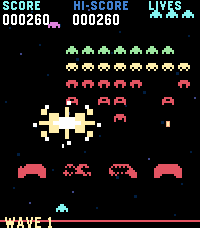
GamesSpace Interlopers is a retro arcade shooter for Pebble watches, built for quick touch-controlled battles against descending alien waves. Dodge enemy fire, blast invaders, defend your shields, and grab power-ups in a compact Space Invaders-inspired watch game.
 39
39Imperial to Metric Converter
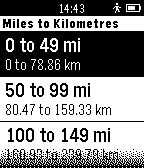
Tools & UtilitiesSimple imperial to metric conversion app that allows you to quickly convert between units by drilling down in menus until you find a value of sufficient accuracy. So the less precision you require, the fewer number of button presses you need! Currently supported conversions: Miles <-> Kilometres Pounds <-> Kilograms Fahrenheit <-> Celsius Calories <-> Kilojoules Feet <-> (International) Nautical Miles* * Hidden by default. Enable in Settings. Basic settings dialog allows you to customise which conversions are shown, so you can hide the ones you don't use. More units will be added as I find a need for them or they are requested. Note that this is written in Pebble.js, so unfortunately it is slower than it could be, and requires a connection to the phone. I do have plans to do a new version at some point in C so it runs completely on the watch, but it is proving to be more difficult than I anticipated. Help would be very welcome.
 39
39run FREE / Jog-O
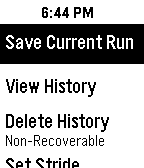
Health & FitnessNEW!!! Jog-O is now runFREE! Leave your phone at home and discover the joy of running free. So the next time you go for run forget the phone and run free! runFREE is a jogging odometer that can track how far you run without your phone. runFREE uses your stride length and step count to calculate your distance. Just enter your stride length, press start and go! If you need to take a break, press the pause button. runFREE can save your last 20 runs. The oldest run is deleted if you save more. runFREE is not intended to track walking. It works best when your forearm is in a horizontal/running position. Works with English and metric units. You can enter time and distance intervals that you want to be alerted to. Enter 1 mile or 1Km or 10 minutes. I hope you enjoy runFREE. Be sure to heart it if you like it!
 39
39Mad Eye Moody
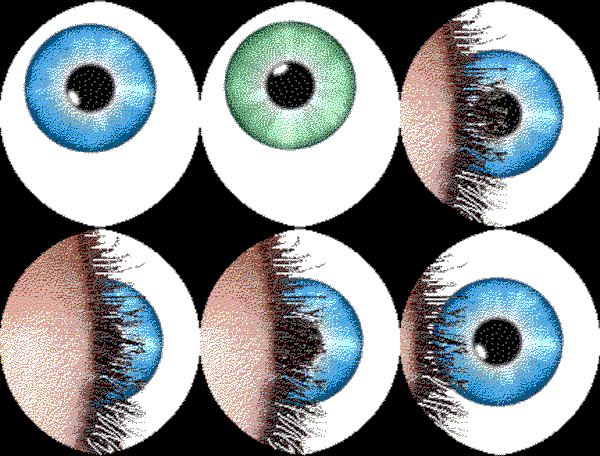
GamesApp that displays an eyeball that moves and blinks. Put it on a head strap for a fun costume prop! Top button: start animation Middle button: light on/off Bottom button: pause/resume Open Pebble Settings to customize eye color, tap behavior, default light setting.
 39
39URL Launcher
Tools & UtilitiesLaunch actions via URL. No companion app needed. * Long vibrate = Success * Double short vibrate = Error (Error message shown) Add URLs in the app settings and trigger them from your Pebble. Simple as that. Add location variables to your URLs. See settings for more information. More variables to come.
 39
39Simple Stopwatch
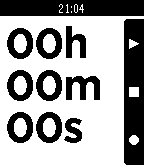
Tools & UtilitiesA simple stopwatch app with a large, clear display and functionality to pause, reset, and lap. Also continues timing when app is closed! -The top button pauses/resumes the stopwatch -The middle button resets the stopwatch to 0, pauses the stopwatch, and deletes all lap records. -The bottom button adds the current time to the lap list when pressed and displays the lap list when held down
 39
39My SF Bay Transit
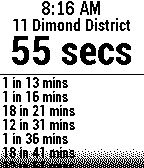
NotificationsWarning: 511.org has announced a data outage lasting several weeks in June/July until their new servers goes on-line. We apologize in advance for this disruption. Please use the My Bus (for AC Transit, Muni, and Dumbarton) or My BART Pebble apps during this period. Real-time arrivals for these San Francisco Bay Area transit agencies: AC Transit, BART, Caltrain, Dumbarton Express, Marin Transit, SF MUNI, SamTrans, VTA, Vine (Napa County) and WestCAT. With built-in stop lookup by 511.org. Repeatedly press select button to choose your preferred route at a stop.