 39
39Stay Focused!
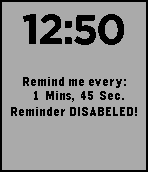
DailyFor those who need constant reminders. It may help with ADHD, if you're constantly distracted! OR it can remind you to do something every few mins! Need to remember to sprint every 5 mins in your Run? This app can help! You can customize the time from as low as 'Remind me every 5 seconds' to 'Remind me every 60+ mins!" It can easily be turned on/off with the 'select' button. And you can increase an decrease the timer with the up/down buttons, (5 sec increments) OR long press either button to increase/decrease the time by 60 seconds! I made this about a year ago,(first app I ever made) and finally decided to release it to the public. If it can help even one other person, then that would be awesome! :)
 39
39Knock Knock
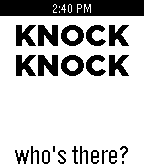
GamesKnock-knock jokes! (version 2.0...double the jokes!) Make a knocking motion with your hand to generate a joke...push the down button for the punchline! (Jokes are suitable for all ages) Have a great new joke? Send it my way. I'll try to update the app fairly frequently to add hilarious (and cheesy) new content!
 39
39Workout Timer
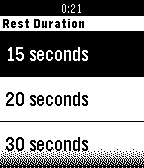
Health & FitnessMaximize your workout with Workout Timer. Workout Timer helps you to calculate your workout and rest duration. How to operate it - Start/stop workout time, press up button - Set workout time, press the up button for 3 seconds - Start rest time, press down button - Set rest time, press the down button for 3 seconds
 39
39Tight Rope Wrist
GamesTurn your body into a balancing act as if it was on a tight rope . . . or at least your wrist! Instructions: tilt your body/wrist to have the disc avoid the edges of the watch and walk forward to score points.
 39
39Birdy Friend
GamesBirdy Friend is a virtual pet game where you feed, care for, and grow with your lovable bird companion. Earn Feathers, increase your Love Level, purchase new treats and extras. Features - Feed and care for Birdy while managing hunger, happiness, and overall progress. - Earn Feathers, raise your Love Level, and unlock new treats, extras, and special rewards as you play. - Check in throughout the day and night. Birdy will fall asleep after inactivity, slowing his hunger and happiness status degradation. - Supports Touch Controls on the Time 2 and Round 2 platforms About the Developer - Comet Designs creates fun content for the Pebble platform - This is our first app release, please send any feedback to [email protected] ! - https://ko-fi.com/cometdesigns 39
39Spy Note
Tools & UtilitiesThis is a spy note app design for who want to save secret note in your watch and view it silently. You can set any note you want in the setting page including all utf-8 character. Usage: After you installed the app, its name will become 'best alarm'(pretend to be another app). You need to put the note in setting page. When you open the app, it shows 'no alarm available', that means it is working. Rotate the watch screen down to show your note. Use acceleration to scroll. And rotate another time to return to fake alarm screen. You can only input 4k once in setting page, you can input new text to append, max length of content would be 20k Warning: it is just a app for secret note. Not responsible for any kind of activity like cheating!
 39
39Asteroids 3D
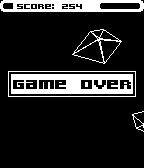
GamesFly through an 3D asteroid field without destroying your ship! Use your laser to make your way... but how long will you survive?! Use the accelerometer to avoid the asteroids. Please send me your feedback!
 39
39Ingress Info (Beta)
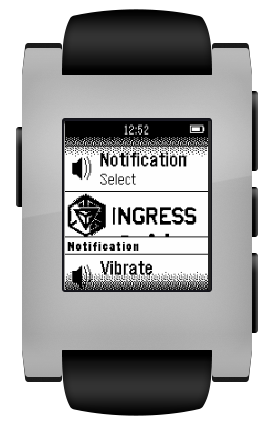
NotificationsLoad you Agent Profile in your pebble: Agent name, Faction, LVL, XM, Distance Walked Beta Version. Upcoming updates
 39
39Boing Ball
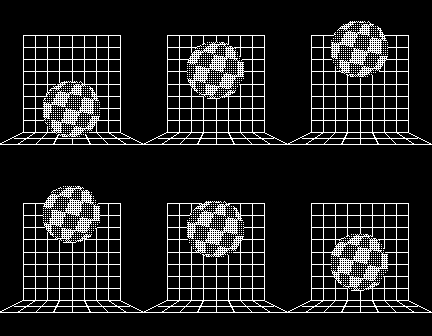
DailyThe iconic Amiga Boing Ball, on your wrist. Built on the minimal OpenGL 1.1 engine from PebbleGL 3D.
 38
38LoL Esports Timeline
NotificationsAdd the schedules and results for all your favorite League of Legends regions to the timeline!
 38
38Bair
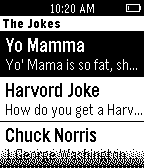
GamesBair jokes is an app that consists of jokes you can view to yourself or your friends. It is also made by a 13 year old and is my first app. I am working on animation so be ready.
 38
38VibrTime
DailyCheck the time without having to look at your watch! Program VibrTime to one of your app launch buttons to launch it quickly. Press one of the three right hand buttons and the watch vibrates to tell you the time. * Press the top button to vibrate the number of hours (1-12). * Press the middle button to vibrate the number of tens of minutes (0-5). * Press the bottom button to vibrate the number of minutes (0-9). So if the time was 1:23pm, pressing the top button vibrates once, pressing the middle button vibrates twice and pressing the bottom button vibrates three times. Great for meetings or if you are sight impaired.
 38
38Time Table
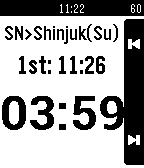
DailyDo you want to know the time of next train easily? This watchapp make it ! And it also shows countdown timer to departure. The demo movie is as follows. http://www.youtube.com/watch?v=ff90cKxljyc
 38
38iTactician
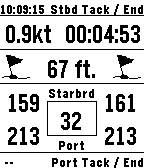
Health & FitnessThe ultimate boating / sailing / yachting / sailboat / yacht racing watchapp! Settable countdown start timer with start, stop and sync functions. Smartphone GPS provides digital compass and your boat speed. Enable GPS tracking, and you can identify lifts and headers, distance from the line and line angle to improve your start. Supports normal and inverse color schemes.
 38
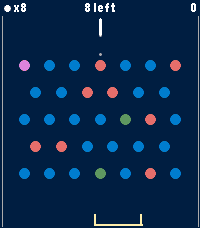
38Peggle
GamesA Peggle clone for Pebble Time 2. A physics puzzle game of aim, ricochet, and lucky bounces. Original game is inspired by pachinko, pinball, and pool. Launch a limited supply of balls from the top of the board and watch them carom through a field of pegs. Clear all the orange pegs to beat a level. Rack up points on the blue ones, and the more oranges you clear, the higher your score multiplier climbs. Features: • 6 hand-crafted levels — from your first gentle bounce to a wall of pegs • Endless mode — random boards that regenerate as you clear them; survive as long as your balls last and beat your high score • Free-ball bucket — catch a falling ball in the moving bucket to earn it back • Green power pegs — trigger multiball and send extra balls flying • Purple bonus peg — roams the board each turn for a big score • A trajectory guide to help line up the perfect shot • Per-level best scores and progress, saved on your watch Simple controls: Up/Down to aim, Select to fire. Built for Time 2 and Round 2