 40
40TimeSync
NotificationsPopulate your Pebble timeline with your RSVP'd Facebook events or your TVShowTime.com agenda!
 40
40Brilliant Hydration
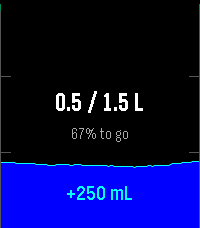
Tools & UtilitiesBrilliant Hydration is a simple, thoughtfully designed water tracker for your Pebble. Controls: • Up: Log a drink • Down: Correct the amount • Select: Open 7-day and 30-day statistics • Hold Select: Open settings • Hold Down: Undo the latest grouped entry • Swipe right on a reminder: Dismiss Set the drink and correction amounts separately in the Pebble app settings. Prefer the original three-amount layout? Classic controls are still available. Browse individual days in your statistics and stay on track with smart reminders. Reminders, haptics, units, colors, and language are all adjustable. For the quickest access, assign Brilliant Hydration to a Pebble shortcut. Optional Android companion: The free companion adds a private 31-day backup and restore, history on your phone, CSV import, and optional Health Connect sync. Installation guide: https://landostock.github.io/brilliant-hydration/install-android.html Install updates over the existing apps. Do not uninstall first, as this deletes locally stored data. Brilliant Hydration is free and open source. If it has earned a place in your daily routine, you can support future updates with a small tip: https://ko-fi.com/qwertzuiopue Brilliant Hydration is a personal tracking tool and does not provide medical advice.
 40
40PebbleDoro
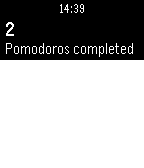
Tools & UtilitiesPomodoro Timer for Pebble
 40
40World Map
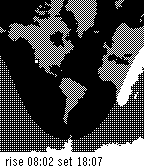
DailyA day/night map of the world showing a user-defined location and approximate sunrise/sunset times for that location.
 40
40Pe bb le Hue
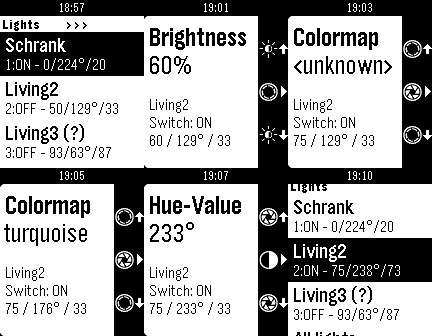
RemotesControlling your Philips Hue Bridge in best way - Highly usable - Many configuration - Section organized - Switch sections off - Put sections to submenus - Controlling Brightness, Colormap, Hue, Saturation V 1.1 - Optimizing: Sending only the value which are changed - Groups: Handling brightness/saturation without changing color V 1.2 - Hide unreachable lights (configurable) V 1.3 - You can configure 'scenes' to hide them from 'scenes section' (will saved, to update the scenes list shake the watch) V 1.4 - Long pressing on the middle button switch on/off the selected light directly - Show information, if no lights / groups / scenes found on bridge's config V 1.5 - Implementing Long pressed Up/Down on Brightness, Hue and Saturation V 1.6 - Long press on Hue-Value change the color by 60 degrees V 1.7 - Add "Reset" connection
 40
40Pedometer
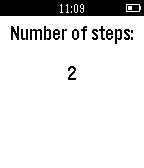
Health & FitnessIts a simple pedometer app which lets you count the number of steps you have taken. It measures the change in acceleration when you’re swinging your arms while walking.
 40
40BlueBubbles
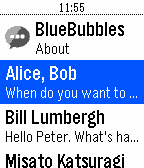
DailySend iMessages using your Pebble smartwatch! BlueBubbles works independently of the smartphone you have. This works with both iOS and Android! # Requirements 1. A Pebble smartwatch (w/ microphone, for now) 2. A Rebble voice subscription 3. A BlueBubbles server See the Source Link for more info!
 40
40Pokemon Challenge!
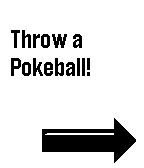
GamesExplore the Lake Forest area while searching for Pokemon! Find all 151 Pokemon scattered throughout the city. Requires GPS Only for Lake Forest, USA. Feel free to fork and modify the game for location from my Github: https://github.com/vgvbach95/UIUCPokedexChallenge Controls: Use "Select" to switch between the Pokedex the "Throw Pokeball" screen. Click "Down" to throw a Pokeball. Click "Down" after succeeding/failing to find a Pokemon to return to the Pokedex screen. Navigate the Pokedex using the up and down buttons. Credits: All assets are from shutdown27's original 'Pebble Pokedex'. No official relation to Nintentdo/Game Freak/Pokemon.
 40
40Splatime Monitor
DailyUPDATED 07 FEB 16 Splatime Monitor is a daily utility app that reports the current and upcoming maps in rotation for the Wii U game 'Splatoon'. Using pebble.js and the splatoon.ink API, the app reports the current maps and the maps for the next 2 rotations, mirroring the information available at splatoon.nintendo.net. DISCLAIMER: Since this app pulls data from an external API, it will not function properly if it is disconnected from your phone or if your phone cannot connect to the internet. With the v2.2 update, much of the app's backend has been restructured to handle the current structure of the Splatoon.ink API's response data, and the app's image handling has been updated to work under current firmware's new bitmap handling. Current features include: - Color distinction for Random and Ranked maps (Basalt only, Aplite support upcoming b/c WOO GRAY) - Shake to refresh maps (The app currently also refreshes its map data any time it's closed) - Autodetection of your local time zone and proper time adjustment - Error handling for Splatfests or splatoon.ink request failures - 100% more WOOMY! For any problems or bugs with the app, please let me know! This is my first watchapp, so I appreciate the feedback. You can reach me through the email link below or you can message me directly on Reddit: /u/greater_nemo. If you'd like to support Splatime Monitor or future apps, feel free to donate at paypal.me/greaternemo . I do my coding in my free time, so any little bit is appreciated. :)
 40
40Petress
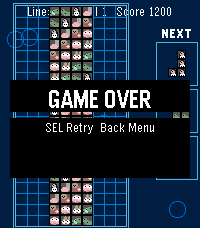
GamesPetress is a falling-blocks puzzle game for Pebble Time 2 (Emery). Seven adorable animal tiles (long dog, hamster, owl, worm, caterpillar, penguin, llama) drop as familiar shapes. Clear full rows to score, level up, and survive as gravity speeds up across **100 levels**.
 40
40SnowSki
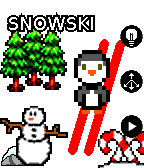
GamesPixel Penguin skis downhill avoiding trees, rocks, snowmen and other miscellaneous obstacles. Tilt the pebble to steer down the hill. You get 3 lives, and every 100 points things get faster. All graphics assets are from OpenGameArt.org under the CC0 or CC-BY-SA-3.0 licenses
 40
40Quick Pickup Lines
DailySee that beautiful guy/girl and can't think of an line to break the ice? Look no more! One quick look at your wrist will have him/her falling for your charm!
 40
40Bus Time – SG
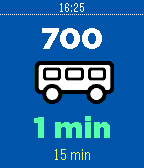
DailyGet bus arrival timings right on your wrist! No more having to fumble through your bag to find your phone while taking public transport, you can now wait for your bus in peace, and you'll know when your bus is going to arrive with a single glance. Currently only supports Singapore! UPCOMING FEATURES - Set alerts to notify you when your Bus is arriving - Timeline support - More countries!
 40
40Astronomy App
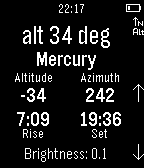
Tools & UtilitiesTrack the solar system bodies without any internet connection! Can be used to find compass heading and inclinometer, whilst display current azimuth and altitude of a heavenly body. For moon rise and set times, please see 'Astronomy Face'.
 40
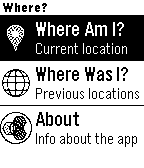
40Where?
Tools & UtilitiesGet the nearest address based on your GPS location, and access a history of your 10 past positions. The app is real, but intended to demo how a backend deployed to IBM Bluemix can power interesting UIs. The server code is written with Node.js and uses Pitney Bowes and Cloudant services. The Pebble client app was written using Pebble.js in the CloudPebble IDE. Source for both is available on GitHub.