 42
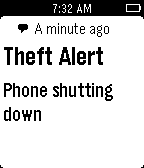
42Theft Alert
RemotesThis app notifies your Pebble if some one tries to steal your phone. It is highly useful when you are charging your phone in public places or anytime when you must leave your phone unattended. The watch app is optional but makes it easier to start and stop the theft security service on the phone.
 42
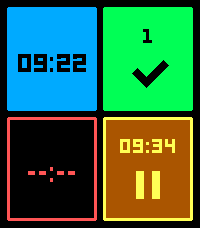
42Two Tap Timers
Tools & Utilities4 timers you can set with just 2 taps. - (Quick) launch the app - Tap one of the tiles - Select the number of minutes and your timer is running. - Tap again to pause/ continue - Hold down paused or completed timers to reset. You can configure 8 different durations and the way they are sorted on the settings page. (this multi timer requires touch to be enabled)
 42
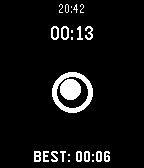
42Steady Ball
GamesHow calm are you ? So KEEP CALM AND HOLD THE BALL! SteadyBall is a simple (lovely and annoying) game where you should use your skills to hold the ball on the hole. Keep steady as long as you can, and try to beat the high score. Try it out! Coming soon: - Game modes - Game levels - and much more :)
 41
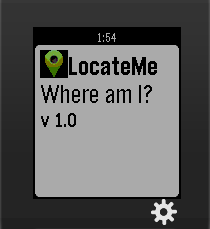
41LocateMe
Tools & UtilitiesLocateMe is a watch app that tells your location.
 41
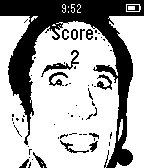
41Feed The Cage
GamesHelp Nicolas Cage defeat his hunger in this epic battle for survival.
 41
41Transit Arrivals
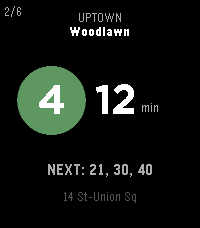
Tools & UtilitiesYou're three blocks from the platform. Do you run? Transit Arrivals answers the only question that matters to the city dweller on the go: how long until the next train. Pin your stations (Home, Work, the situationship) and the live countdown is one glance away. No app to dig out of your pocket, no subterranean scroll - just the next train on the face of your watch. Every line, rendered the way city knows it: the colored bullet, the route letter, the direction it's bound for. Tap up or down to flip between lines, hold to jump stations. The next three trains wait quietly beneath the headline number, so you always know if you've got a cushion. - Live arrivals straight from the real-time feeds (MTA (NYC), PATH (NJ/NY), CTA (Chicago), WMATA (DC), MARTA (ATL), MBTA (Boston), SEPTA (Philly), BART (SF), GCRTA (Cleveland), LACMTA (LA), Metrotrail (Miami), and SubwayLink (Baltimore)) - the same data the platform countdown clocks use. - Scheduled arrivals for systems without live data (Philadelphia/South Jersey - PATCO, San Juan - Tren Urbano) - Your stations, your order. Save favorites with custom labels and step through them with a button. - Nearest, automatically. Let GPS surface the closest station when you're somewhere new. - Service alerts for your lines, so a reroute never catches you flat-footed. - Built for the wrist - fast, legible, and frugal with your battery. Quick press up/down to cycle lines, quick press to cycle direction, long hold select for the menu, long hold up/down to cycle between nearest and saved stations, double press back for service disruption information. Designed for every modern Pebble: Pebble Time 2, Pebble Time, Pebble 2, and the round Pebble Time Round.
 41
41Memos
Tools & UtilitiesA very simple app to connect with your self-hosted Memos server and quickly send thoughts or ideas straight over! Requires dictation. https://github.com/usememos/memos Use keywords such as: check box -> - [ ] title (big/medium/small) -> (#/##/###) new line -> \n hashtag "word" -> add a tag --------------------------------- These take advantage of Memos use of markdown (.md) to 'fancify' your notes. May add the ability to pull your memos from the server to view on your watch at some point. We shall see. I have only tested on the old iOS pebble app, and a pebble time.
 41
41Moon Phase
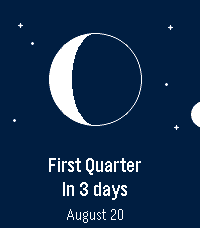
DailySee the Moon exactly as it looks in the sky tonight — right on your wrist. Moon Phase draws the Moon the way you'd actually see it — the real illuminated shape, oriented for your hemisphere — then tells you what's next and when. No phone required: everything is computed on the watch. 🌒 The real Moon — the current phase drawn as a crisp disc, lit exactly like the sky above you. ⏳ Next phase, at a glance — “In 4 days” and the date, front and center. 📜 What's coming — press SELECT for the upcoming new, first‑quarter, full and last‑quarter dates. 🧭 Hemisphere aware — the crescent flips for the Southern hemisphere, set automatically from your location. 🌍 Speaks your language — English, French, German, Spanish, Italian, Portuguese and Chinese, with local date formats. 🗓️ In your Timeline — upcoming phases show up as pins. 🎯 Accurate & offline — a proper astronomical model, good to the minute.
 41
41Munzee
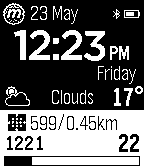
GamesA 21st century scavenger hunt. Find. Capture. Reward. The Munzee Pebble app shows your Munzee score and level progress and optionally, your current Fitbit stats, refreshed every 15 minutes. SELECT to refresh at any time. UP to display your Social Munzees then SELECT to show a scannable QR Code. DOWN to display a list of nearby Munzees then SELECT to view details.
 41
41flicks
Tools & UtilitiesIntroducing flicks - a watch app created to do whatever you want whenever you want - right on your wrist. flicks is a fully configurable and scriptable app that lets you quick launch anything on your computer or any device capable of running nodejs. What's the fastest way to get going? - Install the app. - Download and launch the server by running "node server.js". - Save the IP to the watchapp settings. (NO PORT, NO HTTP://) - Connect the phone to the same network as the server. Configuration and Scripting The config.js file is the meat of the application. It includes examples that should function on most Windows computers. flicks will work on any OS - modify the configuration any way you want - it's fairly self-explanatory but a full documentation will come within a few updates.You can call entire scripts just like you would from the command line. Don't forget to restart server.js when you make changes to config.js! Controls Here's the fun part. Upon boot, the Pebble will grab your configuration from the server and display the first one on the screen. To activate it - either flick your wrist or press select. You'll see a dot at the bottom right when you activate commands. When it goes away and the watch vibrates, execution was completed. You can cycle through your functions with the up/down buttons, and if you long-press select it will refresh the configuration from the server or reconnect. Documentation available @ https://gitlab.com/n4ru/Flicks Please report any bugs or feature requests!
 41
41CinemaToday
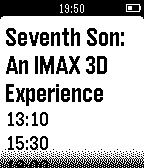
DailyCinemaToday helps you to find cinema around you directly on your Pebble. See the programming and watch the movie.
 41
41Alerty Personal alarm
RemotesTurn your Pebble into a trigger for Alerty Personal alarm. Alerty is a personal alarm for Smartphones. With Alerty you can easily alert a group of pre selected alarm receivers which can listen to the emergency situation and follow your position on a map in real time. Activate an alarm by pressing the "select" button three times on your Smartwatch! Read more at our website!
 41
41Meetup
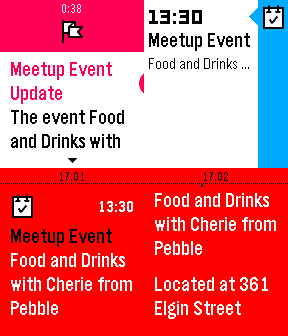
NotificationsKeep on top of the upcoming Pebble & Other meetup events/groups in your area! Actions include: - View Pebble meetup groups, world wide! - View upcoming Pebble meetup events within a configurable distance! - View Configurable meetup groups, world wide! -View upcoming nearby meetups for those custom groups! - View the other members in the meetup groups. - View events for a specific group. - Fetch specific event information, including location, address, time, etc... - Pin Events to timeline - Subscribe to groups to get notifications about all upcoming events - Subscribe to all events (in app settings) to receive notifications about all upcoming events - Receive timeline reminders 1 day and 1 hour before the event - Configurable location so you don't have to rely on your phones GPS, if you wish pebble not to know your GPS location (version 1.1) Planned Features (in order of priority): - View user's comments/meetup discussions - Integration with your meetup account so you can: -- RVSP to events directly from your pebble -- View RSVP status -- View your non-pebble groups -- View your non-pebble events Have a feature idea or find a bug? Feel free to send me a message using the support button! Enjoy! ~Matt Like the app? Has it saved you a few bucks by notifying you of a nearby meetup? Please consider donating: http://fletchto99.com/other/pebble/meetup/web/donate.php
 41
41PaceKeeper
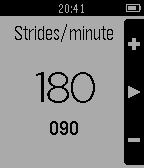
Health & FitnessWhatchapp to help you keep your running cadence. It will vibrate your watch to keep your rhythm. Up and down buttons to set strides per minute. Select button to start/stop rhythm. Long press on select button will switch between black and white background.
 40
40Tanken App
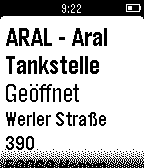
DailyEine einfache App um schnell die nächste Tankstelle inklusive Preise in der Umgebung zu finden. Select - Tankstellendetails Long Select - Einstellungen Unterstützte Sorten: Super E5 Super E10 Diesel Leider kein Super Plus! Die Daten werden über die API von www.tankerkoenig.de abgerufen.