 43
43Dice
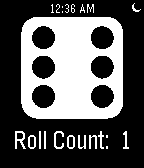
Tools & UtilitiesDice is extremely simple to use. Just shake your wrist to roll the die. Future updates: -Multiple dice -Animated dice -Roll history
 43
43Rockbeat
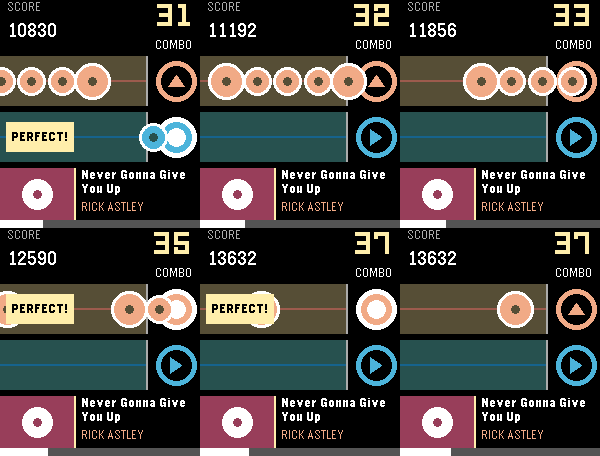
GamesA simple rhythm game. Just hit the UP or SELECT button to the melody! Right now you can play the following songs: Never Gonna Give You Up — Rick Astley You Are Not Alone — M. Jackson Golden — HUNTR/X Love Story - Taylor Swift Merry-Go-Round of Life - Joe Hisaishi Let me know what other songs you want to add to the list! This game requires a speaker, so it works only on the Pebble Time 2 and Pebble 2 Duo.
 42
42Just Weather
DailyJust Weather displays a weather icon (created by dakirby309) and the temperature in Fahrenheit only from openweathermap.org, updated every 15 mins using your GPS coordinates. When I had a OG Pebble, I had two watch faces I used one had the weather and the other had battery status. With Pebble Time it is more involved to change watch faces... I created the watch app so I could make it a quick launch app by holding down the past or future buttons.
 42
42Tokyo Metro
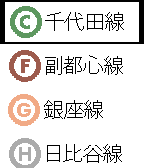
Tools & UtilitiesBrowse station names listed in each subway lines. This app needs Japanese Language pack ( http://wh.to/pebble/index_jp.html ) 上記の日本語言語パックがインストールしてあることを前提です。そうしてないと駅名が文字化けします。Ver1.4でPebble timeに対応して、路線がカラー表示になりました。
 42
42Task Flow
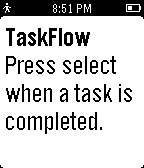
Tools & UtilitiesTask Flow is a minimalist task manager that helps you focus on what to do next. Add tasks on the configuration page in the order you want to complete them. When you finish a task, press select to mark it done.
 42
42No.
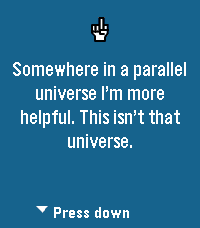
Tools & UtilitiesTired of saying yes to everything? No. is the app for people who have finally embraced their inner introvert. Press any button on your Pebble and receive an instant, professionally-crafted excuse to decline whatever life throws at you. The background changes colors because even our pixels refuse to commit to one aesthetic. This release fixes a bug where the loading bar would spin forever, much like your excuses when someone asks why you skipped their party. We also taught the app how to actually talk to the internet, which turns out is pretty important for an app that fetches excuses from the cloud. Powered by NAAS (No As A Service) because of course that exists. Side effects may include free evenings, confused friends, and an overwhelming sense of peace. Not responsible for any bridges burned or family dinners missed.
 42
42Grosh for Pebble
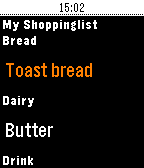
Tools & UtilitiesTry grocery shopping with your Pebble, it's perfect for keeping your hands free when you're shopping and speeds up the proces - and minimises the risk of dropping your phone! Grosh is the first commercial grocery app that adds Pebble support. Grosh is like no other grocery shopping app you have seen, it comes with intelligent suggestions and orders your list according the the store layout. How to get started: 1) Download the normal Grosh app on your phone (iOS, Android or web version) to get a FREE account that your watch app can connect to. Use the normal Grosh app to update and share your list before shopping. 2) Download Grosh for Pebble 3) Enter your Grosh account credentials by hitting the settings icon next to Grosh in your list of Pebble apps 4) Launch Grosh for Pebble. The list will be sorted, if your're in a store according to the layout. 5) Click the select button to mark items as purchased. 6) Shake the watch to check for updates to list, eg if partner added something to the list after you left home. 7) Long press select button to change list or modify quantity (set to 0 to delete item) 8) Use ""+ Add item"" to dictate a new item (requires microphone), including quantity eg. 5 milk Grosh supports stores in 31 countries and 18 languages. Grosh is built by a small team dedicated to bring you the best shopping app ever. We publish frequent free updates and would love your feedback. Get in touch via our homepage groshapp.com, our Facebook and Google+ pages called Groshapp or tweet us @groshapp.
 42
42toodlebble
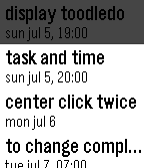
Daily"toodlebble" is the first simple toodledo client app for pebble. it can display set "duedate" or "duetime" and uncompleted tasks. select task and press center button for call actionbar, and press canter button again to "completed" (up/down button to cancel). also set "repeat" task will reschedule automatically.
 42
42Brain Trainer
GamesThis fun math game challenges players to identify as many right and wrong equations as possible in 30 seconds. High scores are saved to the app so you can challenge your friends to see who can get the highest score! Flick your wrist after the game ends to try again!
 42
42F1 Calendar
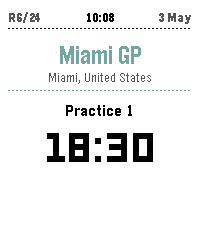
Tools & UtilitiesBecause checking your phone during a race is basically a time penalty. F1 Calendar shows the full season on your wrist — upcoming sessions with countdown times, live positions and gaps when the lights go out, and podium results the moment the chequered flag drops. Cancelled races get the CNCL badge of shame. No login. No API key. No excuses for missing the start. Up/Down to scroll races. Select for details. Long-press Select to refresh.
 42
42Game of Go
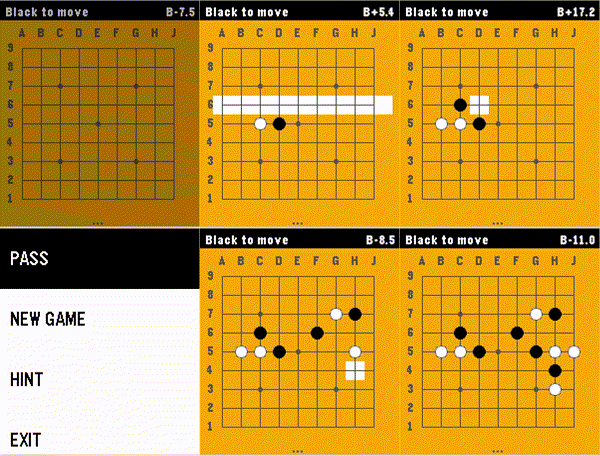
GamesThis app brings the game of Go / Baduk / Weiqi to the Pebble Time 2 with a fast, fully-featured engine and a polished interface. Go is the ultimate mental workout for your commute or coffee break. Features: * Board 9x9, Chinese rules (Stones + Territory) * AI algorithm based on Monte Carlo Tree Search. * Game modes: Player vs Player, Human vs AI (Black or White), and even AI vs AI mode. * Intuitive two-step stone placement designed specifically for the Pebble's buttons. * A real-time score estimate, keeping you informed of who's winning at every turn. * 100% offline - all computations happen on the local device, pushing Pebble's capabilities to the boundaries. * AI hints - stuck on the next move? Ask the AI for a suggestion. * Authentic look: standard coordinate labels (1-9, A-J), Hoshi (star) points, and a wooden board aesthetic How to Play: 1. Select Row: Use UP/DOWN to highlight a row, then press SELECT. 2. Select Column: Use UP/DOWN to move the cursor horizontally, then press SELECT to place your stone. 3. Press BACK to open Menu to Pass, start a New Game, or get a Hint. --- Love the game? Please leave a ❤️ on the Pebble App Store! Your support helps me keep improving the AI and adding new features like persistent saves and larger boards.
 42
42Plane Map
Tools & UtilitiesSee local air traffic on your wrist! This app utilizes a free ADS-B web api to show aircraft around you in a configurable radius! The up and down buttons can be used to zoom in and out and the middle button can be clicked to bring you to a list of all of the visible flights. Clicking on one of those flights can bring up more details about it!
 42
42Tide Aware (Non-US)
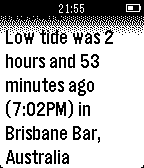
DailyTide Aware now supports thousands of locations outside of the US. Tide Aware is the incredibly simple way to check the closest tides based on locations input by the user through the Pebble configuration feature. Note that to find tides you must go to http://www.tide-forecast.com/ and find your wanted tide location. Follow the instructions exactly from the config page.
 42
42Brili for Pebble
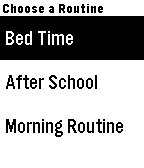
DailyIntroducing Brili for Pebble, the first ever wearable routine assistant for families. Brili makes kids' daily routines come to life as a fun race against time. It guides them through activities like getting dressed and brushing teeth with the end goal in mind (e.g. leaving for school on time or bedtime). Brili’s dynamic timers automatically adjust to make sure everything gets done by your deadline, even if you started late. With Brili for Pebble, you or your child can: - see the current task and a picture of it - see a visual countdown timer - receive vibration prompts when time is running low and when time has run out - mark activities complete, which automatically starts the timer on the next activity Every minute saved by staying on task is banked for a desirable activity at the end. Brili for Pebble allows you to access daily routines you create for your kids (or yourself!) on the Brili platform using our iOS, Android or web clients. Note: While Brili for Pebble can function without the app installed on your paired device, the Brili smartphone, tablet or web app is required to create and manage routines. Get it at http://brili.co.
 42
42Interval Trainer
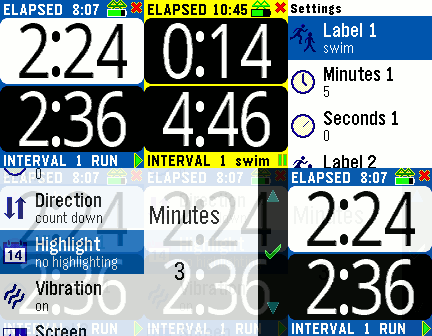
Health & FitnessThe Interval Trainer tracks elapsed time and interval times. You can set two intervals which are repeated as time elapses. A vibration alerts you when an interval changes, and the numbers are BIG for easy reading while exercising. The interval minutes and seconds are customizable, as are the vibration alerts, screen background, etc. Press the middle button or choose Setting from your smart phone.