 43
43Edisse
Health & FitnessTake care of loved ones
 43
43food baby
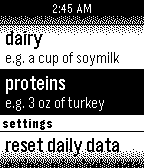
Health & FitnessPart-nutritionist, part-digital pet, Food Baby's goal is to motivate healthy dietary choices through the raising of a virtual pet. As such, your healthy habits translate to both your well-being and your pet's happiness. Logging your food intake into major food categories "feeds" the pet. The pet provides recommendations for what to eat next to maintain a balanced diet. XDA Challenge entry.
 43
43Mirror v1.0
Tools & UtilitiesSimply a black screen.
 43
43PoolCounter
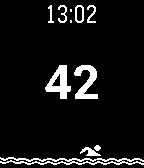
Health & FitnessApplication for those who swim in the pool and wants to know how far managed to swim for exercise. Swim one lap, press any button once to the right(Up, Down, Select) to increase the lap counter by 1. Hold the "Select" button to reset the counter. + Vibration when you + The counter is saved when you exit the application + The man floats! Приложение для тех, кто плавает в бассейне и хочет знать, какое расстояние удалось проплыть за тренировку. Проплыв один круг, нажмите однократно любую кнопку справа, чтобы увеличить счетчик кругов на 1. Удерживайте центральную кнопку для сброса счетчика. +Вибрация при нажатии +Счетчик сохраняется при выходе из приложения +Человечек плавает!
 43
43Azimuth
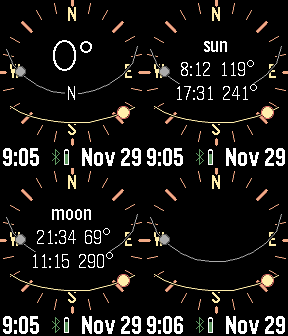
Tools & UtilitiesPlan for the perfect camera shot. This app calculates and displays the sun and moon path against a compass. Tap or press buttons for rise and set times. Many custom options, including backlight, moon positions, screen inversion, battery, connection, and vibration alerts.
 43
43iUnlockYourMind Pro
Tools & UtilitiesThis is a companion app for the mentalism App iUnlockYourMind Pro. The pebble app allow the user to use the pebble watch as a secret peek device and also as a secret input device. Please Check www.appstore.com/iUnlockYourMind for more details.
 43
43CheckMark
Tools & UtilitiesDo you have your check lists organized in Markdown files somewhere? Your shopping list? Your todos? Then CheckMark is for you! Read unchecked items directly from your watch - marking items dones is as easy as pressing select once. Perfect if you don't want to get out your phone while shopping! This app can load Markdown files from any WebDAV-compatible URL (e.g. Nextcloud/OwnCloud). It only loads unchecked items, so that you can focus on what needs to be done now.
 43
43Game Dice
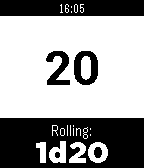
GamesGame Dice is a polyhedral dice roller for those who play table top role playing games, board games, or even people who have trouble making decisions. It will roll dice in all the common polyhedral flavors (d3, d4, d6, d8, d10, d12, d20, and d100), and of any quantity (as long as "any quantity" means 99 or less). Buttons: Up - "Quick Die" roll Select - Choose dice Down - Normal roll
 43
43Iron
Health & FitnessIron - Workout Companion for Pebble Iron is a high-performance, open-source sports tracker for your Pebble smartwatch. Designed for runners and fitness enthusiasts, it tracks your real-time metrics and seamlessly bridges the gap between your Pebble and modern Android health ecosystems. ⚠️ Important Note: This watch app will not function at all unless used in combination with the Android companion app of "Iron". Also, while designed to support all Pebble platforms, it has not been fully tested on every single model. If you encounter any issues, your feedback is greatly appreciated! 📱 Companion App (Android) To unlock the full potential of Iron, install the companion Android app from Google Play. The companion app runs a stable background service during your workout and securely syncs your Pebble's health data directly to Google Health Connect. Download on Google Play: https://play.google.com/store/apps/details?id=hag1987haaa.pebble.iron&pcampaignid=web_share Zero ads, zero tracking analytics. Requires Location permissions (including background access) to accurately track your GPS routes while your phone is in your pocket. Only writes data to Health Connect with your explicit permission. ✨ Key Features By combining the Pebble app with the Android companion app, you can unlock: Music Control: Intuitively control your music playback directly from the workout screen. Supports swipe gestures on touchscreen models or long-press physical button mapping. Smart Notifications: Get vibration alerts on your wrist for distance laps (e.g., every 1km) or time intervals. Advanced Data Export: Supports both GPX and TCX formats. TCX includes heart rate, calories, and smoothed cadence data—perfect for uploading to Strava or Garmin Connect. Detailed Analytics Charts: View graphs for speed, elevation, heart rate, and steps on your phone. Powerful Automation: Broadcasts intents based on Pebble interactions or app state changes. Fully compatible with automation apps like Tasker. Health Connect Integration: Seamlessly syncs your recorded workout data directly to Android's Health Connect. Voice Assistant Integration: Long-press a button on your Pebble to trigger your phone's default digital assistant (the same one that launches when you hold your phone's power button). Note: Please speak your commands into your phone's or earbuds' microphone. ⚙️ Installation 1. Install this watch app. 2. Download the Iron Companion App for Android from Google Play. 3. Grant the necessary permissions (Location, Health Connect & Notifications) in the Android app. Note: Setting Location permission to "Allow all the time" is highly recommended for stable GPS tracking while your phone screen is off. 4. Start a workout on your Pebble! 🤝 Support & Credits Iron is completely free and open-source. There are no paywalls or locked features. This app was proudly developed with the assistance of Google's AI, Gemini! If you find this app useful for your daily runs, consider supporting the project: ☕ Support me on Ko-fi: https://ko-fi.com/1987haaa 🇯🇵日本語版 (Japanese) Iron - Pebble用ワークアウトコンパニオン Ironは、Pebbleスマートウォッチ用の高性能でオープンソースなスポーツトラッカーです。ランナーやフィットネス愛好家のために設計されており、リアルタイムの数値を追跡しながら、Pebbleと最新のAndroidヘルスケアエコシステムをシームレスに連携させます。 ⚠️ 重要な注意点: 本ウォッチアプリは、Android版『Iron』アプリとセットで使用しない限り機能しません。また、すべてのPebbleプラットフォームで動作するように開発したつもりですが、全モデルでの動作テストは完了していません。もし動かない場合はフィードバックをいただけると非常に嬉しいです! 📱 コンパニオンアプリ (Android) Ironの真の力を引き出すため、Android用のコンパニオンアプリをインストールしてください。安定したバックグラウンドサービスとして稼働し、PebbleのヘルスケアデータをGoogle Health Connectへ安全に同期します。 Google Playストアでダウンロード: https://play.google.com/store/apps/details?id=hag1987haaa.pebble.iron&pcampaignid=web_share 広告ゼロ、トラッキング解析ゼロ。 スマートフォンをポケットに入れた状態でも正確にGPSルートを追跡するため、位置情報(バックグラウンド含む)へのアクセス権限を使用します。 ユーザーの明示的な許可がある場合にのみHealth Connectへデータを書き込みます。 ✨ 主な機能 PebbleアプリとAndroidコンパニオンアプリを組み合わせることで、以下の機能を利用できます。 ミュージックコントロール: ワークアウト画面から直感的に音楽を操作可能。タッチスクリーンでのスワイプ操作や、物理ボタンの長押しに対応しています。 スマート通知機能: 距離ラップ(例:1kmごと)や時間インターバルを振動でお知らせ。 高度なデータ出力: GPX に加え TCX 出力に対応。心拍数、カロリー、平滑化されたケイデンス情報を含み、StravaやGarmin等へのアップロードに最適。 詳細な分析チャート: 速度、高度、心拍数、歩数をスマホでグラフ化。 強力な自動化連携: Pebbleの操作やアプリの状態変化をインテント送信。Tasker等の自動化アプリと連携可能。 Health Connect 完全対応: ウォッチで記録したデータをAndroidのヘルスコネクトへシームレスに同期。 ボイスアシスタント連携: Pebbleのボタン長押しで、スマホの「デフォルトのデジタルアシスタント」(電源ボタン長押しで起動する設定中のアシスタント)を呼び出せます。※アシスタントへの音声指示は、スマホ本体またはイヤホンのマイクで行ってください。 ⚙️ インストール方法 1. 本ウォッチアプリをインストールします。 2. Google PlayからAndroid用Ironコンパニオンアプリをダウンロードします。 3. Androidアプリ内で必要な権限(位置情報、Health Connect、通知)を許可します。 ※画面オフ時にも安定してGPSを追跡するため、位置情報権限は「常に許可」に設定することを強く推奨します。 4. Pebbleでワークアウトを開始してください! 🤝 開発者のサポートとクレジット Ironは完全に無料でオープンソースです。有料の壁はありません。なお、このアプリの開発にはGoogleのAI「Gemini」を活用しています! 毎日のランニングに役立ったと感じていただけた場合は、プロジェクトのサポートをご検討ください。皆様の支援が力になります。 ☕ Ko-fiでサポートする: https://ko-fi.com/1987haaa
 43
43Thinking of You
NotificationsSmall little app for making your long distance partner feel not so far away. Send a little ping to let them know you're thinking of them. REQUIRES THE WATCHFACE FOR FULL FUNCTIONALITY! (I can integrate it on others later if wanted) Watchfaces available: Kickstart + Thinking of You https://apps.repebble.com/56a8c37365b34e9f90165a97 Pokétch+ Thinking of You https://apps.repebble.com/09a2026106124b0fa22a2cb2
 43
43Patch
DailyHarness the power of iOS Automations to send text messages (including iMessages) from your Pebble! No server required. Patch uses Outlook (yes, Outlook!) to send an email to yourself, which triggers an Apple Shortcuts automation to intercept the notification and send the text message. The whole process takes less than ten seconds and requires no intervention after you hit send on the Pebble. You can also assign emojis to contacts, and program up to 10 canned messages. This app only works if you properly configure the automation on your phone. Be sure to carefully follow the setup guide in the app settings. Official text response functionality on iOS should be coming soon to the EU as a result of Article 6(7) of the Digital Markets Act.
 43
43Chord Chart
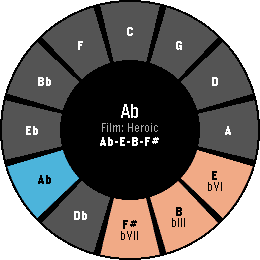
Tools & UtilitiesI'm trying to teach myself how to improvise on the piano. I often find myself needing to pull up the circle of fifths or search for progressions. Having all of this on my wrist helps me iterate through things quickly. With the upcoming shipment of the Pebble Round 2, the circle of fifths naturally fits that display. The interface is designed for the Round 2 but works on other hardware as well. The main interface is built around quick progressions and their geometry on the circle of fifths. Users can cycle through a library of common progressions and try them out in any standard key signature. The app also includes a "key finder" to help novices like myself interpret what notes fit into which key signatures. Eventually, I'd love to make this more interactive and let musicians build and store their own progressions. Controls - UP/DOWN: Transpose Key - SELECT: Flip through the current genre of pre-built progressions - Hold SELECT: Browse all genres - Hold DOWN: Open Key Finder
 43
43Reservoir
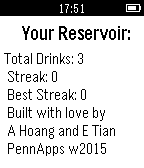
DailyReservoir will help you keep track of your daily water consumption habits and running statistics over time. We hope to make staying hydrated as effortless and entertaining as possible: say bye-bye to realizing after a workout or class period that you are parched! Our team hoped to tackle the growing trend of mild dehydration among Americans, by encouraging consistent water intake to reach the daily recommendation of 8 servings. Studies and our personal experience has shown huge impacts of dehydration vs staying hydrated including energy levels, muscle recovery, and brain functions. We hope to extend the benefits of increased water intake to you! Key features: Automatic reminder system: pings your watch if you have not drank water in a while! Streak counter: rewards you for consistently reaching the recommended daily serving! Ease-of-use: don't worry about a companion app, or bluetooth, or internet connection! Fun icons and images: just because! Perfect For Anyone! We encourage everybody to be more aware of their hydration habits. While certain groups like athletes, students, elderly, or those with an illness need to be very conscious of their water intake, everybody can use a hand (or a watch :) ) in being aware of how much they should be drinking. For those who are interested, you can read about the biology of our thirst drive and its faults here: http://www.nature.com/nature/journal/vaop/ncurrent/full/nature14108.html
 43
43vibe2orient
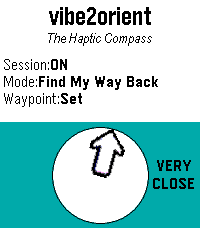
Tools & Utilitiesvibe2orient is an app to help you orient yourself without having to look at a screen, whether watch or phone. Stay in the moment, look around, and let your wrist vibrate when the top edge of your Pebble watch is pointing North ('North Sense' mode), or towards a specific waypoint to help you find your way back to that place ('Find My Way Back' mode). There is no need for a network connection. 'North Sense' mode doesn't even need a phone connection. 'Find My Way Back' mode uses the paired phone for GPS data. To get the best accuracy from the compass, try to keep your watch as close to level as possible (parallel to the ground). Long-press the Select button to get to the Settings menu.![Utilities Bundle 1 [Pebble Rocker]](https://assets.repebble.com/screenshots/52e1b51c267c8d420a00012a-1.png) 43
43Utilities Bundle 1 [Pebble Rocker]
Tools & UtilitiesInclude Camera Control, Phone Pager, Photos, and Tip Calculator watch apps. IMPORTANT: This watch app requires the Pebble Rocker companion app available via the Google Play store.