 590
590UK Transport
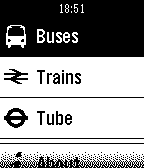
DailyThe must have Pebble app for people who use UK public transport. Look up upcoming bus and train departures from your closest stops and stations, and mark your favourites for easy access in the future. You can also keep an eye on the status of the London Underground.
 573
573Playback for Spotify
RemotesPlayback for Spotify Control Spotify from your wrist without reaching for your phone. Features -Now Playing: Track info, live progress bar, and album art (full color, dithered B&W, or full-screen on round displays). -Library Access: Browse and play from your Playlists, Saved Albums, Followed Artists, and Liked Songs. -Queue Support: Access your upcoming tracks directly from your wrist. -Advanced Playback Menu: Long-press 'Now Playing' on the main menu to easily toggle Shuffle and Repeat modes. Controls -SELECT: Open queue, press it one more time to Play / Pause -UP / DOWN: Next / Previous track -Hold UP / DOWN: Volume Up / Down (only works while playing on external speakers because of API limitation) -Hold SELECT: Toggle UP/DOWN buttons to Volume Mode (auto-reverts after 3 seconds) -Use touchscreen on supported watches(PT2, PR2) Setup & Requirements -Requires a Spotify Premium account and active playback on any device. -Setup uses secure OAuth (PKCE) and requires a free Spotify Client ID (a built-in tutorial will guide you). Supported Platforms: Aplite, Basalt, Chalk, Diorite, Emery, Flint, Gabbro. Open Source -Playback is fully open source. Check out the code, report issues, or contribute on GitHub: https://github.com/alex523ap/Playback-for-Spotify
 573
573Voice Note
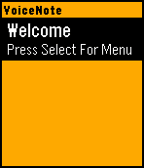
Tools & UtilitiesVoiceNote allows you to easily save notes to your watch with your voice. An easy to use menu makes it easy to navigate and select your desired option. To Create a Note: - Open the App - Click Select to go to Menu - Click Up to create a new note - Speak the Title - Speak the Subtitle To Expand a Note: - Highlight Note you want to Expand - Click Select to go to Menu - Click Expand Menu To Delete a Note: - Hold Select when the note you want to delete is highlighted. Many more features will be coming in a future updates. Please message me if you find any bugs or want to suggest a feature. If you like the app, please consider donating here http://bit.ly/VoiceNoteDonate
 571
571Brain Dump (index01 for your pebble)
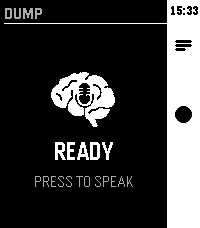
Tools & UtilitiesVoice-first brain dump app. Hit the middle button, speak your thought — it gets routed to AI, Notion, Google tasks, Todoist or saved as a local note.
 564
564Travel
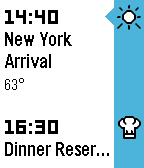
DailyTravel info in your timeline. Flights, reservations, weather, reminders, and more. Connect with TripIt® to automatically sync trips. Travel + First Class Upgrade Your Travel Experience ============================ Real-time flight status notifications, Priority Access, and the exclusive Departure watchface. One time $2.99 in-app purchase via KiezelPay. Learn more in Travel's settings. Have a question or need help getting started? Tap "email developer" near the bottom of this page. Available In: English, Español, Français, Italiano, Nederlands, Português, Svenska This product uses the TripIt API but is not endorsed or certified by TripIt. Flight data powered by FlightStats®. Weather data powered by Dark Sky. Learn more at http://travelapp.rocks
 560
560Pokedex Challenge
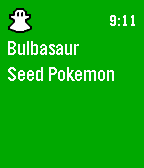
GamesTake part in the Pokedex Challenge and become the Champion! You've received a call from the legendary Professor Oak, and he has an important task for you - complete the Pokedex! Catch wild Pokemon as they pop up in your timeline and collect their data. You'll only become champion if you catch 'em all! Directions •Pokemon will appear at random times throughout the day •You can only catch one Pokemon at a time •If multiple Pokemon pop up at once, or if it's been a while since you've seen one (>12 hours), you can re-populate them by opening the app from the menu Controls •When the wild Pokemon notification pops up, click Select and choose 'More' to reveal the Pokemon •From this screen, click Select again and choose 'Catch!' (the Pokedex will automatically open to their new entry) •Then, click Back twice to exit the Pin and Notification to reveal the Pokedex •To navigate, use the Up or Down buttons •To skip blank entries and navigate to the next caught Pokemon entry, simply hold Up or Down •To see data on height and weight, click Select •To see your Trainer Card, which shows Pokedex progress and game duration, long hold Select Misc •Think you have what it takes to be the best? Post pictures of your trainer card in the official Pokedex Challenge thread on the Pebble forums or reddit to get added to the leaderboards! •As always, if you love it, give it a <3 and thanks for playing! Credits •Forked from Buchenherz's "Pokedex Kanto", which was built off of shutdown27's original "Pebble Pokedex" •No official relation to Nintendo/Game Freak
 558
558Destiny Strap
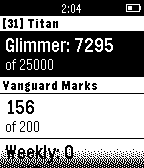
GamesDestiny tracker for marks and glimmer. Heart the app for additional improvements, such as rep tracking, raid tracking, or alerts!
 552
552Find My Phone
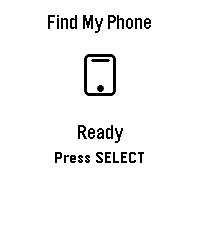
Tools & Utilities## Find My Phone **No companion app required - works directly through the Pebble app!** Never lose your phone again! Find My Phone helps you locate your misplaced phone instantly with a loud, attention-grabbing alarm - right from your wrist. ### Features: - **No Companion App Required** - Works directly through the Pebble app, no extra downloads needed - **One-Button Operation** - Simply press SELECT to activate the alarm - **Customizable Melodies** - Choose from 5 different alarm sounds to suit your preference - **Loud Audio Alert** - Plays a distinctive melody on your phone that's easy to hear - **Visual Feedback** - Animated display shows when the alarm is active - **Haptic Feedback** - Your watch vibrates to confirm the alarm is running - **Continuous Alarm** - Keeps playing until you press SELECT again to stop it ### How to Use: 1. Open the app on your Pebble 2. Press the SELECT button (middle button) 3. Your phone will start playing a loud alarm 4. Follow the sound to find your phone 5. Press SELECT again to stop the alarm ### Customize Your Sound: Access settings through the Pebble app to choose from: - Classic Find (Default) - Pleasant ascending melody - Urgent Alert - Fast alternating tones - Gentle Reminder - Soft repeating pattern - Emergency Siren - Loud alternating siren - Door Chime - Simple two-tone chime ### Perfect For: - Finding your phone under couch cushions - Locating your phone in another room - Quick phone location when you're in a hurry - Anyone who frequently misplaces their phone **Simple. Effective. Essential.** No more frantically searching for your phone. Just press a button and follow the sound! *** **Technical Notes:** - Requires Bluetooth connection between watch and phone - Compatible with Android devices running the Pebble mobile app - No additional apps or subscriptions needed - Settings accessible through the Pebble app configuration *** ### A Note from the Dev (FAQ & Troubleshooting) Hey there! I want this app to be as useful as possible, but because we are working with classic Pebble firmware, there are a few platform limitations I can't bypass. Here is what you need to know: **Q: Does this work on iPhone / iOS?** * **A:** Sadly, no. I would love to bring this to iOS, but Apple's strict background and browser limitations completely block the app from triggering the audio. It is currently strictly for Android. **Q: My watch is buzzing, but the phone is completely silent. Help?** * **A:** Double-check your phone's **media volume**! The app triggers audio through your phone's standard media channel. If your media slider is turned all the way down or muted, the sound won't come through. **Q: Can you make the app automatically turn up my phone's volume or override silent mode?** * **A:** Man, I really wish I could! This is the number one feature I want to add. I actually pushed for an official change to the SDK so app developers could control phone volume, but the system firmware just doesn't support that level of access control right now. If the platform team ever opens up that door, I'll be the first to implement it! Until then, we just have to wait and see.
 538
538Get Back To
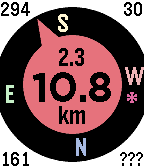
Tools & UtilitiesGet back to a previous location, or go to one selected from your list of favorites - built on the original by samualmr but now shows GPS accuracy, bearing, speed and heading, supports a list of favorite locations and pinning locations to the time line, features a proximity warning (for public transport users who like to read) and a car mode (for when the compass won't work), monitors the Javascript more closely and allows tweaking of the way the GPS is called for improved performance. A long press on the Up button enables car mode. A long press on the Select button sets the target to the current location or one of the favorite locations set in the configuration menu. The format for these locations is label: latitude longitude (e.g. "Home: -37.6543 144.5678"), or you can just enter a label (e.g. "Home:", to which it will append your most current location), or you can enter a street address, with or without a label, which will be passed to Google to resolve. A long press on the Down button saves the current location to the time line. See the instructions on the settings page for more details. Displays are as follows: Top left = direction of travel (when available); Top right = accuracy in metres or yards; Bottom left = bearing to target; Bottom right = orientation of watch (or ??? if not available, or --- in car mode); Top centre = speed in km/h, mph or knots (when available); Centre = distance to target; and Bottom centre = units. See the web site link for more details. If you like it, please give it a heart.
 514
514Touchy Weather - Weather App
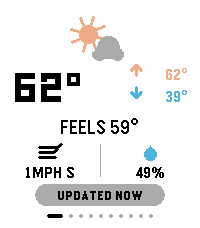
DailyTouchyWeather is a playful, card-based weather app for Pebble that mixes useful forecast data with personality for touchscreen Pebble Watches. It is the most feature complete weather application for the Pebble Platform. It’s designed around fast swipes, quick glances, and weather advice that is very practical. Keywords: weather, forecast, pebble, smartwatch, touch, swipe, current conditions, temperature, feels-like, wind, humidity, hourly forecast, 6-hour outlook, week ahead, 4-day forecast, precipitation, rain probability, UV index, air quality, AQI, sunrise, sunset, sun cycle, moon phase, night sky, golden hour, blue hour, weather radar, meteorology, climate, real-time, touch-first, wearable, glance-first, weather app, widget, interactive, customizable, weather cards, location-based, atmospheric, radial gauge, dynamic guidance. Included Features: ✓ Real-time current conditions (temperature, feels-like, high/low) ✓ Wind speed & direction display ✓ Humidity tracking ✓ 6-hour hourly forecast ✓ 4-day week-ahead view ✓ Precipitation probability charts & alerts ✓ UV index gauge with risk classification ✓ Air Quality Index (AQI) with health context ✓ Sunrise & sunset times ✓ Moon phase & illumination percentage ✓ Golden hour & blue hour timing (for photographers) ✓ Live weather radar imagery ✓ Touch-gesture controls (swipe, pull-to-refresh) ✓ Personality-driven weather advice ("Touch & Go" card) ✓ Fully customizable card layout ✓ Multi-platform support (rectangular & round displays) ✓ Location-aware weather data ✓ Celsius & Fahrenheit support ✓ Dark mode / theme options Device Compatibility: Pebble Time Round, Pebble Time 2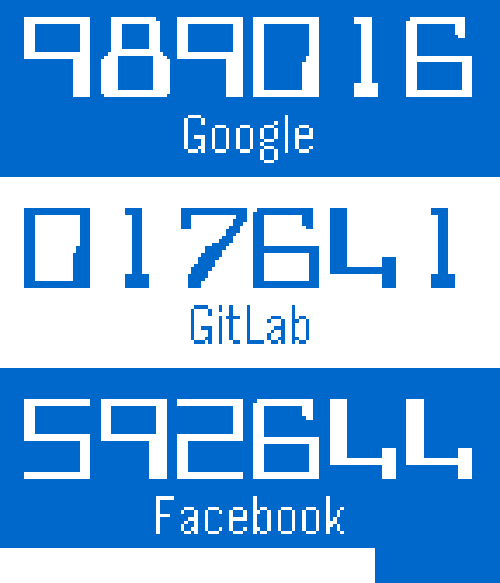 510
510QuickAuth
Tools & UtilitiesGet your one time codes from your Pebble! Just add your keys using the configuration page and use two-step authentication without the Google Authenticator application on your smart phone. Tested with Google, Facebook, Dropbox, Evernote, GitLab, and Amazon Web Services. Previously called PebbleAuth.
 506
506Mr. Runner - UP
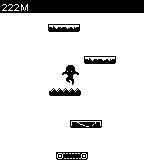
GamesThe newest Mr. Runner game, Mr. Runner - UP is on your Pebble now! *Tilt your Pebble to play *Cute animation *Cool Power-ups *4 types of platform What are you waiting for? Download and play now!
 496
496Custom Workout Timer
Health & FitnessEasily create custom interval timers (with names) for your workouts. This app will time you and alert you when to change moves based on your own workout program. Example: Plank for 2 minutes, 10 biceps curls, pushups for 45 seconds... etc. You can add create workouts and add moves from your phone or your computer. Moves can be time (plank for 1 minute) or rep based (10 pullups). In a time move, you set the length and Pebble will advance to the next move when the countdown timer ends. On a rep move, you can manually advance when you are done with a set/rep. Pebble will advance when you've done all the reps. After installing, locate this app on the phone's Pebble app, then click on the settings icon. You can add workouts and moves from there.
 494
494Commute
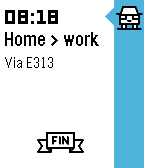
DailyGet live traffic information for your commute at a glance! See how long it'll take you to get from your current location to work or home – including how much you'll be delayed by traffic jams along the way. Better yet: have your watch tell you when to leave for work thanks to Commute's Pebble timeline integration. Magic! Brought to you with ♥ from the beautiful, traffic-stricken land of Belgium. Traffic data supplied by Google Maps.
 492
492Slate
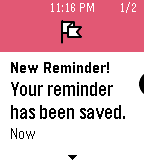
Tools & UtilitiesApple has Siri. Microsoft has Cortana. Now Pebble has Slate. Instantly add reminders to your Pebble Timeline simply by telling Slate what you need. Say "Remind me to/about <task> at/on <date/time>" and like magic, you'll have a reminder pin in your Timeline! Coming soon: - create a timer with a few magic words - add calendar events - get quick answers like, "How many cups in gallon?"