 50
50pReader
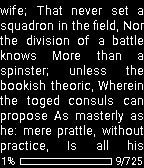
Tools & UtilitiespReader - watchapp for reading plain text (.txt) files stored on your phone. Key features: - Built-in file browser, - Displays text correctly in any language (if supported by the phone), - Support for different character sets, - Automatic detection of charset, - Customizable appearance. The application works only when connected Pebble to the phone.
 50
50A Micro Western
GamesEnter "A Micro Western"! A fun, simple reaction game. Press SELECT to draw and shoot! Features 20 levels of difficulty, from slow loras to cheetah. Your current level is saved when you quit! Artwork by Kirby Evers.
 50
50Timer Repeat
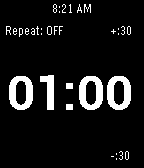
Tools & UtilitiesThis app is a simple countdown timer that vibrates when the countdown is done. You can set it to repeatedly countdown. Great for working out, switching tasks, intervals, or just a reminder to take a break. Up/Down to change the time. Hold Up/Down to change the step size of the timer. Select to start/stop timer. Hold Select to turn the Repeat ON/OFF.
 50
50TimePulse
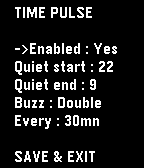
NotificationsTime Pulse is a practical timekeeping app designed to assist you throughout your day. - With Time Pulse, you can set specific intervals for notifications, helping you stay aware of the passing hours. It's especially nice if this feature isn't supported by your watchface. Here are some key features: - Minimal battery usage: Time Pulse utilizes the Pebble wakeup_schedule function, ensuring it has virtually no impact on your device's battery life. - Background efficiency: Time Pulse does not run in the background, so it does not occupy the background app slot. -Offline customization: Customize Time Pulse directly from your watch without the need for internet connectivity or external servers. Time Pulse is your reliable companion for staying on schedule. (Forked from "nag for Pebble" from YGalanter)
 49
49WeatherDay
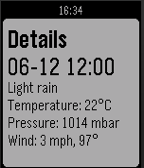
DailyWeatherDay is an pebble application who give you the weather each hour. It is the powerful weather app available on the pebble store.
 49
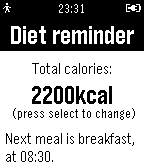
49Diet reminder
Health & FitnessApp reminds you to eat healthily, five times a day
 49
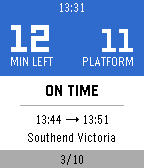
49Locomo
DailyStart Locomo when going to work or returning home and stop worrying about which train is next and which platform you need to go to. Locomo will show you how much time you have left, if your train is on time and which platform you need to go to. It uses geolocation to detect if you are going from home to work or the other way around. Use the up and down buttons to navigate to earlier or later trains (or refresh by going all the way up). The middle button will switch modes between going to work or returning home. Only works in the UK (for now).
 49
49Simple calculator
Tools & UtilitiesLets you do addition, subtraction, multiplication, and division all on the power of your wrist.
 49
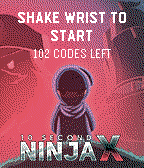
4910 Second Ninja X Challenge
GamesCount to ten and instantly win a copy of 10 Second Ninja X on Steam Four Circle Interactive and Curve Digital unveil a brilliant new initiative which will reward anyone with a Pebble smartwatch and the ability to count to 10 with a free PC copy of 10 Second Ninja X. There’s a catch, of course: You need to be able to count to 10 exactly, to within 100th of a second. 10 Second Ninja X on PC and consoles distils the puzzle platformer down to its purest form. Players assume control of a highly nimble and deadly ninja, tasked with destroying an army of hostile robots using cunning, speed and lots and lots of throwing stars. Don’t let the title seduce you too much – reaching the end of the game won’t be easy. The game’s smartly designed to ensure that each level is a puzzle in itself. With just 10 seconds (maximum) to destroy all enemies, players will need to combine brain with throwing stars in order to meet each level’s objectives, with lightning-fast reactions required to be rewarded with a perfect score. 10 Second Ninja X boasts 100 immaculately designed levels. Whilst much of the challenge comes from demonstrating the dexterity and reactions necessary to traverse each level – players with real skill will want to complete each quickly. It’s out now on PC, Xbox One, PlayStation 4 and Vita. www.10second.ninja Instructions: Shake wrist to start timer Shake wrist to stop. Up button - about the game Middle button - retrieve prize if you've won it already Down button - further information
 49
49Easy Note
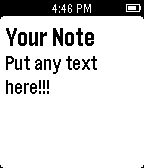
Tools & UtilitiesSimply enter any text you want to see on your Pebble and access it at any time. **Note: Your Pebble must be connected to your phone.
 49
49Pebble Adventure
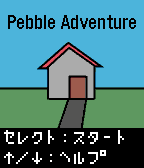
GamesPebble Adventure: An adventure game like Japanese home computer games in 1980s. Language : Japanese ------ 1980年代のホビーパソコンのようなアドベンチャーゲームです。あなたはこの家から脱出して、感動のエンディング見ることができるか?!
 49
49My MTA Bus
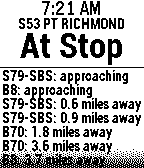
NotificationsReal-time bus arrivals for the entire New York City bus system. Define up to 8 bus stops using stop codes. All routes arriving at a given stop are shown in arrival order. Scroll down for additional details about each arrival. Repeatedly press select button to choose your preferred route at a stop. Entering an invalid stop in configuration turns the number red bold.
 49
49AlarmNote
Tools & UtilitiesDaily alarms with custom notes, automatically rescheduled to the next day. Great for taking various different pills on a daily basis. (Do not rely totally on these reminders. Bugs may be present, even though I have tried to verify correct working in many situations.). Time changes are not handled and would be hard to handle. Just select "reset alarms" when changing time zones.
 49
49Phone Battery Monitor
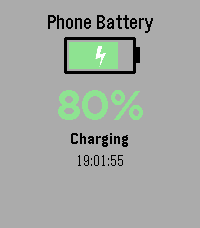
Tools & UtilitiesNever wonder about your phone's charge level again! Monitor your phone's battery directly from your Pebble watch - perfect for when your phone is charging in another room. Key Features: • Real-time battery level display with large, easy-to-read percentage • Visual battery indicator with color-coded status (green/yellow/red) • Animated charging indicator - see at a glance when your phone is plugged in • Instant updates when battery level or charging status changes • Manual refresh with SELECT button • Vibration alert when your phone reaches 100% charge • Current time display • Works on all Pebble models How It Works: Simply install the app and it will automatically connect to your phone. The watch face shows your phone's battery percentage, charging status, and a visual battery icon that fills up as your phone charges. The lightning bolt animation lets you know when charging is active. Perfect For: • Monitoring charging progress from another room • Keeping track of your phone's battery without checking it constantly • Getting notified when your phone is fully charged • Peace of mind when you can't see your phone Requirements: • Pebble watch (all models supported) • Smartphone with Battery Status API support (most modern iOS and Android devices) Stay connected and never miss a charge cycle again!
 49
49Touch Test
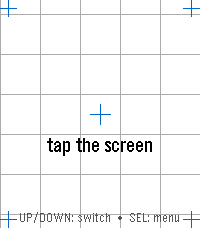
Tools & UtilitiesTouch Test — Watch Hardware Diagnostic A menu-first hardware diagnostic suite for your Pebble: 16 self-contained tests covering touch, buttons, motion, compass, heart rate, health, ambient light, haptics, sound, backlight, Bluetooth, battery, display, and device identity — fast, no-fuss, and event-driven so it won't touch your battery. Open the Diagnostics menu and tap or scroll to any test. SELECT opens it; BACK returns to the menu from any test, and BACK again from the menu leaves the app; holding BACK exits from anywhere. Sixteen diagnostics on Pebble Time 2, fourteen on Pebble Round 2: • Touch — tap anywhere and a red marker drops exactly where the watch registered your touch, with the raw x, y coordinate over a reference grid and crosshairs. The quickest way to check whether your touchscreen is aligned. • Zones — sweep your finger across the whole screen; each zone turns green until every one has registered ("ALL ZONES OK"), so you can find dead spots. SELECT resets and runs it again. • Buttons — press and hold BACK, UP, SELECT, or DOWN and watch the matching on-screen button light up, with a sustained "held" state while you keep holding. • Motion — a live tilt bubble-level, per-axis X / Y / Z readouts, and a "SHAKE!" flash, driven by the accelerometer. • Compass — a live needle and heading, plus a calibration view with a 16-sector heading-coverage ring and guidance for getting a clean fix. • Heart Rate — filtered and raw BPM, a pulsing heart glyph, and a scrolling trace of recent samples. • Health — steps, distance walked, active time, calories, sleep, and your current detected activity. • Haptics — six vibration patterns, with a waveform preview so you see the pattern before you feel it. SELECT plays the next one. • Touch Haptics — tap the screen and feel it buzz where you touched. A tap in the top half gives a short pulse, one in the bottom half a long one, with a crosshair marking the spot and a running pulse count — so you can check both that the vibration motor responds and that the watch registers your touch where you actually put your finger. • Piano (Pebble Time 2 only) — a one-octave touch keyboard with octave shift, waveform selection, and a 3-voice chord test. • Backlight (Pebble Time 2 only) — a color wheel; touch it to tint the RGB backlight LED to any color, with a live hex readout. • Bluetooth — live phone-app and PebbleKit connection status, a dropped-link counter for each, and a link-latency ping to your phone. • Battery — charge percentage as a filled ring, plus charging and plugged indicators. • Display — full-screen test patterns (color bars, gray ramp, solid colors, checkerboard, grid, edge-alignment frame) for spotting dead or stuck pixels. SELECT cycles the patterns. • Device Info — model, color, firmware version, resolution, free memory, and the detected hardware capability list — the first screen to check what your watch claims to be. Built for Pebble Time 2 (emery) and Pebble Round 2 (gabbro) — the Pebble models with a touchscreen. Lightweight and entirely event-driven: nothing polls in the background, so it won't drain your battery.