 52
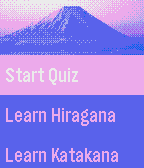
52Kana Teacher
Tools & UtilitiesLearn hiragana and katakana on the go! Test your knowledge in a highly configurable quiz mini-game.
 52
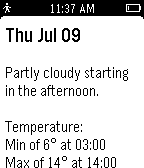
52Wrist Weather
DailyGet your local weather, right on your wrist!
 52
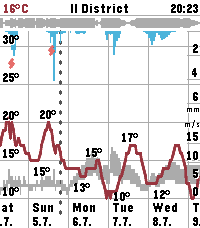
52Sae Weather Graph
DailyHighly informative weather forecast graph for Pebble Time 2. The only weather app you'll ever need! Sää [ˈs̠æː] is Finnish for weather. Sae is Finnish for rain. The app works globally. Displays 10 days of hourly values for: - Temperature, day's min/max - Precipitation - Thunder - Wind speed, gust speed, direction - Cloud cover level - Relative humidity - Air pressure - UV index - Sunrise/sunset times - Golden hours - Dark hours App controls: - Step forward/backward: press down/up - Toggle zoom: press select - Select location: long press select - View hourly values: touch the screen Data sources: - The Finnish Meteorological Institute (FMI) if you're in Finland or nearby - Open-Meteo elsewhere - Possibly others in the future Configuration options: - Units & formats - Data selection - Preset locations Open source. Or open slop. The app is 99% vibe coded.
 52
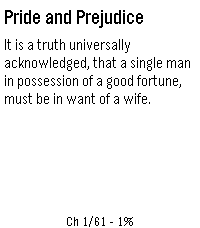
52Pebble eReader
Tools & UtilitiesRead EPUB books on your Pebble watch. Upload an EPUB via the in-app settings page, then read chapter-by-chapter with proper headings, progress tracking, and a chapter menu.
 52
52Tiny RPG Day
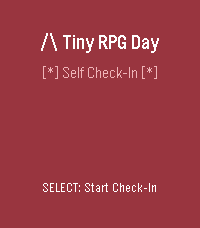
Health & Fitness# Tiny RPG Day *Your inner world, as an RPG character.* A self-awareness companion for Pebble smartwatches that transforms your current mental and emotional state into an RPG-style character—complete with class, narrative, and suggested quests. ## ✨ What Is It? Tiny RPG Day isn't a game—it's a **tiny mirror**. Through quick check-ins throughout the day, it reflects your energy, mood, social battery, focus, and overwhelm as a playful character profile. Are you a **Fog-Walker** trudging through mental haze? An **Ember Knight** blazing with focus? A **Cozy Druid** in perfect balance? Each check-in becomes a chapter in your daily story, tracking how your inner state evolves from dawn to dusk. **Core Philosophy:** Supportive, not competitive. Clever, not childish. A companion, not a judge. ## 🎮 Features - **Quick 5-step check-ins** — Rate your Energy, Mood, Social Battery, Focus, and Overwhelm - **14 unique RPG classes** — Dynamically assigned based on your state - **Narrative storytelling** — Each check-in is a "chapter" with time-of-day themes (Dawn, Journey, Return, Rest) - **Transition tracking** — See how your state changed since your last check-in - **60-day history** — Your story persists, viewable as a scrollable journal - **Time-aware visuals** — Background colors shift with the time of day - **Visual stat bars** — See your values as `[####--]` progress bars - **Progress indicators** — Track your check-in flow with `[**---]` - **Color support** — Beautiful colors on Basalt/Chalk/Emery, graceful B&W fallback on Aplite/Diorite
 52
52Focus
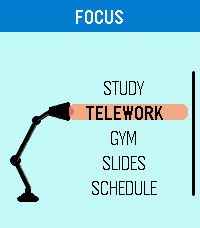
DailyFocus is designed around the essence of Pebble: extracting the greatest beauty and utility from simplicity. It is a flexible time management app built to help you stay on track and always know what comes next, with dedicated modes for Study, Telework, Gym, Slides, and Schedule. Use Focus to run structured study blocks, work timers, workout routines, slide-based sessions, or weekly schedules that follow real time automatically. Slides mode lets you configure and save custom decks, while Schedule mode lets you plan tasks by day and time so the app can guide you through your routine. Focus has been carefully adapted for multiple Pebble models, including round and rectangular displays, with platform-specific layout tuning for better readability and usability. Any feedback? https://forms.gle/ha6sMDPRn2WN4JHp7
 52
52RGB Backlight Test
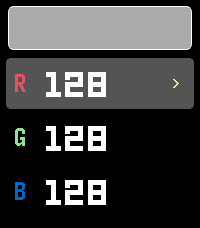
Tools & UtilitiesRGB Backlight Test A Pebble app for the Pebble Time 2 (Emery) to interactively test the RGB backlight using the new light_set_color_rgb888() API introduced in SDK 4.9.169. Features Live R, G, B channel adjustment with instant backlight feedback Color swatch preview (approximate 64-color display) Touch and button controls
 51
51Homework Manager
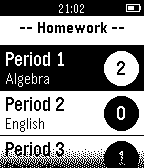
Tools & UtilitiesManage your current number of assignments in all your current classes. Update assignments inconspicuosly on your watch during class to help you remember.
 51
51Asteroids
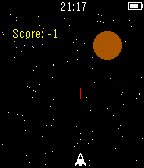
GamesA refreshing take on a simple classic.
 51
51StressBeGone
DailyFeeling stressed? Turn on StressBeGone and take a chill pill. SBG will lower your heart rate by vibrating every second to create a pattern, which your body will find calm. If there are any issues, please contact my support email ([email protected]). Enjoy!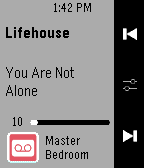 51
51ZP Controller
RemotesUnofficial SONOS controller. Please click the heart button if you like the app. Quick instruction: Please set the speaker ip-address at the phone app settings. Long press select button for 1sec to see list of ZP. Long press track button to change volume level.
 51
51Video Poker
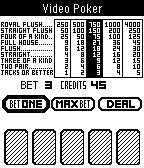
GamesPlay Video Poker on your Pebble. Bet from 1 to 5, and win from 1 to 4,000!!!
 51
51News v1.2
DailyRead the latest worldwide news headlines.
 51
51Fireplace
GamesThis app was written for using in long winter evenings...
 51
51Habitica Tasks
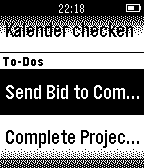
DailyThis watchapp lets you access your habitica (aka habitRPG) tasks and mark them completed. Select a task in the tasks list and press 'select'. The selected tasks get IMMEDIATELY marked as completed or scored up. For habits with up AND down direction/action you can choose the direction in the upcoming card. If you have a task with a checklist you access the checklist via the task. To mark these tasks as completed you have to 'long select' - press select for a longer time - them.