 59
59Aircraft
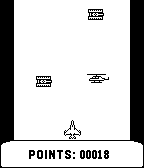
GamesCheck how long you can navigate the airplane without collision with enemies.
 59
59Timetable
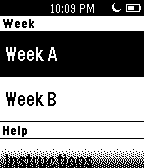
DailyTimetable is a bi-weekly representation of daily schedule designed for school. It can store a max. of 6 items per week day with small descriptions for each.
 59
59Stack Attack
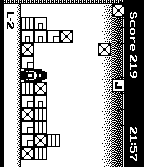
GamesFill as many lines at the bottom as possible. Use UP and DOWN buttons to walk left/right and to push crates. To jump use SELECT. To use super jump press SELECT twice. Jump against a falling crate to break it. Collect powerups to save you from the crates. Connect similar crates together in horizontal or vertical lines of 3 or more to make them disappear.
 59
59OSAdist
Tools & UtilitiesGet your bluetooth enabled OSAdist connected to your pebble and see your distance at a glance. Even if you are not looking at your pebble, vibration feedback will raise your awareness of a possible hazardous situation.
 59
59Sudoku
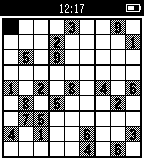
GamesSudoku is logic puzzle game also called Number Place.
 59
59Events 365
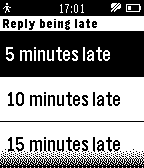
NotificationsThe app retrieves Office 365 Outlook events and displays them as a list, which you can then browse and see details of each event. Events are cached so they can also be browsed offline (even when Pebble is not connected to phone). Sync interval can be configured so that app checks for new/updated events periodically. The app will issue reminders 15 minutes prior to events (if you enable this in app settings). Additionally, if you're late to a meeting, you can reply with an "I'm being late" message. In this case you can select approximate delay (5, 10, 15, 20 or 30 minutes) and send the message. The message is configurable via app settings. Notice: Only Office 365 Outlook events are supported, but not Live calendar events. No companion app is required. The app is opensource, source code available on github. P.S. This app was NOT developed by Microsoft and is not affiliated with Microsoft. Office 365 is trademark and Outlook is registered trademark of Microsoft Corporation.
 59
59Chess Puzzles
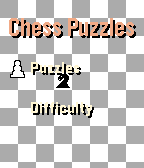
GamesNow with touch screen support! Sharpen your chess instincts from your wrist. Chess Puzzles brings real, rated tactical puzzles from Lichess directly to your Pebble watch. No phone staring required. Just press a button, think, and play. ## Features - **Real puzzles, live from Lichess** — every session pulls a fresh rated puzzle from the world's largest free chess server - **Offline-ready** — your last fetched puzzle is cached on-watch; 7 fallback puzzles ensure you can always play, even without a phone - **7 difficulty bands** — from Easiest (~600 Elo) to Expert (~2400 Elo) - **Wrong-move feedback** — a short vibration and "Wrong! Try again" keep you honest without giving the answer away ## Future features [ ] **Puzzle solved counter** — your lifetime solve count is tracked in persistent storage [ ] **Solve calendar** — daily puzzles mark the calendar so you can track your streak [ ] **Support for round screens** - Chess puzzles on any Pebble
 59
59SP Settings
Tools & UtilitiesThe SetPebble Settings app is for controlling your custom settings all from your Pebble watchface. To use this utility app, enter the same serial number that you use to store your custom settings for SetPebble-enabled apps. You will next see a list of all your SetPebble apps that are linked to your serial number. Select and app and then select the setting to change. SetPebble apps include Fair Weather, Big Weather, Maptastic, Earth, Pocket Glider, Blue Marble, Cool Weather, Night Sky, Camoodle, Medical ID, Radar, and many more. Visit SetPebble.com for the full list. If you don't have SetPebble apps, then this utility app is not for you. However SetPebble users will enjoy the convenience of changing their watchface and app settings without pulling out their smart phone!
 59
59Smart Audio Recorder
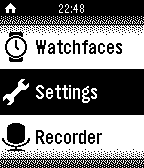
RemotesRecord Meeting, Lecture and anything interesting/funny where ever you are with a touch of a button on the pebble watch, in a most elegant and discreet manner.
 59
59Squash Scorekeeper
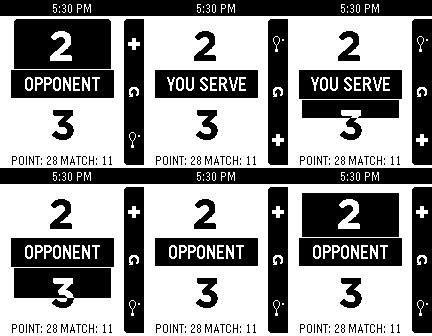
Health & Fitness"What was the score?" "Whose serve is it?" Keep track on your Pebble! Includes timers to solve the "did I already press the button?" scenario. Reset by long-pressing the middle button. Now winning scores & scoring type are configurable so it can be used for other variations of squash and similar games (racketball / raquetball)!
 59
59Autoinsult for Pebble
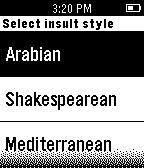
DailyWhenever you need an unorthodox insult line - this app will be there for you. Select insult style from - Arabian - Shakespearean - Modern - Mediterranean. Based on autoinsult.com
 59
59MyLOL
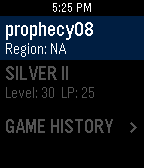
DailyMyLOL is the latest and greatest League of Legends Companion app for Pebble! Features: * Profile and Game History Data * Current Game data with images * Free Champion Rotation * Built in Pebble to Pebble Messenger Getting Started: * Download the app to your Pebble Time and/or Pebble Time Round. * Open configuration page: > Choose a MyLOL messenger username > Enter a summoner name > Select summoner's region > Enjoy MyLOL! For more information visit: https://github.com/MitchellRoy/MyLOL-Pebble-App MyLOL isn’t endorsed by Riot Games and doesn’t reflect the views or opinions of Riot Games or anyone officially involved in producing or managing League of Legends. League of Legends and Riot Games are trademarks or registered trademarks of Riot Games, Inc. League of Legends © Riot Games, Inc.
 59
59RunPee for Pebble
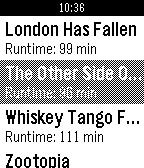
NotificationsDon't miss out on the best parts of a movie because you had to go to the bathroom! RunPee for Pebble shows you the best times to run to the bathroom, right on your timeline. Just select a movie and start the app when you start the movie. Be a whiz-kid, use the app. (This app is third-party from RunPee and is unaffiliated with RunPee.com. I love the app and thought it would be great as a Pebble app. Definitely go buy the Runpee application!)
 59
59Yamaha AV Remote
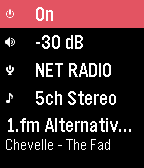
RemotesA simple control watchapp for the basic functions of your network-enabled Yamaha AV receiver. Never look for the remote again! Tested on a RX-V479 but should work on all models compatible with the official AV CONTROLLER smartphone app using the YNC/A protocol. This watchapp is unofficial and not endorsed or supported by Yamaha. Features: - Power toggle - standby/on* - Volume control & mute - 2-click preset scene launch, or manual input selection (HDMI, Spotify, Pandora, Airplay, Sirius, Net Radio, USB, Bluetooth, UPnP, Tuner...)** - DSP program selection - Basic playback control & info - previous track, next track, play/pause (if supported by the source) - Near real-time status updates, no need to refresh manually Not supported: - Multiple devices or multiple zones - Source browsing (menus) - Advanced sound & video settings * Ensure the 'Network Standby' feature is activated to be able to control/turn on the device when in standby mode. ** The available scenes & inputs are retrieved from the device configuration and may differ depending on the settings, the model and market availability.
 58
58Pillbox for Pebble
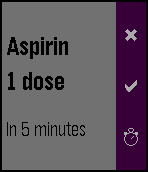
Health & FitnessThis application will ensure that you or the people around you never forget to take the prescribed medication. Define what to take, when and how often, and forget about it. Pillbox for Pebble will issue reminders in time and remember if you confirm, cancel or delay the consumption.