 61
61Doorbell
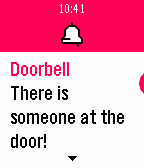
NotificationsPushes a pin to your timeline every time your doorbell rings. For this to work you will need to hook up something (Arduino, Raspberry Pi, ESP8266,...) to your doorbell to call the appropriate URL everytime it rings. NOTE: the number requests is limited to 3 per minute or 5 per 5 minutes.
 61
61ToDoIt
Tools & UtilitiesToDoIt is a a checklist app with daily reminders. You can customize few times a day, when you want to be reminded about planned tasks. You can use voice to add new tasks. Easily track what you have done and what you still need to do.
 61
61Wikipedia Nearby
DailyFind interesting places around you by looking for Wikipedia articles near your current location. Note: Wikipedia Wordmark is a trademark of the Wikimedia Foundation and is used with the permission of the Wikimedia Foundation. We are not endorsed by or affiliated with the Wikimedia Foundation.
 61
61CPR Timer (Adult)
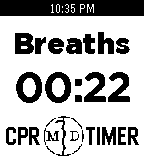
Tools & UtilitiesAn app designed assist in the correct provision of adult CPR on patients without an advanced airway (30:2). The watch vibrates at 100/min to time compressions. After 30 compressions, the app times breaths at 15/min. When breaths are complete, press the "UP" button to restart compressions. *Beta Version for training purposes only* By: Michael R. DiBenedetto [email protected] 61
61Glyph
Tools & UtilitiesShare anything, instantly. Glyph lets you store up to five QR codes on your Pebble - social media profiles, contact links, Wi-Fi credentials, payment links, or any URL you share often. When you need to share, just raise your wrist and let someone scan right off the screen. No fumbling with your phone. QR codes are generated on the watch itself, so they're always ready. Flip through your saved codes with the up and down buttons, and a label tells you exactly which one is showing. Set it up once from the Pebble app on your phone, and it just works. *Note: Claude Code was used in the generation of this app.*
 61
61MirrorMsg
NotificationsMirrorMsg is the most advanced messaging client for Pebble. Log in to your accounts and see all your live conversations in chat threads that scroll through the entire chat, with rich modern features: thumbnail previews, HQ images, animated GIFs, video playback, emoji reactions, threaded replies and more. Works with Google Messages, WhatsApp, Telegram, Discord and Facebook Messenger natively, with no separate login beyond the app itself. Already on Beeper? Connect Signal, Instagram, Slack, iMessage and more through it too. NEW IN 0.91 - Watch Google Messages videos right on your wrist (Pebble Time 2). Tap to pause or resume. - Animated GIF previews play right in your chats - Color emoji, and GIANT emoji - Touch controls and zoom on Pebble Time 2 SWITCHING ACCOUNTS Every account you connect has its own conversation list. To switch, scroll to the top of your chats and hold UP, then pick an account and press SELECT. On Pebble Time 2, pull down from the top of the screen from anywhere in the list and choose an account. REPLYING Hold SELECT in a chat and the reply menu slides in, with your conversation still visible beside it. Reply by voice, pick a color emoji, or send one of your quick replies. Open a message first to react to it or reply to it directly, where the network supports it. On Pebble Time 2, pull the reply menu in from the right edge of a chat or message, tap to choose, and swipe right to close it. TOUCH AND ZOOM (PEBBLE TIME 2) - Tap a chat to open it, and tap a message to see it in full - Swipe right to go back from any screen - Zoom: double-tap, keep your finger down on the second tap, then drag down to make things bigger or up to make them smaller. Lift your finger to keep the size; every screen remembers its own. EMOJI - The 100+ most popular emoji show in full color in your messages and in the reply menu. - Open a message that's only emoji to see them GIANT: a single emoji shows huge, and two or three show big, two per row. - Pebble's notifications only support 64 emoji; everything else arrives as blank tofu boxes. MirrorMsg swaps unsupported emoji for the closest one Pebble can render, so the message still makes sense instead of turning into "□□". BROWSE DISCORD LIKE A REAL CLIENT Not just DMs: your full server list, channels, per-server notification controls, and infinite scroll through history. You won't miss a meme, because animated GIFs work! Requires an active MirrorMap subscription (Routes or Dash) to unlock message mirroring. Enter your code right here in this watchapp's settings. Get a subscription at mirrormap.app. Android companion app: the MirrorMsg Android app is required and is on the Google Play Store. Search for MirrorMsg or follow the companion app link below. MirrorMsg's Android app is fully open source (AGPL-3.0): github.com/killdano/mirrormsg Emoji art: Twemoji by Twitter/X and contributors, CC-BY 4.0
 61
61Legend of Pebble
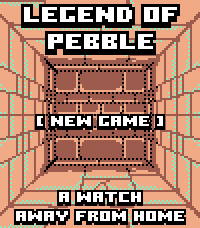
GamesLEGEND OF PEBBLE A first-person dungeon crawler RPG for your wrist. THE STORY You check the time. The watch flares. The world twists. You wake in a rift ruled by the Signal Keepers. Ten floors. Merchants. Bosses. Break the Signal. Get home. FEATURES • First-person exploration (Grimrock-style) • Stairs up/down — revisit merchants, beds, chests • Turn-based combat with enemy HP on screen • Signal Magic — Heal, Purge, Decode (SELECT cycles) • Weapons, armor, chest upgrades • Merchants — potions, gear, spells, carryable MAP/REST • Puzzles — keys, plates, blocks, teleporters, secrets, pits • Mid-boss The Keeper · final boss The Architect • Fair gold: first kill full, second 25%, then capped • Save/Continue · amber/teal pixel art (Time 2 + Round 2) CONTROLS UP: Forward / Attack DOWN: Turn left (hold: inventory) / Cast in combat SELECT: Turn right / Cycle spell·potion / Confirm BACK: Run (not vs Architect) HOLD SELECT: Minimap (UP = legend) TOUCH Top/Bottom/Left/Right: move · Center: menu Combat: tap DOWN icon to cycle; tap below to cast CREDITS Fork of Dungeon Escape by Brian Ouellette (GPL-3.0). https://apps.repebble.com/dungeon-escape_4d6fde68a2b047ef83381221 @brianenders.bsky.social · art lineage: Clint Bellanger Thank you Brian — this would not exist without your game.
 60
60Destiny Tracker
DailyDestiny tracker for up to date information on your characters, including: Power Level, Grimoire Score, Vanguard/Crucible/Cryptarch and Faction levels and progression, Primary and Secondary stats. Please note: this app is written in Pebble.JS and therefore may have small delays in loading information.
 60
60Modern Caffeine
Health & Fitness1.1.1: fix loading settings from watch Tracks caffeine intake and metabolism to monitor current caffeine level. Caffeine consumption is logged by configurable button presses and state is persistent across application exit. Shake or press Select button to reveal current caffeine level, date, battery, and bluetooth indicators. Based on Modern by Łukasz Zalewski and Modern Minimal by Jway5929.
 60
60Accelerometer
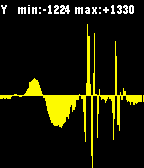
Tools & UtilitiesA real-time, auto-scrolling auto-scalling accelerometer readings plotter Buttons: - SELECT: toggle the axis (X/Y/Z) being plotted. - (2x) UP/DOWN: (jump) scroll left/right - 2x SELECT: vibrate - LONG SELECT: change (10hz/25hz/50hz) sampling rate (UP/DOWN) For more information read: http://developer.getpebble.com/2/guides/accelerometer.html
 60
60Aces Up
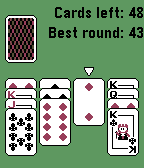
GamesAces Up is a solitaire card game for Pebble. The simple gameplay makes the game perfect on the Pebble. How to play: Aces are high. Press the deck to deal 4 new cards. If there are two cards of the same suit, you can discard the lowest-value on with the select button. If there is an empty spot, you may move another card to the spot by selecting the card and then the empty spot. Win by ending up with the 4 aces left. Enjoy!
 60
60Money Maker
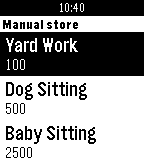
GamesThanks for 50 ❤️'s! WARNING: Can have high power consumption! Please ❤️ Money maker Debugged by johannesn. Awesome leaderboard by Kyle H. Click the middle button. Make money, and then more money, then more money. Then Click down for the main menu. Click 'manual jobs' (Jobs that increase how much you get from each click) Get a new job by paying the money below the job name. This will make it, so you get more per click - price ÷ 50. Click 'auto jobs' (Jobs that work themselves, and don't need to be clicked) Get more people by paying the money below the name. This will make it, so you get more per second - price ÷ 100. Keep an eye on your arrested chance! Every minute it goes up by 5%. You can lower this by doing good deeds. If you get arrested, you must wait 5 minutes. You cannot make money at all during this. If you leave during the sentence, you must serve five more minutes. Click 'houses' (every five clicks you get your house bonus) Get a house by paying the money below the name. This will make it, so you get more per five clicks - price ÷ 50. Click 'items' (Cool stuff you can buy) Get stuff by paying the money below the name. Click 'multipliers' (boost your money making for 60 seconds) Get a bonus by spending the money below the name. This will make it, so you get more money for 60 seconds. Keep on doing this until you own... THE WORLD!! If you see any glitches, email me at the email below. There is a reset button if needed. Disclaimer: No actual money is involved with playing this app/game
 60
60Rocky Reality
GamesBedrock Bros. --- Rocky Reality a demo for a Pebble Time smartwatch 2nd place at Evoke 2016 in Alternative Platforms http://www.pouet.net/prod.php?which=67961 Credits: @hbehrens -> code, animation lastfuture -> gfx, animation tools Comments: Demake of Future Crews's PC Demo "Second Reality" for Pebble Time Smartwatch (64KB RAM, 64 color e-paper). Original: Second Reality - Future Crew for Assembly 93 http://www.pouet.net/prod.php?which=63
 60
60Health Hub
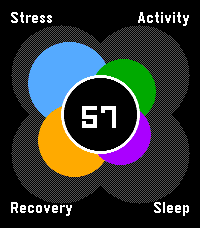
Health & FitnessA hub to view your daily health (stress, activity, sleep and nightly recovery) all in one spot. Designed to be reminiscent of the early Pebble health windows. It uses app glance to give you a quick sense of your overall status (out of 100) throughout the day.
 59
59Bibble
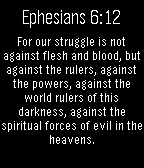
DailyBibble (Verse Of The Day) A simple app that allows you to easily reach the "verse of the day" from the Bible, directly at your wrist. It shows the daily verse using the free API Bible.org (https://bible.org) Bible version used is NET Bible® (http://netbible.org) in English language.