 58
58Breathe
Health & FitnessTake a moment to breathe. In the hectic life that we have now, take a step back and take a moment to collect our thoughts. Features ‣ A soothing circle animation with gentle pulses to indicate inhale/exhale ‣ Reminders to breathe: Choose when they start and how often reminders appear ‣ A slew of settings: Choose what colour the circle and background are, how fast the breathing pace should be, and many more! Download now and enjoy breathing. Français On vit aujourd'hui dans une société qui nous demande beaucoup, toute la journée. C'est pourquoi il faut prendre un moment pour respirer et réfléchir. Fonctions: ‣ Une animation relaxante et des vibrations légères pour vous indiquer d'inhaler/exhaler ‣ Des rappels pour respirer: Choissisez quand commencent les rappels, et la fréquence à laquelle ils surviennent ‣ Beaucoup de réglages: Choissisez la couleur du cercle et la couleur de fond, ainsi que la vitesse des respirations, et encore plus! Téléchargez maintenant et respirez maintenant! Español Vivimos hoy de manera muy conectada a todas horas; por eso, es necesario tomar un rato para relajarse, y respirar. Esta app te ayudará a descansar. Características ‣ Una animación relajante con vibraciones ligeras para indicar una inspiración/exhalación ‣ Recordatorios para respirar: Puedes escoger cuando empiezan los recordatorios, y la frecuencia de éstos ‣ Varios ajustes: Escoge el color del círculo, el color de fondo, la rapidez de las respiraciones, y ¡mucho más! Descarga ahora y ¡respira ahora! tags: breathe, respire, exhale, inhale, mindful, meditate
 58
58PTV Schedule
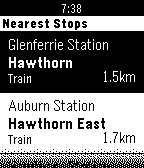
DailyView the latest schedules for public transport in Melbourne. Currently supports arrival times for scheduled Trams, Trains and Buses. The app is based on PTV's latest up-to-date schedule data. For live Tram arrival data, use the TramFinder app also from this developer.
 58
58Snow - Deprecated
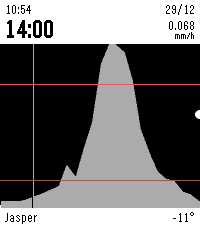
DailySnow is a Pebble app that shows you a graph of the upcoming snow for your location for the next 24 hours (per hour), and for the next 72 hours (per 3 hours). This is very useful when you want to go skiing or snowboarding! Upcoming snow is drawn as a light grey filled graph. Other upcoming precipitation is drawn as a light blue line. This app has a trial of 24 hours and costs only $0.99. Payments are handled via KiezelPay. Features: - Snow and other precipitation forecasts - Temperature in °F or °C - Multiple locations - Choose your own refresh rate - 24h (per hour) and 72h (per 3 hours) forecasts - Vibrate when refreshed - Adjust the scale of the graph Use the updated Rain app instead, this has all precipitation types. Please give it a ❤️ if you like it :) Keywords: snow, forecast, rain, hail, weather, ski, snowboard, skiing, snowboarding, winter
 58
58Building Blocks
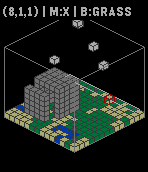
GamesBuilding Blocks!!! This is a simple game that is uses blocks! (This is a WIP) How to play! Up - Switch axis through X, Y, Z and B (Block type) Down - Move through current axis Select - Place current block type at current position This is a work in progress, feel free to email me and tell me about bugs! "Its like LEGO for Pebble!"- P1X3L Please Heart it!
 58
58My BART
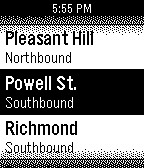
NotificationsGet realtime BART train arrivals. Scroll to a station, press LONG SELECT to switch between northbound and southbound. Press SELECT to see the next few arrival times of the various lines. Automatically updates every minute. The stops you pick frequently move to the top of the list. Summary of arrival times is followed by full details.
 58
58Power Nap
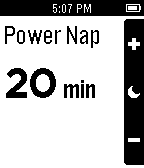
Health & FitnessTake a power nap and be awoken by gentle vibrations. Customize the nap length to fit your schedule. New in version 1.2: Alarm now stays set if you exit the app while one is set.
 58
58Guitar Pitch
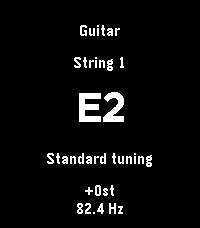
Tools & UtilitiesPitch reference for guitar, bass, and ukulele using speakers. Global transpose. Choose tunings. Manual: * Select or tap to start playback. * Long select for parameters. * Up/down to change string. Not yet tested on real hardware
 58
58Pomodoro
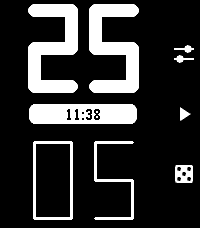
Daily• Auto-flow: Switches between work and rest timers automatically with a vibration. • Roll the dice: Randomly set your work and rest durations. • One more minute: Quickly add a minute to your current timer when you need just a little more time. • At a glance: Runs in the background and shows a live countdown in the app menu (on supported devices). • Custom durations: Set the default work and rest durations. • Distraction-free: A minimal interface that stays out of your way.
 57
57Telldus Live!
RemotesPebble app for connecting to Telldus Live! Control you lights and appliances from your wrist.
 57
57Pebble Wunderlist Companion
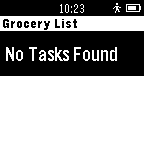
DailyThis is a Pebble App written to allow users to view Wunderlist Lists and Tasks on their Pebble Watch. This is not associated with Wunderlist. Wunderlist is a trademark of the 6Wunderkinder company. The application has a setting page that requires a login before the application will function. The application also allows you to complete a task. Requires Internet connection!
 57
57reqallable
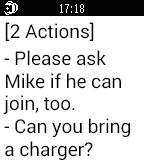
Notificationsreqallable makes your Pebble Smartwatch even smarter by letting you act on what matters most in your email and text messages. reqallable automatically prioritizes messages from important contacts based on your calendar, communications, activity and location. reqallable parses emails and texts to present only the most critical details, and offers pre-formatted responses for quick replies.
 57
57Maze Craze
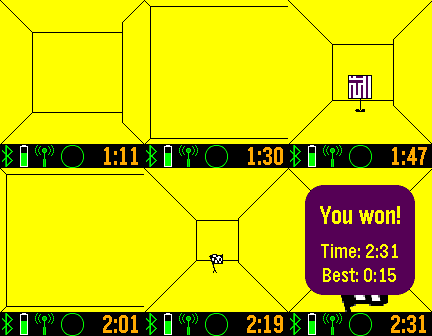
GamesFind the flag in the maze, and see other players in the maze also. Use the up and down buttons to turn, and the middle button to move forward. A long press of the middle button will open an options menu. There is an option for tilt navigation control. Discover helpers in the maze to show the map, compass heading, flag proximity, and flag direction. Network play limited to iOS and Android 4.4+. More levels available to subscribers. Track your progress at https://SetPebble.com/mazecraze
 57
57Contractions
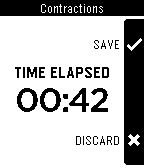
Tools & UtilitiesTrack labor contractions on your Pebble! Why fumble with smartphones? Put the log & timer on your wrist. Pencil & paper is fine, if you carry a stopwatch everywhere. Smartphone apps are ok. Try checking logs while calling your midwife. Plus, how long will that battery last? Let us help you cross the finishing line of pregnancy! Made by a loving husband for his pregnant wife. Enjoy!
 57
57Reality Check
NotificationsWatch will vibrate after a set number of minutes. The watch face is simplicity. Use the up and down buttons to adjust the number of minutes between reality checks. Use the select button to choose the number of pulses per check (Up to 10 pulses). Made for those who would like to know how quickly their lives are slipping by, as well as those who are trying to lucid dream.
 57
57Pebble Studio
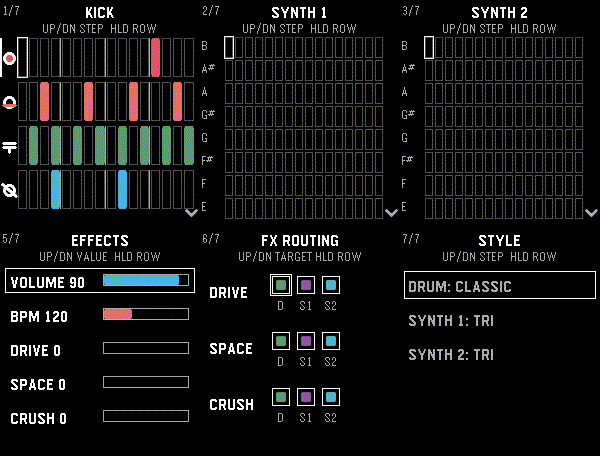
Tools & UtilitiesMake music on your Pebble! Pebble Studio is a playful 16-step sequencer with percussion, two polyphonic synthesizers, effects, and live controls. For speaker-equipped Pebble watches. Drum pads and chaos pads are included for Pebble watches with touch screens.