 65
65WhisperClock
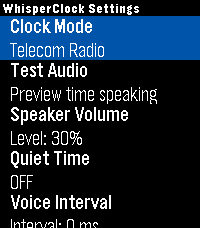
Tools & UtilitiesTimekeeping should be accessible to everyone, in any situation. WhisperClock is a discrete, audio-first utility designed exclusively for the Pebble Time 2, delivering the exact time directly to your ear through spoken audio clips. Whether you are navigating a visual impairment, keeping your eyes safely on the road, or checking the time in the middle of the night without waking up to a blinding screen, WhisperClock provides immediate, glance-free awareness. Built for efficiency, WhisperClock entirely bypasses background sensors by default, ensuring zero battery drain when not in use. Core Features: - Tactile Quick Launch: Integrates directly with PebbleOS Quick Launch. Trigger a time readout via a discrete, physical button hold—no need to look down or navigate menus. - Audio-First Interface: Features a 16-bit audio engine with real-time upsampling and a custom active-silence drip feed for crystal-clear playback on the Pebble Time 2. - Deep Customization: Tune your audio experience with a software-driven volume scaler, adjustable speech intervals, and dynamic audio trimming to strip silent tails off audio clips. - Experimental Physics: An optional, hands-free physics engine allows you to trigger the time using arm movements (via Dynamic Time Warping) or by tapping the watch glass. 100% Open Source: Privacy and transparency are paramount. WhisperClock is MIT Licensed. Inspect the code, fork the repository, or even contribute your own native language voice pack!
 65
65MazeCrawler
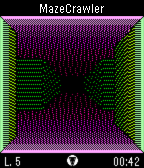
GamesA 3D first-person maze-navigation game and the foundation for SpaceMerc and PebbleQuest. Search each maze for its exit, marked by a hole in the ground, to earn points and unlock up to 12 achievements! UP: Press/hold to step forward. Press twice to turn left. SELECT: Open in-game menu; make selections. DOWN: Press/hold to step back. Press twice to turn right.
 64
64Button Lock for Pebble
Tools & UtilitiesPrevents accidental button presses, this actually does nothing when you press a button. Assign the app as one of your quick launch apps, then lock your Pebble with a single long press of a button. In order to quit the Button Lock application, just long press the BACK button.
 64
64Tennis Pro
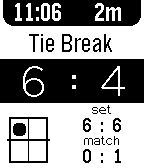
Health & FitnessKeep track of your tennis match with ease, for free! - Highly configurable - Config and game data saves locally - Allows for multiple game lengths - Tiebreak/NoAd/ProScore modes - Serve tracking - Unlimited undo's Plenty more features will be coming to Tennis Pro in coming releases.
 64
64start9
DailyDisplays the current screen of Twitch Plays Pokemon once a minute. Currently in very early alpha testing. To view the live stream, visit http://www.twitch.tv/twitchplayspokemon This app is neither affiliated with Twitch.tv nor The Pokémon Company. We just thought you might want to follow along from your watch.
 64
64Pebble Tips
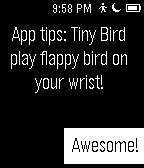
Tools & UtilitiesLearn about Pebble tips and apps, test your Pebble knowledge by answering Pebble questions right from your watch. Correct answers are submitted as contest entries (optional) for weekly prizes and a grand prize of an iPad. To opt into the contest, read and agree to the terms and conditions in the app settings page.
 64
64Revolution YachtTimer, StopWatch, Countd
Health & FitnessA version of Revolution Watch but as an App with Stopwatch, countdown, YachtTimer and Adjustment features.
 64
64Pebble Nav HUD
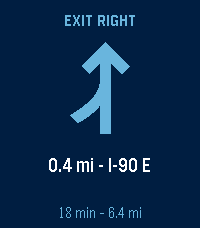
Tools & UtilitiesGoogle Maps turn-by-turn directions, on your wrist. REQUIRES a free companion app for Android: https://ryan-mooney.com/pebble-nav-hud Android only. There is no iOS version, because iOS does not let an app read another app's notifications. Start navigating in Google Maps and the next maneuver appears on your Pebble: the arrow, the distance, the street name, and how much of the trip is left. The buzz tells you WHICH WAY. A left ends on a long pulse, a right opens with one, so you can take the turn without looking down. That is the whole point of it. - 18 maneuvers, each with its own arrow: turns, slight and sharp turns, U-turns, merges, ramps, and roundabouts that know which way they go round - At the end, which side of the street the destination is on, counted down like a turn - A rerouting screen with its own double buzz, so a stale arrow is never mistaken for a live one - Time and distance to the destination, and your arrival time in the launcher - Seven languages, taken from your watch's own setting - Text size, three icon styles, six colour themes including one you set yourself - A rotating globe on the idle screen, with real continents on it Everything is set on the watch itself. Hold SELECT. The companion app requests NO Android permissions and cannot reach the network. It reads only Google Maps' navigation notification, and sends what it finds to your watch and nowhere else. Open source, MIT licensed.
 63
63Wink Shortcuts
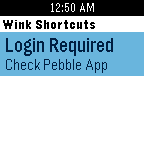
RemotesWink Shortcuts on your Wrist! Wink Shortcuts on Pebble is a lightweight application designed to get to your Wink Shortcuts quickly and easily. The app is free and does not require any companion apps. Quick Instructions: 1. Download the app. 2. Go to the Pebble app and select Wink Shortcuts settings. 3. Log into your Wink account and tap Save. To speed up the loading process, the first time your shortcuts get loaded, they also get cached inside the app. This saves loading time and helps you get to your shortcuts faster! When you add or delete shortcuts to your Wink App you can easily refresh the list by selecting "Refresh" from the menu. A few notes: The number of items below the shortcut name includes groups as well as devices. This app was created using the Wink API but it is not made by Wink. There's no collection of data by the app and all the credentials are sent to Wink directly. If you find any issues please let me know.
 63
63Streaks
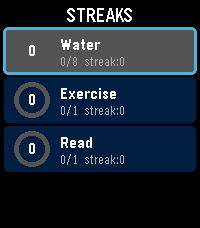
Health & FitnessTrack your daily habits and build streaks right from your wrist. Streaks is a simple, colorful habit tracker for Pebble that helps you stay consistent with up to 6 customizable daily goals. Set up habits like drinking water, exercising, reading, meditating -- anything you want to do every day. Each habit gets a vibrant progress ring that fills as you tap toward your daily goal. Complete your goal and feel the satisfying buzz. Keep going day after day to build your streak. Features: Track up to 6 daily habits Customizable names, goals (1-20), and colors for each habit Visual progress rings with completion animations Streak counter tracks consecutive days Best streak memory to beat your personal record Quick-tap to increment from the list, or open detail view for full stats Works on rectangular (Emery) and round (Chalk) Pebble watches Settings configurable from your phone via Clay Build better habits, one day at a time.
 63
63RPG Dice Roller
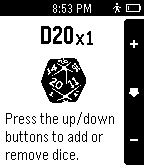
Tools & UtilitiesAre you an avid pen-and-paper tabletop game player? Forget your dice at home for your next D&D, Shadowrun or Pathfinder session? Take your dice on the go with this app, and roll some digital dice with the flick of your wrist!
 63
63Codex Pigeon
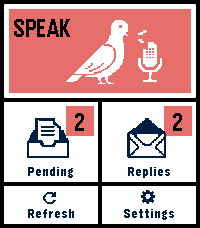
Tools & UtilitiesCodex Pigeon turns a Pebble Time 2 into a small voice mailbox for GitHub and Obsidian. Dictate a note on the watch, review it, and send it to a private GitHub repository as a Markdown file. Later, refresh the app to read replies or dictate a follow-up in the same conversation. Touch controls and the physical buttons both work throughout the app. Codex Pigeon is a transport tool, not a hosted AI service. It moves messages between the watch and a repository you control. What happens on the home computer is entirely your choice. You can use Codex, Claude, another model, a local model, a simple script, or no model at all. The Codex workflow is the only model-based setup tested end to end for this release. HOW IT WORKS The watch sends each request as a separate file in the repository's inbox folder. A process on your computer can read the request and create a matching file in the replies folder. GitHub carries the files between devices, while Obsidian presents them as ordinary local notes. The file-per-message design keeps the mailbox append-only and reduces merge conflicts. Dismissing a reply hides it on the phone and watch only. It does not delete the GitHub or Obsidian copy. SETUP 1. Create a dedicated private GitHub repository. For example, create a private repository named pebble-mailbox under the fictional account example-user. Inside it, create folders named inbox and replies, plus a file named Conversation.md. Commit and push the initial structure. 2. Create a restricted GitHub token. In GitHub, open Settings, Developer settings, Personal access tokens, Fine-grained tokens, then Generate new token. Limit repository access to the single mailbox repository. Grant only Contents: Read and write. No administration, workflow, issue, pull-request, organization, or account permissions are required. Use an expiration date and store the token safely. github_pat_EXAMPLE_NOT_A_REAL_TOKEN is a fake example and must not be used. Never put a real token in source code, documentation, screenshots, Obsidian notes, or chat. 3. Connect the repository to Obsidian. Clone the mailbox repository onto the home computer. You can open that folder as a dedicated Obsidian vault, or clone it as a folder inside an existing vault. Git performs the synchronization; Obsidian does not need a Git plugin unless you independently want one. 4. Configure Codex Pigeon. In the Pebble phone app, open Codex Pigeon settings and enter the repository owner, repository name, branch, and fine-grained token. Example values are example-user, pebble-mailbox, and main. Test the connection, then save. 5. Choose what processes incoming notes. A local worker can periodically pull the repository, find inbox files without matching replies, perform the requested work, write the response to replies using the same message ID, optionally update Conversation.md, then commit and push. Codex Pigeon deliberately does not install that worker or decide what it may access. Configure your local tool with the permissions and project boundaries you consider appropriate. Watch messages should be treated as untrusted input, not as automatic permission to access unrelated files or services. NO-AI USE AI is optional. Codex Pigeon can be used as a voice-to-Markdown inbox, an append-only remote notebook, an input for a rules-based script, or a way to capture notes for manual review in Obsidian. Without a local worker, requests still reach the repository; replies simply remain manual. PRIVACY AND LIMITATIONS Use a private repository dedicated to this mailbox. Do not dictate passwords, API keys, payment information, clinical identifiers, or other highly sensitive material. The GitHub token is stored in the Pebble phone app's app-specific local storage. This is not equivalent to the iOS Keychain. Revoke the token if the phone is lost, and use Erase credentials before transferring the device. The paired phone must be connected over Bluetooth and the Pebble phone app must be available. If iOS has force-quit the companion app, reopen it before refreshing. Version 0.4 supports Pebble Time 2, Round 2 platform. Tested on Time 2, stable battery and function. This is a beta of a small project, things can go wrong, or, just not be as good as you want them to be. Feel free to write me about any problem, or any idea.
 63
63God Says...
DailyThis watch app really speaks to you. It's about God speaking! It gives over 110 random verses and creeds on your wrist and you can click to refresh them if you want to go thru God's word in places you can't take out your phone. These are some of the best scriptures in the word!
 63
63Call-Messenger
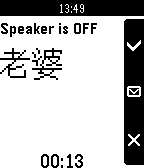
NotificationsThe app is an unicode version of phone-remote interface. It can display unicode name of incoming call, and remote controls your phone to pick up or hang off the call. Or hang off the call and sending a SMS. It's only working with "Pebble Messenger".
 63
63Nearby Specials
NotificationsGet Nearby Specials from the nearest venue listed on Foursquare.