 67
67Prubble
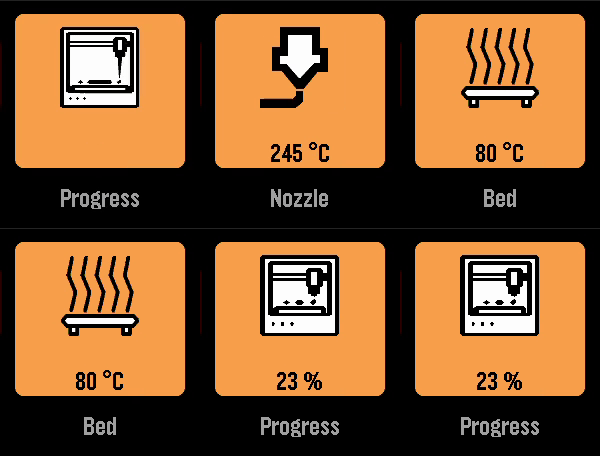
Tools & UtilitiesA Pebble app to check the status of your Prusa printer. To use it, you need to enable PrusaLink on your printer and enter the printer’s IP address and PrusaLink API key. Currently, the app only works when your Phone is on the same network as your printer. I am working on support for Prusa Connect.
 66
66Find Cache - geocaching
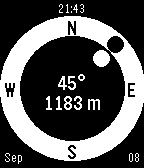
Tools & UtilitiesGeocache companion for Pebble! Configure to set multiple cache locations. Use a simple menu to choose a cache and follow easy directions to find it. Your heading (the white dot) is estimated from the movement of your phone. Align it with the target direction (black dot).
 66
66Электрички
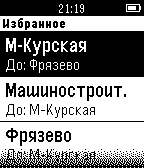
DailyRussian train schedule. Приложение, которое отображает расписание электричек на основе Яндекс расписаний. Есть возможность автоматического поиска ближайших станций в заданном радиусе на основе геолокации телефона. Эта версия не требует приложения компаньона. Внимание! Для корректной работы приложения на часах должна быть установлена прошивка с кириллическими шрифтами. По непонятной причине не работает на iOS!
 66
66StopWatch
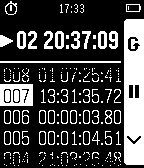
Tools & UtilitiesSupports - English, French, German and Spanish. A handy time measuring tool. You can create up to 10 independent timers and/or stopwatches. There are in fact no limits for maximum measured time. Stopwatches offer precision of hundredths of a second, support split time, and have a 30 lap history. Timers notifies you using vibrations. The app is optimized for battery saving by refreshing time display only once per second. Everything is of course persistent: the time continues counting even when the app is turned off and timers wake up the app to show notification. Do you like this app? Rate it with a ♥. Have you found a bug? Do you have another feedback? Send me a email.
 66
66Mini Golf Touch
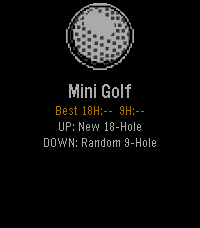
Games⛳ Pebble Mini Golf... Now with Touch Controls A fully playable mini golf game for Pebble smartwatches — now with full touch screen support on Pebble Time 2 and other touch-enabled models. Take on 18 hand-crafted holes or a randomly generated 9-hole course. Drag to aim, drag to set power, tap SHOOT — or use the buttons if you prefer. Sink it in as few strokes as possible — hit too hard and the ball lips out, just like real golf. Features 18-hole course — hand-crafted holes ranging from simple straights to tricky doglegs, bumpers, and moving obstacles Random 9-hole course — procedurally generated every round so no two games are the same Realistic physics — fixed-point ball movement, wall bounces, friction, and lip-out on hard putts Scorecard — tracks every hole with a clean two-column layout and your total vs par Best score tracking — your best round is saved and shown on the home screen Save & resume — quit mid-round and pick up right where you left off Haptic feedback — feel every bounce and hole-in on your wrist Touch Controls Aim - Drag anywhere on the green Set power - Drag the power bar on the right Shoot - Tap the SHOOT! button Button Controls Aim Phase: UP - Rotate aim clockwise DOWN - Rotate aim counter-clockwise SELECT - Lock direction BACK - Return to menu Power Phase: UP - Increase power DOWN - Decrease power SELECT - Shoot BACK - Back to aim Platforms Supports all Pebble models: Aplite, Basalt, Diorite, Emery, and Flint. By Brooman Inks Check out my other apps and watchfaces! Any suggestions let me know - [email protected] venmo.com/u/brooman-inks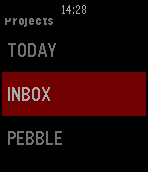 66
66MyTodoist
DailyThis app displays your Todoist's task list and allows you to complete or uncomplete tasks. It is basic but it does the work. You need your api key to use it. Go in the settings of the Todoist website, in the "Account" tab. You can use one of my app to copy paste it on your phone : http://www.filesdnd.com
 66
66Checky
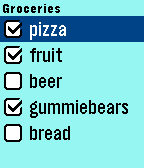
Tools & UtilitiesOffline Checklist Keeper Make lists with the accompanying Android app and view/check/uncheck on your Pebble.
 66
66Tube Status
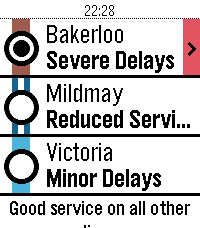
DailySee the line status of the London Underground from your wrist! Unofficial app using the TfL Unified API.
 65
65Apnea Breathing Master
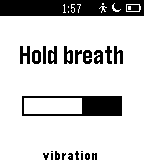
Health & FitnessApnea Breathing Master is an app used to train your lungs in order to increase its capacity so you can stay longer underwater when freediving. You should set a difficulty which is challenging to you but not too hard so you can practice 10-15 minutes, few times per week. You will notice the improvement in a week ! More features will come soon, if you have any suggestion just drop me an email :)
 65
657day ICS Calendar
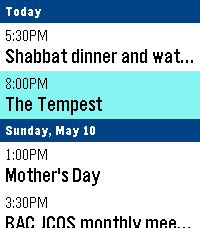
DailyLeave your phone in your pocket. 7-Day ICS Calendar brings your Google Calendar(any ICS should work) directly to your wrist, beautifully organized and always available—even when you're offline. Built from the ground up for speed, reliability, and a native Pebble feel, this app securely bridges your private Google Calendar directly to your watch, ensuring you never miss a meeting. Key Features: AppGlance Support: See your next upcoming meeting directly on your Pebble’s system launcher menu without even opening the app! (Pebble OS 4.0+) Extreme Customization: Long-press the Select button on the main menu to open the Settings. Instantly toggle between Dark/Light Mode, switch to Large Fonts for better readability, or choose to show/hide past events. True Offline Support: Going for a run without your phone? Your events are permanently saved to the watch's internal memory. Close the app, open it later, and your schedule is instantly there. Battery-Conscious Sync: The app uses a smart background caching system to prevent battery drain, waking your phone’s Bluetooth only when you need fresh data. Need an instant update? Just hit "Force Sync" in the settings menu. Scrollable Detail View: Click any event to open a dedicated detail view. Read massive event descriptions and long titles using the physical buttons to scroll, complete with a native top status bar so you never lose track of time. Universal Compatibility: Designed to support all Pebble hardware, including dynamic layout adjustments for the Pebble Time Round and high-contrast mapping for monochrome screens like the Pebble 2. Global Formatting: Fully respects your preference for 12-hour (AM/PM) or 24-hour time formats. How to Setup: 1. Go to your Google Calendar settings on a computer. 2. Find your calendar and scroll down to "Secret address in iCal format." 3. Copy that link and paste it into the App Settings page on the Pebble phone app. 4. Hit Save, and your watch will securely sync your next 7 days! If you enjoy what I am making don't forget to heart the app. If you want to support continued development, consider a donation: https://ko-fi.com/ericmccormick
 65
65Hooky
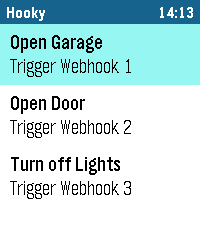
RemotesHooky lets you trigger webhooks from your Pebble smartwatch with a single tap. Control smart home devices, send notifications or connect your favorite services – simple, fast and reliable. Key Features: - Trigger as many custom webhooks as you need, right from your watch. - Custom name, description and button color for each webhook. - Full request control: GET, POST, PUT, PATCH or DELETE, with optional body and custom headers. - Cloudflare Access Service Token support for protected endpoints. - "Ask before running" confirmation for critical actions. - Instant feedback on your watch: Success, Error, Timeout, HTTP status, No phone, Not sent or No response. - Your webhook list is stored on the watch and shows up instantly. - Color themes, dark list, optional sound feedback and auto-close after success. - Touch controls on Pebble Time 2 and Pebble Round 2. - Reorder, duplicate, export and import your webhooks in the settings. Supported watches: Pebble Time 2, Pebble Round 2, Pebble 2 Duo, Pebble 2, Pebble Time, Pebble Time Steel, Pebble Time Round, Pebble and Pebble Steel. How it works: - Add your webhooks in the Hooky settings in the Pebble app on your phone. - Open Hooky on your Pebble, select a webhook and tap to trigger it. - See the result instantly on your watch. Note: - Requires an internet connection via your smartphone. - HTTPS is strongly recommended, especially when using tokens or custom headers. - Sound feedback is available on watches with a speaker (Pebble Time 2, Pebble 2 Duo). Disclaimer: This application was developed with the assistance of Anthropic's Claude. If you encounter any bugs, have ideas for new features or want to suggest improvements, feel free to send me a message! I'm always happy to receive feedback and make the app even better.
 65
65Brush teeth
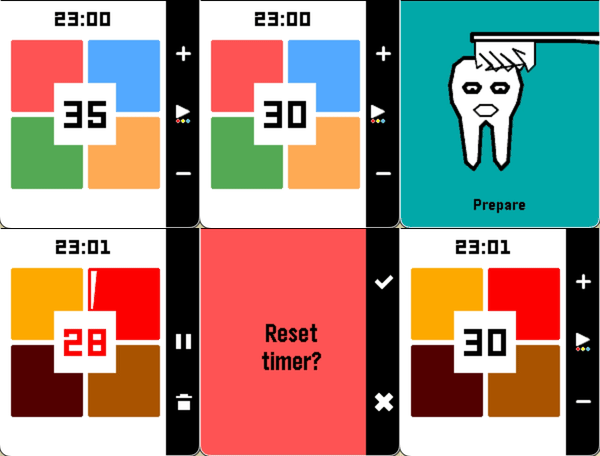
Health & FitnessA tooth-brushing timer divided into four sections — your wrist vibrates at each transition. Adjust the duration per section (up/down), swap color themes (long press select), or pause and cancel mid-brush. Supports app glances: start the timer, close the app, come back when your wrist tells you to.
 65
65Pixel Sampler
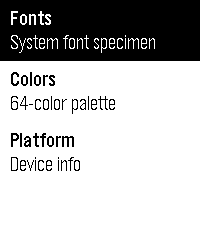
Tools & UtilitiesThe Pebble developer's on-wrist reference. Building a Pebble app and need to check what LECO 38 Bold looks like, or grab the hex code for GColorVividCerulean? Stop switching windows. Pixel Sampler puts everything you need right on your watch. Fonts — Browse all 25 Pebble system fonts (23 on older platforms). Select any font for a scrollable specimen page with sample strings: time, digits, letters, text, symbols. UP/DOWN navigates between fonts — when you hit the bottom of one specimen, the next font loads automatically. Colors — The full 64-color Pebble palette in spectrum order. Each row shows a color swatch and name. Select any color to see the full screen filled with it, along with the GColor constant name, hex code, and 2-bit RGB channel values. UP/DOWN scrolls through all colors without going back to the list. B&W platforms show the 4 actual gray levels. Platform — Your current device at a glance: platform codename, watch model, screen dimensions, shape, color depth, and health capabilities. All 7 Pebble platforms supported: Aplite, Basalt, Chalk, Diorite, Emery, Flint, Gabbro.
 65
65Leash
NotificationsNever forget your phone again! This app will give you a gently vibes whenever you leave your phone. Based on Bluetooth connectivity*
 65
65Timer
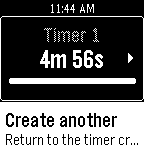
Tools & UtilitiesA general-purpose timer designed for aesthetic beauty and superb ease-of-use, this app allows you to create multiple countdown timers and a stopwatch. Countdown timers continue when the app is closed! (The alarm will not be able to go off if the app is not open, howeve.) We understand that your timer is an integral part of your daily workflow; if you have any input to share, we want to hear it!