 108
108Music Boss Time
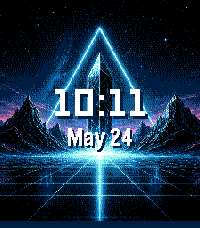
Remotes🎧 Music Boss Time is a premium media controller and media browser disguised as a watch face. Keep it on all day as you go about your daily hustle. Works with all your media/music apps*! Not a Music Boss Deluxe user yet? 🎁 Activate a fully unlocked 3-day free trial - all features included, nothing held back! • Features an album art-focused main screen with the time and date prominently displayed • Track progress ticks away to keep you informed on the current song • Customize visual elements to suit your style, and enjoy built-in media controls, volume support, and customizations for a truly personalized Pebble Music experience • Compatible with all your media apps (Spotify, Youtube, YouTube Music, Netflix, Plex, etc) 🎵 Play, pause, skip, and seek tracks from your Pebble 📺 Control apps casting audio/video to external displays or audio devices (e.g. Netflix, most music apps) ⏩ Manual Seek Mode* - jump within songs, podcasts, audiobooks, long tracks (*except OG Pebble) 🔊 Adjust volume on phone, Bluetooth devices, or while casting ⚡ Assign app-specific custom controls (e.g. Spotify DJ X) 👍 Rate songs (YouTube Music, YouTube, Spotify, more being tested) 🎨 Dynamic album art & themed UI ℹ️ View album art, title, artist, album, volume, and progress 🌈 On color Pebbles and Pebble 2/2 DUO, themes adapt to album art 📱 Watch Compatibility - Every Pebble Supported • Pebble Time, Pebble Time Steel, Pebble Time 2 • Pebble Time Round, Pebble Round 2 • Pebble 2/2HR/2 DUO Full support for album art, themes, customizations, and all features. Original Models: • Original Pebble • Pebble Steel Support album art! Manual Track Seek Mode does not function on the original models. Pebble Companion App Compatibility: • Classic Pebble App / Rebble • New Core Pebble App • microPebble Thank you for your support - whether you’ve been with Music Boss since the early days or you’re just discovering it now! *Media Browsing/Playback has been tested with: PowerAmp, Podcast Addict, Spotify, Musicolet, GoneMAD and VLC. Works with any app that supports Android Media Browsing. All assets in this listing are original and © Reboot's Ramblings 2013–2026.
 108
108MyTimeline
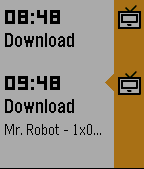
DailyPush your own Timeline pins to your Pebble. Use the Tasker plugin to send your own custom Timeline notifications. You can use variables for title/subtitle/body Open the app on your Pebble to get your Timeline token. Requires a Pebble Time or OG Pebble with firmware 3.0! Like it? give it heart then ;-)
 108
108Big Stopwatch
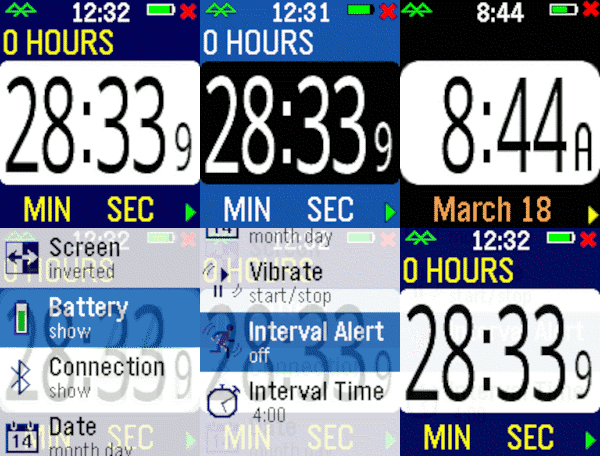
Health & FitnessHaving trouble seeing those small numbers while exercising? Try the Big Number Stopwatch and be able to check the elapsed time quickly. Press the bottom bottom for start/stop and the top button to reset the time. Pressing the middle button momentarily shows the current time, and a long press raises the settings menu. Customizable settings are available, plus the time is restored if you briefly switch apps.
 107
107Pebble Adventure
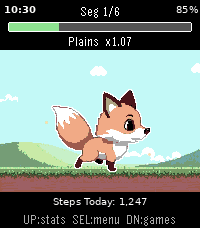
GamesPebble Adventure Walk further. Level up. Explore the world. One step at a time. Born from a love of Chao Adventure, Tamagotchi, and Ragnarok Online, Pebble Adventure is a pocket pet game that turns your daily steps into a living adventure. Your pet companion explores a pixel-art world of biomes powered entirely by how much you walk. The pet is always with you. A background worker tracks your steps around the clock, advancing your journey without ever opening the game. When you miss your pet and open the game, you will see how your pet has progressed. Encounters, biome crossings, even an adventure completion; the world continued, and now you can pick up with it. Every level-up awards stat points you allocate freely: invest in Strength and Agility to cover ground faster, or build Intellect and Luck to tip encounters in your favor. Stats compound over time, and each choice shapes the adventure ahead. Each biome has its own mechanical identity: Plains reward the steady walker, Caves favor the clever, Storms test pure resilience; each is fresh and difficulty scales as you push deeper. Between segments, optional minigames keep things tactile and can directly effect the progress of your adventure. Pebble Adventure supports both the **Pebble Time 2** (emery) and **Pebble 2 Duo** (flint) Pebble platforms, with hand-crafted pixel-art backgrounds for each display. Cute pet: A cute pixel pet that grows with you; step by step. Biomes: Beautiful pixel backgrounds, each with unique mechanics and graphical effects Passive step-driven progress: background worker advances adventures without opening the app Encounters: Random encounters effect adventure progress, even when the app the closed Minigames: Play games with your pet to pass the time and speed up your adventure Stats: Freely allocated stat points allow you to add a personality to your pet XP & leveling: Scaling XP based on multiple factors enables a full experience and level system for your pet Dual-platform: full color on Pebble Time 2, crisp B&W on Pebble 2 Duo; each optimized independently
 107
107MyFitnessPal Daily Stats
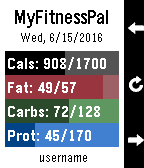
Health & FitnessMonitor your MyFitnessPal food diary right from your Pebble. Shows you progress of your daily totals compared to your goal for the day. Shows Calories and the first three other nutrients tracked in your diary settings. Buttons move backward and forward through the calendar so you can compare previous days. Food diary must be set to public for Pebble to gain access to your information. No password is required. If you like the app, please heart it in the app store. If you don't like it or would like to see additional features, please let me know and I will see what I can do. Remember, I can only read from your public diary. I cannot write to it. We are not affiliated with or endorsed by MyFitnessPal or Under Armour.
 107
107Flucht
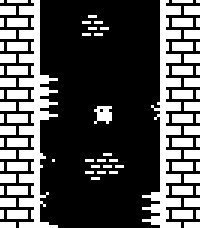
GamesWall jump as high as you can while avoiding dangerous spikes! This is a one-button game, with random level generation and local high scores. Select/Down: Jump (short tap is short jump, holding press is longer jump) Up: Toggle FPS counter display You can play a very similar version online at https://sergilazaro.itch.io/flucht NOTE: This hasn't been tested with any of the actual hardware, only with emulators. Feedback on performance is appreciated.
 106
106TramFinder
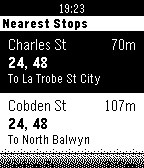
DailyGet live tram arrival times for the Melbourne tram network. The app uses TramTracker™ to display your closest tram stops, and gives you the next scheduled trams with minutes until departure. By Pete Hare, maintained by Peter Summers as Pete has moved out of Melbourne. If you like it, please give it a heart!
 106
106ThisButton
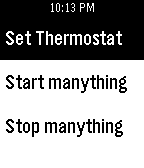
RemotesThisButton is your remote to control the outside world. Any If "THIS" Channel from the popular If This Then Than (ifttt) can be triggered to do a myriad of different tasks. Set your thermostat, start your security cameras, email your mom! If you can do it with ifttt, you can trigger it with ThisButton. Android SMS, Honeywell, GMail, Manything, Nest, Wink, and WeMo are just a few of the popular channels that ThisButton can trigger, right from your wrist! ThisButton is not affiliated, nor endorsed, by IFTTT or any of it's associated services.
 106
106What's That?
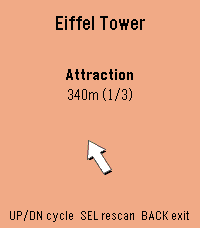
Tools & UtilitiesWhat's That? is a more whimsical way of discovering interesting points of interest near to you! See something interesting in the distance? Simply point in its direction, and your watch will let you know what it is! Sometimes you are looking for something very specific, so in the app settings you can also choose what you want to look for (such as restaurants, tourist spots, or parks). When you're in the "pointing mode", you'll see a compass view with vibration cues for when you're pointing at a point of interest. One vibration means you're pointing at something. Continuing to point will lock in the selection (indicated by three vibrations). Once a point of interest is locked in, you'll get to a details screen for that POI. There, you'll see its name, distance from you, and a live arrow pointing to it. Let me know if you have fun with this project, and if you have ideas for how to improve it please let me know! You can email me at: my first name [at] my last name [dot] ca.
 106
106Draw - Sketch on your Wrist!
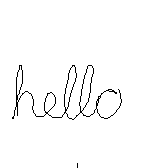
GamesDraw just by tilting your wrist! Note: Currently not compatible with Pebble Times. Working on fixing this and adding color. Send the drawing to your phone without sending anything to a server or needing a companion phone app. View the drawing on your phone by going to the 'Draw' app settings in the Pebble phone app. (Only tested with iPhone) iPhone users - To save, copy, send the image: 1) Hold down on the image in the 'Draw' settings in the Pebble phone app and tap Copy 2) Create a new note in the Notes app and paste into the note 3) Tap Done and then hold down on the pasted image, which will let you save, send, copy the image from there. - 1st Shake of Pebble: While not drawing, undo last pen stroke - 2nd Shake of Pebble: While not drawing, undo the undo or clear the image based on setting - Up Button: Re-center cursor - Select Button: Click to toggle 'pen' on/off, Hold for 2 seconds for Eraser - Down Button: Actions & Settings, including send image to phone
 105
105Button Press
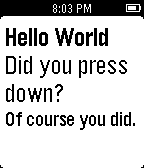
GamesJust a 15 year old learning how to write programs here. You can press the buttons or hold them and it will tell you what button you pressed. Enjoy :)
 104
104Etchist
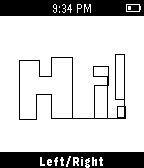
GamesEtchist turns your Pebble into an Etch-a-sketch! Use the select button to toggle between drawing up/down and left/right. Shake to clear the screen!
 104
104Sony TV Remote
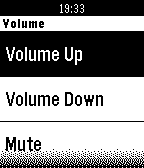
RemotesBe like a magician and send commands to your Sony Smart-TV. Available Commands: Volume Up, Volume Down, Mute Channel Up, Channel Down Guide, Options, Home, Confirm, Back, Info Up, Down, Left, Right Numbers 0-9 Make sure to enter your TVs IP-Address in the app settings. This Watchapp is not associated with the Sony Corporation or its subsidiaries.
 104
104Greedy Greedy Piggies
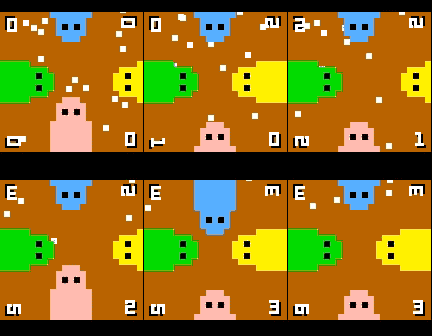
Games4 player dot munching, button mashing fun! Up to 4 players at once on a single pebble, or play on your own against CPU piggies. If the dots ever get stuck or difficult to get, simply give the watch a quick shake. Note: this game uses the back button to control the green piggy, so to exit hold back for a few seconds.
 104
104FlipClock 3D
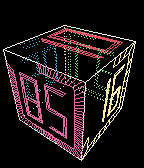
GamesFlipClock3D is a gravity & gesture aware 3D interactive fliping clock. Buttons: - UP/DOWN: +/- spin speed. - SELECT: transparency (SOLID/XRAY/WIREFRAME). - LONG SELECT: configure digit font. Gestures: - TWIST: mode change (DYNAMIC, STEADY) - PUNCH: spin faster - YKES : stop spinning, make Day/Hour/Minute faces visible.