 172
172Strava Starter
Health & FitnessStart and stop Strava activities from your Pebble! Android only, companion app needed. Strava Starter is not affiliated with Strava company. Strava and all other Strava product names are trademarks or registered trademarks of Strava.
 172
172Big Calendar App
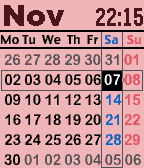
Tools & UtilitiesThis is a monthly calendar viewer with digital watch. you can select other months with up/down key. Also you can show following informations with enter key. - time with second - weather condition, temperature, wind speed - bluetooth connection status - battery remaining level - weather forecast with down key If you frequently use this app, try to register at quick launch. key operation - up : previous month - enter: toggle information display mode/ return current month - down: next month configuration - color theme - date format - week beginning with sunday/monday - time type 12H/24H - time second display on/off - gray days of prev/next month display on/off - units type of temperature and wind speed C&meter per second/F&mile per hour - weather location type gps/city name/zip code/lat&lon Note: you can't select with date format with Day of week and second display on.
 171
171weather
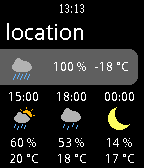
Dailysimple weather forecast app. need api key of "weatherunderground.com". make account and get it from http://www.wunderground.com
 170
170PushLine
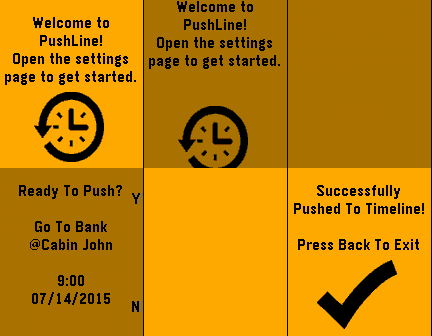
NotificationsPushLine allows you to push notes directly to your timeline. Simply open the settings page, enter your note, then set the time and date to appear on the timeline. Please e-mail me if you have any other suggestions for the app.
 170
170Sports Timer Stopwatch
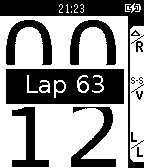
Health & FitnessThis started out as a desire to have a stopwatch I could read while swimming. Nothing out there had a font large enough to see when glanced at during a tumble turn. It has grown into something a bit more than just that. There are four display options; a) the main window, b) a large font view of the current lap, c) a watch view that includes the last two lap times & d) a list of all the lap times.
 170
170Quizlet for Pebble
NotificationsEver want to study flashcards on your watch? Now you can! Quizlet for Pebble gives you direct access to your recently studied flash cards sets right on your watch!
 170
170Wristronome
Tools & UtilitiesHaptic metronome to help musicians keep perfect time via vibrations on their wrist.
 169
169Directions
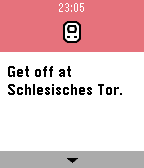
Tools & UtilitiesDirections is a fast and simple navigation app. Select how you want to travel, speak your destination, and get a list of instructions that guide you there. Directions for cars, bicycles, public transit, and pedestrians are available. New features: • Automatic navigation for bicycles and pedestrians (BETA, please report any problems below) • You can add up to five favourite locations from the config page If you want to give feedback, report a bug, suggest a new feature, or experience problems with automatic navigation, consider submitting the google form linked as the website below :) The directions are powered by the HERE API. For more information about HERE visit https://developer.here.com
 169
169PebbleAI
Tools & UtilitiesChatGPT, Gemini, DeepSeek, Grok or Claude for the Pebble Time! This app takes your voice message and displays a response from the AI assistant of your choice using their API. Requires an API key from https://platform.openai.com/account/api-keys (OpenAI) or https://console.anthropic.com/dashboard (Claude Anthropic) https://aistudio.google.com/app/apikey (Gemini by Google) https://console.x.ai/ (Grok) pasted into the settings page and a rebble subscription for voice dictation.
 168
168Tomato
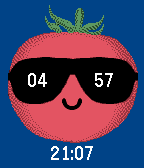
Tools & UtilitiesPomodoro tool for Pebble http://en.wikipedia.org/wiki/Pomodoro_Technique Controls ---------- Up / Down - subtract / add one minute; Up (long click) - switch mode; Select - show pomodoro count; Select (long click) - show settings.
 168
168'The Kevin Pacey' - swimming pace app
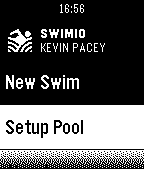
Health & FitnessGet Kevin on your Pebble - your personal virtual swim coach and stay on track in the pool with smart vibrations to help you adjust your speed. - Vibration alerts as you near your target time - Summary statistics so you can improve swim after swim - Rest time so you can repeat over multiple sets SwimIO smart-swimming tech. Helping you swim faster, further. More motivating and more fun in the p
 167
167GymSets
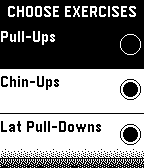
Health & FitnessNow you can leave your gym schedule at home. With GymSets you can set your exercise schedule, repetitions and rest time. See the exercise name and set number you are currently doing. This app does not require a phone connection! - Long press of the middle button takes you to the menu. - Long press of the back button exits the app.
 167
167What time is it?
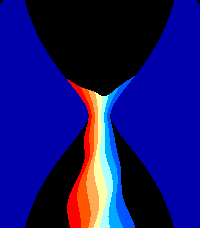
Tools & UtilitiesMusic and visuals demo designed for Pebble Time 2. It was presented at Xenium 2026 in Poland. Press select to toggle light on/off Press down to toggle loud music / higher audio quality https://youtu.be/r3HWmCo4JLY Read more about the demo scene computer art subculture: https://en.wikipedia.org/wiki/Demoscene
 167
167DirecTV Remote
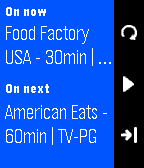
RemotesPlay, pause, rewind and fast forward using your Pebble smart watch. **Now you can control all your receivers. Features -Genie support -Basic remote features -Remote modes -What is playing -What is on next Remote modes: Hold the top button when on the remote screen to enable three new buttons. Top - Previous channel Select - Channel up Down - Channel down Follow me @tvbarajas **All trademarks and registered trademarks are the property of their respective owners.
 166
166Email for Pebble
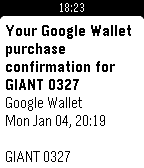
Tools & UtilitiesRead email on your wrist! Email for Pebble lets you access your Gmail accounts without having to dig out your phone.