 184
184Qur'ān
DailyRead Qur'ān on your Pebble - no phone or internet connection required. Use the centre button to skip to a particular surah. Hold to auto-scroll, then up/down to adjust speed. I could only fit surah al-Fatiha and the 30th juz into the app - stay tuned for future updates. Arabic Qur'ān text courtesy of Tanzil.net. Typeface © Meor Ridzuan.
 183
183Wikipedia
DailySearch Wikipedia from your Pebble! You can now search Wikipedia using the microphone on your Pebble Time or find articles based on your current location or simply view random articles. All languages supported by Wikipedia can be used in this app. This app is not affiliated or endorsed by Wikipedia or the Wikimedia foundation.
 183
183HangTime
Daily$3 (Powered by KiezelPay) 2 hour trial period HangTime is the first Hangouts/Google Voice client for Pebble! Allows you to send canned or voice messages like the Send Text app. Login with your Google account and send away. If you like HangTime give it a heart.
 182
182ActivityCounter
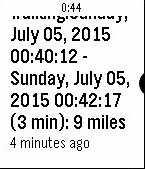
Health & FitnessActivityTracker is a full featured activity tracking app. It tracks counts for biking, swimming, running, walking and target practice and through the configuration page you can add your own activities as well. Upon reset, a Pebble push notification is sent with start/stop datetimes and counts (so you can review your data later). Functions: up/down increment/decrement the count. Holding up/down start/end the timer. select takes you to the menu (for activity and unit selection), holding select resets the count and posts the notification to your Pebble.
 181
181FindMy for Pebble
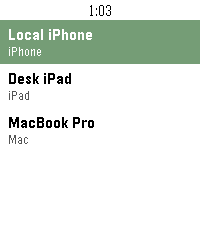
Tools & UtilitiesSee and ping your Apple devices
 180
180Pebbos
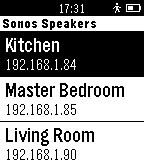
RemotesA simple Pebble.js app that allows you to control your Sonos speakers with your Pebble.
 179
179Tesla Control
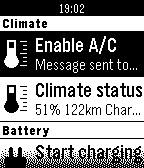
RemotesControl your Tesla Model S or X. Start/stop charging, heat/cool your car, you can check in/outdoor temperatures, see your range... Enter Tesla login on the phone through "Settings". Initially the app was made for myself but got a life of its own. You can buy me a beer or help me save for my Model 3: https://www.paypal.me/EdeBruijn :)
 178
178turquoise
DailyDon't forget to leave a ❤️ if you like this app! turquoise, standalone voice twitter app for pebble. Pulls in your latest mentions and direct messages for quick replying and conversations. Reply to tweets and DM’s using your voice, or flick your wrist towards you to send a public tweet. Use turquoise and twitter's direct messaging as a messenger solution on platforms that don’t support sms text voice replies yet, or just as a regular twitter app. Uses the chat icon by NAS from the Noun Project and Codebird.JS from Jublo Solutions.
 177
177Calendar for Pebble
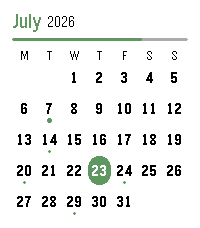
DailyA touch calendar watchapp for Pebble Time 2 and Pebble Round 2. Shows the month with a dot on every day that has events; tap a day for an agenda you can scroll through. Syncs from iCloud and Google Calendar. iCloud calendar link: 1. iPhone: Calendar app → Calendars → tap the ⓘ next to a calendar → enable Public Calendar → Share Link → Copy. 2. Paste the `webcal://…` link into a calendar row in Settings.(Public sharing is read-only and needs no password.) Google calendar link: On a computer at calendar.google.com: 1. Hover the calendar → ⋮ → Settings and sharing. 2. Easiest (public): under "Access permissions", tick "Make available to public", then copy the share link (the `…?cid=…` URL) — the app converts it automatically. 3. Private (keep it unlisted): scroll to "Integrate calendar" → copy "Secret address in iCal format (ends in `.ics`). 4. Paste the link into a calendar row in Settings. Credits App menu icon adapted from [pebble-dev/iconography (https://github.com/pebble-dev/iconography) Watch screenshots for banner created using (https://pebble-render.aru.dev/)
 177
177Wristponder
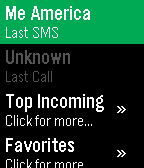
Remotes**Requires Android companion from Google Play Store!** Send customized pre-set (or 'canned') SMS messages from your Pebble! Perfect for times when you need to reply, but it isn't possible to use your phone. Add, edit, delete, import and export your list of responses, then choose from them when you open the watchapp. The last contact you received an SMS or Call from is also displayed.
 174
174Bookmark
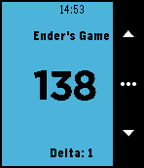
Tools & UtilitiesBookmark allows you to track your page number in a book. Really, it can count anything. It permanently saves the number so you never lose track. New! Bookmark can now track multiple books and TV shows at once! Bookmark can be used to save the page number in books as well as time in TV shows. You no longer have to pick just one book or one TV show, now you can track them all at once. Track your current book, netflix episode, podcast, youtube video, and whatever else you may want to track all at the same time. You can specify the title of the book using either voice dictation or the T3 keyboard. T3 Keyboard Controls: - Each button corresponds to a row of characters. Short press the corresponding button to cycle through the columns. - Long press the buttons to access the different keyboard layouts. - Double press the back button to backspace. - Access the space character on the "yz " key.
 174
174Pebble AlarmSync
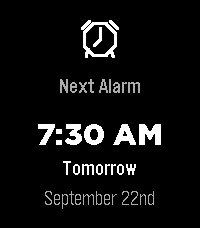
Tools & UtilitiesPebble AlarmSync makes it possible for your Pebble to: - see your next scheduled phone alarm - vibrate whenever your phone alarm or timer goes off - snooze or dismiss your phone alarm or timer directly from your Pebble Requirements: - Android only (iOS blocks access to alarms) - Install Pebble AlarmSync Android companion app from the Google Play Store https://play.google.com/store/apps/details?id=com.tinkertools.pebblealarmsync - Enable required permissions in the Pebble AlarmSync app Support: Like the app? Find it useful? Or just want to show a little extra appreciation for all the time and effort I put in? Want to buy me a coffee? 🥰 (I'm definitely not a morning person, so I can use all the morning help I can get. 😅) https://buymeacoffee.com/adamsifounakis
 174
174Goal Star
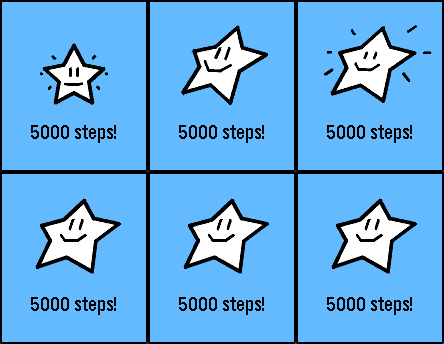
Health & FitnessA simple Pebble app that lets you set a daily health goal and get notified with vibrations and a popup when you reach it. Goal Star runs in the background so you can get notified even if you're not in the app. The app includes configuration options for: * Goal type (steps or distance in meters) * Goal value * Popup window timeout * Show time on progress window Supports Pebble Time, Pebble Time Steel, and Pebble Time Round watches. Icon based on "achievement.svg" by romzicon from The Noun Project.
 174
174Sprint Racer
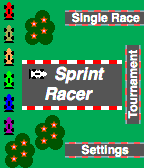
GamesSprint Racer is a fast paced F1 style 2D racing game where you race against 3 computer controlled opponents. The game offers two racing modes: Single Race or Tournament. Single Race Mode allows you to play just a single level. Tournament Mode puts you in a competition against the opponents as you race through each track and accumulate points. The game also keeps track of your high score for the Tournament Mode. You can select the color of your car from a variety of options. The controls are very simple: SELECT starts the race and fires your weapon, DOWN turns the car counterclockwise and UP turns the car clockwise (UP and DOWN can be reversed in the Settings menu).
 173
173Pal Locator
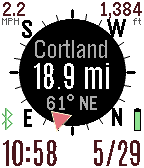
Tools & UtilitiesThe Pal Locator app helps you find or return to specific locations. It works with the Pal Strap or your smart phone GPS. You can drop markers at your current location or enter a specific location using the custom Settings. The direction and distance for each marker is displayed in the app. Use the top button to switch between markers. You choose your refresh rate, or use the bottom button to manually refresh your GPS. Hold down the bottom button with a long press to activate the map. Use the middle button to display the menu to control your Pal Strap, set or clear markers, or change the custom settings. You can set labels for your custom marker through the settings page on your Pebble smart phone app. Up to seven custom markers are supported. If you have the compass activated but it is not working, move your Pebble watch in a figure-eight gesture a few times. You can also have your orientation based on your direction of travel according to your GPS. If you have trouble getting this app to work with the Pal Strap, first get the Pal Strap working using the manufacturer's Pebble and smart phone apps.